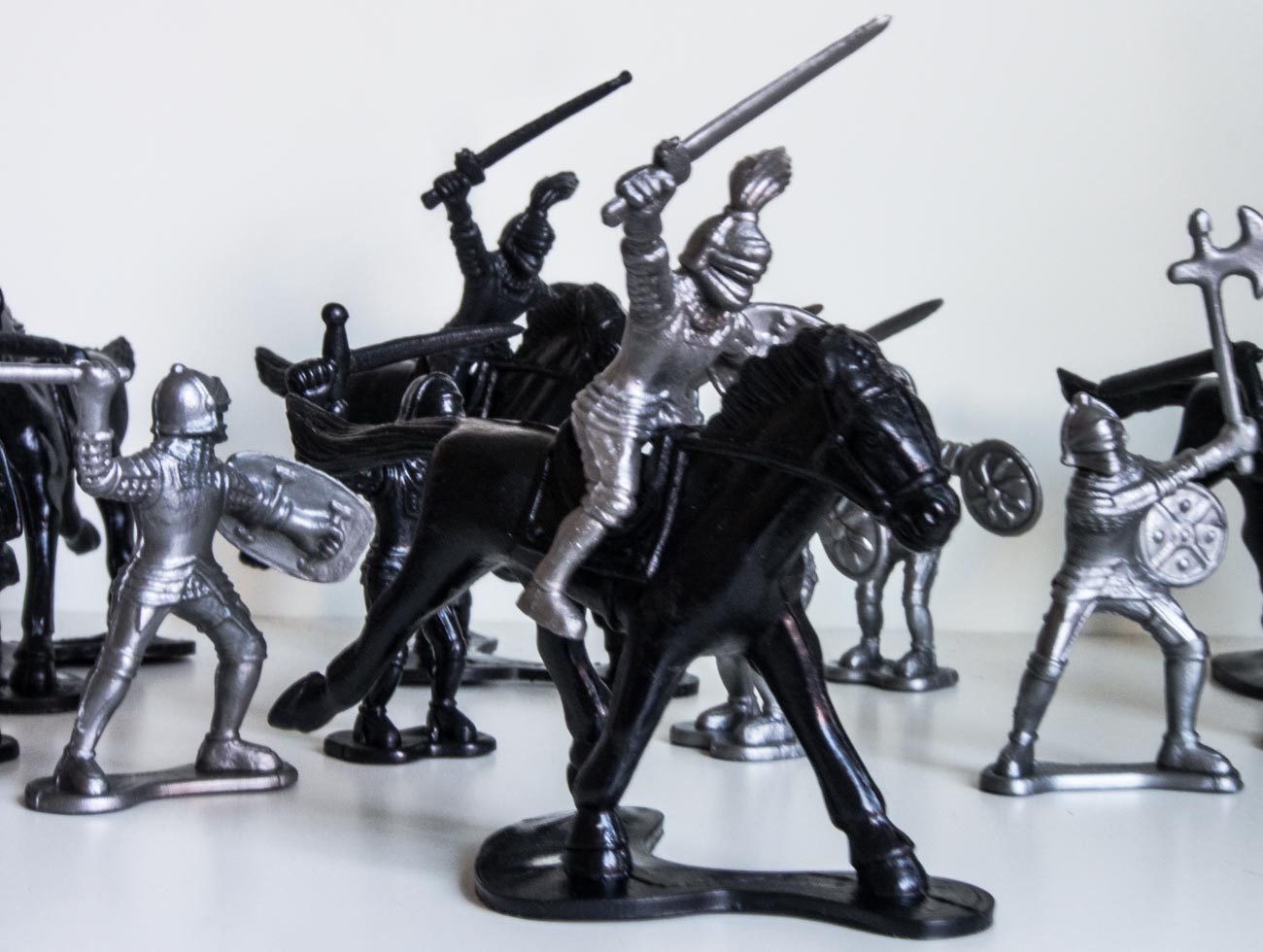
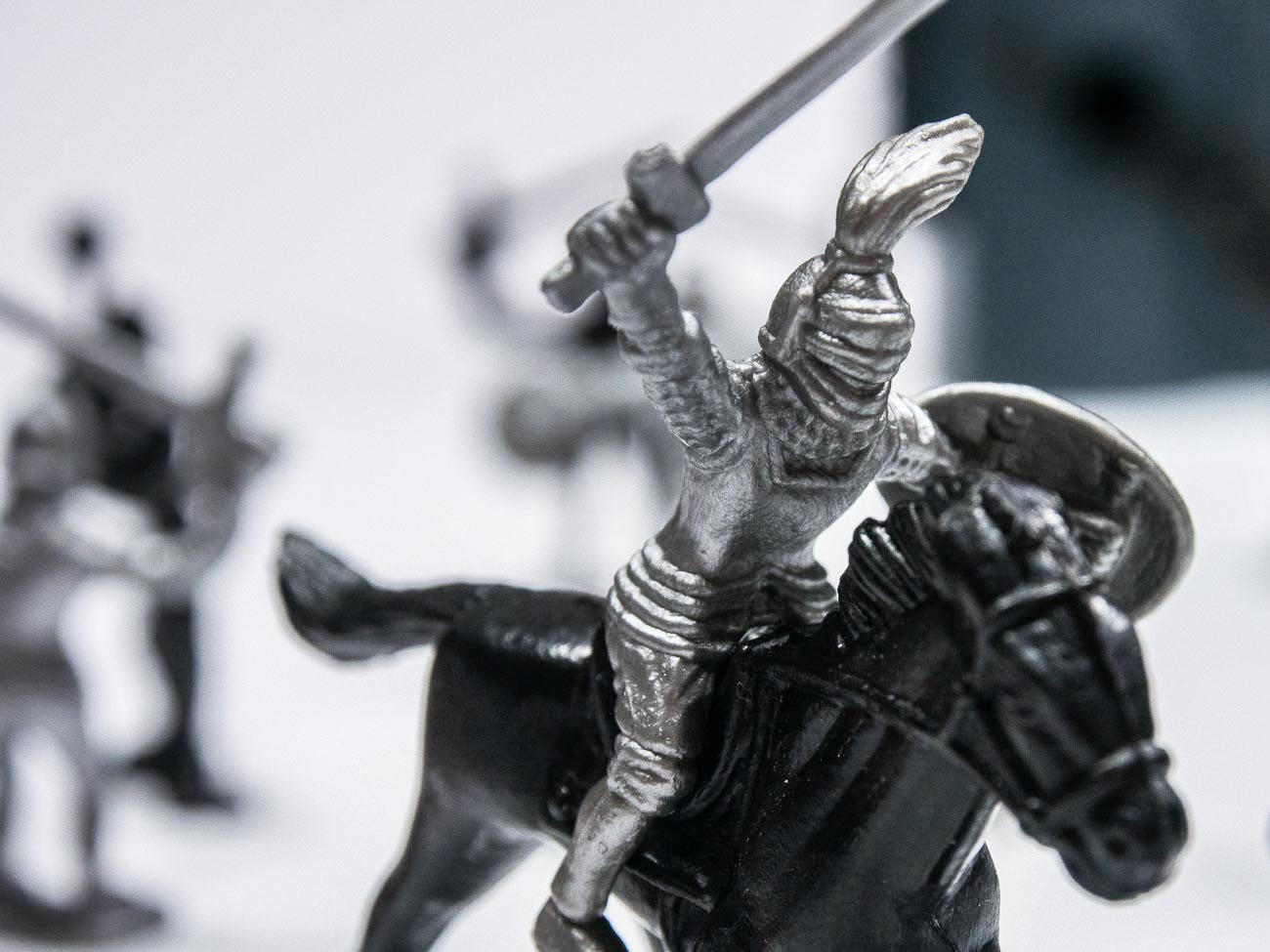
Katin Images Travel Photography

Travel Photos, Travel Photography Tips and Software

Category: How to

  • Learn how to use aperture priority in 15 minutes

    Learn how to use aperture priority in 15 minutes


    You’ve got the new beaut camera or maybe you dusted off an old one that you’ve had for a couple of years and instead of using your smartphone, you thought you would use this for your marketing images. After all you have enough of searching for stock photos that just aren’t what you need.

    After looking at this camera you realise there’s a dial on it that says A, P, S and P and maybe a couple of other items like the picture of a video camera, auto or some other sign that gives you choices to select a genre. But you’ve heard that the best way to shoot is to use “A’. But what is A?

    Well it’s Aperture priority. Now to refresh your memory on what aperture is I’ll send you off to have a quick read of these 2 articles.

    10 Vital Facts about Camera Aperture

    Understanding the 3 points of the exposure triangle

    So now you’ve done that or at least scanned it. Lets’ go forward

    A stands for Aperture – yes, you’ve worked that out. Great!

    Aperture is measured in f-numbers. An f-no. or f-stop is the size of the aperture and by moving that dial you control it.

    Usually the numbers relate to a stop and each stop represents twice the preceding value and half the next higher value. So, if the number was 1 then the next number would be 2 and then the next number would be 4 and so on.

    In f-nos they look like this:

    f/2.8, f/4, f/5.6, f8, f11, f16, f/22 which is slightly different from what I just told you and that’s because it works in the amount of light it lets in. f/4 lets in half as much light as f/2.8, f/5.6 lets in half as much light as f4, f/8 lets in half as much light as f5.6 and so on.

    It is arguable that changing the Aperture setting is the best or at least one of the best ways to be creatively in control with the final image that you want.

    So why would you want that? Well from a creative control point of view it gives you options.

    Options like how much you have in focus;

    Basically, as you look at a subject or scene you can set the F-no. so that you can decide what you want in focus. That could be just the subject or everything you can see within the frame.

    How does it do that? Well I won’t go into the physics too much as you’re here to learn quickly and I don’t want you to get bogged down in detail.

    In simple terms, the bigger the hole or aperture the less of the scene in front of the camera from front to back is in focus.

    And that is called the Depth of Field (DOF).

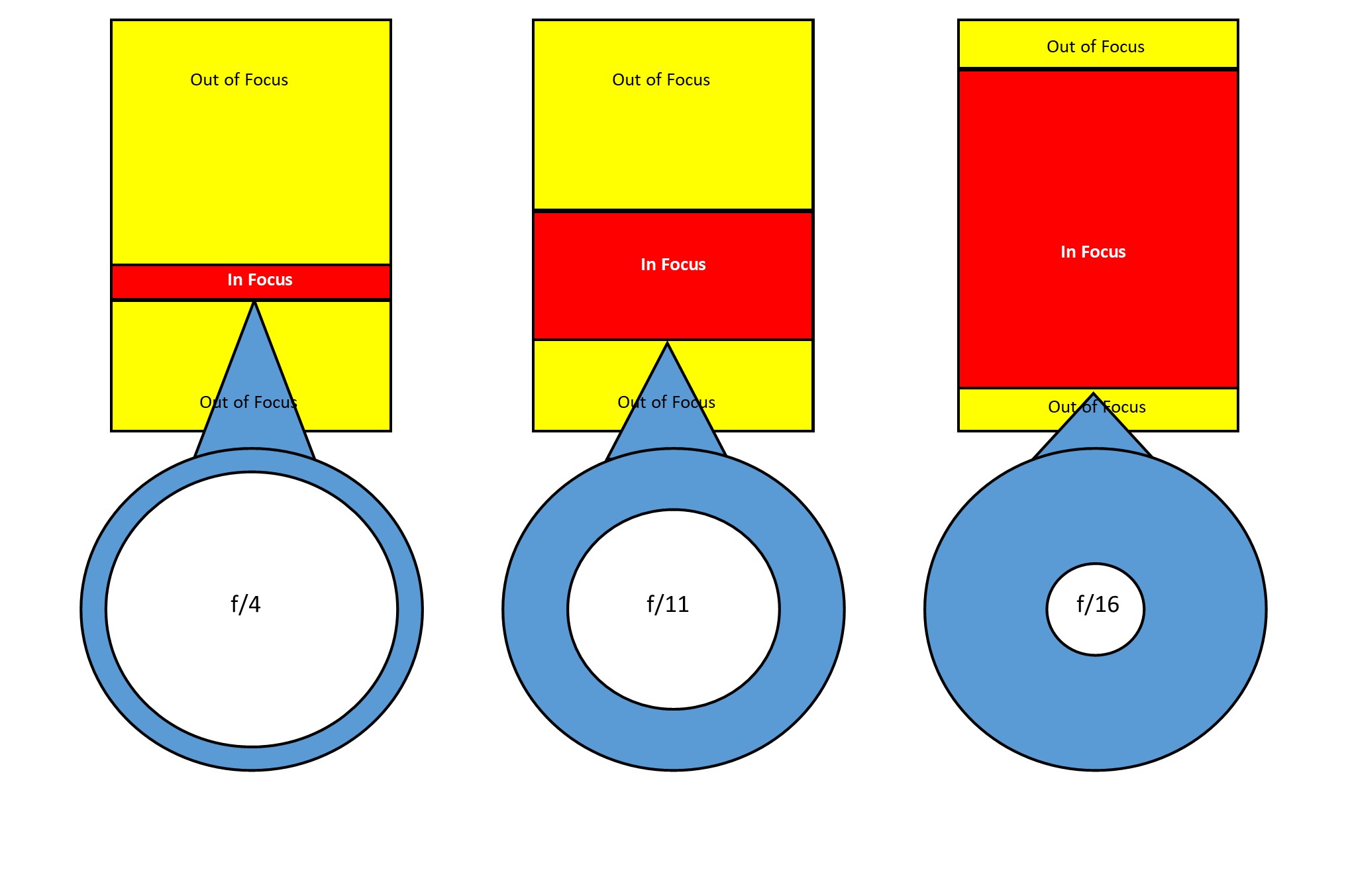
    Let’s look at this infographic that shows the differences in f-no in a plan or overhead view:
    Learn how to use aperture priority in 15 minutes

    The left-hand side shows a shallow DOF due to a small f-no or a large aperture. The amount in focus is quite narrow. Whilst if we go to the right-hand side the amount in focus is significantly greater.
    If I added another diagram to the far right showing an even smaller aperture then the amount in focus would extend out to infinity. I didn’t want to confuse you though.

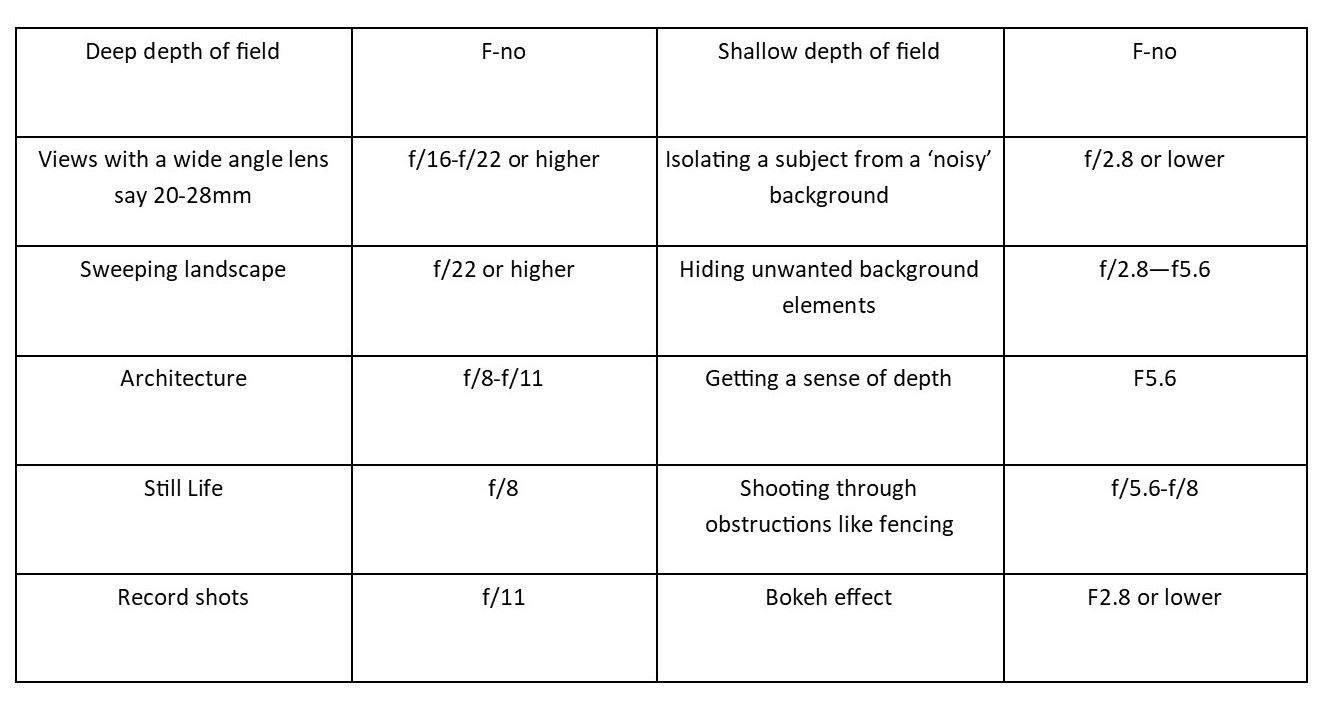
    So, let’s look at when you would use this with this little chart:


    Learn how to use aperture priority in 15 minutes

    OK enough from me, now it’s down to you.

    1 Grab that camera, turn it on and take off the lens cap!

    2 Get a bottle or a can or vase (the subject)

    3 Now go outside

    4 Mount ‘the subject’ on a table or some support

    5 Find that dial that has “A” on it and find the dial that you use to adjust it.

    6 If you have a zoom lens make sure it’s between 50mm and 100mm (35mm equivalent).

    7 Now take three shots:

       1 At Ff2.8 or lower if your camera goes that low. You may find that you can’t go as low as that due to the lens you have. So, in that case just go with the lowest setting.

       2 At f/11

       3 At f/22. If possible, this shot should have a long background.

    Because ideally you want the same background, having a big garden or living in an apartment with a view are the ideal locations.
    But you could just go to the nearest park and take all three there.

    Compare the shots to see the differences and then play around with different focal lengths as that can make also change the DOF.

    See these examples:
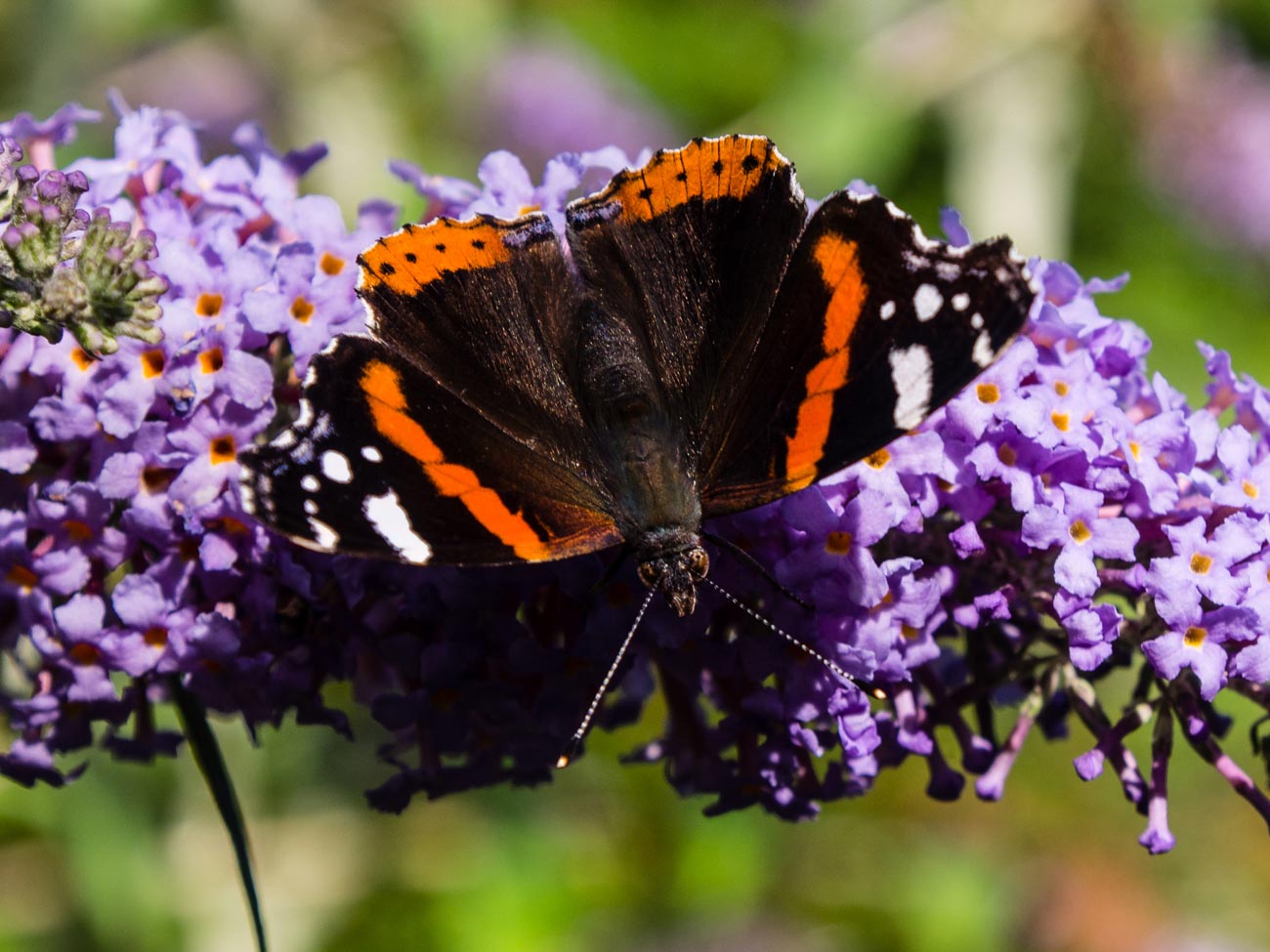
    f/5.6
    Learn how to use aperture priority in 15 minutes
    f2.8

    It’s best, if possible, to compare images on a monitor or at least a tablet.

    Voila, you should now have an understanding of how to use the A or Aperture setting.

    All in all, that should have taken you around 15 minutes (not counting any travelling time).

    As an aid to this I have a simple checklist for you to download.

    Just pop your name and email in the box below and it will magically appear in your inbox.


  • Buy a Camera in 15 minutes with these 5 Questions

    Buy a Camera in 15 minutes with these 5 Questions

    Buying any sort of technology whether it be a phone, a TV or in this case, a camera, can be mystifying in a lot of cases and more importantly, time consuming.

    But it doesn’t have to be.

    Ask these questions and you have a fair chance of coming away with a decent camera from a camera store. Note that I said camera store not online store. Sure, you can still buy it from Amazon or B & H or any online store but as with a TV you really want to ‘try before you buy’. Cameras are personal and if doesn’t feel right it won’t help you take the sort of photos you want.

    All these questions are for you to answer not the camera store salesperson or online forums, facebook groups but you.

    1 What are you going to use it for?
    Are you are a business looking to take product picture.
    Are you in the travel industry and looking for a general all-rounder for travel pictures?
    Do you just want to use it for your blog?
    Do you also want to take pictures of your family?

    You get the point.


    Buy a Camera in 15 minutes with these 5 Questions


    Buy a Camera in 15 minutes with these 5 Questions
    The High Line Walk Way in New York

    2 What’s your budget?
    Whilst the camera is not always the main reason for taking great photos it does give flexibility and that flexibility is usually but no always proportional to the amount of you want to spend.
    Don’t get into financial stress over it but don’t scrimp if you can afford not to.

    3 What size camera do you want?
    Cameras come in all sort of shapes and sizes. If you’ve been used to using a smartphone then buying a DSLR may not suit. The camera is big and the lenses quite heavy.
    So maybe a top end compact or a mirrorless camera may be better. If on the other hand you’ve had a DSLR but it’s a bit old in the tooth then consider a Mirrorless. It also depends how mobile you want to be.
    Do you have an existing interchangeable lens camera that you want to upgrade?
    In which case you will want to keep to the same brand if possible.

    4 Are you the only one going to use it?
    If one of your staff or another member of your family are also going to use it then it may be worth getting their input as well. On the other hand, that could also confuse the issue so think this one through first.


    Buy a Camera in 15 minutes with these 5 Questions
    Cigar smoking fortune teller near Catedral Plaza, Havana


    Cigar smoking fortune teller


    5 Are you going to buy more than one lens?
    Nearly all interchangeable lens cameras come with a ‘kit’ lens which is usually enough to get you started. You can always add to it later

    So that’s it. All you need to do now is to go into a camera store and say  the following for example:

    I want an camera with an interchangeable lens,
    that’s light,
    than can be used for portraits that will be used commercially and
    that I only need one lens for.

    Try it out. It’s much quicker and better to ask yourself these questions than spend hours of research on the net and then be totally confused.

    You can change your mind once you get into the shop but I’d try and be certain as you can before looking at different cameras so that you can keep on point.

    For more on buying a camera please go to:

    BUYING A NEW CAMERA? THEN READ THIS

    You may also want to download my free Camera Features Guide

    Thanks for reading

    Post any comments below. I’d love to hear them.

    And do us a favour! Please share any way which works for you.

    If you want more like this then please subscribe below and you will get a free guide on how to improve your photography.


  • How to use the Rule of Thirds for Stock Photography

    How to use the Rule of Thirds for Stock Photography

    When taking any photo, it’s the done thing to have rules.

    Now I don’t go along with rules all the time after all, aren’t they made to be broken?

    But this one is an essential rule for anyone starting out or even still learning (not that you ever finish learning but you get my drift)


    So, what is the rule of thirds?

    It’s way of ensuring that the photo has some sort of balance.

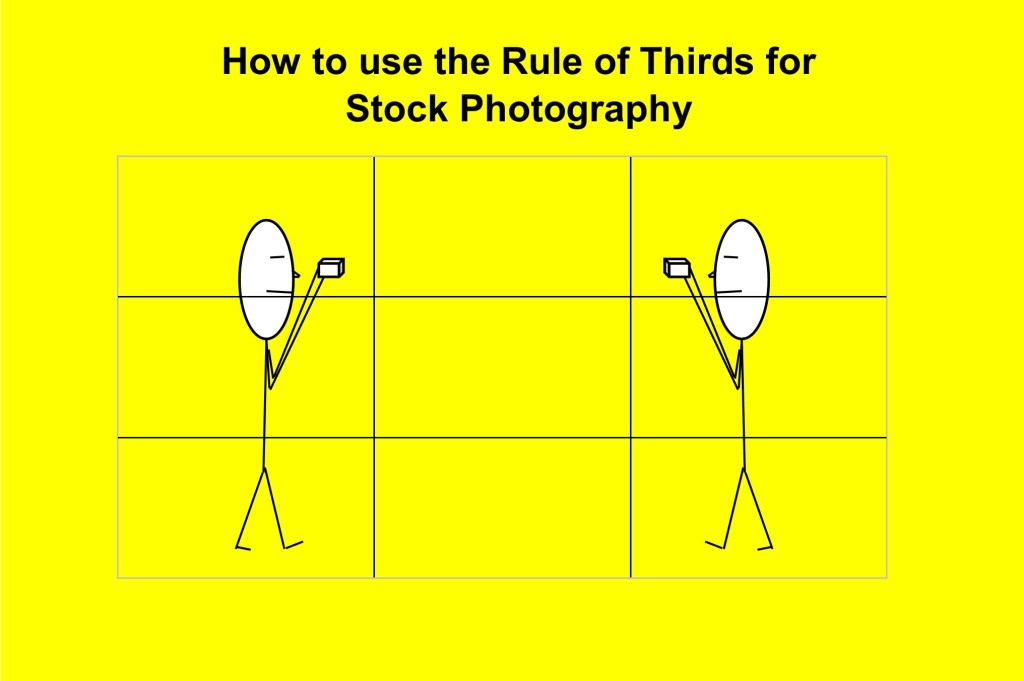
    Basically, you divide the photo frame into thirds.

    You have a top third, middle third and a bottom third, plus you then have 2 vertical lines that divide the frame into 3 going from one side to the other.

    How to use the rule of thirds for stock photography


    It’s like an imaginary empty noughts and crosses box overlayed on your photo

    The idea is that you position your subject along one of these lines.

    For example, generally speaking, a horizon shouldn’t be right in the middle, it could be on the lower third or upper third line depending on what’s interesting in, usually, the sky or the foreground.

    Basically, the rule of thirds promotes that the main elements of a composition in any photo should be placed one third away from the edges of the frame.

    The idea behind it is that our eyes are naturally drawn to the intersecting points, how we are drawn to the balance of an image. This is all theory of course.


    How to use the rule of thirds for stock photography
    People relaxing enjoying the view after a swim at Perth’s Cottesloe’s beach


    But it is a good start. The example of avoiding putting the horizon smack bang in the middle is probably the most obvious.

    Other examples could be having a model over to one side along, let’s say, the right-hand line, the moon in the right-hand corner or a lone tree to one side.

    Here’s three more examples:


    How to use the rule of thirds for stock photography


    How to use the rule of thirds for stock photography
    Taxis outside Flinders st station Melbourne


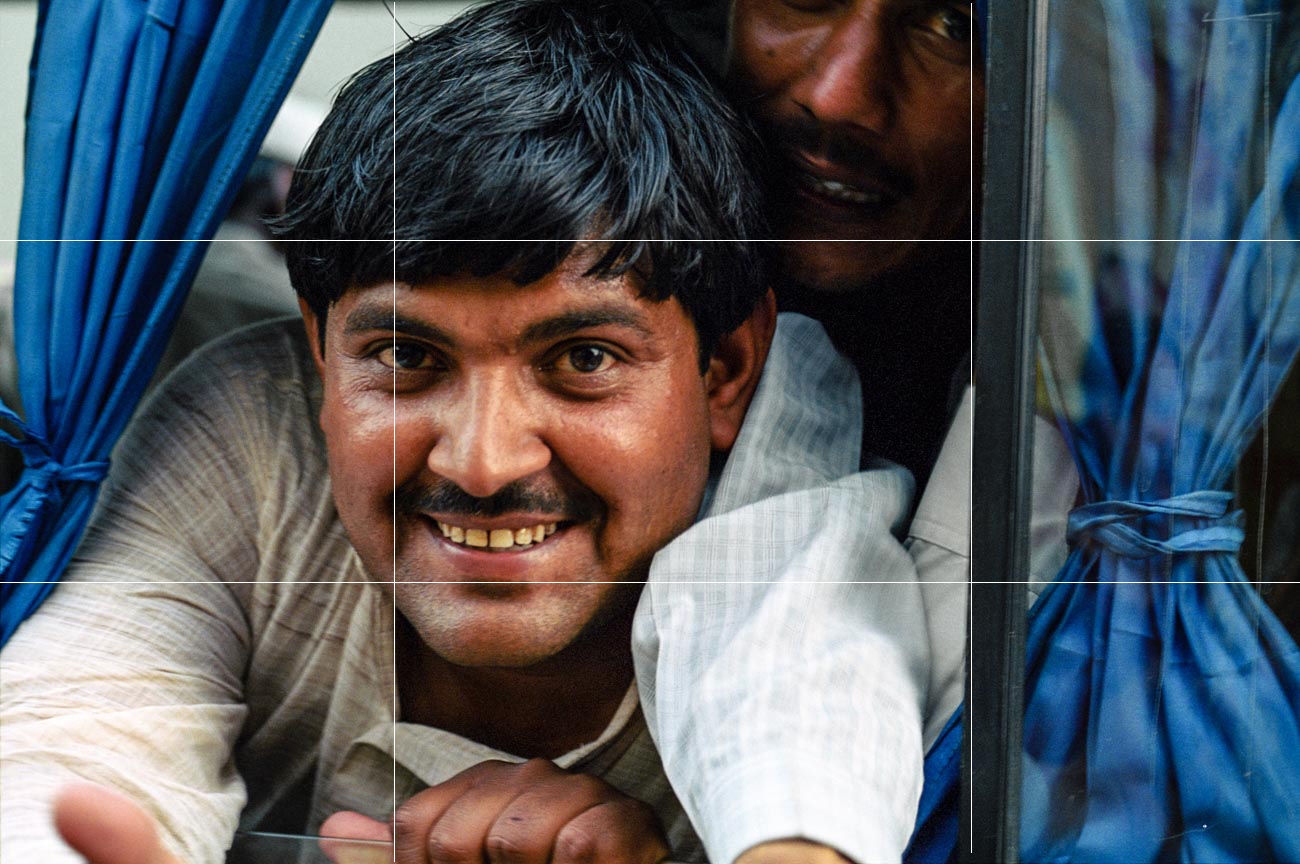
    How to use the rule of thirds for stock photography
    Young man in a crowded car in Bikaner, Rajastan, India


    You can see by these examples it’s really all about keeping the main elements to one side and not smack bang in the middle.

    So how to use it?

    Well from a purely technical point of view the easiest way if you want to see when composing an image is to use the focus points.

    On every camera and even some smartphones there is now the ability to display multiple focus points and/or a grid similar to the thirds grid which can see through the viewfinder or rear LCD screen.


    How to use the rule of thirds for stock photography How to use the rule of thirds for stock photography


    And that’s fine when you are trying to get the hang of it but once you get into the habit of where to put the imaginary lines roughly I suggest you go back to using the points more naturally.


    For stock or marketing photos your composition you may have to take into account any captions you want to overlay over the photo.

    No point putting it across a vital part of the image as you will lose the impact of both the image and caption or message.


    Of course, as I stated at the beginning it’s a rule that doesn’t have to rule every photo you take (excuse the pun).

    It should really be called a guide to creating composition using thirds or something like that as not every situation lends itself to this rule.

    Of course, you can go overboard as well.

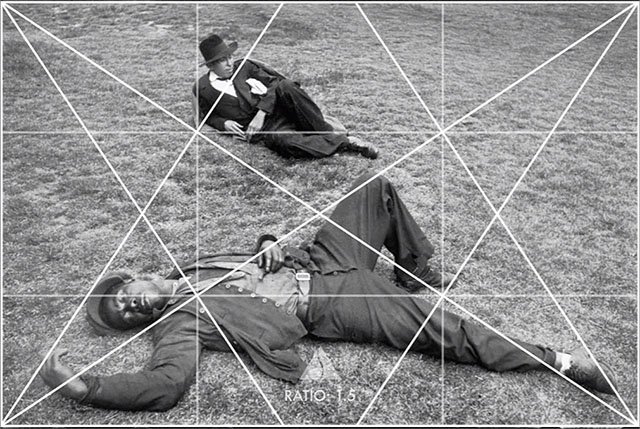
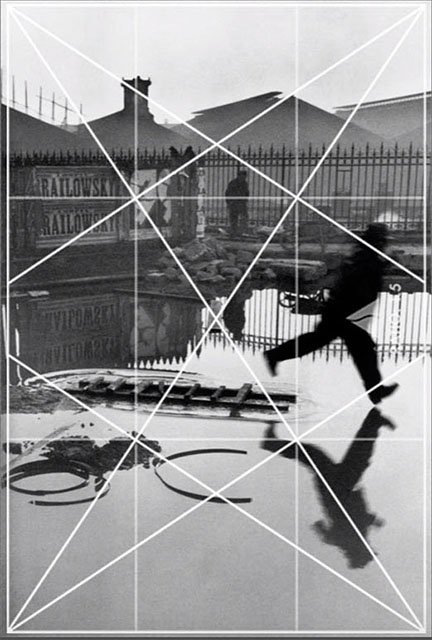
    The image lines below, that have been drawn anonymously, are an analysis of the how supposedly of one of the greats, Henri Cartier-Bresson, framed his images.

    That I’m not convinced about.

    He was a natural talent and I’m sure in his mind’s eye he composed around the frame but I don’t think it was to as detailed.


    How to use the rule of thirds for stock photography How to use the rule of thirds for stock photography How to use the rule of thirds for stock photography

    So to summarise

    The rule of thirds is a is a way of making sure the viewer focuses on what you want them to by dividing a photo frame width and height  into thirds.

    Thanks for reading

    Post any comments below. I’d love to hear them.

    And do us a favour! Please share any way which works for you.

    If you want more like this then please subscribe below and you will get a

    free guide on how to improve your stock photography.


  • How to use your Travel Photos as Stock

    How to use your Travel Photos as Stock

    We often spend too much time searching for things that we have under our noses.

    Let’s take Stock photos for your marketing as an example.

    We’ll either jump on the net and spend hours searching for images that will fit the bill or set up our own temporary photo studio and take something ourselves that we believe will do the job.

    Often, we may already have the image in our ‘carefully ordered’ catalogue of photos that we have accumulated over the years.

    Sometimes the image doesn’t have to be of you, your product, your shop or your staff.

    It can just represent your business in a less straight forward way the message you are trying to get across.

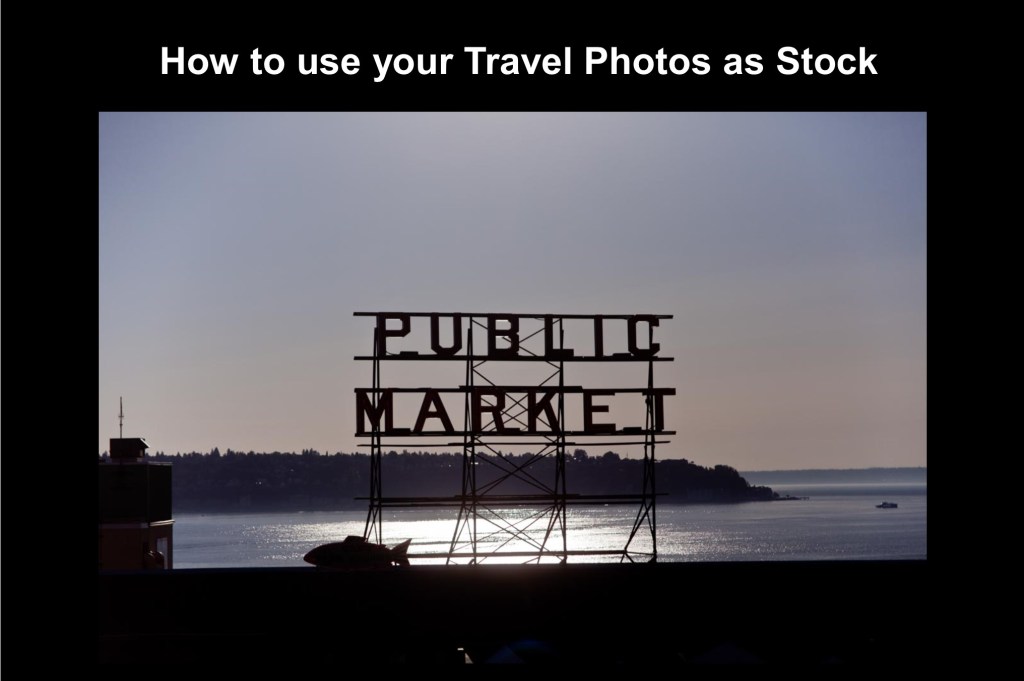
    So below are several examples of images that can be used to speak to your potential market with suggested captions.

    This is not meant to be a promotion for my other brand katinimages.com.

    However, if you are interested in any of these images just click on them and you will be taken to my gallery where you can, if you so desire, make a purchase or just see a bigger version.

    https://katinimages.smugmug.com/Travel/Australia/i-qRnK3zz/A


    Don’t waste away worrying when one call can help.

    Are you wondering where you are? Our customer service can help orient you.


    Letterboxes on the a country road in the Mornington Peninsula in Victoria, Australia


    Does you email look like this? Call 1234 56778 for a way to get your email into one box.

    Need a mails collection from multiple mail boxes. We can help with our special collection service.
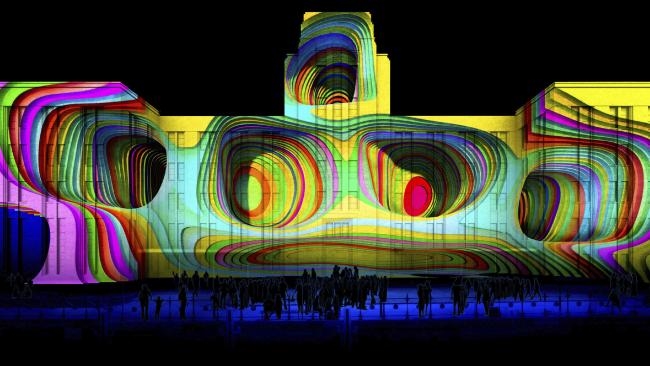
     

    https://katinimages.smugmug.com/Travel/Travel-different-street/i-rHfjWRD/A


    Sometimes you have to walk away! Call us now for an appraisal on your business.

    Knowing where to price your product can be the difference between success and failure. Visit us at knowyourprice.com


    https://katinimages.smugmug.com/Travel/Travel-Different-North-America/i-g4MnbBv/A

    Are you winging with your finances? Go to dontwingit.com

    Fed up with flying an empty plane. Talk to us about charter flights

    OK so maybe the captions are not that good but hopefully you get the idea.

    Maybe you’ve got some better ones. If so don’t be shy share them in the comments section below. You could help someone else who’s struggling to coin good marketing phrases.

    Additionally if you have any questions or comments about this post, you can also leave them in the comments section below.


    Or feel free to contact me directly via my contact page


    Sharing is caring as they say (although not sure who “they” are).


    If there’s some people you know who may enjoy this or any other post on this site, please share with them.


  • 10 Vital Facts about Camera Shutter Speed

    10 Vital Facts about Camera Shutter Speed

    In 10 Vital Facts about Camera Aperture I wrote that “The aperture of a camera is the centre of the photographic universe – well maybe – the other centre, as some would argue, is the shutter.” 

    Let’s go to the other centre of the photographic universe, the Shutter and specifically Shutter Speed.

    In all honesty, I must admit that shutter speed is just as important as your aperture setting. In another post Understanding the 3 points of the exposure triangle I make it clear (I hope) that ISO, Aperture and shutter speed all influence each other. Adjust one and the other changes.

    So, you can see how important it is to get the right setting.


    BTW make sure you scroll to the bottom of the page for an Infographic summary


    Moving on let’s get straight to the 10 Vital Facts about Camera Shutter Speed.


    1 The Shutter Speed is the speed that it takes to open and close the flap that sits in front of the aperture.


    2 It’s measured in seconds and fractions of seconds e.g. 1/500 of a Second


    3 To freeze action you need a fast (or quick) Shutter Speed


    4 To show movement you need a slow Shutter Speed


    5 It’s a big contributor to Camera shake or lack of


    6 To calculate the minimum speed you need to prevent camera shake, use this rule of thumb. At 100 ISO- the Shutter Speed = the focal lens setting of a lens. More on this below


    7 Shutter Speed becomes less important, in most situations, the better or brighter the light you have


    8 When taking hand held photos in poor light i.e. indoors without a flash you need to use the fastest speed you can get.


    9 The faster the shutter speed the lower the F Stop number which can in turn, can influence how much you can get in focus.


    10 Taking photos with a lower F stop gives you much more freedom with your shutter speed in good light but reduces as stated in 9, how much you can get in focus.


    11 The slower the shutter speed the higher the f stop number


    12 Only use Shutter speed priority when you are trying to achieve something specific.


    I’ve just realised I’ve given you 12 vital facts about camera shutter speed! Oh well you’ve got a bonus 2!


    So why do you need to worry about it?

    Well the most important reason overall is point 5; It’s a big contributor to Camera shake.

    Camera shake is pretty much irreversible and whilst shutter speed is not the only contributing factor, it can be the deciding one. Unless you are wobbling around with camera in hand snapping away.

    As I said in 6, a rule of thumb to get the slowest minimum shutter speed is to match the shutter speed to the focal length of the lens you are using.

    As an example, if you are using a 200mm lens then the closest shutter speed will be 1/200.

    But, there are complications.

    If the lens or camera has mage stabilisation then you can reduce the shutter speed by a couple of settings e.g 1/50.

    Then there are other factors that will come into play see 5 Ways to Eliminate Camera Shake

    The size of the sensor in a camera can also affect the shutter speed. An Olympus OMD _M5 for instance has a crop factor of 2 which means you need to double the focal length to get the minimum shutter speed.

    So if it was 100mm it would now be 1/200.

    Now I don’t want to confuse things but it works out the same.

    The reason is that a 100mm lens on a 2 x crop factor sensor camera is actually 200mm on a full frame so the minimum shutter speed is 1/200


    Here are some other reasons for adjusting the shutter speed:


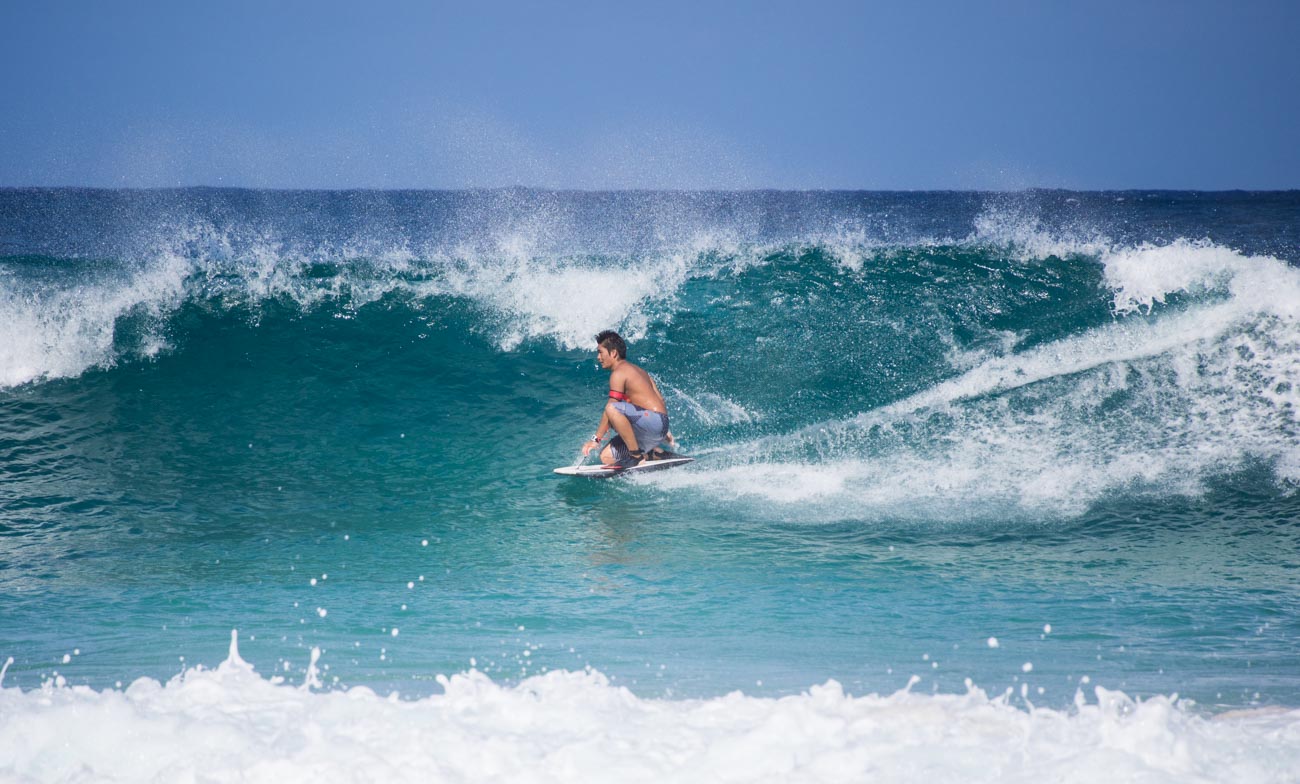
    Freezing action

    Let’s say you want a picture like this one of a surfer to freeze the moment. You want it to be crisp and clear so the shutter speed needs to be on the high side.


    10 Vital Facts about Camera Shutter Speed


    This one was taken at 1/1600 Sec at an aperture of f5.6 ISO 200.  Whilst the foreground spray is little bit soft that’s due to the point of focus not the shutter speed.


    Slowing action

    On the other hand, with the waterfall below we’re looking for that fluid almost viscous look of the water flowing down the rocks.


    10 Vital Facts about Camera Shutter Speed
    At the Medenhall Glacier reserve. 13 miles from the city centre this is one of Juneau’s main tourist attractions in Alaska


    This one was taken at much lower speed 1.6sec at an aperture of f32 ISO 100 which is roughly 10 times lower than the surfing picture


    Interior light

    If you don’t have a flash or don’t’ want to use it then having a fast shutter speed can help.


    10 Vital Facts about Camera Shutter Speed


    Conclusion

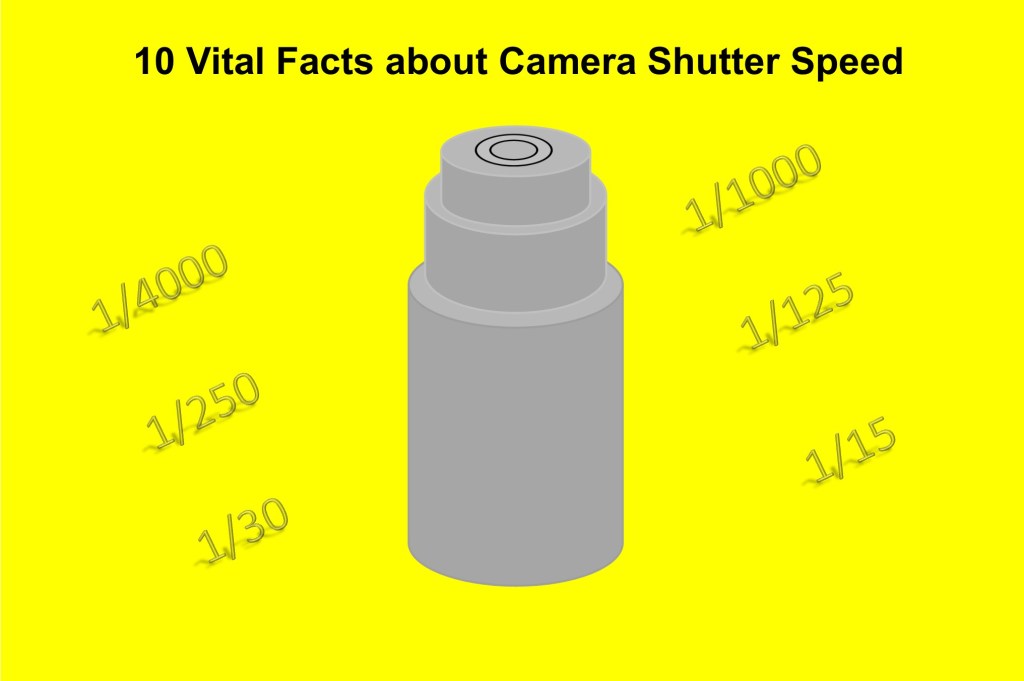
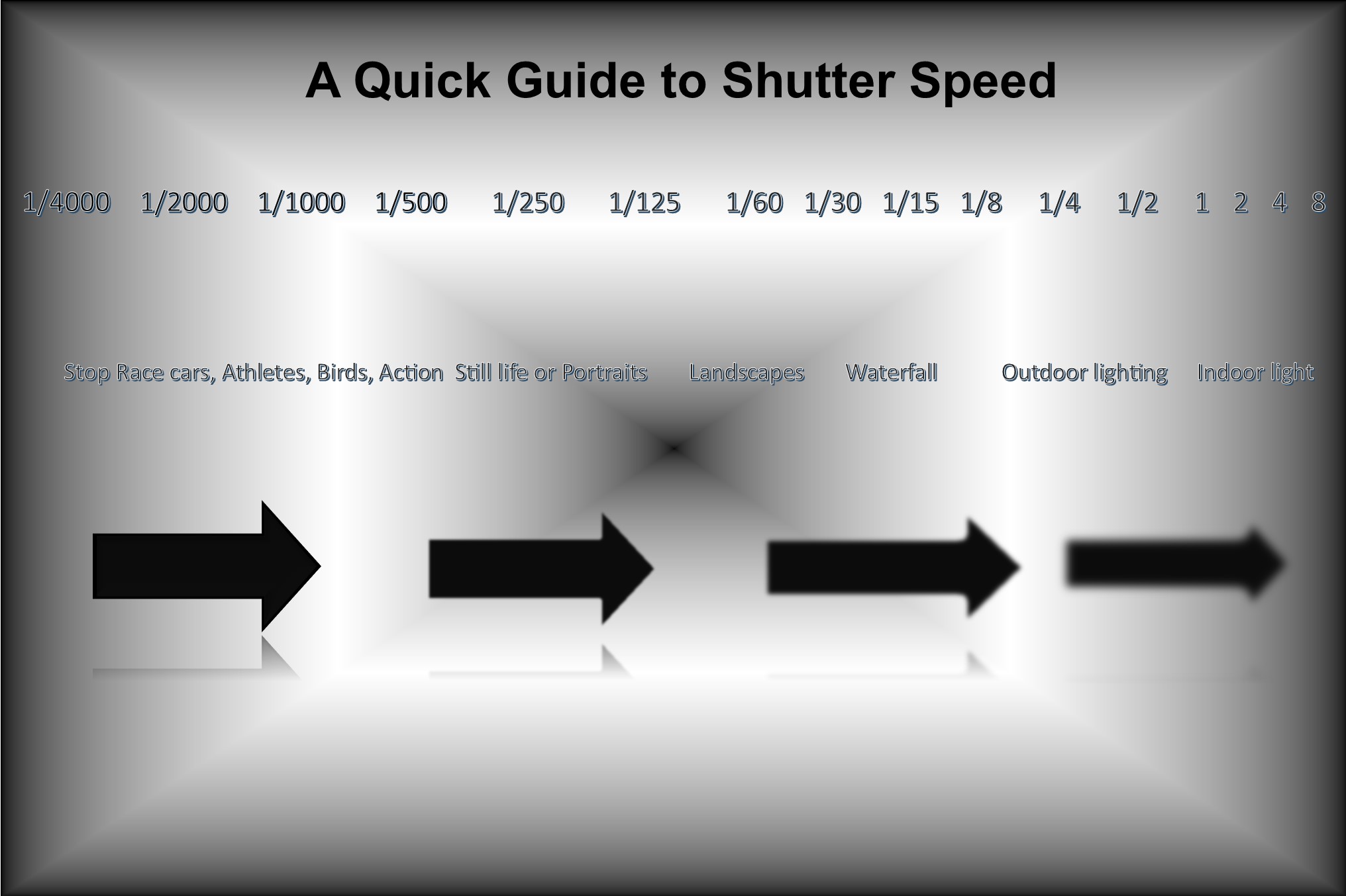
    So to summarise these last points, as promised here’s an infographic.


    10 Vital Facts about Camera Shutter Speed


    Did you understand all that? I’m happy to clarify anything you’re not sure of.

    Just post in the comments section below. Don’t be shy.


    While you are at it why not subscribe for future updates below.

    You’ll get my free guide “Eleven easy ways to help you take your own stock photography”.


  • Buying a new camera? Then read this

    Buying a new camera? Then read this

    Once upon a time I had zero interest in photography but as we were going on the trip of a lifetime I figured I should get a ‘decent’ camera.

    I went to a local camera store and spoke to the guy there who had been to some of the places we were intending to visit.

    He came up with a camera and a lens and a couple of other bits like a couple of filters etc. and said this what you need and it’s going to
    cost you $1000.00.

    So, I bought it and got hooked on photography.

    Now was that the best camera for me?
    Could I have got a different camera cheaper but with same quality?

    Possibly.

    Now, granted this was pre-internet and digital cameras, so research was a lot more time consuming. New camera models didn’t get
    released every 6 months or so as they do today.

    But I trusted him and I guess it did the job.

    But 18 months later I had upgraded and had a top of the range camera and sold the original one at a second-hand photo market.

    So maybe it wasn’t the right one.


    What you shouldn’t do


    Since then I have bought many cameras and used them for various applications.

    In doing that I have developed a fairly simple set of questions to ask when buying a new camera.

    Let me go over what most will do when buying a camera.

    First, they spend hours trolling through reviews and checking places like Amazon or B & H for the best price. 

    Then they may go into a camera shop and screw the salesman into giving them the best internet price.

    Then they buy and off they go. 

    Alternatively, they buy online if they couldn’t get the deal they wanted at the bricks and mortar shop.

    What’s wrong with that?

    Well most people wouldn’t buy a car that way or even a TV.

    Buying it that way means that the camera ends up sitting on the shelf unused. And then they blame the camera manufacturer or
    salesperson for making the damn thing so complicated.

    You see everybody is different when it comes to comfort levels and abilities (and lots of other things as well, of course).

    How do you know it’s the right camera for you? If it’s sitting on your shelf unused it’s not the right camera!

    Buying a new camera? Then read this

    The Smartphone factor

    I know a lot of people have gone for the convenience of using their smartphone instead so the camera they originally bought is
    now redundant.

    Don’t get me wrong I’m not against smartphone cameras, I use mine all the time.

    But there are lots of applications that a smartphone won’t pass muster on. That’s a future post I think.


    What you should do


    Here’s my system

    1 Be clear on what you are going to use it for.

    Here’s some questions for you to answer:

    Q Do you want images with Bokeh (where the background is blurry but the subject is in focus)?

    A For best results get a full frame DSLR or Mirrorless (not many Mirrorless have full frame) with a ‘fast’ lens. What’s a fast lens?
    Well a lens that has a small f stop number of say F3.5

    You could also get crop sensor camera with an ‘fast’ lens but it needs have a low F stop number of at least 2.4

    Q When would you use it?

    A Taking product shots or maybe portraits of your employees or yourself


    Buying a new camera? Then read this


    Q Are you going to take action images

    A You will need a camera that has a high number of FPS (frames per second). Depending on the action 6FPS should do but you
    can go as low as 4FPS

    Q When would you use it?

    A For freezing motion or multiple shots of an action scene (see examples)

    Q Will you be taking workplace shots

    A The good news on this is almost any camera will give you images of people in the workplace. However, you may want to go for
    one that has a reasonably high MB (Mega Pixel) if you are using this for print publications.

    12Mb is the lowest you would go.

    Q When would you use it?

    A Taking groups of workers either in posed or casual situation depending on the sort of image you are trying to portray.

    Q Will you be taking Landscapes

    A You can take Landscape images with pretty much any camera including the smartphone. However, if you want good quality and
    flexibility then an interchangeable lens camera with a wide-angle lens that will go at least as wide as 24mm (in 36mm).

    You’ll also need a tripod.

    This is because to get a Landscape in focus you usually need a high F stop number. A high F stop number reduces the amount of
    light and therefore will increase the chances of camera shake blur.

    Q When would you use it?

    A Plenty of examples out there for using Landscape images.

    Wineries or Breweries in scenic areas. Restaurants, Accommodation etc. etc.

    Anything that needs a sense of place and a scenic backdrop


    Buying a new camera? Then read this


    2 How much can you afford?

    Pretty obvious I guess but worth mentioning anyway.

    No point taking out a loan or getting into debt over a camera.

    Especially if it’s your first one.

    After all you may decide that it’s not for you and it gets consigned to the shelf in your office with lots of other redundant tools.

    You can get a pretty decent mirrorless or even a DSLR camera for less than a $1000 including lens.

    3 Try before you buy

    This is the most important factor. Your comfort level with any device will determine how much you use it and what you will get out of it.

    Go into a camera shop and test drive cameras within your budget that will give you the features you want, decide on the most
    comfortable and buy it.

    Does the grip feel good?
    Is it easy to turn to portrait or vertical mode?
    Does the weight seem too heavy, too light or just right?
    If it has a viewfinder, does that fit comfortably against your eye?
    Can you see anything trough it?
    Is the rear screen easy to see? How easy is it to see when you are holding it?
    How easy is it to adjust the dials and access the menu/s?

    Now I know some of you will try before you buy in the shop and then jump on the web and buy from the cheapest online outlet.

    But just remember you wouldn’t be able to test drive it if the shop didn’t exist.

    By all means shop around online but a least give the shop an opportunity to match it or get into the ball park.

    So to summarise do yourself a favour and ask these 3 questions before you decide which camera to buy:

    1 Be clear on what you are going to use it for.

    2 How much can you afford?

    3 Try before you buy

    As an example there is no point getting an expensive DSLR that will give you those ‘bokeh’ shots (where the background is all blurry)
    if that’s not how you are going to use it.
    You’re just wasting your money.

    Likewise, no point in getting a small compact or smartphone if you do want that ‘bokeh’ because you’re not going to like the results.

    There are other questions that could be asked but let’s not confuse the issue too much.

    If you want to know more then go to these posts:

    The essential feature to have on your camera

    4 features you must have on your camera

    8 features to have on your camera

    The 6 features you don’t need on your camera

    You can get these all in a PDF by going to Camera Features Guide

    From a stock photography point of view then this post may also be worth reading:

    A Basic Stock Photography Equipment List

    Be really interested in any comments you have. Just drop them in the section below.


  • Photography Tips from the Internet worth Reading

    Photography Tips from the Internet worth Reading

    To bring you the content that you enjoy on this blog, I read extensively, some it from physical and digital books (I have 100’s) and some from different places from around the net.

    After all I may be a photographer that’s been in sales and marketing for many years (too many some would say) but I certainly don’t know it all.
    And it’s good to keep abreast of new and different ways of achieving the end goal.

    So, without further ado here’s a few stories and tips worth reading:


    For all you Android lovers (me included – love my Samsung S7 shortly to be an S8 maybe).

    This is quite a long and detailed post. The one app I would add is Lightroom which is quite good as a standalone but is really designed to be used with the desktop/laptop version.


    Photography Tips from the Internet worth Reading

    How to take the best photos with Android – the best photo editor apps and camera apps


    Not forgetting the other major player that also begins with A – Apple. They’ve released a few videos on how to use the iPhone camera.

    I’ve linked to Fortune’s article for a different take on it rather than Apple’s own site but you can click through.


    Photography Tips from the Internet worth Reading
    Phil Schiller, Senior Vice President of Worldwide Marketing at Apple Inc, discusses the camera on the iPhone7 during an Apple media event in San Francisco, California, U.S. September 7, 2016. REUTERS/Beck Diefenbach –

    How to Be a Better iPhone Photographer—According to Apple


    Portrait photography is an important part of stock photography and if this is something you want to know more about then you can do know worse than watch one of Ed Gregory’s videos. This one has been promoted by Fstoppers:


    Photography Tips from the Internet worth Reading
    ©In Color Studios

    Portrait Photography Tips You Can Use Today


    BT (British Telecom) are, as the name suggests, a telecommunications company. They have very conveniently provided a few simple tips on taking photos indoors. Wonder how competitive they are?


    Photography Tips from the Internet worth Reading

    9 tips for brilliant indoor photos


    Nearer to home, my home that is, Sydney has just kicked off its Vivid Festival, an annual event of light and music. I was there a couple of years ago and it’s pretty spectacular.
    Sydney’s Daily Telegraph has helpfully put together some tips on how and where to photograph some of the displays.
    Even if you are not going to attend, there’s still plenty of useful info for you if you are likely to go to similar events or be exposed to some of the lighting effects that are on offer:


    Photography Tips from the Internet worth Reading

    Vivid Sydney’s top photography tips for capturing the festival’s lights including borrowing a camera


    For something a bit light hearted:


    Photography Tips from the Internet worth Reading

    Olympus UK Support Rep Replies to Customer with Cheeky History Lesson


    If you liked this, please let me know in the comments section below.

    Or if you want to contact me directly, you can sign up to be notified of any updates or new articles in

    the sign-up section below.

    You’ll get a handy free guide on how you can improve your stock photos.


  • How to show involvement in your stock photos

    How to show involvement in your stock photos

    In a recent post, Looking for stock photos? Here’s how to take your own, I listed the Four Basic Elements of Stock photography:

    1 Background

    2 People (Model/S)

    3 Subject

    4 Involvement


    I covered Background in How to create the right stock photo background, People in How to put People in your Stock Photos
    and
    Subject in How to emphasis the subject in your stock photos

    Now this is where you will learn how to show involvement in your stock photography.

    So, what does “involvement” mean?
    Well, there are many definitions but most mean being involved with or participating in something.

    In the example of a product, this gives you the opportunity to show your subject being used by someone who is really involved.

    They should be showing some emotion maybe enjoyment or surprise.

    Some images can work better if there is more than one person.

    show involvement in your stock photos
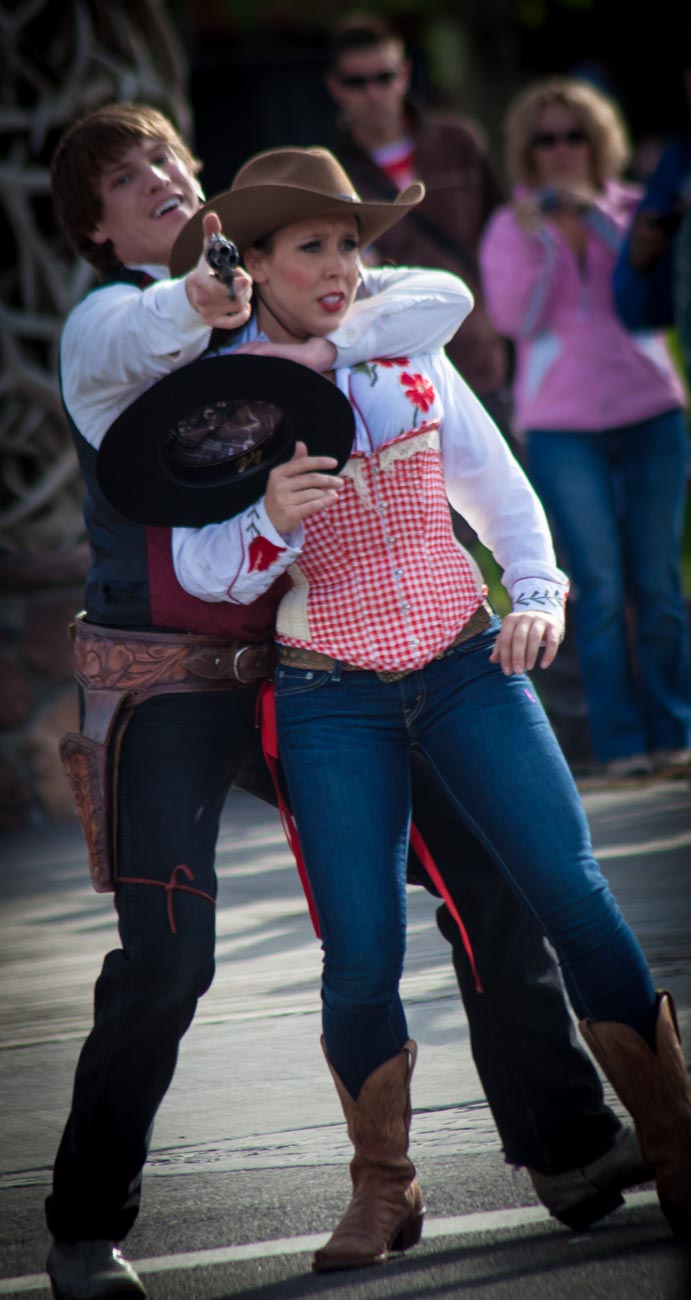
    A reenactment at the Town square in Jackson Hole, Wyoming, USA

    Remember it’s not a portrait you are after.
    Even if you have a piece of clothing or Jewellery, much better to show people wearing it being active, even if it’s only reading a book.

    There are 6 points that you may need to convey involvement.
    These points are not necessary for every photo.
    But if you have people in your stock photos it is best to use a least one or two of these to get your message across

    Decide what story you really want to tell.

    Answering this can mean answering these questions:

    What am I trying to sell?

    What will be the props?

    Who are the characters?

    What do I want them to do?

    Gestures

    show involvement in your stock photos
    Looking at the camera is a gesture that can bring authenticity

    Gesture is all about body language.
    After all with still photos the message can’t be verbal.
    Sure, it can be text in the caption or on the image itself but that still needs to be supported by what’s
    happening or not happening in the image itself.

    So, you need to ask; does the gesture look authentic? Is it appropriate for your message?

    Let’s say you want an image of someone who conveys power.
    If you grab just anyone who has never been in a position of some power then unless they are a good actor and/or model then it may not appear authentic or real.

    Likewise, if the message you want to convey is not about power then it’s not a good idea to have someone who looks like a powerful authority.

    Interaction

    Often you may want to show a couple or multiple models interacting.
    Lets say you have a kitchen product, one model could be using it and interacting with someone else, who looks amazed at the results or could be helping or also using the product.

    show involvement in your stock photos
    A couple walking in Saltwell Park in Gateshead near Newcastle in England

    Passive involvement

    Sometimes it’s not necessary to have models in action.
    Maybe they are just looking on.
    A view maybe of a scenic and beautiful tourist resort could have someone viewing it from a lookout is one example.

    show involvement in your stock photos
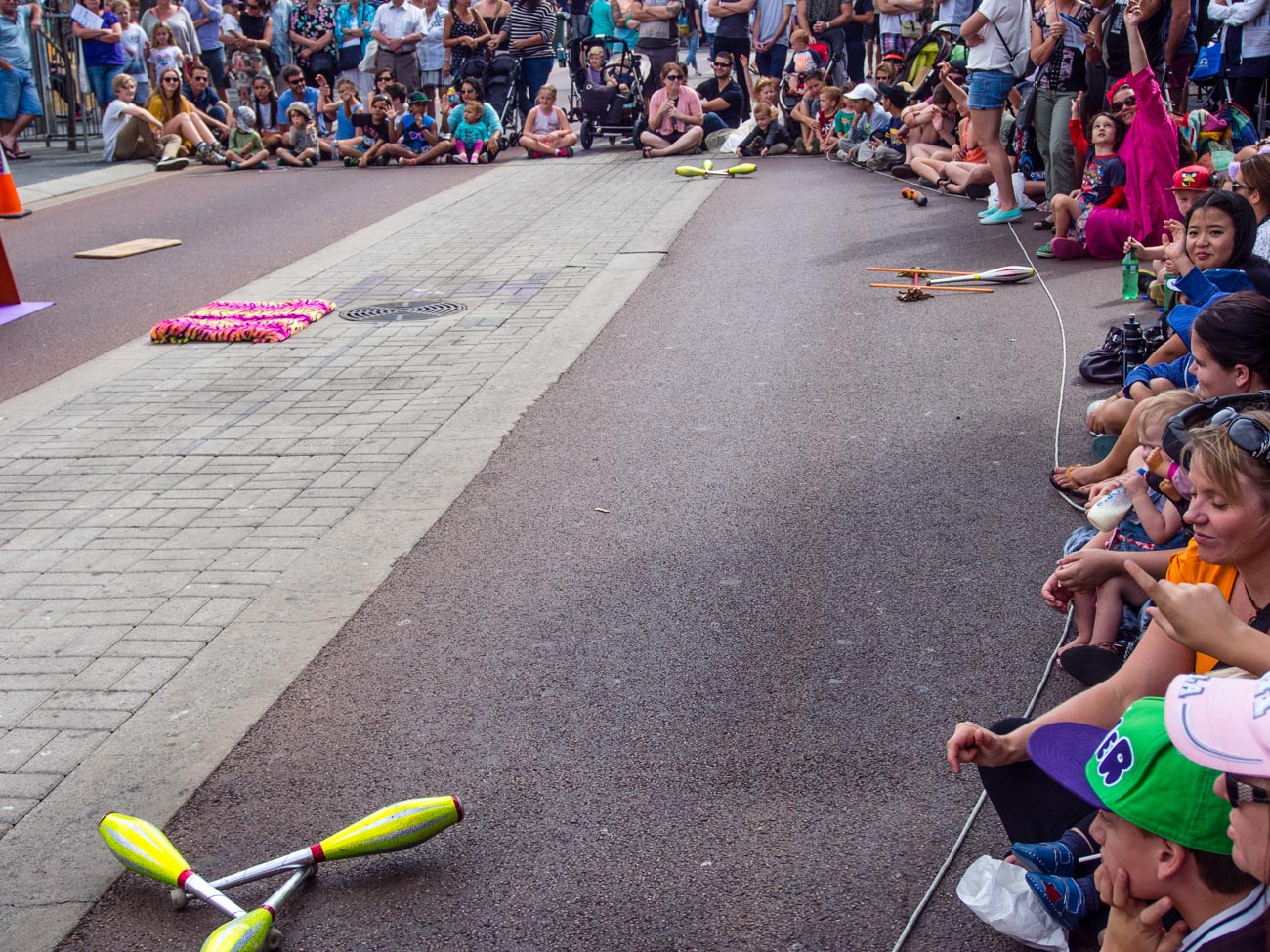
    The street art act, Dream State Circus at the Street arts festival in Fremantle, Western Australia. the festival attracts over 100,000 spectators over the Easter long weekend.

    Anticipate behaviour.

    Ideally, you’ll know the model/s, so directing them into position shouldn’t be too much of a challenge.
    However, if they are not professional models then they will not necessarily follow orders exactly.
    But that can be an advantage. If you watch them closely, sometimes it can lead to better poses than you initially wanted. So, watch carefully and see how things unfurl.

    Get close.

    Some of the best stock photographers get in close. That’s called “filling the frame”.

    Filling the frame takes out distractions and makes a better emotional connection with the viewer.

    Conclusion

    In conclusion, these are the factors that need to be considered to show involvement in your stock photos:

    1 Decide what story you want to tell.

    What story are you trying to tell to get your future customers attention?

    2 Gestures

    Gestures by real people go a long way to helping you get your message across

    3 Interaction

    It’s best to show real interaction between your models and your main subject

    4 Passive involvement

    Not all involvement needs to be active. A model can be an onlooker

    5 Anticipate behaviour

    Sometimes you can ‘go with the flow’ and try to anticipate how your models will behave

    6 Get close.

    Fill the frame. Get in close to show expressions and movement.


    Thanks for reading this. It means a lot to me. It would mean even more if you would like to post any comments below.

    Feel free to share this on via any of the platform buttons to the left or at the bottom.

    And while you are at it, keep scrolling down to subscribe to my newsletter.

    You will get exclusive info and my guide “Eleven easy ways to help you take your own stock photography”


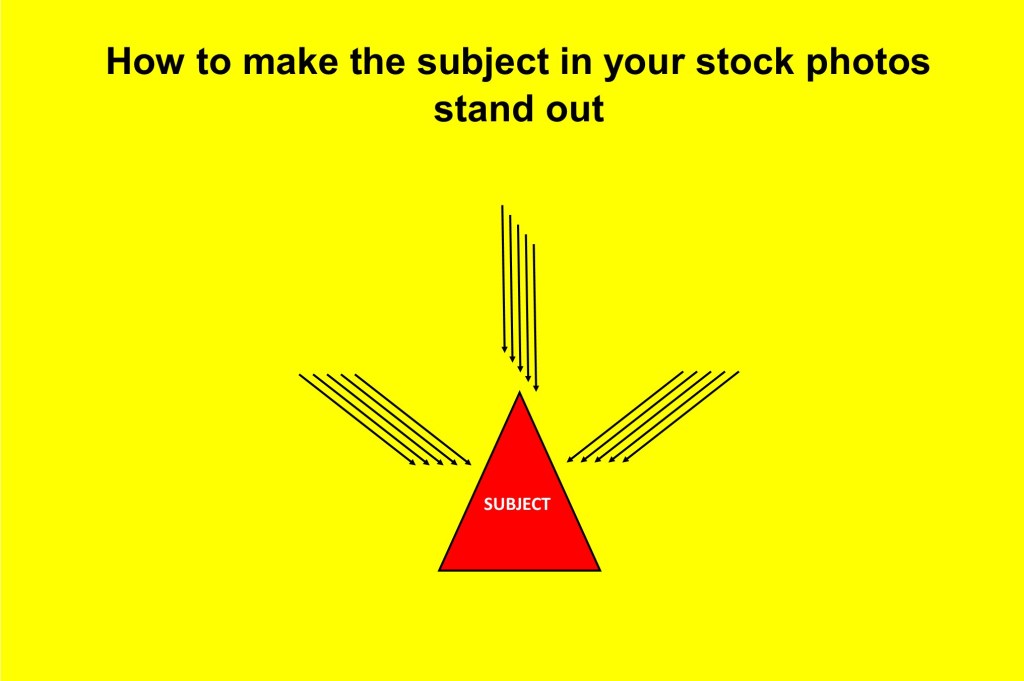
  • How to make the subject in your stock photos stand out

    How to make the subject in your stock photos stand out

    In a recent post, Looking for stock photos? Here’s how to take your own, I listed the Four Basic Elements of Stock photography:

    1 Background

    2 People (Model/S)

    3 Subject

    4 Involvement

    I covered Background in How to create the right stock photo background

    I also covered people in How to put People in your Stock Photos

    Now this where you will learn how to make the subject in your stock photos stand out.

    There are 5 points that need to be considered and the first of these is:

    Style

    So, you are shooting your own stock photos. What’s your style going to be?

    As the marketing guru that you are, you may try to have two styles. One for the actual business you are marketing and the other photographically, i.e. your point of view, how you see the world.

    Be careful on both of these, having two styles can be in conflict.

    If you are a business owner that is looking to get your product or service out there, then choose that as your main style.

    Otherwise the photographer in you may get in the way. Remember why you are doing this. Don’t lose sight of the fact that you are seeking to create a piece of art that is going to help your business. Not a piece of art for the sake of creation.

    Of course, everyone’s style is different.

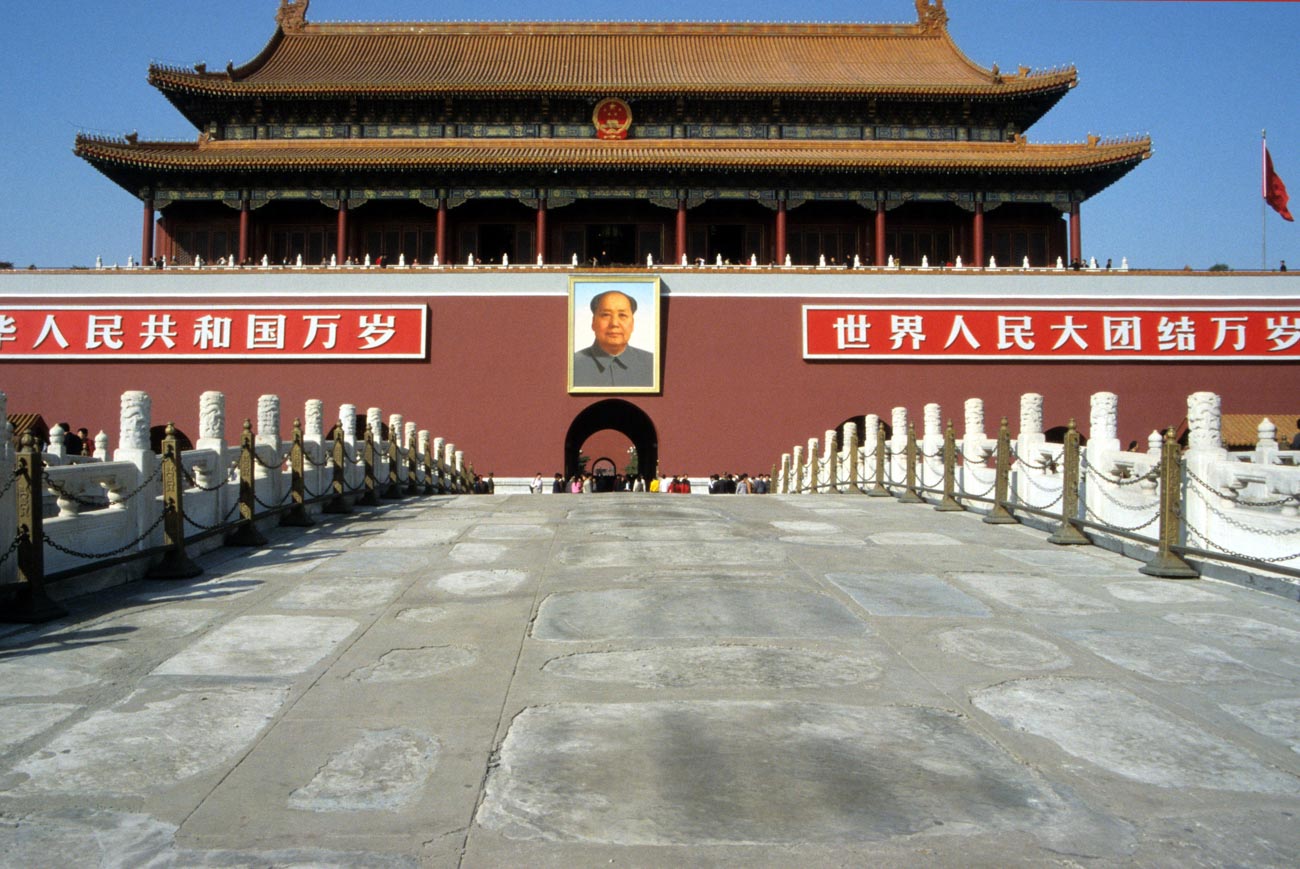
    Let’s say we have 2 photographers taking pictures of China as a travel destination.

    One takes pictures that tell stories of how people live in China. Their photos give information and understanding of the Chinese culture.

    The other photographer chooses to make China look attractive and appealing to visitors and tourists alike.

    How to make the subject in your stock photos stand out
    At a small restaurant in the Flowers and Birds Market on Jingxing Street in Kunming capital of the Yunnan province of China.


    As you can see each of these photographers has a different way of looking at the same subject. That’s their style

    Concept

    A concept is the idea or emotion that the photo represents. Your concept may be to depict how easy it is to use your service or even how to use your service. Or it may be how beautiful and attractive your product is. By product that can mean anything from a piece of jewellery to a travel destination.

    Some common concepts can be:

    Achievement, Teamwork, Competition, Values, Trust, Stability or Tradition plus many more.

    Symbol

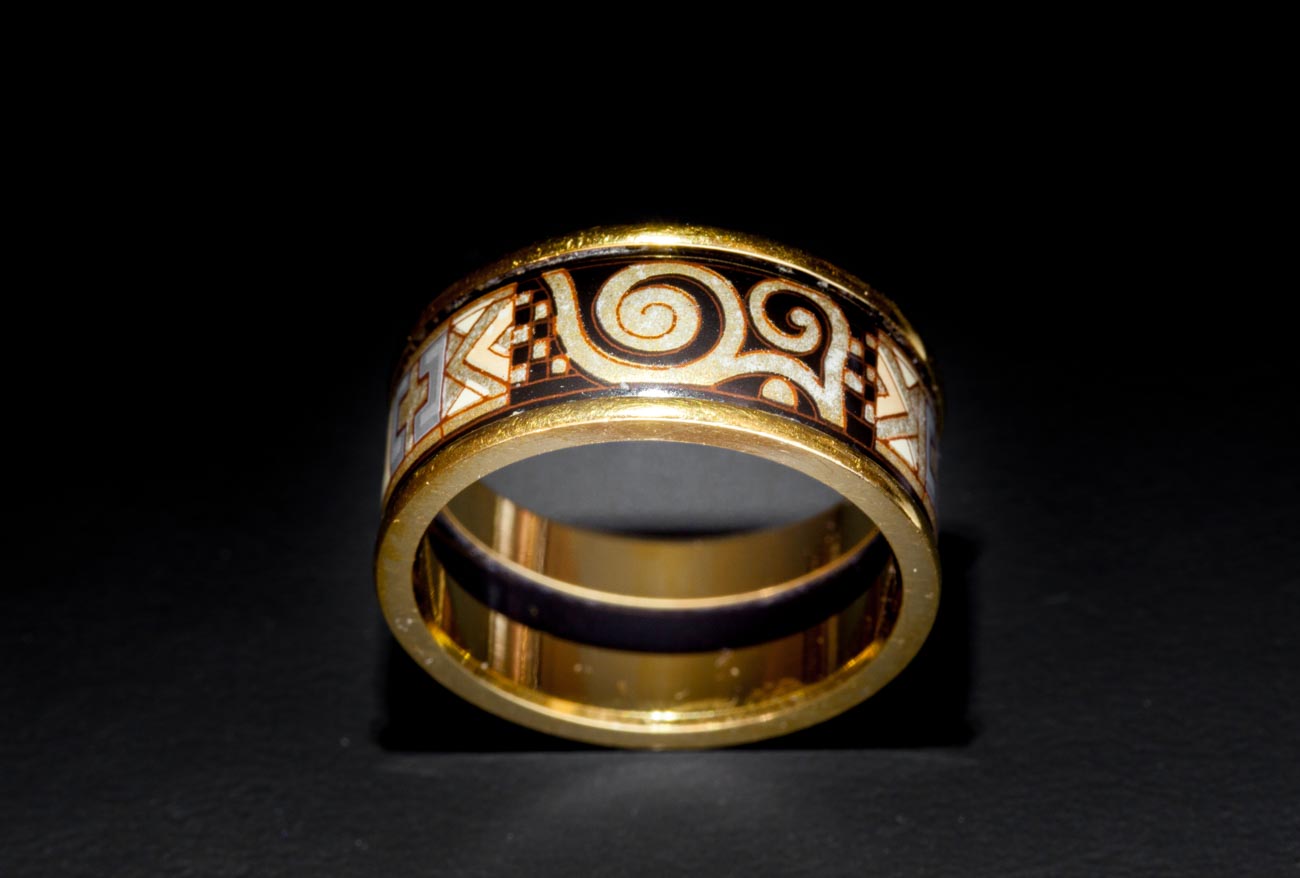
    The symbol is how the concept idea or emotion is portrayed. Painters and Sculpturers have been using symbols for centuries. Have a think about the best symbol to use to get across your message. In the China example above you could incorporate some of China’s main tourist attractions or monuments as a symbol. Or if you had a piece of Jewelry then how it looks on your model would be a possible symbol

    How to make the subject in your stock photos stand out
    Tiananmen Square – Gate of Heavenly Peace

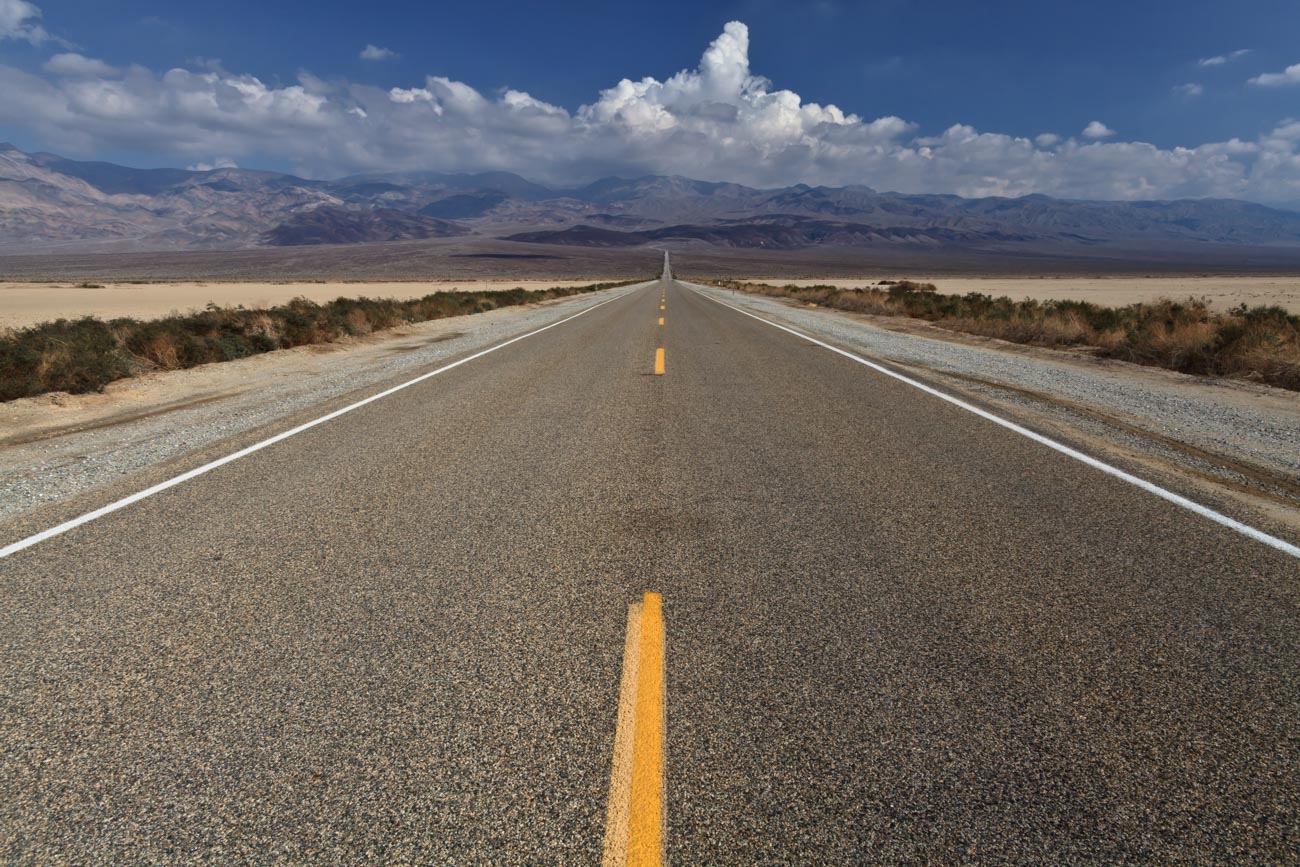
    Often symbols are less obvious. Like some of these:

    Sports may mean business competition or pushing to the limit

    Shaking hands may mean cooperation, partnership, trust or honour

    A road may mean straight & narrow, mystery, adventure or even the unknown

    How to make the subject in your stock photos stand out
    Death Valley NP California, USA

    Subject matter

    For you the subject matter is pretty much what you are looking to sell. That’s right sell. If you don’t show the product or service that you want someone to buy then you’re wasting your time. Ever watched an ad and wondered what the hell that was about? Sometimes that’s a deliberate ploy by the marketing company to capture your curiosity. More often than not it doesn’t work that well. I go back to the old KISS principle. Keep It Simple Stupid! You have less than a second to get your point across. Don’t waste it on some abstract idea that no one understands.

    Central theme

    All these items come together to give you your theme and the theme as I said in the previous paragraph should be bloody obvious. But (always a but) there nothing wrong in conveying a them that can interpreted in several different ways. It shows that the photos is interesting and can hold the viewer just a little bit longer to take in the full extent of your marketing message.

    Conclusion

    So in conclusion it’s important to think about these factors in a stock photo:

    1 Style

    What’s your style?

    2 Concept

    What’s the idea or emotion you want portrayed

    3 Symbol

    Once you have decided on the concept what symbol are you going to use to portray it

    4 Subject matter

    What are you selling? Make sure it doesn’t get lost in the story.

    5 Central theme

    Make the theme interesting so it holds your viewer longer than the nano-second we all seem to give an image to reveal itself.


    Thank you for reading this article. If you know anyone who would enjoy it or find this useful please share. They’ll thank you for it.

    And now that you have got this far, keep scrolling down and subscribe to my newsletter where you will get info not found elsewhere. I’ll even give a guide for your trouble.

    You can share your stock photos and ask questions in the comments below. Just be open to different opinions.


  • How to create the right stock photo background

    How to create the right stock photo background

    A few weeks ago, I posted Looking for stock photos? Here’s how to take your own.

    In this post, I listed Four Basic Elements of Stock photography and gave a brief description of each one.


    Well in the next few weeks I’m gonna expand on each one. Then you, as a business owner can learn to take your own stock photos. Whilst it’s not easy initially, it is doable for almost anyone.


    Even if you have no intention of taking your own, this is still a good guide to how good – nay great – stock images should be:


    The first of these basic elements of stock is one that most will not even think about but is arguably the most important for a great image.

    And that is – drumroll –


    Background


    In general, most backgrounds should be clear of any distractions and that means being ‘clean’ and simple.


    Good backgrounds can vary in form but their prime importance is to highlight the main subject and purpose of an image.


    A lot of backgrounds are bland, often either black or white. Some are blurred or out of focus.


    But, if you look at this image below you can see that the background is full of distractions. That’s because the subject matter is not just the shop seller but the stuff and trinkets all over the shop.


    Taking the same scene with an out of focus background just wouldn’t be the same.


    Genres


    There are 100’s of genres of stock photos:


    There’s Abstract, Aerial, Architectural, Conceptual, Conservation, Cloudscape, Documentary, Ethnographic, Fashion, Fine-art, Fire, Glamour, High-speed, Landscape, Nature, Photojournalism, Portrait, Selfie, Social documentary, Sports, Still life, Street, Underwater, Wedding and Wildlife to name but a few.


    But rather than go through each one, we’ll pick out the most common types of background that a business owner will most likely need regardless of genres.


    Let’s jot down some examples;


    Staged backgrounds


    Most product shots use a white or black background. There are lots of ways of creating either.


    The simplest being the use of board like a matt board.

    Of course if you are a master of photoshop you can take an image of your product on any background that contrasts with the product itself.
    Then do a quick select and create layer to put onto another background.


    Another way is to position the product on a piece of glass with a black background so that it appears to be floating.
    How to create the right stock photo background


    Bokhe backgrounds


    The out of focus (it’s called bokhe) look is best with people shots so that the whole image looks more authentic.
    Why is that?
    Well if you look at another person your eyes will focus on them and something most of us don’t notice, make the background slightly out of focus.
    Slightly out of focus on an image doesn’t seem to have the same effect on the viewer as totally out of focus.

    So, the photographer is trying get, to quote Wikepedia’s definition of Bokeh, “an aesthetic quality of the blur produced in the out-of-focus parts of an image produced by a lens”.

    Not sure what all that means?

    Look at this image and read 10 Vital Facts about Camera Aperture.


    How to create the right stock photo background


    Other types of stock photos that use Bokhe are Abstract and Macro (e.g. flowers or small items like jewellry). A more left field genre that uses Bokhe is conceptual which is a type of photography that illustrates an idea.


    Busy backgrounds


    Most business photos usually have a slightly busy background to typify activity in the workplace and often include people as part of the scene.


    If you are looking to show an activity e.g. making coffee in a cafe then you can get away with a fairly busy background. That can work well, so long as it doesn’t have distracting elements like bright colours or some other activities that take the eyes away from the main subject.


    No background


    In my years of learning photography, and I’m still learning by the way, the phrase of fill the frame was used in stock photography.

    Filling the frame or zooming in, either by foot or by telescopic lens, to your subject matter is a great way of not having to worry too much about the background.

    Stock agencies have tons of pictures that have filled that frame, with categories such as textures and abstract.

    The benefits of these pictures is that sometimes you can also use them as a background which does mean a touch of post processing is required.


    In the coming weeks I will create a basic background checklist which will help remind you of some of the items that we have just covered.


    I cannot stress how important a good background is for a stunning image that will help you make more sales.


    So as I said at the beginning, even if you are not going to take your own it’s vital you pay careful attention to the background of any image you are looking to use.


    If you have any questions or comments about this post, please leave them in the comments section below.


    Or feel free to contact me directly via my contact page


    Sharing is caring as they say (although not sure who “they” are).


    If there’s some people you know who may enjoy this or any other post on this site, please share with them.


  • Make sure your Product Image speaks for itself with this Photography Checklist

    Make sure your Product Image speaks for itself with this Photography Checklist

    So, you think that you’ve taken some great photos of your product. 

    Who wouldn’t want to buy your products with them looking like that.
     
    You’ve looked at your competitor’s best photos. Worked out how you can improve on those with some great composition and processing.
     
    The lighting was perfect, the colour is great and you’ve got that sort of blur going on in the background.
     
    You’ve posted them onto your website, facebook and Instagram and sent a link to Twitter.
     
    You’ve nailed it!
     
    All you have to do now is wait for the orders to come.
     
    But will they?
     
    You see we live in a world of images and instant gratification.
     
    And the problem is that you can never completely get it right.
    Not for everyone, not for your potential customers and not even for you, if you’re honest.
     
    The old saying “you can please some of the people some of the time but you can please all the people all the time” rings true in this case.
     
    The trouble is if you don’t please some of the people then you don’t make sales.
     
    So, you must aim to please as many as you can.

    Make sure your product image speaks for itself with this photography checklist

    But first things first let’s go back to those great photos and check again;
     
    This is a check list of what to look for in a product image:
     
    1 Composition
     
    How many times have you seen a photo and thought that there is something not quite right?
     
    Usually it’s the composition.
     
    The photos that have moved you will be because of their great composition.
     
    Look and study the photos that you have hanging up in your workplace or home. You choose them because you like them and because they have a strong composition.
     
    By using angles and lines, foreground subjects and colour where they exist, you can create a strong and imaginative composition of a photo.
     
    Have you got the right angle?
     
    If applicable, can you see the label?
     
    Does it show what the product does?
     
    2 Story
     
    Do your images tell a story?
     
    A story could be, as an example, showing how a piece of jewellery is worn or giving a sense of scale.
    I recently looked online for some earrings for my wife and I choose the ones that had images of them on a model.
    And that’s because I could see the size and the way they look when hanging.
     
    3 What’s in the frame?
     
    Are there unwanted elements in the photo?
     
    What about the product positioning against the background?
     
    We’ve all seen (and taken) those holiday snaps with the leaning tower of Pisa appearing to grow out the subject’s head.
     
    Can you see anything in the background or foreground that might be distracting?

    Make sure your product image speaks for itself with this photography checklist

    4 Light
     
    Is the light on the product side lit or front lit? Either way is it lighting the part of the product that reflects the ‘best side’.
     
    Have you looked at the image on different monitors, tablets and mobiles?
    You will be surprised at how the brightness and contrast vary depending on the medium you are viewing.
     
    5 Clarity
     
    Does the image look crisp and clear?
     
    Blow up the image on the largest screen you have. See if there is any sign of unintended blur.
     
    It may be around the edges of your subject.
    Or is it at the front of your subject? e.g. If it were a portrait would the nose be ever so slightly out of focus.
     
    6 Post processing
     
    Does the colour look real or is it over or under saturated?
     
    Has it got the “WOW’ factor?
     
    Nothing wrong with either but it’s what lends itself to the product.
    If it doesn’t look real it may not convey the right message.

    Make sure your product image speaks for itself with this photography checklist
     
    That’s just for starters! You could go deep in reviewing your images.
     
    Remember that you have to put yourself in your customers shoes. Ask yourself “based on the image and the copy with it would I buy that?”
    If you feel you can not answer this without bias then ask someone else to review it and answer that question.
     
    Post links to your images in the comments below if you want some feedback from me or other readers.
    Want to keep this article? You can get an accompanying checklist from here or the box below.
    While you are at it why not share this article with someone who could benefit.
    And don’t to forget to subscribe in the top bar for more ways in which I can help you sell more.


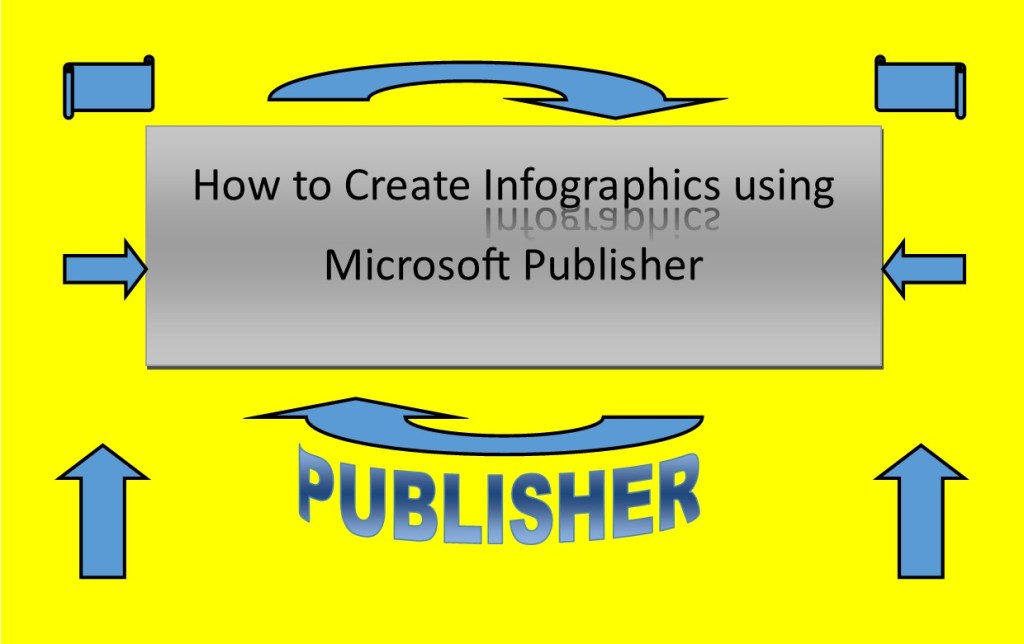
  • How to create great Infographics using Microsoft Publisher

    How to create great Infographics using Microsoft Publisher

    As great as online creators such as Canva and Piktochart are, there are times that you need or want to create something without being Online.

    Plus, if you are only using the free versions then you can be limited in what templates and other images you can use.

    So, here’s an off the radar alternative called Microsoft Publisher.

    I must confess that I have being using publisher for many years now and have used it in the past for brochures, flyers, and books so I’m a bit biased.

    Now there are number of ways you can get publisher the most popular way being through an Office 365 subscription service which cost around $70 a year for the complete suite of offices software such as Word, Excel, PowerPoint, Outlook, OneNote and Publisher and a couple of others. But you can buy it outright for around $110.00 if you don’t wish to subscribe.

    So how to use it:

    1. Open the program (that’s a big step)
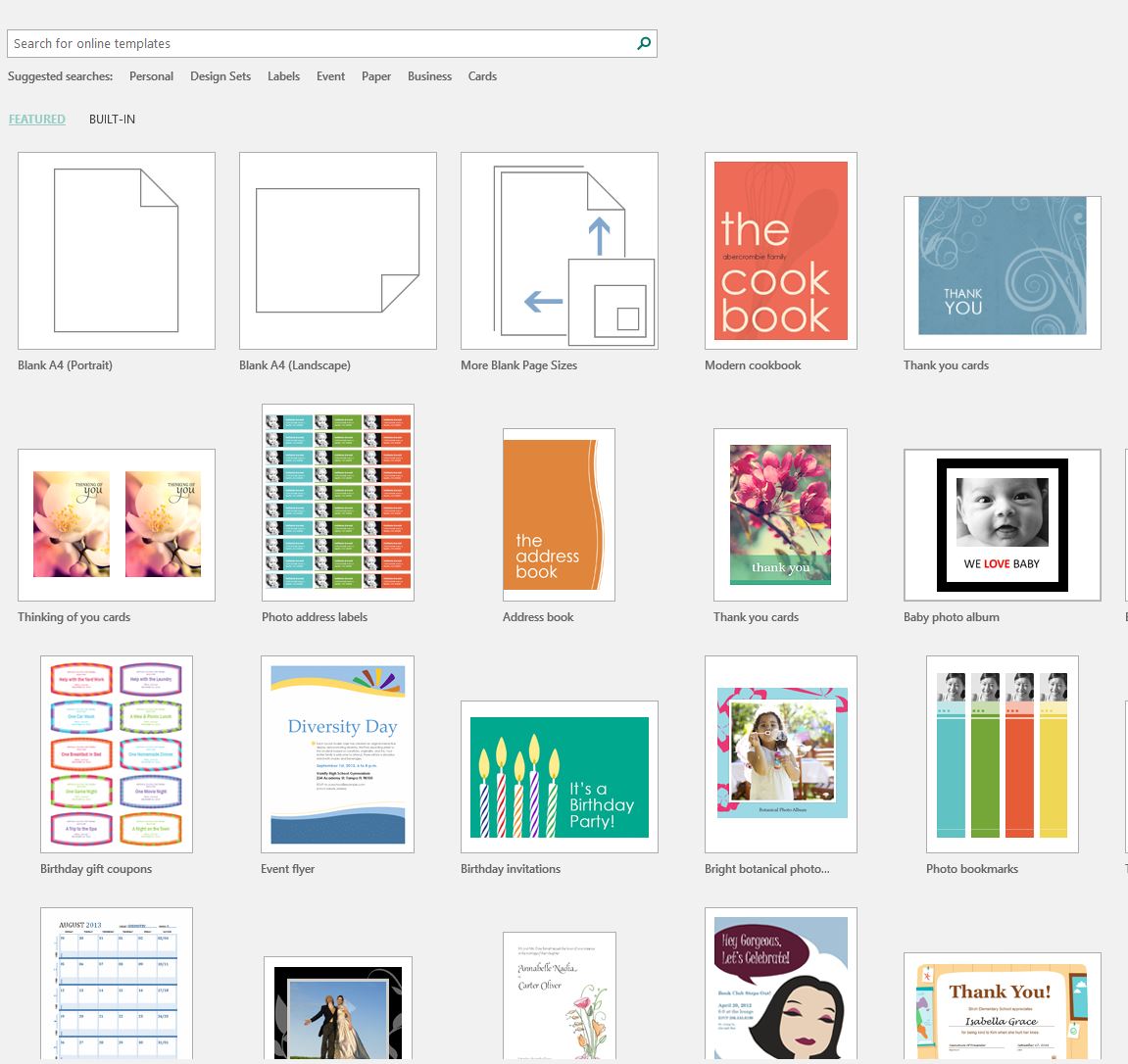
    2. On the first page, you will get many choices of pages with templates etc. for the example I have used here I created a blank publication of A4

    How to create great infographics using Microsoft publisher

    Now the fun begins.

    1. You can easily change the size of the publication by the drop down menu under page design. You have choice of selecting a standard size or creating a new page size

    How to create great infographics using Microsoft publisher


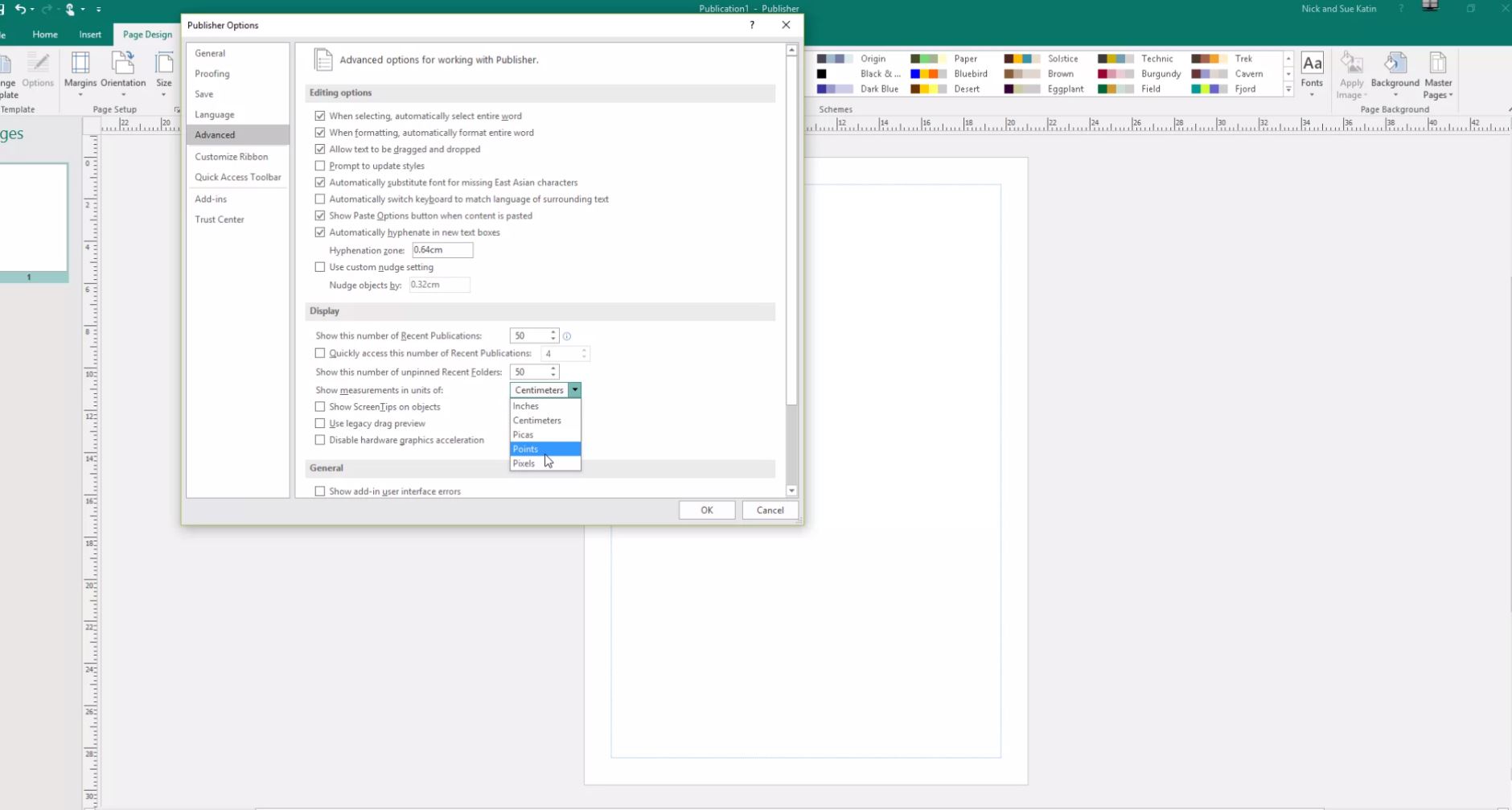
    If you prefer to change to unit of measurement e.g. pixels then go to the options menu under file and find advanced. Display is the second area

    How to create great infographics using Microsoft publisher

    1. Now that you have created a blank page of whatever size you want, let’s do some creating
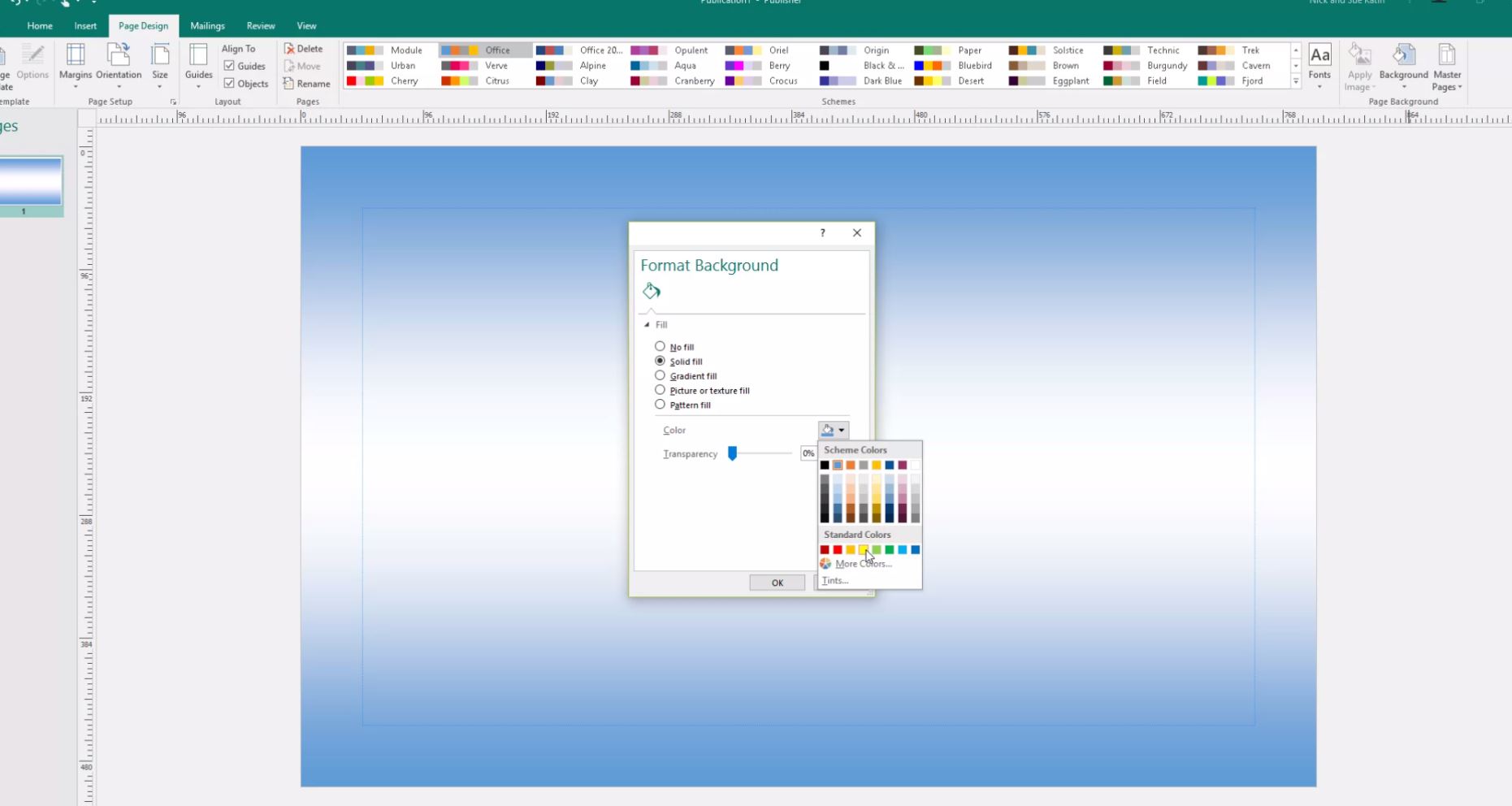
    2. I usually select the background colour by going to the background drop down menu under page design. You can select some standard variations or make your own

    How to create great infographics using Microsoft publisher

    How to create great infographics using Microsoft publisher

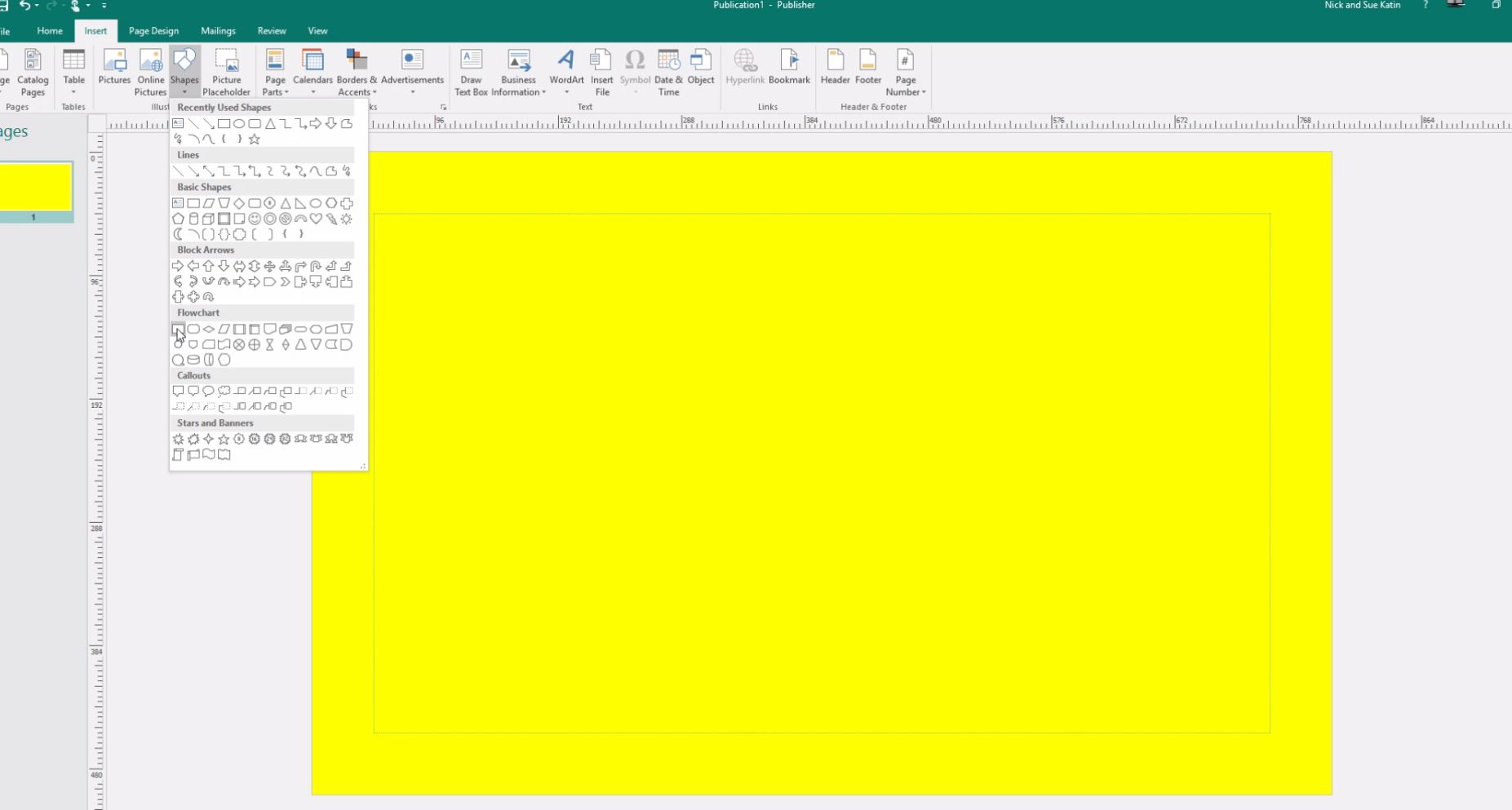
    1. Ok let’s stick some shapes in. From the insert tab there’s a drop down menu under shapes and you can knock yourself out inserting all sort of different shapes.

    How to create great infographics using Microsoft publisher

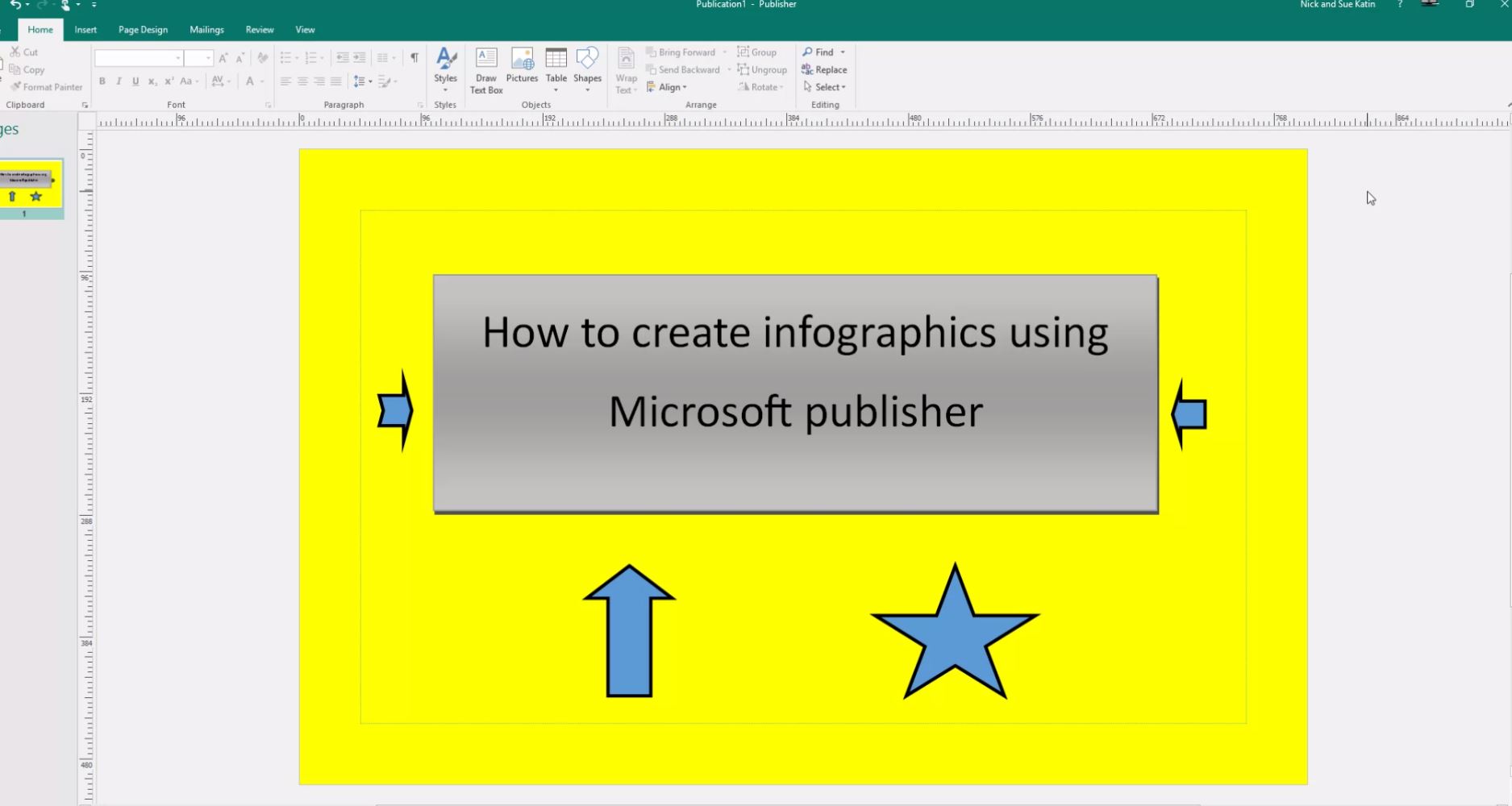
    1. For text go to the text section under insert and you can insert text with different fonts etc.

    How to create great infographics using Microsoft publisher

    And that is really all there is to it.

    How to create great infographics using Microsoft publisher

    The added benefit of publisher is that you can also insert photos add some texts and shapes etc. and then save just that page as JPEG. I use it like that for my Instagram posts.

    If you have any queries on this just post them in the comments below.


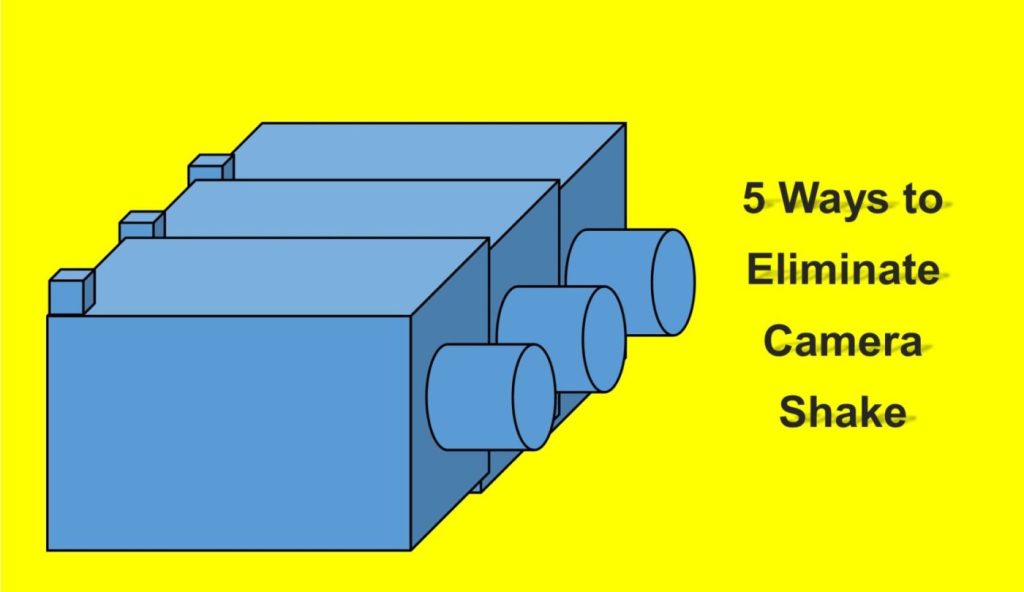
  • 5 Ways to Eliminate Camera Shake

    5 Ways to Eliminate Camera Shake

    How many times have you looked at those beautiful images only to realise on closer inspection there’s a slight blurriness about it. It’s just not as crisp and clear as it should be.

    That’s called softness and is usually caused by Camera shake.


    Like most cities in the USA, Anchorage has a big fourth of July parade. This one was in 2012
    He’s a bit soft! (Probably wouldn’t tell him that!)


    https://katinimages.smugmug.com/Travel/Independence-Day/i-WnMvsVN/A
    That’s better! (Fourth of July parade.)

    In my last post How to hold a camera correctly on this topic, I went through the best ways to hold a camera to try and reduce camera shake. Now lets’ look at 5 other ways in order you can help eliminate camera shake


    1 Use a fast shutter speed


    Typically, Camera Shake is caused by the shutter speed being too low.

    Selecting the correct shutter speed can be a challenge. On most cameras, you can select the shutter speed and a rule of thumb, depending on the camera is the focal lens x 1.5 or 2 = the shutter speed.

    So, if you have a focal length of 100mm then you will need a minimum shutter speed of 1/160; a 200mm focal length would be 320 etc. etc…
    Now on some compacts and a lot of Smartphone cameras you can’t adjust the Shutter speed so the next best thing is to either adjust the exposure compensation or the ISO.
    If you are going to shoot a lot of images at low light, then experiment so you know how your camera performs.


    2 Use image stabilisation


    Many years ago, I met a photographer who was taking clear and sharp images of wildlife at dusk without a tripod. That was my first introduction to image stabilisation.
    Basically it compensates for camera shake caused by slow shutter speeds.

    Initially they were only available on the lens but nowadays most cameras have it inbuilt. So now you don’t have to worry about what lens to use.
    Having it inbuilt also means that most cameras have options and settings that can give flexibility.

    Smartphone cameras also have them built in but usually only have the option to turn it on or off.

    Just a little warning – some manufacturers advise you to turn off stabilisation if using a tripod.

    An image stabiliser only goes so far. At the end of the day if the shutter speed is too low for the conditions then it won’t help.


    3  Use a tripod


    This one is obvious. After all, if you don’t have to hold it then it’s not likely to move. Right?
    Well yes and no and I’ll explain in the next tip but for now putting a camera on a tripod is always going to be better than hand holding.

    Nowadays there are lots of different tripods out there. Some are designed for different applications and cameras.

    For a mirrorless, compact or DSLR cameras there is a few considerations such as the weight, ease of use and sturdiness.
    And it also depends on the use. As an example, I have 3 tripods, a studio tripod that never leaves the ‘studio’ a heavy duty one that I use for assignments and a lightweight one which I take travelling or on assignments where weight is an issue.

    For smartphone cameras, there are also a lot of choices but they are usually chosen on convenience. I use the Joby Grip Tight Micro Stand, a great little find that has a mini stand. It can also be fitted to a standard tripod head.


    4 Use the timer


    The other main reason for camera shake is the shutter button action. When you press down on the shutter button the camera moves. Even if you are gentle it still moves. Of course, if you have a fast-enough shutter speed then it’s not a problem but if you are shooting in low light then it will create vibration which equals camera shake

    Another option is to use the timer. In all seriousness, you wouldn’t use the timer if you were hand holding. The idea is to use it when on a tripod or if you have the camera mounted on something sturdy.

    Most cameras have 2 or 3 timer settings. Use the lowest unless there’s some reason you need time like taking a self-portrait. After all, 2 seconds is not a lot of time to get into position.


    5 Use a remote


    For the same reason as the previous point (5) using a remote will take that that heavy human press out of the equation.
    There are a lot of types of remotes out there.
    From the old-school release cable for a DSLR to using a smartphone app to trigger your mirrorless camera to using a Bluetooth remote trigger for your smartphone.

    Choose the one that is right for you or choose a couple for different applications.


    Did you understand all that? I’m happy to clarify anything you’re not sure of.

    Just post in the comments section below. Don’t be shy.

    While you are at it why not subscribe for future updates below.

    You’ll get my free guide “Eleven easy ways to improve your marketing photography”.

  • How to hold a camera correctly

    How to hold a camera correctly

    So, you think you can hold a camera or smartphone correctly? Well how do you know?

    Take a good look at your photos.

    No, not on the camera or phone screen but on your PC, Mac or Laptop. Even a tablet is better than a smartphone or camera screen but the bigger the better.

    Now does it look really sharp or does look a little bit blurred (the industry phrase is “soft”) in parts or may even a quite a bit blurred?

    If so, there is a good chance you are not paying enough attention to the fact that a camera moves when you hold it. Now that’s not the camera moving on its own but you moving it.
    Got It?

    Now there are several techniques to overcome this but I’m going to basically cover how you should be holding your camera and smartphone.

    Let’s start with the camera.

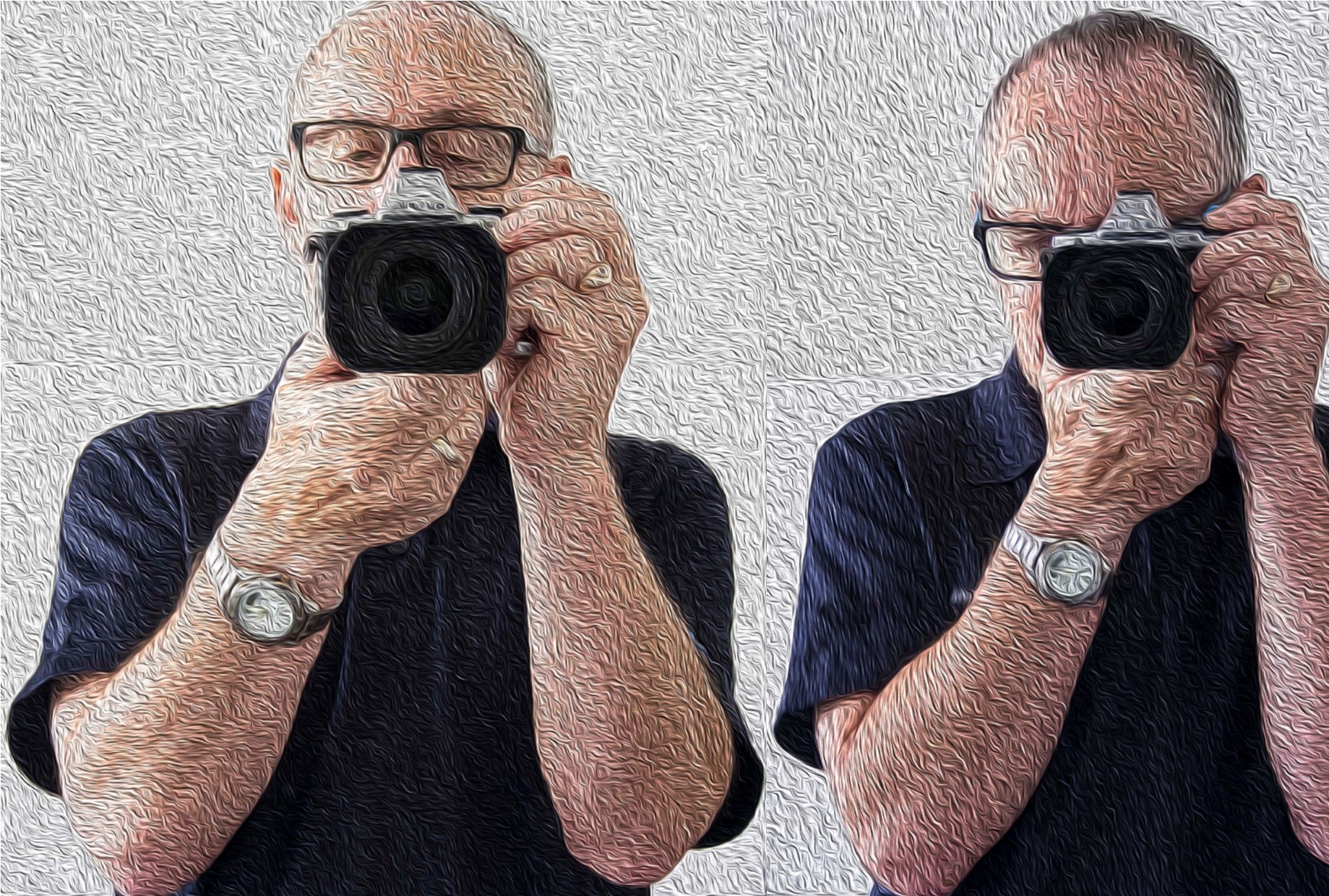
    • If it has a view finder – then use it! When you use the view finder you are putting the camera up to your face and therefore bracing it on your face.

    Now to add to that, tuck your elbows in against your side.

    • Ok so it doesn’t have a viewfinder or you don’t want to use it! The overwhelming majority of people ta king pictures using the view finder do not hold it correctly and consequently having pictures that are ‘soft’.

    If you have studied physics you will know what the pendulum theory is. Holding the camera at arm’s length creates a pendulum effect and ‘soft’ or blurry photos unless the light is very good and you have a high shutter speed.

    So just like using the viewfinder tuck those arms in against your sides and bring the camera closer to your eyes.

    • For either situation, depending on the weight of the camera, grip one side with one hand usually the right where the shutter button is and the position the other hand underneath the body or if it’s a fairly long lens then under the lens.
    • Ideally you want to stand with your legs shoulder width apart so that you well grounded.
    • If there happens to be a handy surface, say a wall, rest the camera on that.
    • Or you can support yourself against a vertical surface such as a tree or a wall if practical.
    • The portrait position is similar for both the viewfinder and rear screen.
      You just need to decide which side is more comfortable for the shutter button. The shutter speed at the bottom is the most practical so that you can use the bottom to help support the bottom of the camera.
    How to hold a camera correctly
    Camera Holds

    Ok now the smartphone

    • Most smartphones these days have the option to operate the shutter with a physical button like a volume control instead of tapping the screen.
      So, if you have that option then use it! Especially for the landscape position.
    • As with a camera most people using a smartphone camera often don’t hold it correctly. So tuck in your elbows
    • Use both hands. It gives me nightmares watching some people take photos one handed. With a smartphone, you need to use 2 different handling techniques.
    • In the horizontal or landscape position hold it with your hands in the same spot on each side. With whatever hand you are using to press the shutter button make sure you have that trigger finger free so that you can tap the virtual shutter or press the physical shutter button.
    • Now the vertical or portrait position is bit trickier.

    If you are using a physical shutter, then hold the phone with whichever side it’s on and curl it around the back below of course the lens with the thumb operating the shutter.
    The other hand can hold the bottom of the phone with the index finger and thumb.
    For a virtual button the difference is that it’s the hand at the bottom that presses the virtual button and can’t in that case grip the bottom of the smartphone at the same time.

    In all honesty when in portrait mode, it’s often better to use the virtual button.

    How to hold a camera correctly
    Smartphone Holds

    In some situations, you may not be physically vertical. You may have to lie or sit to take the photo. If you are lying down, you have the added support of the ground or floor but you need to rest the elbows on the ground or you will end taking a steady of image of the ground which may not be your intended subject.

    If you are sitting, then usually there is something you can rest the camera on.

    Of course, there are lots of ways to avoid that blurry or soft photo.

    Use a tripod, make sure you have image stabilisation turned on (if fitted), ensure that your shutter speed is fast enough, use the timer and so on. 

    But this piece is just the basics on holding the camera.

    More on those tips on the next post.

    If you have any tips, please don’t be shy just stick ’em in the comment box below?

    Is there anything else that you want explained? Again just ask.

  • Understanding the 3 points of the exposure triangle

    Understanding the 3 points of the exposure triangle

    So, what is the exposure triangle?

    Well the exposure triangle is the relationship between aperture, shutter speed and ISO.
    Each one affects the other.

    OHM’s Law

    Remember Ohm’s law? Well if you don’t (I’m not even sure they teach it at school these days).
    It’s basically an electrical equation V Volts (power) = R Ohms (resistance) x I Amps (current) and if you change one you change the other.
    If you know the power and the resistance then by changing the equation to Volts ÷ Ohms = Amps, you can work out the current (amps).

    Understanding the 3 points of the exposure triangle

    It’s the same for the exposure triangle.

    The Three Points of the Exposure Triangle

    1. Aperture

    Aperture is a hole that lets light in. The bigger the hole the more light you let in.
    What does that mean?
    It means the smaller the hole the more in focus – the bigger the hole the less in focus.

    Let’s say you took a picture with a setting of F2.4. Because the size of the hole is inversely proportional to its setting that’s a large hole. The subject will be in the focus but the background will be blurry.

    But if you took a picture with a small hole e.g. a setting of F22. then everything will be in focus. That’s not strictly true as the amount in focus starts at the point at which you are focusing the camera out towards, potentially, infinity. 

    2. Shutter speed

    This is an easier one to grasp.
    As with the aperture, the longer the shutter is open the more light you allow in.
    Shutter speeds are measured in fractions of second to seconds.
    So, a shutter speed setting of 1/100 is one hundredth of a second or .001. A setting of 5 is 5 seconds.
    However, the effect is totally different from the aperture. A fast shutter speed will generally freeze motion e.g. sports. Whilst a slow shutter speed will blur motion e.g. a fluid looking waterfall.

    3. ISO

    ISO stands for International Organization for Standardization and in the film days was an indicator of how sensitive to light a film was.
    An ISO 400 film was 4 times as sensitive to light than a ISO 100 film.
    On digital cameras that sensitivity is for the camera sensor. When the ISO is increased or decreased you are in effect, making the camera sensor more or less sensitive to light.
    ISO 100 being the least sensitive whilst ISO 25600 plus is the most sensitive.

    Practical Example

    So, there you have the three points of the exposure triangle.

    I’ve already mentioned how each one affects the other but let’s see how that affects, for example, Product photography and look at a couple of specific examples.

    OK, so we’ve got this new beaut product that we want to take to the market place and we want to create some really cool images to use for marketing.
    Let’s say it’s this toy soldier
    We’re taking the picture inside which is fairly bright, even though we’re using just natural light. To make sure we get a properly exposed image we are going to take a couple at different settings.

    Understanding the 3 points of the exposure triangle

    The first image has an aperture of f5 and a ISO of 800 whilst the camera has calculated the shutter speed.
    You can see everything is in focus and the light looks fairly normal.
    But look closely and you’ll see that it looks a bit soft e.g. slightly blurred?
    That’s because the shutter speed is too low at 1/20 which means I couldn’t hold it still enough.

    Understanding the 3 points of the exposure triangle

    The second image had an aperture of f1.2 and a ISO of 2000. Here you can see that the soldier is in focus whilst the background is blurred (bokeh).
    That’s a fairly common way for ensuring that the spotlight is on the product and not distracted by the back ground.

    Because of the high ISO the shutter speed is 1/200 which means the image is much sharper.
    That’s because the shutter speed is now 10 times as fast and is a bit more forgiving.

    As an aside if you think you can hold a camera still regardless, think again. Our hands move without us knowing.

    [mailerlite_form form_id=7]

    However, the disadvantage of having a high ISO is that the image could have noise which may or may not be an issue.

    As a rule of thumb, with newer cameras the higher the maximum ISO setting on the camera the less likely noise will occur at lower settings. E.G. The OMD1 MKII Mirrorless Camera that I have, has a maximum setting of 25600. Realistically I don’t really see any noise in an image until around 1000. Compare that with my Galaxy S8 Smartphone Camera that has a maximum ISO of 800. With this one I notice noise at around 400 ISO

    Of course, there are ways of reducing or getting rid of noise in post-production with software like Adobe Lightroom. So, it’s not that a big issue.

    Below are two examples of noise from two different cameras.

    Understanding the 3 points of the exposure triangle
    Understanding the 3 points of the exposure triangle

    There you have it, that’s the exposure triangle.

    Did you understand all that? I’m happy to clarify anything you’re not sure of.
    Just post in the comments section below. Don’t be shy.

    Thanks for reading this article

    There must have been something that piqued your interest.

    Is it that you see yourself taking some great travel photos that you can share or display?

    Or is it you can see yourself reliving your travel experience by bringing home some emotive travel photos?

    Maybe you aspire to getting your travel photos published.

    If one or all of these is YOUR goal, I can help.

    If you sign up in the box below you’ll get my free eBook “9 ways to improve your Travel Photography”. At the same time, you will also subscribe to my Travel Photo Tips Newsletter.

    Remember if you want to take great travel photos

    •   that you can share and display.

    •   that help you relive your travel experience

    •   give you a chance to have your travel photos published

    then sign up below and subscribe to my Travel Photo Tips Newsletter and for your trouble get my eBook “9 ways to improve your Travel Photography”

    [mailerlite_form form_id=7]

    Any questions then please write your comments below or contact me here and please say hello at these places:

    FacebookTwitterInstagramLinkedIn: