Katin Images Travel Photography

Travel Photos, Travel Photography Tips and Software

Tag: luminar neo

  • Luminar Neo Updates and Extensions

    Luminar Neo Updates and Extensions

    Been a while since I mentioned Luminar Neo. Well they (skylum have very busy)

    Let me give you a brief rundown on what they have to this forever improving photo editing software

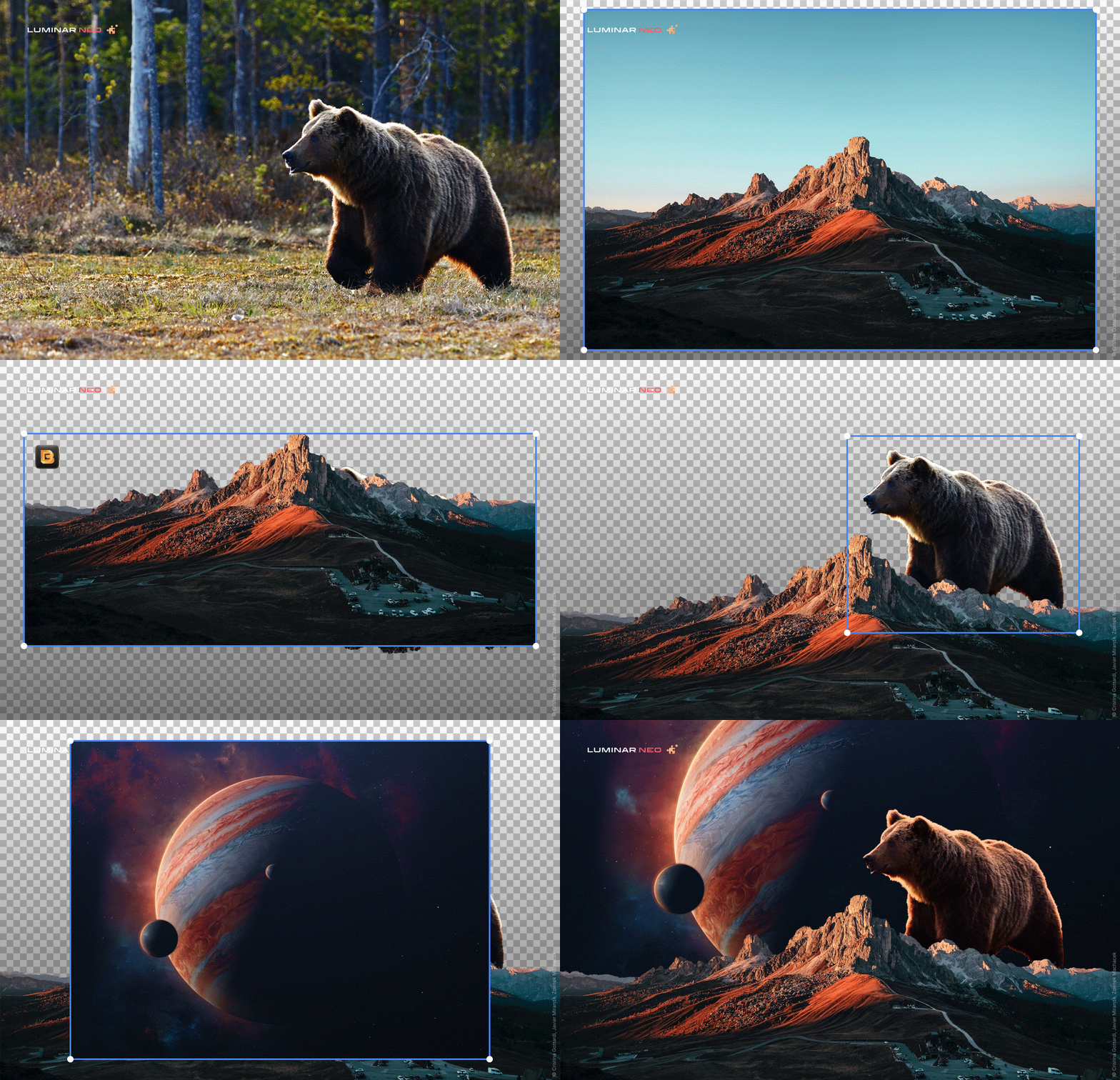
    Portrait Background Removal
    Now you can select a human in your photo and automatically remove the background behind them — no tedious editing required. Achieve precise selections, enjoy a smart refinement brush, and save the portrait as a separate PNG file to use as you please. You can find this feature within the Masking options. It’s time to spark your creativity!
    Extensions
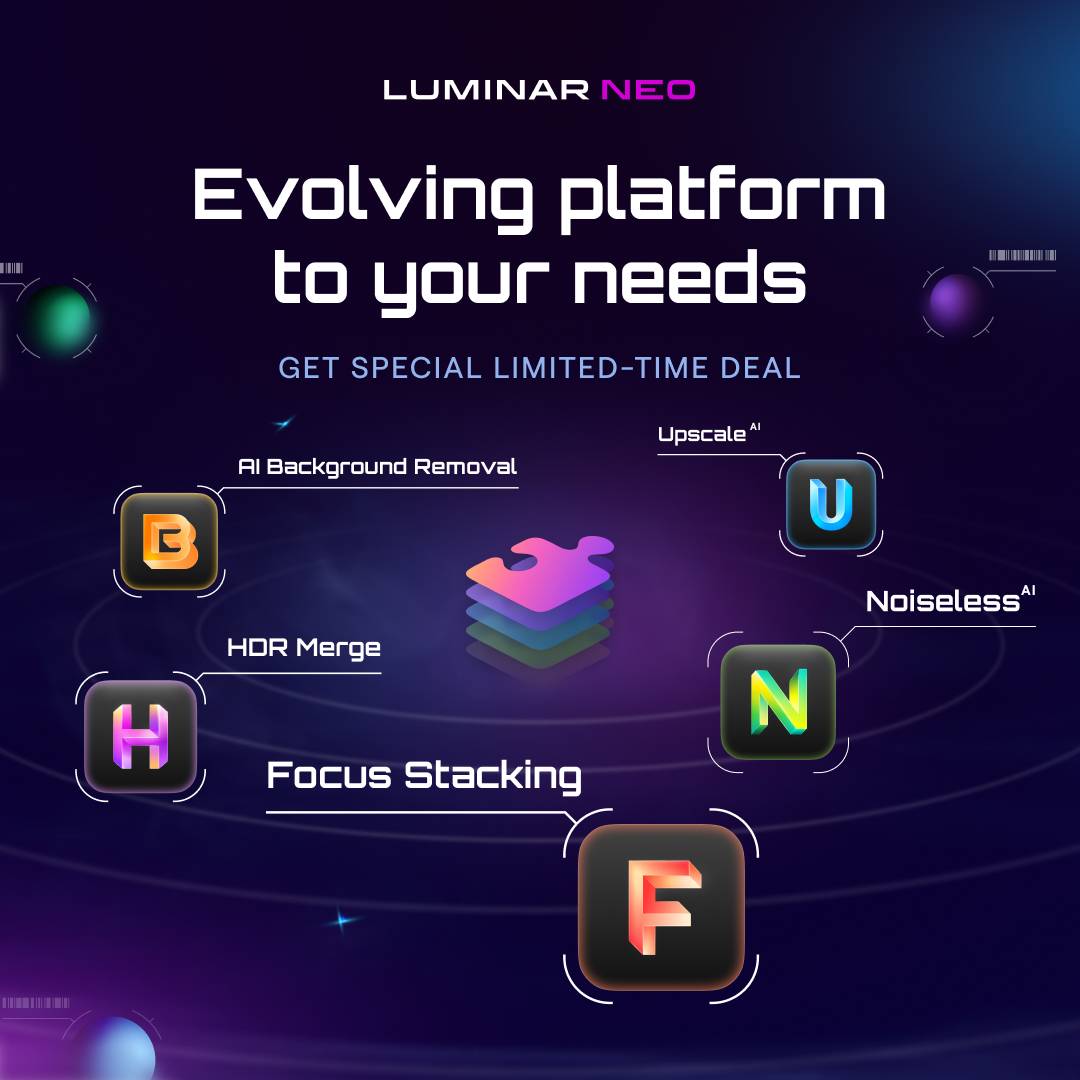
    In Luminar Neo 1.2.0 Update, extensions were introduced — paid professional features that expand the capabilities of Luminar Neo. The first extension they releasing was HDR Merge, which can merge up to 10 exposure-bracketed images into a single HDR photo. HDR Merge delivers a spectacular level of color enhancement, making the final result look as close as possible to what the human eye can see. 
    Noiseless AI Extension
    Luminar Neo 1.3.0: Update Noiseless AI Extension was introduced
    Noiseless AI, a new paid Extension for easily achieving professional results. Based on deep photo analysis, Noiseless AI determines the level of noise in a photo and suggests one of three noise reduction options — Low, Middle, or High — that can be applied in a click. You can also adjust the noise reduction level manually. Furthermore, the Luminosity, Color, and Details sliders give you even more control over the results.

    Clone Tool
    Luminar Neo Update 1.4.0. Now Luminar Artists can use the long-anticipated Clone tool in their editing. Extensions are also improving: the HDR Merge Extension now gives results with reduced chromatic aberrations. 

    Plus of course they have improved some more technical and basic proceess’s

    If you haven’t got it yet then I belive the present prices go up on 29th September so grab a copy or subscription by going here.

  • Luminar Neo Update 1.0.6

    Luminar Neo Update 1.0.6

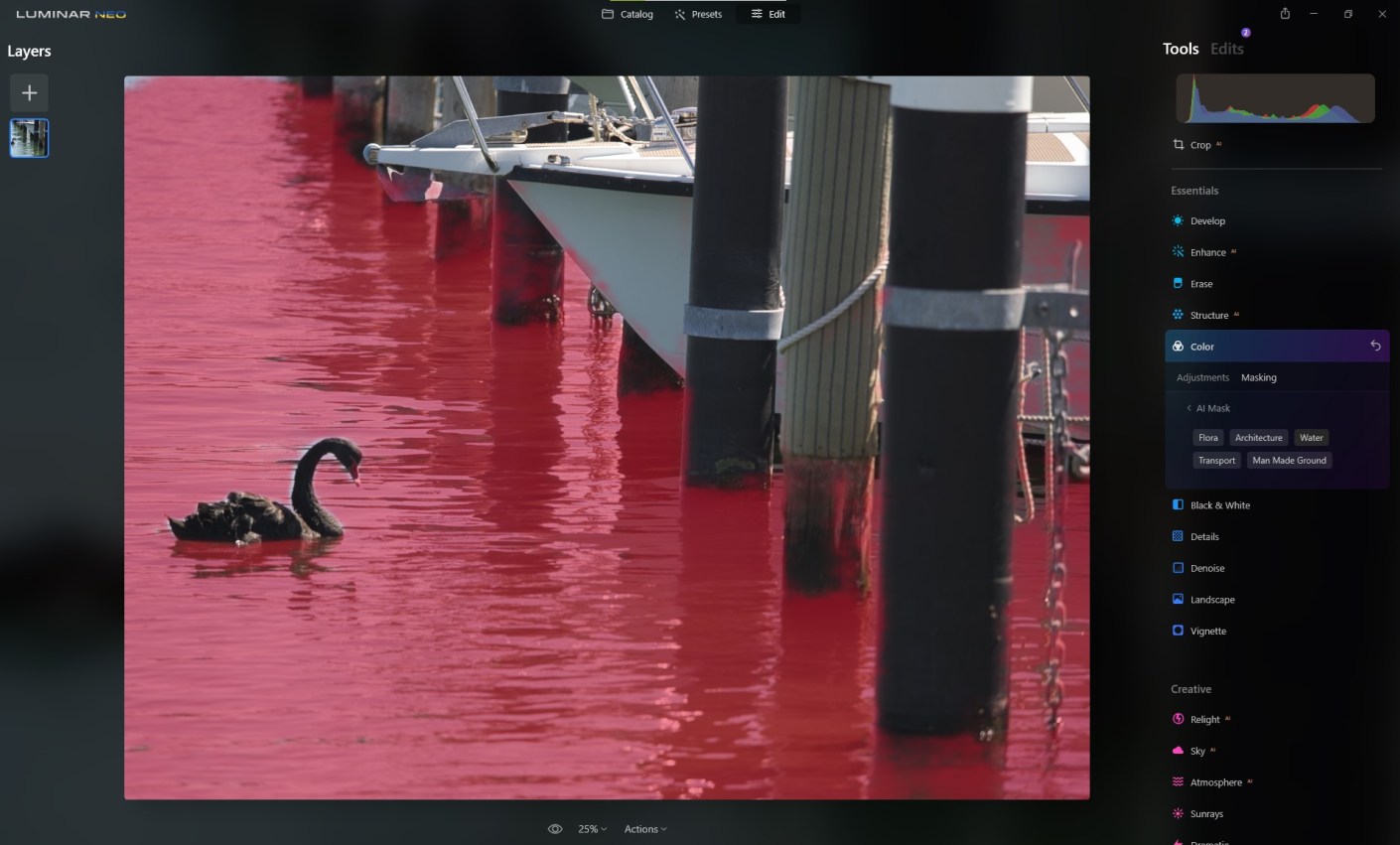
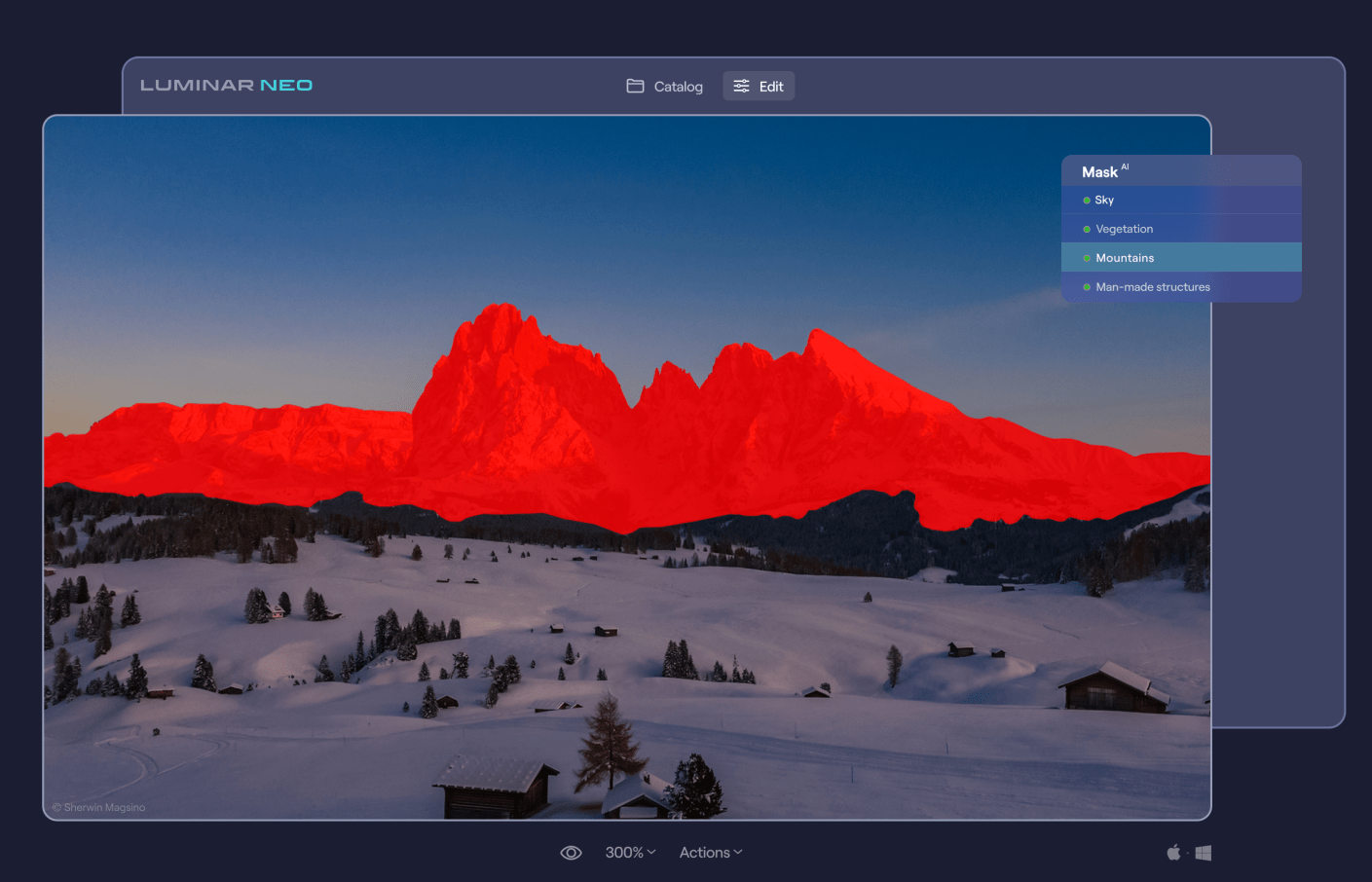
    Skylum has released a new update to Luminar Neo. The 1.0.6 update includes Mask AI and Histogram Let’s check it out:. Mask AI The major feature of this update is the long-anticipated Mask AI technology. The powerful neural network behind Mask AI detects up to 9 separate elements in a photo: people, skies, architecture, transportation, water, flora, mountains, natural ground, and artificial ground. What’s more impressive, is that you can automatically mask the desired area with just one click of a button. The AI will find the desired area and mask it up for you, without needing to spend time fussing over the details with a masking brush. After applying a tool to the masked area, you can easily copy and paste the adjustments to other images, and the mask will apply adjustments only to the same masked area of the other image – be it a sky, a building, a person, and so on. On top of that, you can use the manual Gradient and Radial masks. Plus, the new interface makes it easier and more enjoyable to work with masking. Histogram The histogram is a tool that can be a great help while correcting colours or adjusting exposure, and it’s is now available for. A histogram is a graphical representation of the tonal values of your image. In other words, it shows the number of tones of a particular brightness found in your photograph, ranging from black (0% brightness) to white (100% brightness). It’s a great tool that will help you produce well-balanced images. Now you can press the J hotkey to toggle clipping indicators on and off and see clipped pixels. To coincide with this update Sklylum have Neo on special ‣ One-time purchase: Luminar Neo 2 seats instead of 1 for US$79 ‣ 1-year subscription Luminar Neo 2 seats instead of 1 for US$59. ‣ And a special offer for those who have already had Skylum products: Luminar Neo 1 seat for $54 plus free Film Grain textures. You can access these here

  • Luminar Neo Update 1.0.4 and Help Ukraine

    Luminar Neo Update 1.0.4 and Help Ukraine

    You got to hand to those guys at Skylum! They are working in war zone in the Ukraine, in case you didn’t know, and somehow with all the horrible things going on around them they managed to put together the latest update for Luminar Neo. If you haven’t yet bought Neo then check out the following pieces I’ve done Luminar Neo The Game Changer and Travel Beyond with Luminar Neo additional you go here to learn about Luminar AI another Skylum product. Purchasing any of Skylum’s software helps support Ukraine in their struggles against Russia. Go here for that.
    You can also read more about helping at https://skylum.com/blog/act-now-save-ukraine-defend-democracy-24

    Anyway, what’s the latest update for Neo got?

    Well this is not an extensive list but the main points are:

    Use Smart Objects in Luminar Neo as a Photoshop plugin

    Connect more smoothly to Luminar Share

    Get better visibility with a more distinct color for masking

    Sync and load an image in single image view and see the correct aspect ratio

    Work with Iris Flare on large images

    Log in through a Google, Facebook, Apple ID, or Microsoft account without launching in trial mode (windows only)

    Remember purchasing any of Skylum’s software helps support Ukraine in their struggles against Russia. Go here for that.

  • Travel Beyond with Luminar Neo

    Travel Beyond with Luminar Neo

    02/02/2022 UPDATE THIS OFFER HAS NOW EXPIRED BUT YOU CAN STILL GET LUMINAR AI AT A REALLY GOOD PRICE USING THE LINKS BELOW.

    The big release of Luminar Neo comes up in February.

    So if you haven’t yet pre-ordered your copy you have another opportunity to buy before then at discounts up to 66% off on Luminar Neo and get this, LuminarAI and Aurora HDR.

    They are calling it the “Travel Beyond” offer and it also includes the some great template packs with their software in bundles or separately. The sale starts on January 26, 2022 (Australia Day for us Aussies) and ends: January 31, 2022

    I haven’t been able to show you everything about Neo yet but here’s some images below to show what else there is:

    Portrait Background Removal AI

    This looks terrific. The ability to change backgrounds in portraits with just a couple of clicks has great potential for portrait photographers

    Portrait Background Removal AI

    Mask AI

    One click masking of objects that have been identified by the software. Sounds crazy!

    Mask AI

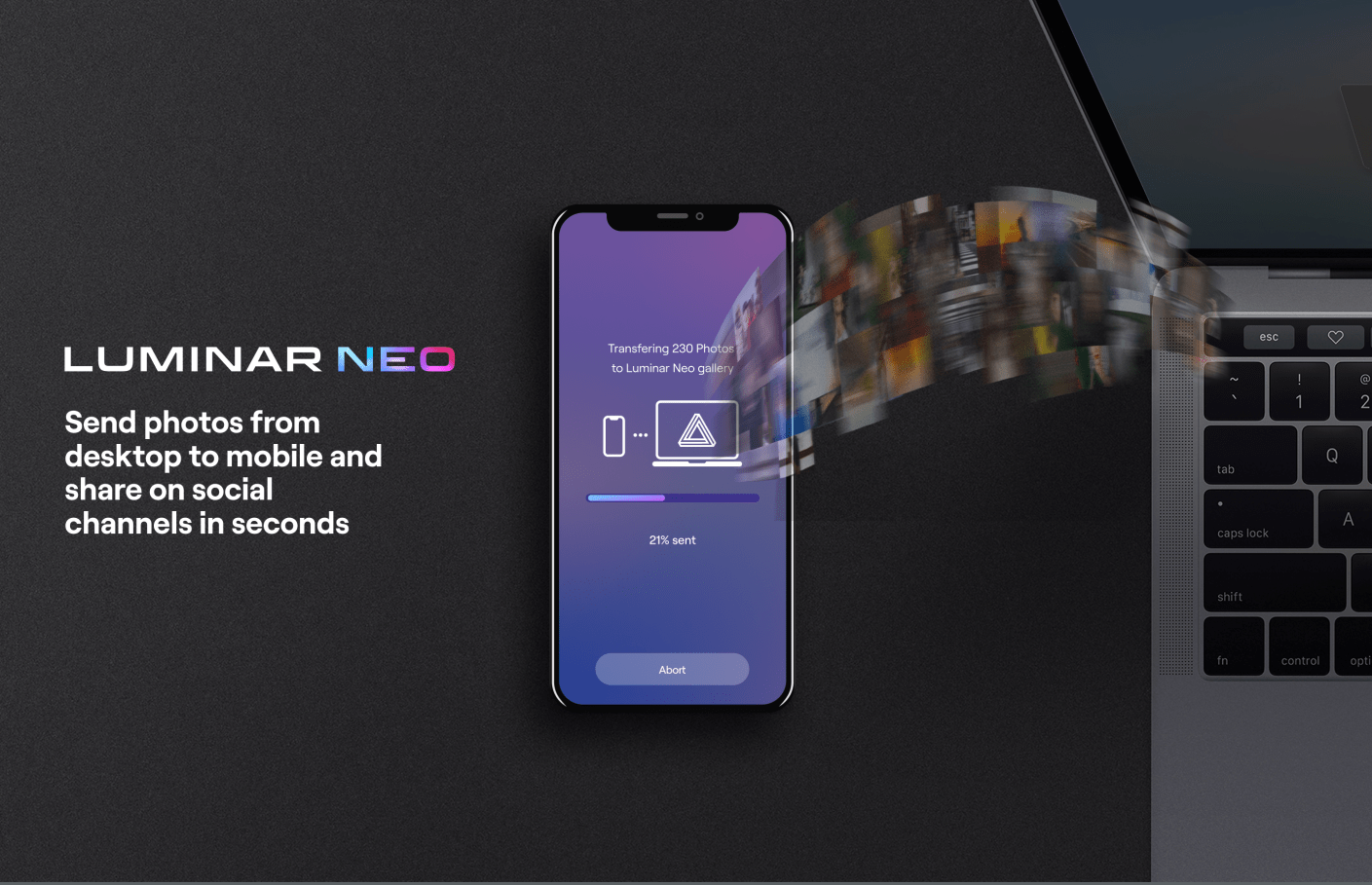
    Luminar Share

    Luminar Neo has pretty easy way to share images from the desktop software to your smartphone.

    Luminar Share

    So the offers in USD are as follows:

    Luminar Neo offer:

    1 seat:

    Luminar Neo + 1 Free Pack – 30% discount: $69

    Luminar Neo + LuminarAI + 1 Free Pack – 45% discount : $98

    Luminar Neo + LuminarAI + Aurora HDR + 1 Free Pack – 61% discount: $108

    2 seats:

    Luminar Neo + 1 Free Pack – 25% discount: $89

    Luminar Neo + LuminarAI + 1 Free Pack – 41% discount: $128

    Luminar Neo + LuminarAI + Aurora HDR + 1 Free Pack – 56% discount: $138

    You need to go here for this offer

    If you haven’t got LuminarAI or Aurora (HDR) yet then they have this offer:

    1 seat:

    LuminarAI + 1 Free Pack – 52% discount: $47

    LuminarAI + Aurora + 1 Free Pack – 66% discount: $67

    LuminarAI + Luminar Neo + Aurora HDR+ 1 Free Pack – 61% discount: $108

    2 seats:

    LuminarAI + 1 Free Pack – 50% discount: $59

    LuminarAI+ Aurora HDR + 1 Free Pack – 64% discount: $79

    LuminarAI + Luminar Neo + Aurora HDR + 1 Free Pack – 56% discount: $138

    You need to go here for this offer

    These are pretty big discounts which when you consider Neo is due our next month are very generous.

    So what are you waiting for?

  • Luminar Neo The Game Changer

    Luminar Neo The Game Changer

    As you may or may not know I’m an affiliate for Skylum who make some great editing software including that of Luminar AI – go to the link below for more on that.

    I wouldn’t promote them if I didn’t use and like their software.

    Well, they are releasing a new editing software called Luminar Neo that I think is a game changer. It’s aimed at the photography enthusiast, semi pro or pro who wants to have complete control but also want some of the more mundane tasks done with one click.

    As a comparison Luminar AI is aimed at those photographers who really want to edit their photos quickly but at the same time want to be able to tweak.
    Some (certainly not all) of the features are removal of dust spots, relighting, sharing to your mobile device, background removal, portrait bokeh which you can see on one of the links below in Luminar AI, and what I’m about to show you, removal of powerlines in one click.

    So if we go into an image and then click on edit followed by erase. Now we have a drop down menu and second from the bottom is “Remove Powerlines”. Click on that and watch the magic.
    While you’re watching let me show you another tool that I have a demo for. Again click on the image then edit and then “Relight”. Another menus appears where you can control the level of brightness for both the foreground and background and then adjust the depth of the adjustment from the front to the back. Easy!

    It’s not due for release until February 2022 but at the moment they are taking preorders for around US$60 for a single licence which is a $20 saving. But it’s only available for the next 2 days. Go to Luminar-neo before it’s too late.

    For more on Luminar AI go here. To see the portrait bokeh specifically in action on Luminar AI go here.