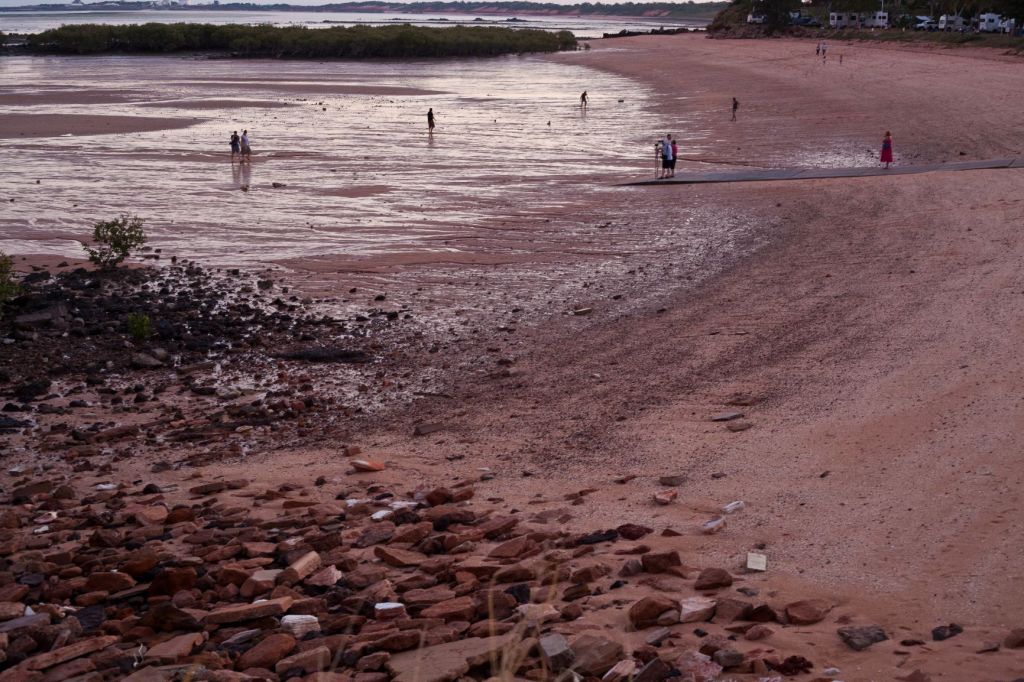
Looks like social distancing at the Town Beach, Broome, Western Australia
I had to ask myself an important question recently. Should I continue to post articles on travel photography during this terrible crisis. After all if we can still afford to travel we can’t! And if we can’t afford to travel now due to a tragic change in our employment status, is travel going to be something we will think about?
Well, if you are following this site then you are interested in travel photography and I imagine you have a camera. Even on the off chance you sold your camera because you now need the money then you will still have a mobile (cell) phone which has a camera. So now is a good opportunity to fine tune your travel photography skills, especially if you have a bit more time. It’s a hobby to most and a good way of taking your mind off the chaos around us at the moment.
If like, most of us across the world, you can’t go far, use your home and garden as photography sets. There are many interesting subjects waiting for you to take imaginative shots of them.
You’ll be amazed how much you can do in the confines of four walls or fences.
There are so many features now on a camera that its’ both mind blowing and confusing.
The TV Analogy
When we were in the market for a new TV, we discussed all the different features and benefits with retailers.
By the time we had finished we were totally confused. Salespeople in different shops seem to tell us something different about the same TV. For example, one would say this TV doesn’t have Freeview plus, whilst another would say that it does. In the end, I researched on each manufacturers website. I even rang them to ensure that the information I had gathered was accurate. After doing that we went and bought the TV we wanted.
So, what about Camera features? Well compared to TV’s there are way more things to think about.
In my opinion there are too many Camera features that are not needed! This article is to help you navigate the different Camera features. I’m going to suggest some essential camera features you need to consider having.
Either when you are in the market for a new camera or mobile phone or that you should review on your existing camera. This article consists of 4 sections:
1. The single essential camera feature you must have 2. Four Camera features you need 3. Eight Camera features to have 4. Six Camera features you don’t need
After each Camera feature is a rating out of 10 – 10 being must have.
The single essential Camera feature you must have
So, let’s start with absolute must!!
Mechanical Exposure controls
Usually on most cameras there are a P, A, S and M modes.On small compacts there usually is only a P mode.
On smartphone cameras, even the best ones, they don’t yet have the option to adjust the exposure the “old fashioned way”. So what’s with the “old fashioned way”? Well without going into a great deal of details on how a camera works, I’ll explain: All cameras have an aperture and a shutter. Both allow light into the sensor but in different ways.
The aperture allows in light by changing the size of its hole, the shutter allows in light by the speed of its movement. Having the option of being able to control both or at least one of these is one of the keys to getting great photography.
What do all these letters mean?
P stands for program and is a more sophisticated way of shooting in auto. The camera decides which aperture and shutter speed to use.
However the difference is that you can also weigh in by using what’s called in the industry “shift”. A stands for aperture priority and S stands for shutter priority. In both these modes you control one whilst the other one is controlled by the camera.
Most pro photographers depending on their specialisation will shoot in aperture priority. M is where you have complete control. You set both the aperture and the shutter speed.
This is not something a beginner would dabble in until they have got some experience with the other modes
Confused? Let’s go into more detail
If you want to take a photo of a subject with all the background blurred then you would need to adjust the aperture. If on the other hand you want to take a photo of movement.
Let’s say, a dancer practicing or performing then you would more than likely want to adjust the shutter to capture the type of movement you want.
That can be blurred motion or freezing the action. So, it’s handy to have that degree of control.
What’s that you say? You’re only beginning so you only need auto!
That’s fine. However I would suggest that if you want to create images that you can be proud of, then at some time in the future you will need more control.
The ISO factor
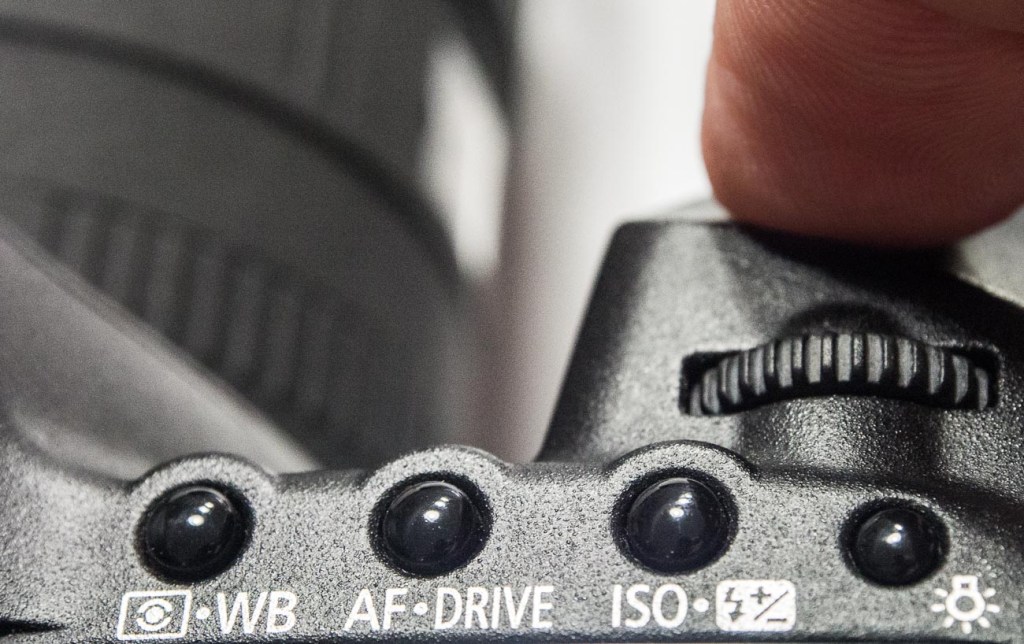
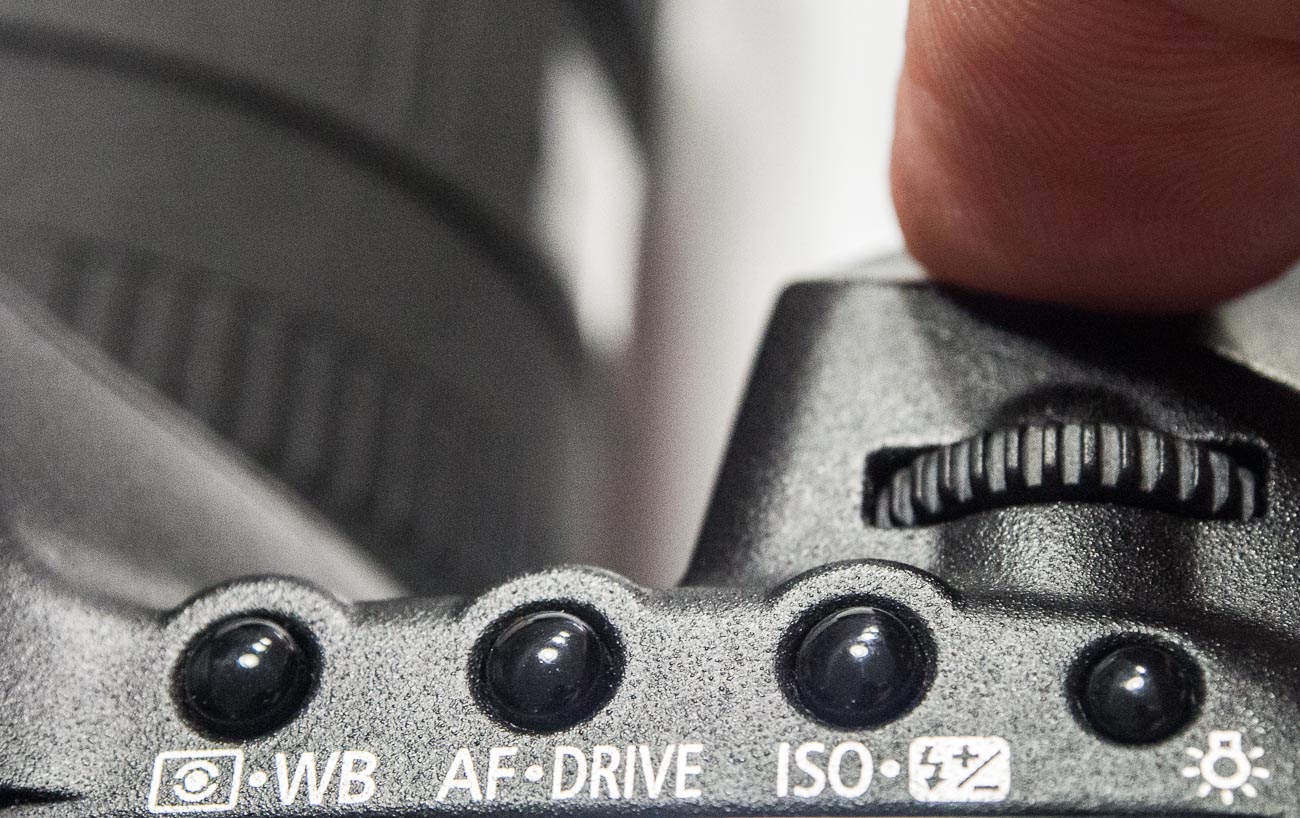
One extra control that goes hand in hand with exposure is ISO adjustment. In fact, the aperture, shutter speed and ISO make up the exposure triangle. That is to say that the adjustment of one affects the other two. With each camera manufacturer trying to outdo each other, the ISO on a top end DSLR can now be adjusted to over 400,000.
Which is crazy, as now the camera can take pictures in the dark! When you change your ISO setting, you’re adjusting your camera’s sensitivity to light. ISO settings are normally anywhere from 100 to 10,000 (or higher). These numbers have a direct relationship with the sensor’s light sensitivity.
Therefore the affect both the aperture and shutter speed. so a low setting means you need more light whilst a high setting needs less.
Rating: A or S is 10/10
Four Camera features you need
Drive
Drive selection is the option to select single, continuous or timer shooting. Single is one shot each time the shutter button is pressed.
Whilst continuous can be anything up to 15 frames per second (FPS) which is great for action pictures. The self-timer option is great for selfies. It’s also handy if the self-timer has two intervals. For example, a short, say 2 second, interval can be handy to use if on a tripod in low light instead of using a remote cable or wireless device. One thing to be aware of is that cameras these days are really mini computers.
So sometimes there can be a lag if you shoot in continuous, especially in Raw format due to the larger file size. Drive selection is standard on most cameras.
Rating: 10/10
Bracketing
I mentioned earlier that I’m a champion for getting the shot right first time in the camera, well bracketing helps this. Bracketing allows you to automatically take 3 shots of the same subject at different exposures, usually by one or half a stop each. I.e. aperture and/or shutter speed settings. You take the shot at the setting you think is correct and the camera will adjust the exposure settings for your next 2 shots to make those images lighter and darker. Handy when taking images of scenes or subjects where there is a lot of contrast. Some cameras allow you to bracket at different ISO, white balance and flash settings. Apart from the flash option these are a little superfluous.
Rating: Exposure bracketing 8/10 ISO, white balance and flash settings 3/10
Viewfinder
In the early years of digital cameras, very few had viewfinders.
Camera manufacturers thought that everyone would migrate to the rear screen or monitor on the back of the camera. However, the exception to the rule was the DSLR which retained the optical view finder. Nowadays Electronic Viewfinders have come into their own and very good they are too. Why use a view finder at all? Why not the rear monitor? Well 3 reasons come to mind
1. Camera shake is reduced. Holding the camera out from your body means it is a lot harder to keep still.
2. Competing light. Ever looked at the rear screen on a sunny day? You can’t see a bloody thing!
3. Battery power. An LCD screen will always use a lot more power than a viewfinder either optical or electronic.
But there are viewfinders and there are viewfinders. Make sure it feels comfortable. The frame should be 100% not have any cropping, has a central view i.e. as if you were looking through the Lens.
Rating: 10/10
Shooting and viewing videos
This is usually on most cameras and is the rapidly becoming the number one medium on social media. This is a whole article on its own so I won’t go too deep. I would say that at this stage the only recommendation is to ensure that the camera shoots in high definition (HD) at the minimum. A lot of cameras are now able to shoot in 4K but like 3D there are still limitations on being able to view 4K videos. That will change as it’s only a matter of time until 4K TV’s and Monitors will be more common as the price drops. Unfortunately, the image and video quality available is not yet matched by the audio quality that comes standard with most cameras. So, make sure you buy a good microphone that’s compatible.
Rating: 10/10
Eight Camera features to have
Being able to turn off Flash.
Controversially I used to rarely use flash, preferring natural light. Yet the degree of control some of these cameras allow you to have over flash means that it can be used to enhance daylight and improve the image. Because of this, I use it more and more these days. There are options to use flash in several different ways, Fill in, Slow, Red Eye reduction, Auto, Off or On etc. But it’s the option to be able to turn it off, especially if the camera comes with an inbuilt flash, that’s so important. Speaking of inbuilt flash. Avoid using them as much as possible. The ideal flash should be off camera. Something I’ll discuss in a future post.
Rating: On camera flash 4/10. Turn off flash 10/10
Focus targeting
Like most cities in the USA, Anchorage has a big fourth of July parade. This one was in 2012
Another option again almost universally supplied is focus targeting. Looking through the viewfinder and/or the rear screen you can bring up a rectangular or square grid of around 30 boxes that you can select to use as a focus target. Options usually include single, selected groups or all targets.
Rating: 6/10
Exposure Compensation
Exposure compensation is great!
The ability with just a twist of a dial to alter the exposure or brightness without having to alter the aperture or shutter speed that you’ve already set is very handy. Of course, it does adjust something so it should only be used for small incremental changes.
Rating: 10/10
Metering
Metering, whilst another handy option to have, is not used much. I think that’s because it’s not understood by most camera buyers. That too is a post for another day but suffice to say it’s a must have for the future.
Rating: 7/10
Image Stabilisation
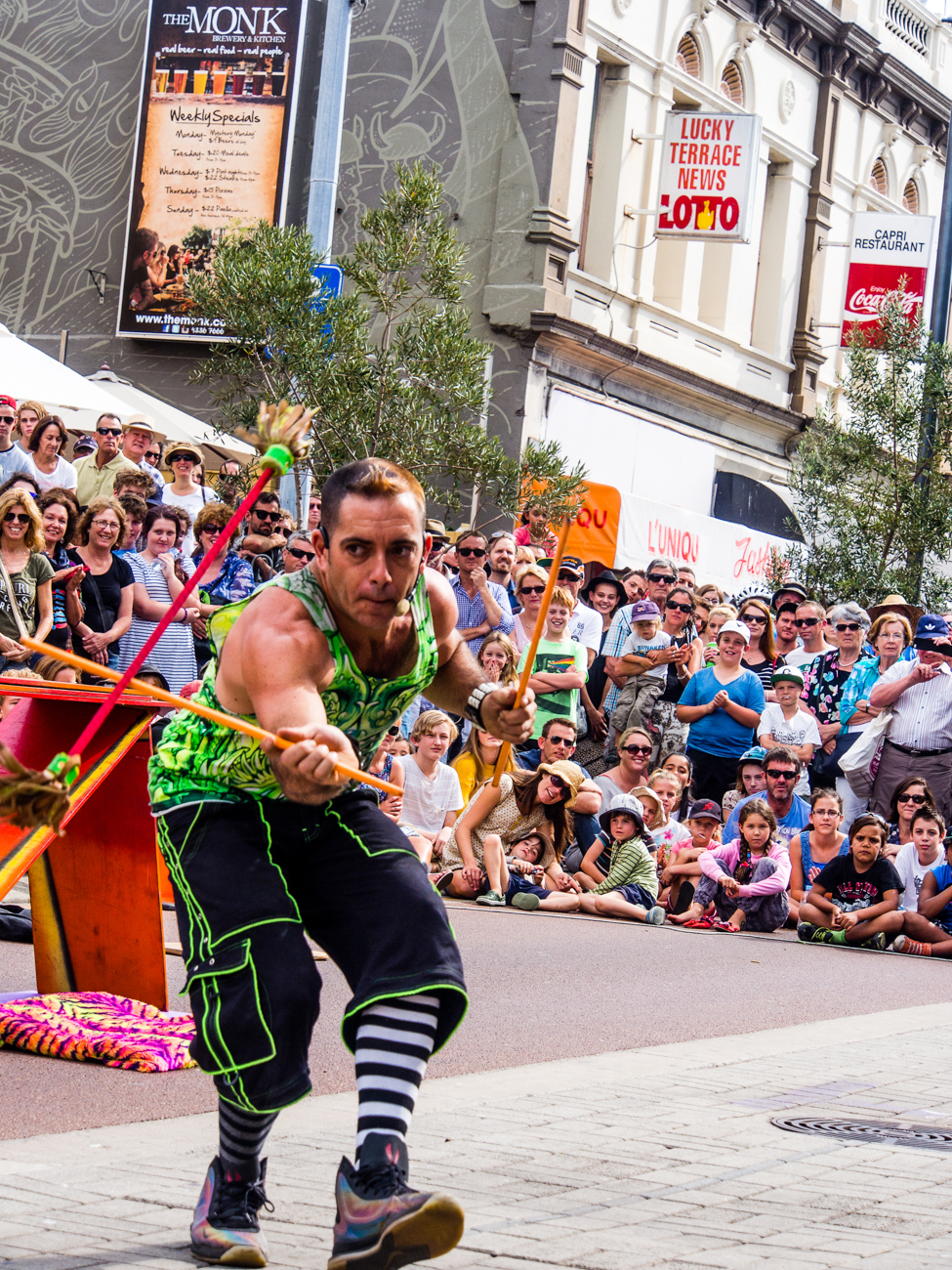
The street art act, Dream State Circus at the Street arts festival in Fremantle, Western Australia. the festival attracts over 100,000 spectators over the Easter long weekend.
Many years ago, I met a photographer who was taking clear and sharp images of wildlife at dusk without a tripod. That was my first introduction to image stabilisation. Basically, it compensates for camera shake caused by slow shutter speeds and is a must have. Initially they were only available on the lens but nowadays most cameras have it inbuilt. So now you don’t have to worry about what lens to use. Again, a must have.
Rating: On camera 10/10
AEL/AFL Lock
(Auto exposure Lock/Auto Focus Lock)
I use this option all the time. The ability to be able to lock your exposure and/or focus is invaluable. How does work? Well usually there is a button on the camera that allows you lock the exposure and or the focus and then recompose. When would you use it? In lots of situations Landscapes, Portraits, Products, even macro work
Rating: 10/10
White Balance
What’s white balance?
Well it’s on every camera these days, so if you leave the setting on auto you don’t have to think about it.
But (always a but) there are times when auto doesn’t get it right. For example, tungsten or fluoro lighting tend to confuse it a bit. That’s when you take it off auto and set it to appropriate setting like, duh, tungsten or flouro
Rating: 8/10
RAW Format (Image Quality)
One phrase that is somewhat misleading is the term “Image quality”. Used for having the choice of what format to use i.e. JPEG or Raw.
I’m not about to expand too much on what the difference is but if you shoot in Raw then you will need to do some post processing whilst JPEG is mostly ready to go. That’s simplifying it but to do the argument justice I like to use a cooking analogy.
You could say that Cooking a supermarket bought ready to go meal that you sling in the microwave is a JPEG.
Whilst a meal that contains the raw ingredients you have bought at the local farmer’s market and prepared and cooked from scratch is a Raw file. The former is what you see is what you get (unless you can’t cook and cock it up altogether).
Whilst the latter is a creation that you can manipulate to give you whatever flavour and presentation you like. Clear? Another future post maybe. Anyway, most cameras will give you the option to select either and/or both and other variations. But the option to be able to shoot in Raw is a must, if not to use now but in the future!
Rating: Raw Option 10/10
The 6 features you don’t need on your camera
Cafe in Lixouri. Coffee drinkers in Lixouris main square
As you can see I have strong opinion on what you should have on your new (or existing) camera but guess what?
I have an equally strong opinion on what you didn’t need as well.
So, let’s get into it:
Picture Styles
Pike Place markets in Seattle, Washington, USA
Often there are picture styles, modes or scenes available and they can be countless;
Action, Portrait, Landscape, Panorama, Sunset, Candle, Fireworks, Beach & Snow, Fisheye, Wide-angle, Macro etc Some models also give you some tips for certain photo genres in the same mode. E.G. “Tips for flower Photos” What is often not discovered until the camera is used is that some of these modes, e.g. Fisheye, Wide-angle or Macro need to have lens that support those scenes. There is, however, one camera that it’s probably better to have some modes available for and that’s a good smartphone camera, e.g. the Samsung, Google or Apple varieties.
Most images taken by a smartphone are shared so it can be a shortcut to getting a good image first time.
Rating: 2/10
3D
Here’s a useless option ‘3D Photography’.
3D TV’s bombed and as far as I can tell there’s not many 3D monitors either, so why would anyone want to shoot a 3D image or video. It is used for some specific industries e.g. Computer-graphics, Architecture or Health. However, in my humble opinion, it’s useless as it relies on the viewer having the equipment to view it.
Rating: 0/10
Multiple Exposures
Not so useless but not essential is the recording of multiple exposures.
Multiple Exposures are photographs in which two or more images are superimposed in a single frame.
If you really want to try this for your travel photography be aware that it is somewhat tricky. In fact it’s much easier to do it in something like Photoshop.
Rating: 4/10
Digital Zooms
Digital Zooms are commonplace at the compact level and all phone cameras have it.
Personally I avoid using them as much as possible and will use an optical zoom over a digital one. What’s the diff? Well an optical zoom is a true zoom lens. They produce much better-quality images. A digital zoom uses some in-camera image processing.
When you use a digital zoom, the camera enlarges the image area at the centre of the frame and trims away the outside edges of the picture. The result is the same as when you open an image in your photo-editing program, crop away the edges of the picture, and then enlarge the remaining portion of the photo. By using the in camera digital zoom you lose the information around the crop. Whilst if it’s cropped during post processing you can keep the entire frame for use later on.
Rating: 2/10
Face Priority
My pet irritation is Face Priority. Personally, I think it’s a gimmick.
Originally in small compacts it’s spread its way into smartphone cameras and now even DSLR’s. If you are taking a portrait, then supposedly the camera will aid your focus by detecting the face.
Rating: 0/10
Printing
Printing is on its way back. Whilst the option to directly print from the camera could be handy, it’s also generally restrictive.
This feature often requires certain functions to be available on the printer. At the end of the day, if you are going to do any post processing even if it’s minimal, you should be able to print from that software.
Another option is to take it to a print shop if you are looking for high quality. Of course, you can always use the self-service machines that are everywhere.
Rating: 2/10
Conclusion
Of course, there are other Camera Features not mentioned here. But these are the main ones you will most likely come across. As you can see there are lots of different Camera features and I didn’t cover them all.
But the one thing to remember is it’s not the camera that takes the images, it’s you. All features and benefits do is give you more options a lot of which you will never use or use once or twice a year at best. A short cut is to decide how much you are prepared to spend, go into a shop and test drive those within your budget, decide on the most comfortable and buy it. When you pick it up it needs to feel comfortable. Does the weight seem too heavy, too light or, just right? If it has a viewfinder, does that fit comfortably against your eye? Is the rear screen easy to see? How easy is it to see when you are holding it? How easy is it to adjust the dials and access the menu/s? Does the grip feel good? Is it easy to turn to portrait or landscape mode? That’s what you need to look for in a new camera and to revisit your existing Camera.
Make your life easier and double check the features on your new or existing Camera by downloading a e-book to Camera Features. Just pop your name in the box below.
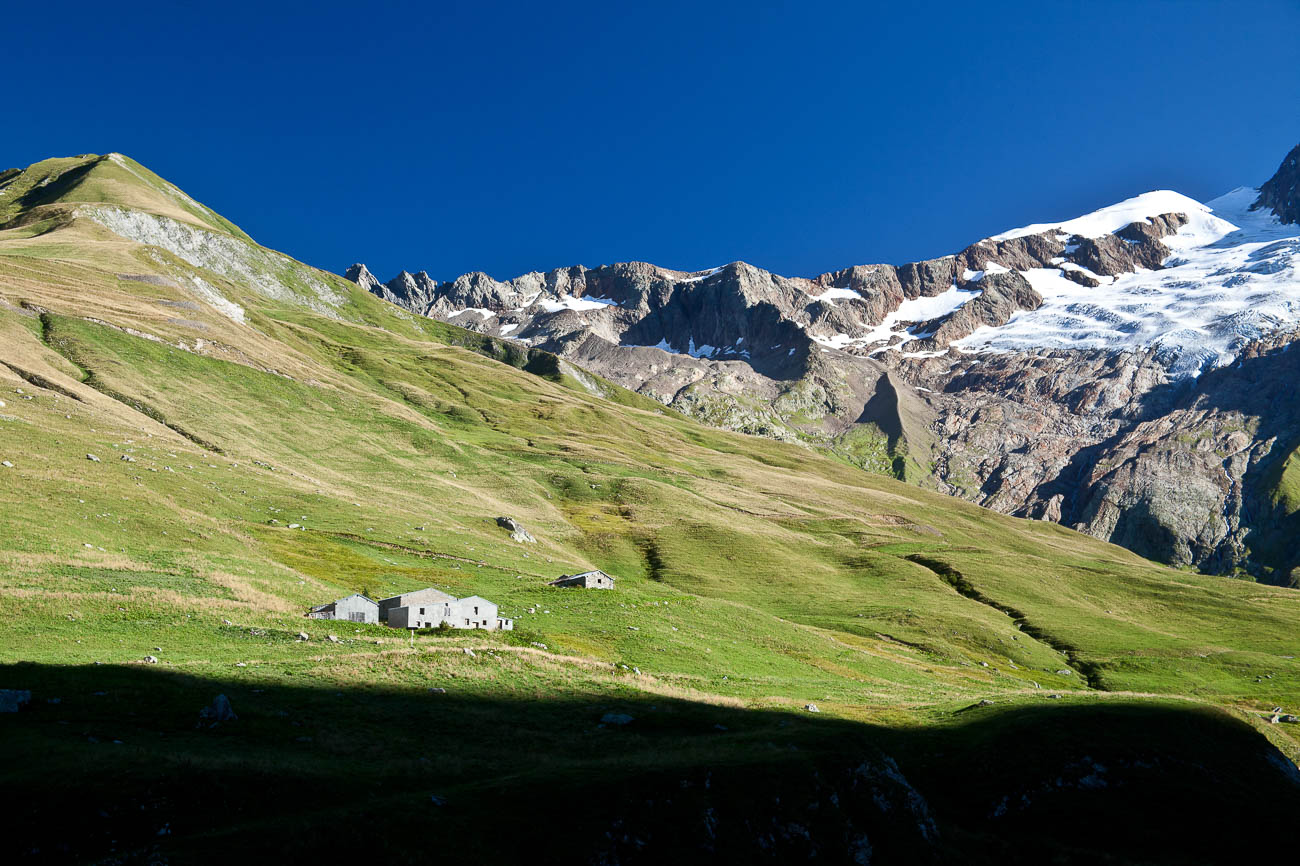
Val Veni from Rifugio Elisabetta, Italy on the Tour Du Mont Blanc
Planning and Preparation for Travel Photos
One of the most overlooked items when preparing to go on a holiday or to travel is planning and preparing for taking travel photos. Usually people think about accommodation, eating and transport. But never how they are will visually document their experience.
So read on about Planning and Preparation for Travel Photos
Planning
You are off to an exotic or culturally fascinating destination. You worked out where you are going to stay, where you will eat and how you will get there. But what about what you are going to photograph? After all, you want to come back with memories but also memories that you can share with those who you travelled with and those you’ve left behind.
Before you go
Your itinerary should tell you what your destinations and stops are. Now it’s time to do research on what you should and want to take photos of. The first thing you need to have clear in your mind is what do you like taking pictures of? Have you selected a genre? Go to Different types of Travel Photography for more on this.
Researching the destination
At any new destination there will always be lots of subject matter for taking photos of. And in today’s online world it is easy to do research. Check out sites like the Lonely Planet, or National Geographic. Instagram and the much-aligned Google+ have some great images as well. There is no end of online resources for you to get some inspiration from.
Icons
Start by finding out what the big ticket items are.
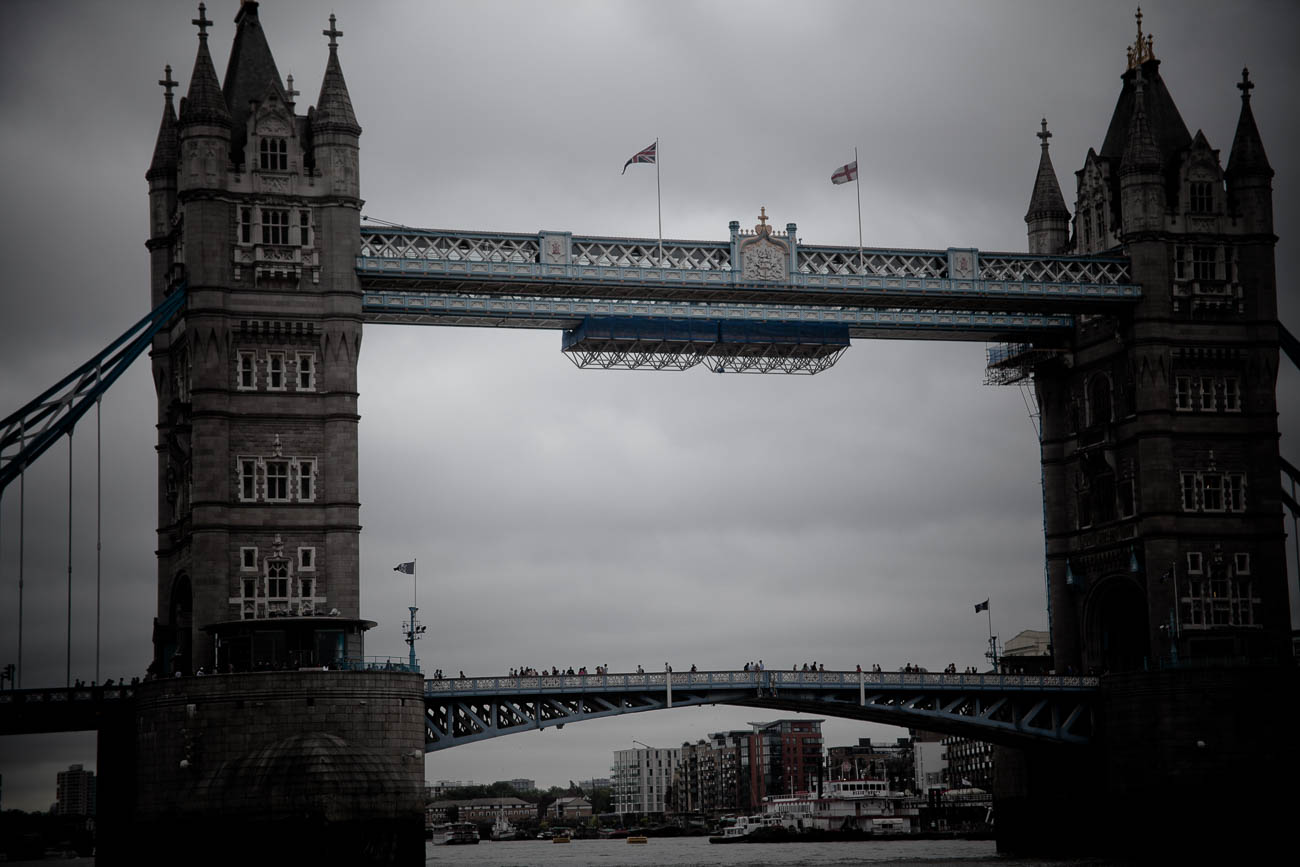
These are the icons that make any travel destination famous. You are looking for Icon’s like London’s Tower Bridge, Paris’s Eiffel Tower or Sydney’s Harbour Bridge. Find out what access there is. Are there restrictions on taking photos? Can you use flash or a tripod? Have a look at some of the pictures online and make a note of the angles you like. You will want to find different angles as well, which may not be so easy to see until you are physically there.
The famous tower bridge in East London, England. Click on the image to view a larger version and for other options
Culture
Some of the most emotive photos are of people and culture. Look for photos online of the culture of the place and again make note of how, when and where they were taken
Landscapes and Architecture
Whether you are going on a safari, hiking the Tour Du Mont Blanc or discovering San Francisco for the first time, you will want to take photos of Landscapes and Buildings. They could be anything from Mud Huts to skyscrapers, so again see what photos there are and take notes.
Refuge des Monttes, Vallee des Glaciers, near Les chapieux, France. Click on the image to view a larger version and for other options
Transport
So now you know what travel photos you are likely to take, you must now decide what equipment will travel with you. Now if you are just taking a smartphone, then this really doesn’t apply so I would suggest you skip this section. For the rest, a lot will depend on what equipment you have and how you are travelling. If you are travelling using your own car then you would think you can take almost anything. But if you are hiking or doing a lot of walking whilst away do you really want to carry ‘everything’? And if the answer is no, then where will you leave what you don’t take with you? You don’t want to travel on public transport, and that can be anything from a bus to a plane, with a lot of equipment. Consider reducing what you take to what you think you will need based on what you are likely to be shooting.
Climate
One thing easily forgotten is that there’s a good chance you may be travelling to a different climate. If you are going to the tropics, then there’s a good chance it’s going to rain. If travelling to Australia in summer it’s going to be hot, travelling to Canada in winter then it’s going to be really cold. This topic is big enough to justify an article on its own but let’s just say make sure you take enough protection for your equipment.
Practising
If you have recently purchased a new camera or you haven’t used yours for a month or 2, it’s worth getting out and practising. I would suggest you practice the type of shots you are likely to encounter on your travels. It doesn’t take much to look for opportunities. Wherever you live there’s always landscapes. If you live near or in a city, town or even a village, there will be plenty of street, architectural and people shots to be had.
Getting your equipment ready
The Basics
Whether you are taking a compact or a DSLR, you will still need some basic auxiliary equipment like extra memory cards. Consider taking more than one battery, a lens cloth, filters if you use them and a tripod. I take a couple of Bags – one for travelling and one smaller one for around town. Make sure your bag is clean and ready to use. I always put everything I’m going to take in the bag at least a couple of days before I’m about to leave, so it’s done.
A good idea is to go through your memory cards and make sure that they are empty. You never know how many photos you will take, so you can never have enough memory. Don’t think that you don’t need to worry if you are using a smartphone camera. You need to ensure that the smartphone memory is big enough. If it’s not, then you will need to add space either by a plug-in memory stick and/or a microSD. Batteries need to be charged.
Camera and Lens
If it’s going to be a big trip, it’s worthwhile checking to see if the sensor needs cleaning. You can do this by shooting a white piece of paper with the focus set at infinity and over expose to get it really white. Then look at it on a computer screen and look for marks.
Select the lens you are taking and make sure you clean it with a lens cloth and then ensure it’s packed for travel.
One essential thing to take is your charger. And if going overseas a plug adaptor for your destination. You will be surprised at how many people forget these 2 essential items. You can’t take pictures with a flat battery!
Back Up
If you are anything like me you’ve become obsessive about backing up your travel photos. After all, often you are only there (your destination) once! Look if you are only away for a weekend, then you could take the risk of not backing up. But I wouldn’t recommend it. This is a topic on its own which I will tackle in a future article. But I do recommend that you don’t rely on cloud storage. At least take a hard drive preferably with a tablet or laptop.
Family and Friends
Most of us travel with family and/or friends. If you are travelling alone then move on. For the rest of us though, it’s important that you set expectations. If you are starting to get serious about your travel photography, then you will need to make sure that your fellow travellers are onboard. Ideally speaking it is better to travel alone if you intend spending a lot of time taking photos. Yet, for most of us that’s not usually an option and let’s face it you don’t really want to travel by yourself. One of the great joys of traveling is sharing moments on the road with whoever you are travelling with. And I emphasise that sharing moments is pretty important.
Get out from behind the camera
Don’t let the urge to shoot away at a romantic or special monument blind you to how you should be enjoying the moment with your loved one. If you are at the Taj Mahal for example, make sure you get out from behind the camera. Enjoy being there with your fellow traveller/s, especially if your partner is there with you or be prepared for the consequences! (I’ve learnt that the hard way). The next rule is to negotiate when you take photos. That can be almost any time but there may be some special times that you want to concentrate on getting some good shots. The golden hour (just before sunset or just after sunrise) is one example. So, give some advance warning and you may actually get an assistant as well. Another way of sharing the experience can also be by taking photos together. But lay out what you want to do before you set off and then negotiate along the way.
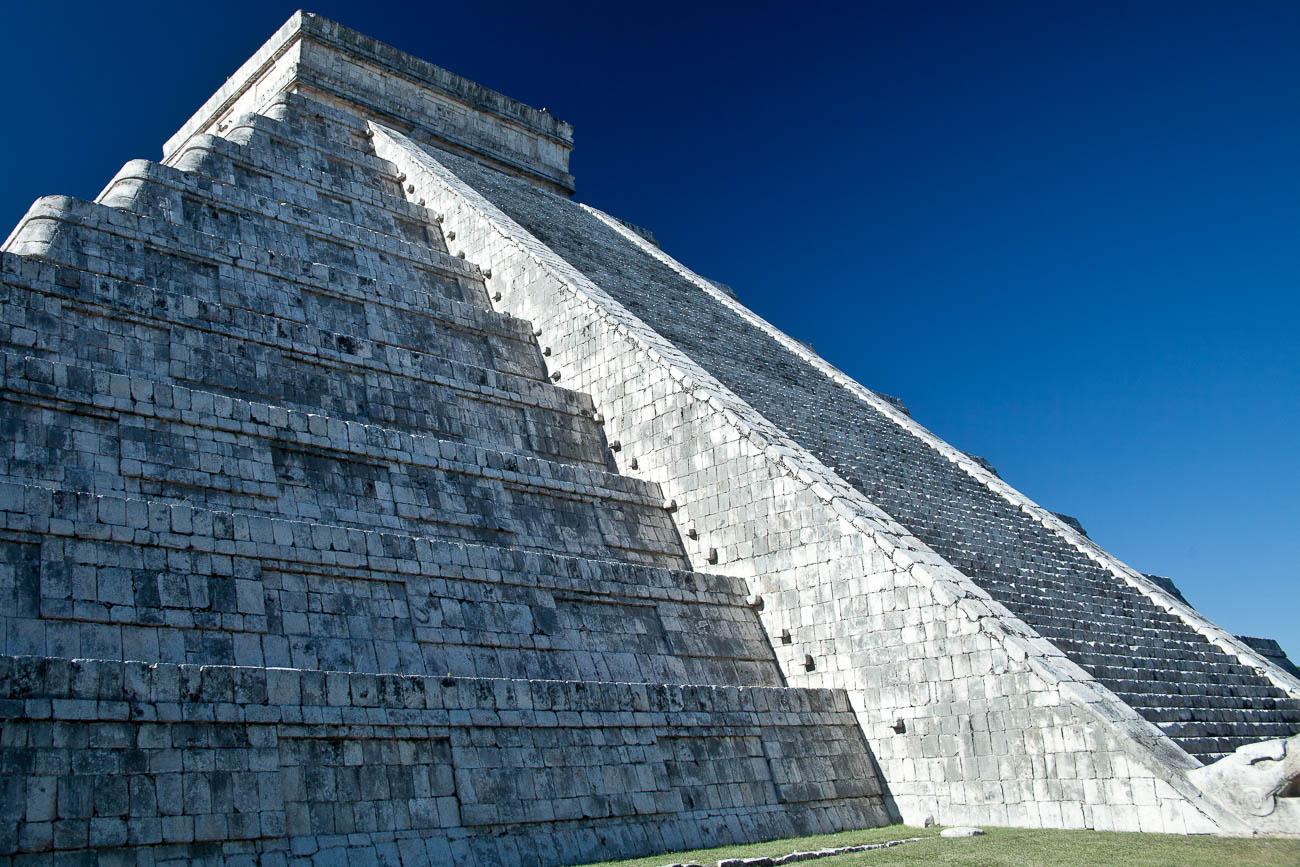
El Castillo the pyramid, at Chichen Itza the most famous Maya ruin in the Yucatan, Mexico. Click on the image to view a larger version and for other options
Insurance
Most of us get travel insurance to cover medical and cancellation. But it’s just as important if you have some expensive kit, that it is also insured for loss or damage. Nothing worse than having a camera stolen or damaged and realising you weren’t insured. Now don’t get me wrong, the likelihood of that happening is remote, especially if you are careful and take the obvious precautions. But you never know.
Hire
Whilst you are not likely to hire lens on every trip. It’s a good idea to make sure you’ve got that set up when you do. I’ve done it several times, the last time in Canada for taking photos of Polar Bears with a large pro lens. The company had a lens waiting for me at the destination. It was a simple process to send it back from the same place once I had finished with it. That meant I didn’t have to carry it to my next destination where I didn’t need it.
Timing
When we plan travel it’s essential that we maximise the time there. One way to do that is to research what special events or festivals are on. And don’t forget to find out what the weather is going to be like at the time you will be there. Special events and weather conditions can be double-edged swords. Depending on the event you may not want to be there at the same time. For example, with weather, the wet season in Northern Australia can be a challenge. But during most wet seasons you get some great scenes of flooded landscapes and interesting cloud formations and thunderstorms.
Summary – Planning and Preparation for Travel Photos
As you can see whether you are going travelling or just holidaying, with travel photography, there’s a lot to think about before you have even left. Do your research and make sure you know what you are going to take photos of. Find out what Icons, Culture, Landscapes and architecture there are to take. From there you can work out what equipment to take. Protect your equipment from the elements. Practice before you go. Make sure you take the essentials; spare battery, charger and adaptor, memory cards. Clean your equipment and make sure it’s insured. Take some sort of back up for you to back up on the go. It’s vitally important that you have an understanding with your fellow travellers and family about when you will want to take photos. Above all don’t forget to have fun and enjoy yourself!
Need some help with your travel photos?
Why don’t you pop your email in the box below and not only will you get content that’s not always posted on this site but you will get my free e-book “9 ways to improve your Travel Photography” to get you started
Any questions then please contact me here and/or please say hello at these places:
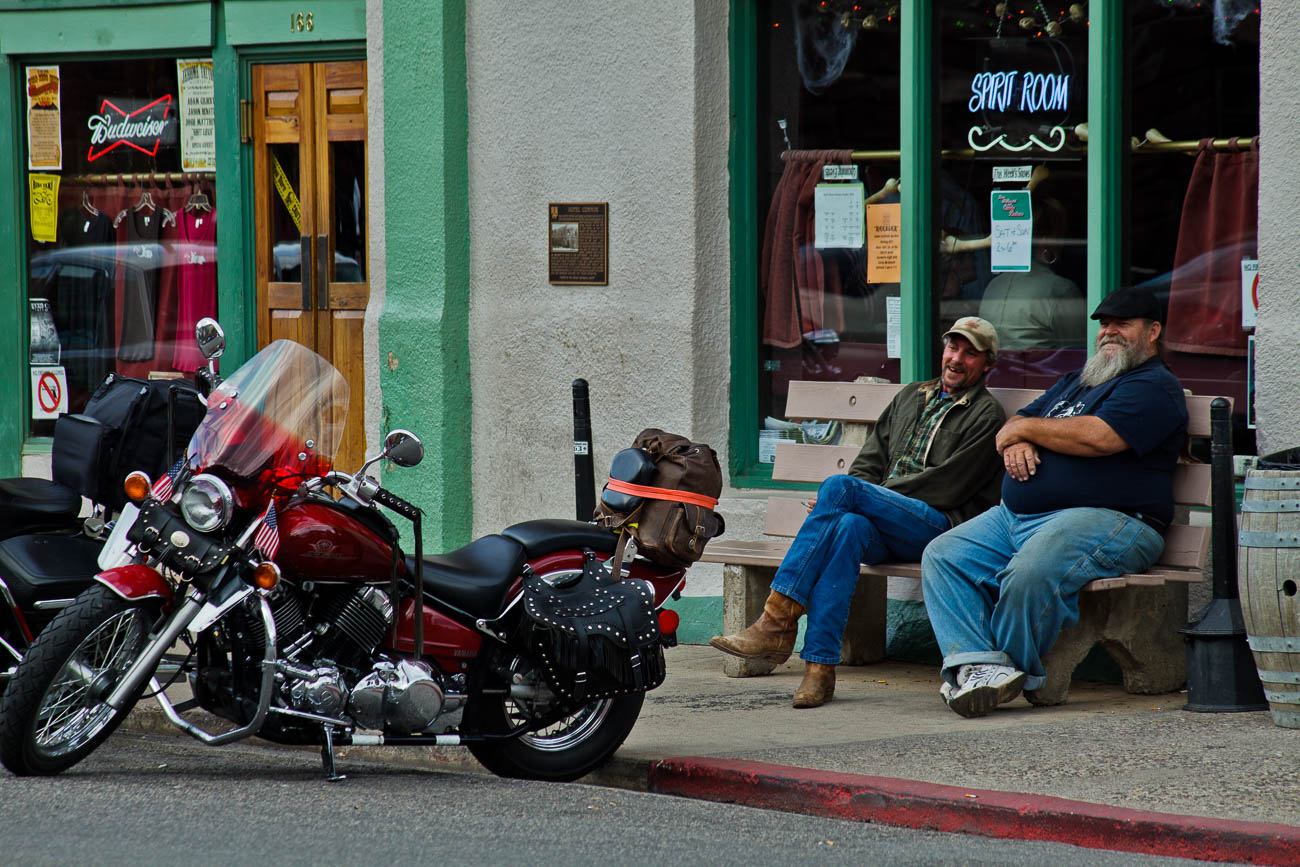
In the historic copper mining town of Jerome, Arizona, USA
This is the second of a series of articles that uses travel photography to show how you can get a particular type of shot. Some of the examples won’t be stock, product or marketing photos, although any image can be used to market anything. Nearly all of them will be travel photography images
But this is a good starting point for taking similar photos for any reason whether it’s travel photography or for your business.
And I hope that this inspires you to go and emulate and even improve on the method I give you here.
So, let me clarify that this article is not some much about technique but opportunism.
Let’s set the scene
I was travelling through the South West of the USA and stopped off at a little town of Jerome. Smack bang in the middle of Arizona and north of Phoenix, its claim to fame is that it was a copper mining town. Nowadays it’s a tourist hot-spot. Being at a higher altitude, Jerome is attractive to residents of Phoenix, the big smoke, during their ugly summer months of high temperatures. And so, I discovered how attractive it was as I roamed the streets of Jerome taking shots of the interesting sights as well as the landscape beyond.
Human Interest
However, what I really became interested in was the locals. There’s only around 450 of them and they all seemed to be happy, friendly and smiling. Whilst I have done some portrait photography, I’m not a big lover of it. I find that taking impromptu spontaneous images tend to bring out much more of the subject’s character.
Positioning for Street Photography
When you take any street scene sometimes you get lucky and fire off a few shots straight away. Other times you have to kind of go with the flow and watch and see how the street life unfolds. That day was one of the latter. I wondered around until I found a spot diagonally opposite a bar, a hotel and a winery cellar door, yes, they do have wine in Arizona and good wine it is too. The spot I found was a corner or rather a T-junction. Normally I would find a café to sit and watch but there wasn’t one where I wanted to be. But there was, at that time, enough people around to make me feel inconspicuous.
The Wait
So, I waited. As it was mid-afternoon and wasn’t a Sunday I figured that there would be a bit of coming and going from the bar. There was but not as much as I wanted. But I did shoot a few images as I hung around. After about 10 minutes some motorbike riders turned up and went into the bar. I shot off a few shots of them. But being mindful that I didn’t know these guys I was fairly conservative and kept a low profile.
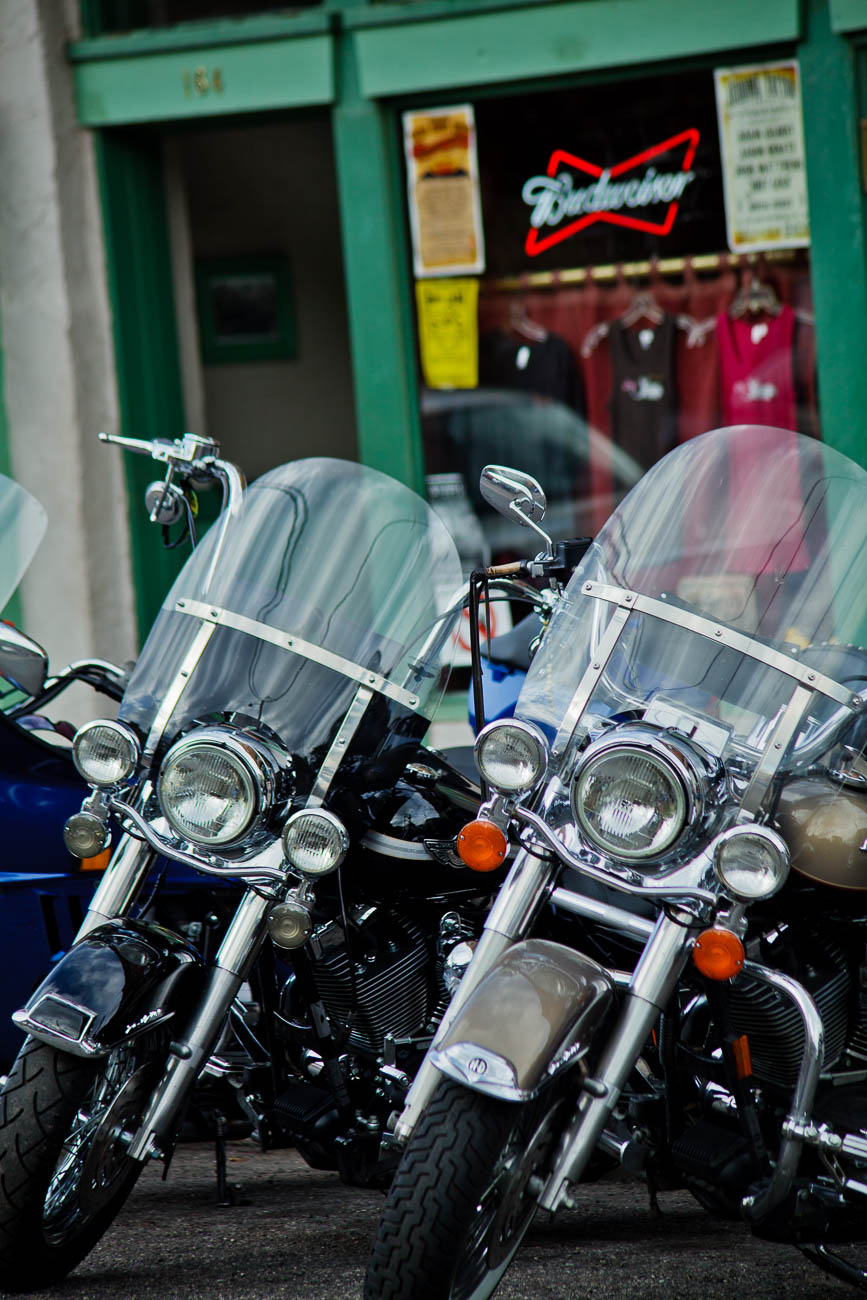
Harleys in the street in Jerome, Arizona, USA
The Subject
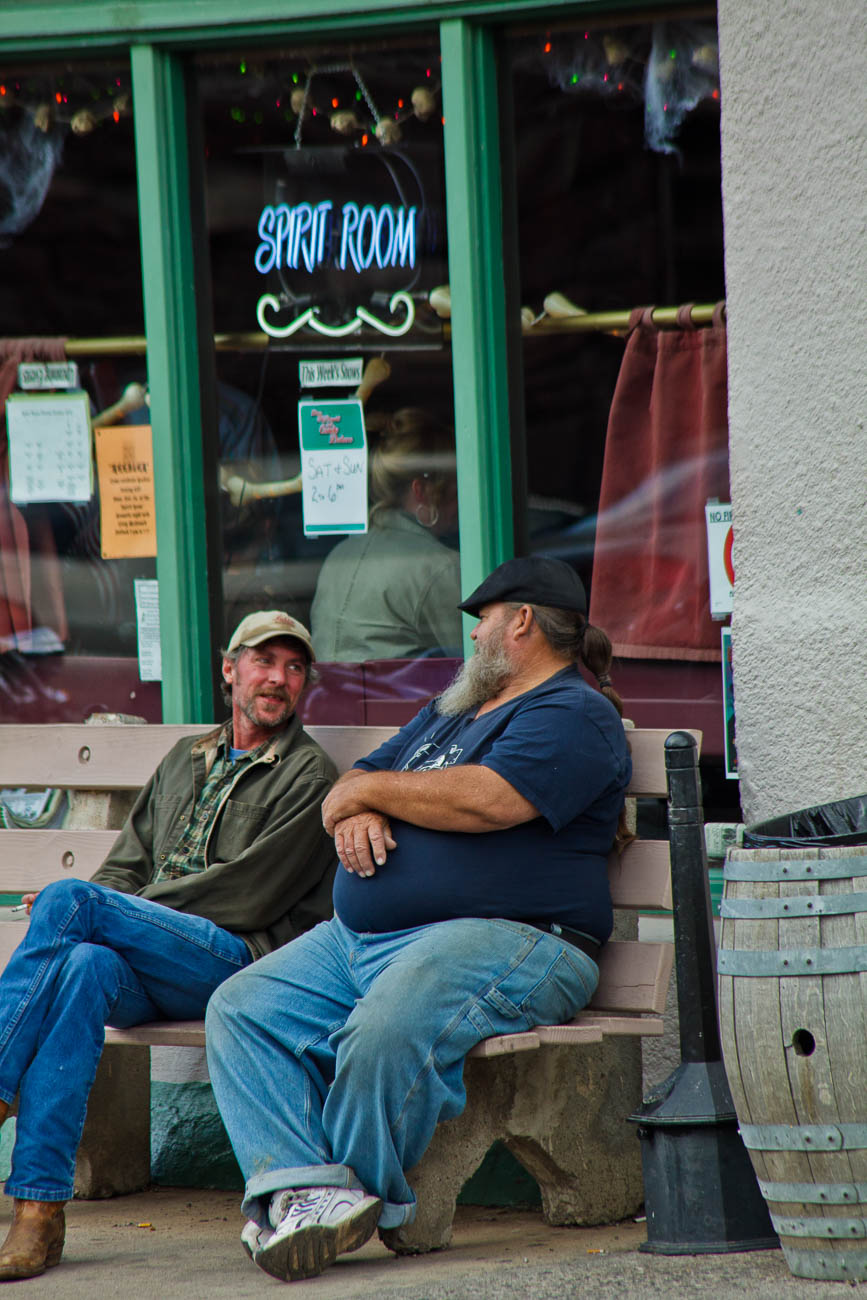
After about 5 minutes these couple of guys came out and sat outside chatting and looking at the bikes.
Two men talking in the historic copper mining town of Jerome, Arizona, USA
Now neither of these guys are oil paintings but they were perfect for me. So, I was off a running – not literally, of course. This one is the best of the shots I took.
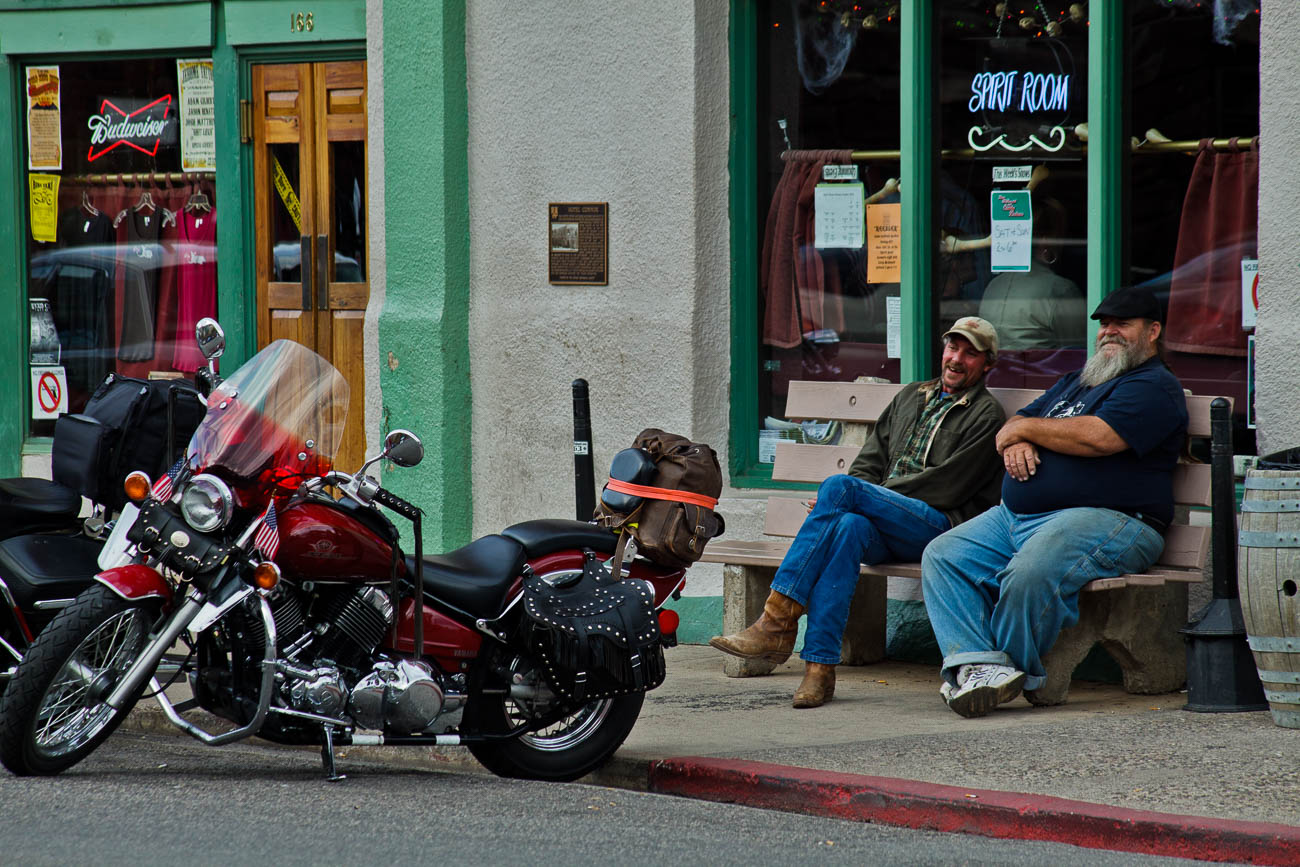
Two men and motorbikes
One is smiling and the other is laughing and both are looking at the bikes. I have no idea whether they were laughing at the bikes or something completely different.
Technical
So, let’s get technical. My gear was a Canon 5D MKII with a 75-300mm telescopic lens, which is a full frame DSLR I usually use aperture priority and had that set at F/8. F/8 is the sweet spot for this and most other cameras for subjects that are a short to medium distance away. Ideal if shooting travel photography. You should get everything in focus regardless of the focal length you use, which in this case was 180mm. It also means that unless the light is low, you should get a fast-enough shutter speed which at 1/200 sec, I did.
Even though the light was quite good, it was overcast. Having said that, I had the ISO set to auto and it selected 320 ISO, so the light was not as bright as you may think for somewhere like Arizona. In this camera you have to get up to about 1000 ISO before there is any noticeable difference to the picture quality i.e. noise or grain. I could have set the ISO even lower as I had a lens that had IS, Image Stabilisation but I didn’t feel that I needed to use it.
Conclusion
To get a good photo of anything, you need a bit of luck but at the same time you can make your own luck. If you used this example for instance, you would do that by:
1 Scouting the location 2 Working out the best position 3 Being patient 4 Ensuring you have the correct equipment, which can be the best you have with you. But be realistic. For example, using a smartphone is not the best camera to use for all situations. 5 Setting your camera correctly.
6 Make sure if you are taking street photos, you are in a location that will allow you to quickly move into a better position.
One last tip: If you are holidaying make sure you actually make time to enjoy the location. Forget Travel Photography occasionally and move in front of the camera and have a good time!
Need some help with your photos? Why don’t you pop your email in the box below and not only will get content that not always posted on this site but you will get a free guide to get you started
Any questions then please contact me here and please say hello at these places:
“If I could tell a story in words, I wouldn’t need to lug a camera” Lewis Hines
Lewis’s quote is relevant to most of us these days. It’s far easier to document something visually than to describe it in words. But to do it well and consistently you do need a ‘decent’ camera.
Despite those who say its’s not about the gear, you need a camera that will suit your style and objectives.
So, if you’ve read my last 2 posts: An Introduction to Travel Photography and Different types of Travel Photography, you are probably wondering what is best camera equipment for travel photography. Or maybe you are not. Either way, when you are travelling or going on holiday, you want to come back with photos that you are proud of. So it’s worth the 5 minutes of your time to read this.
Smartphone Cameras
These days everyone gravitates to their smartphone for most pictures.
Originally, they were mostly used to document items, like a sign or an extract from a newspaper or even a product you were looking to buy.
Only occasionally were they used for happy snappies or selfies.
Fast forward to today and most smartphones are used for selfies first and then general photos of all types second. On my travels, I see lots of people using their smartphones to take travel photos. But are they the best camera equipment for travel photography?
Smartphone Capabilities
Today’s smartphone cameras are better than some of the compact cameras that have been or are available.
But, and you were waiting for the but, weren’t you? They are limited.
Think about it. Physics dictates that, whilst lots of things are becoming smaller and retaining quality, optics are still a way behind.
A smartphone camera has a small lens and that means you are restricted on what it will do well. Especially compared to mirrorless or a DSLR camera.
Even with the new software and multiple lens of the latest offerings you still have limitations.
If you are happy with that, then that’s absolutely fine.
But if you want more flexibility, then consider either a mirrorless or a DSLR.
What a smartphone camera can’t do well.
Well the first thing is it doesn’t perform well in low light. Let’s say you are taking photos with a Smartphone Camera inside a Basilica somewhere in Europe. Unless you are using a tripod, which is often banned in some public places, you will find your images will appear blurred. That’s camera shake.
Even if you are using a tripod, Smartphone Cameras find it hard to replicate the details in low light.
Now I know that will improve and I understand that the Samsung S9 is a lot better in low light than previous models.
But unless you are on a plan that allows you to get the latest model, you will have to find at least $1000.00 to get that in your hot little hands.
Half of that will buy a camera that will perform much better.
Of course, it won’t have a phone or the rest of your life in apps like email, internet, health and fitness etc. etc.
But it will mean you have options.
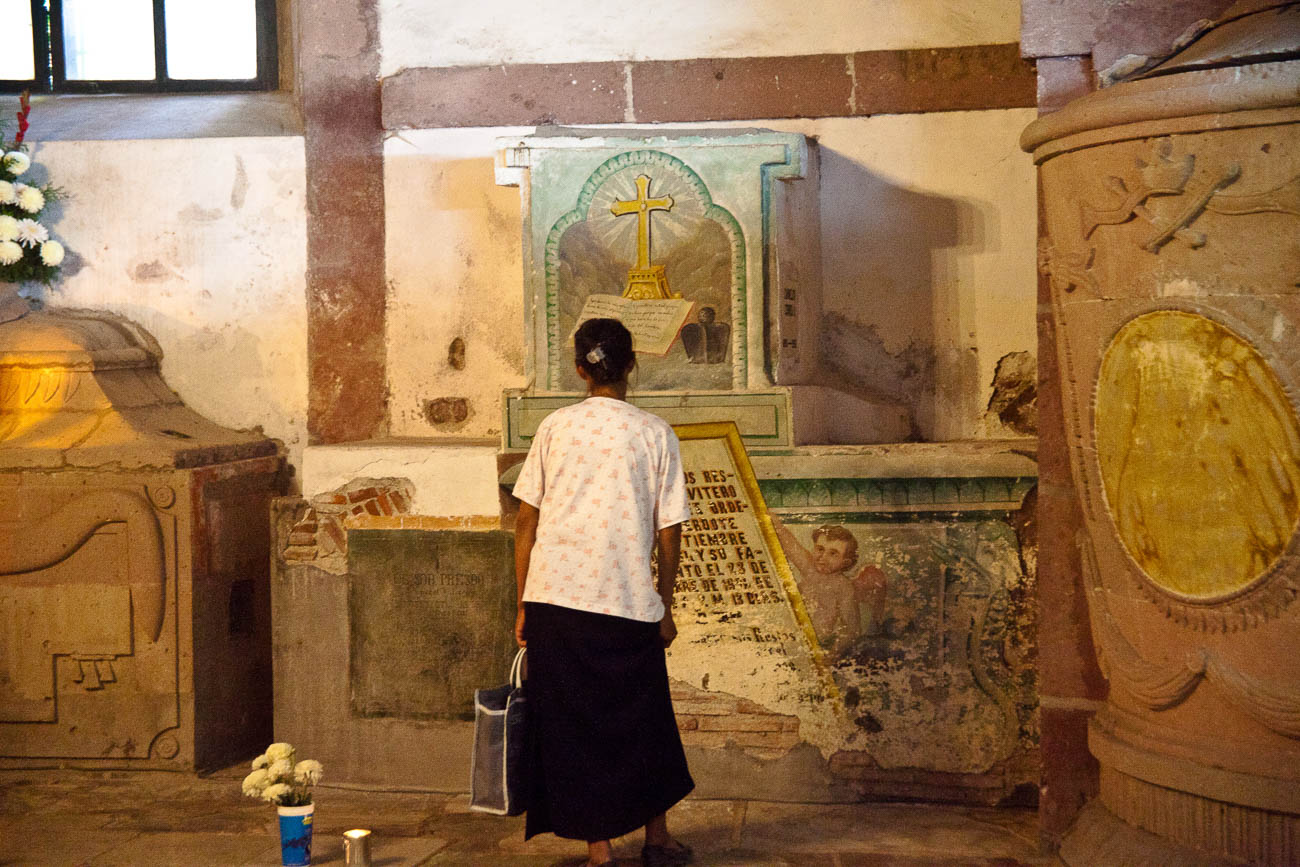
Women grieving in San Miguel de Allende’s parroquia crypt
Optical and Digital Zooms
A smartphone struggles when zooming in, losing not only quality but also resolution.
That’s because it is a digital zoom not an optical one.
The difference?
Well, a technical explanation is not what I want to give you. But I will give you an analogy.
It’s the difference between cropping an image on your computer screen to a smaller picture size. For example, a photo that measures 1000 x 1000 becomes 500 x 500 Pixels. Zooming in optically retains the size and therefore the resolution. Why should you care? Well cropping digital images means to see it at a good size or to print it you must blow it up and that’s when you see the faults.
As the technology of these cameras improves there won’t be such a differential between larger cameras and smartphone cameras.
Having said all that if you want to just take a smartphone camera with your and nothing else then knock yourself out.
Just be aware that you are restricting yourself. So my advice would be to concentrate on taking photos of subjects that a smartphone cameras do best.
Compact Cameras
Ok so now I’ve dismissed your idea of only having a smartphone, what is the best camera equipment for travel photography?
Well if we start at the bottom. Compact cameras are generally the same these days as smartphone cameras. So there’s no point in you taking one of those. Unless of course you don’t have a smartphone.
However, having said that, there are a few high end compact cameras that have great optics and sensors. Ones like the Sony Cyber-shot DSC-RX10 III and Fujifilm X100F come highly recommended but will set you back $1100.00 plus. See DP Review’s take on it.
Mirrorless Cameras
After those we are looking at Mirrorless or Micro Four Thirds cameras.
What is a mirrorless camera?
Well DSLR’s have a mirror protecting the sensor.
When you are looking through the viewfinder you are actually seeing the mirror which is reflecting your subject to your eye. When the shutter button is pushed the mirror lifts up and exposes the sensor to light and the subject.
Having a mirror takes up space and so nearly all DSLR’s are quite big, chunky and relatively heavy.
The mirrorless cameras don’t have a mirror – hence the name “mirrorless”.
Not having a mirror reduces the size and weight of the camera body.
Now I could go into lenses etc now, but I’ll cover that in another post.
Different types of Mirrorless Cameras
Not all mirrorless cameras are equal though.
Some have larger sensors than others.
That doesn’t mean that the larger the sensor the better the quality. But it does mean that it correlates to the size of the lens.
So, the larger the sensor the more likely the lens will be larger and heavy.
Mirrorless cameras do give you a lot more flexibility than compact or smartphones. Because they all have removable lens you can vary your lens according to the subjects you want to photo.
And as I’ve mentioned they are much smaller and lighter than most DSLR’s, which makes them more ideal for Travel.
DSLR Cameras
So, what about DSLR’s? Well in most people’s eyes DSLRs are synonymous with quality. When I take out my DSLR, I get lots of people comment on how I have such a good camera, so “I must take good photos”. The only comments I get on my mirrorless is that they look “cool” as they have a sort of ‘retro’ look.
These days with, the exception of the very high-end models, differences in quality between both types are negligible.
Personal choice.
I do like the feel of my Canon 5D MKII and I often use it for local shoots.
But when it comes to travel that’s when I reach out for my Olympus OMD1 MKII.
It’s so much lighter and even with the pro lens I have, it takes up so little space in comparison.
Of course, if money is no object then the Leica models are lightweight and small and come with fantastic quality. Or if you don’t mind lugging around a big DSLR then the high-end Canon or Nikon cameras will also give you great quality.
But with both you will need to use the same wheelbarrow that you carried the money to pay for them, to carry them around.
Tour de Mont Blanc Path near Les Contamines, France
Conclusion
It’s often quoted that the best camera equipment for travel photography is “the one you have with you”.
But I would challenge that. Unless you are travelling to the same destination over and over again, it’s quite likely that where you travel to next will be a once in a lifetime trip.
Do you want to trust your photo creation equipment to a restricted device when there are so many better options on the market today?
For more about buying a new camera check out these posts:
You’ve got the new beaut camera or maybe you dusted off an old one that you’ve had for a couple of years and instead of using your smartphone, you thought you would use this for your marketing images. After all you have had enough of searching for stock photos that just aren’t what you need.
After looking at this camera you realise there’s a dial on it that says A, P, S and M and maybe a couple of other items like the picture of a video camera, auto or some other sign that gives you choices to select a genre. But you’ve heard that one of the best ways to shoot is to use “S’. But what is S?
Well it’s Shutter priority. Now to refresh your memory on what the shutter is I’ll send you off to have a quick read of these 2 articles.
So now you’ve done that or at least scanned it. Lets’ go forward
S stands for Shutter – yes, you’ve worked that out. Great!
But unlike Aperture which is a dimension of the hole that allows light in and is measured in f-numbers, it’s actually a speed. So, you are effectively measuring the time it takes to open and close the shutter in front of the sensor.
As with Aperture usually the numbers relate to a stop. However unlike Aperture the range of Shutter speeds is usually much greater so it doesn’t follow that each stop represents twice the preceding value and half the next higher value.
In shutter speeds the measurements look like this:
60”, 30”, 2”, 1”, 1/2.5, 1/5, 1/10, up to 1/4000. Each of these values relate to seconds or fractions of a second. 60” is actually 60 seconds whilst 1/4000 is actually 0.00025 of a second. That is the time that that the shutter is open and allowing light to reach the sensor. In film days it used to be the film strip that the shutter was exposing to light.
It is arguable that changing the Shutter Speed setting is the best or at least one of the best ways to be creatively in control with the final image that you want.
So why would you want that? Well from a creative control point of view it gives you options.
But the most important effect of shutter speed is its effect on camera shake. Camera Shake is probably the single most noticeable effect on an image. Having the correct minimum shutter speed is vital to prevent Camera Shake. Notice I said “minimum”. That’s because it’s better to have a faster shutter speed than a slow one.
Have you looked at a what you thought was a good photo close up only to realise that it’s slightly blurred? Well that’s camera shake and in the industry it’s called “soft”.
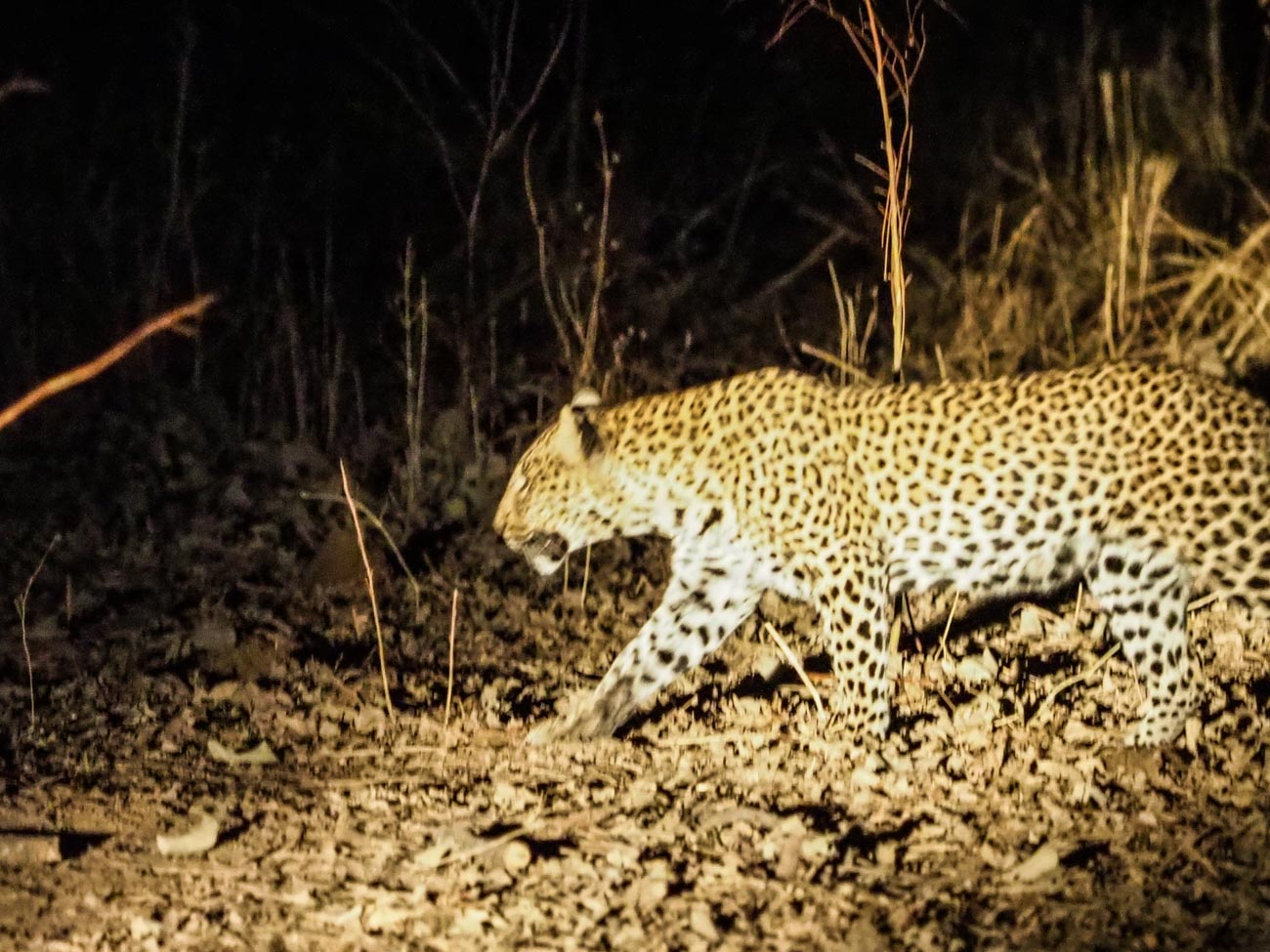
Here’s an extreme example:
Fuzzy Leopard
The first one is noticeably soft. The photographer (that’s me) didn’t have a lot going for him. Not much light, using s telephoto lens and as the subject (the leopard) was moving had no time to compose or even think about the shot.
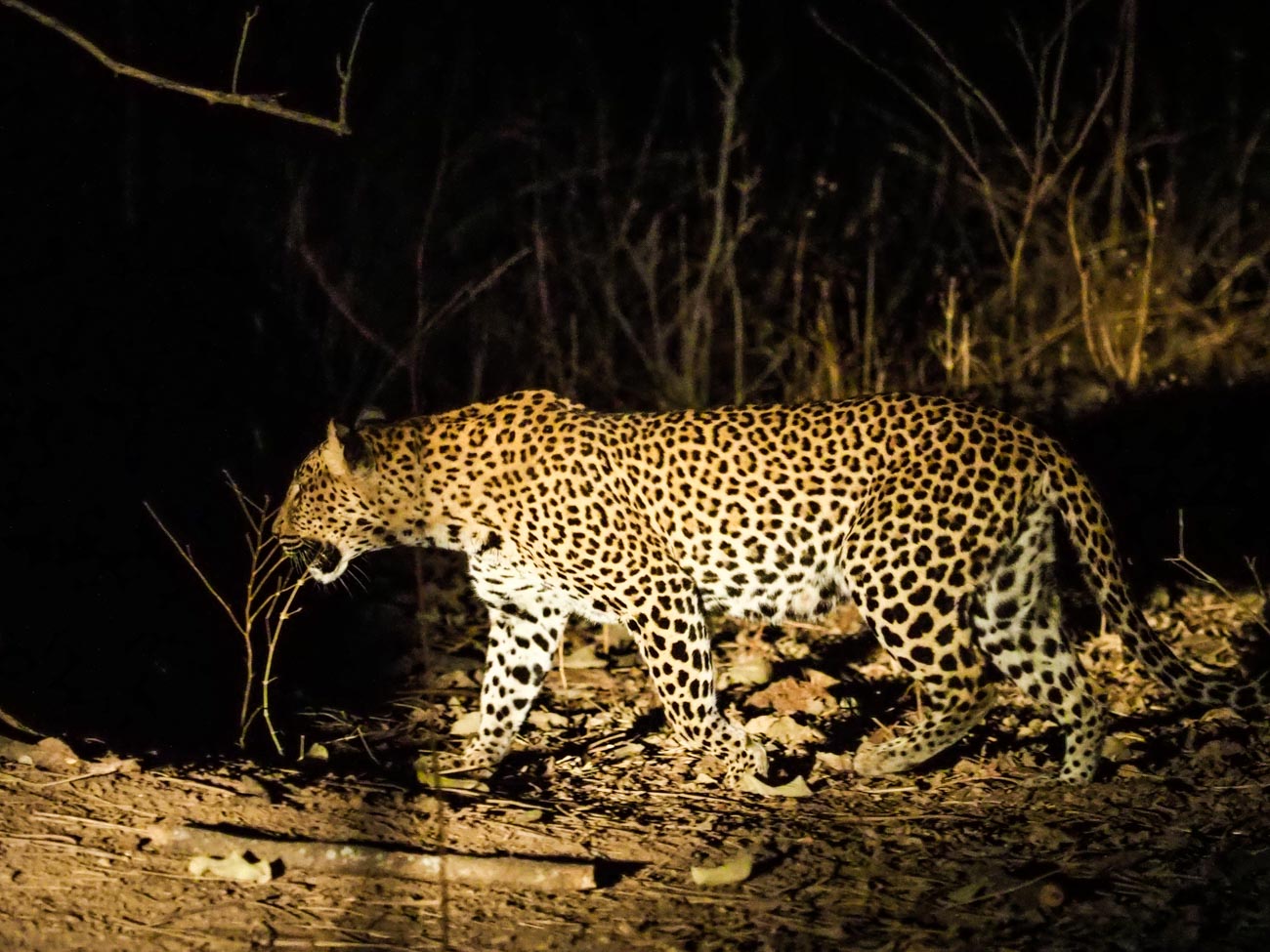
Sharp Leopard
However, in the above shot I had just enough time to jack up the ISO so that I could get a shutter speed that would freeze the action. Probably still not the best photo of a Leopard but not bad.
So apart from reducing or eliminating Camera Shake what else do we use the shutter speed for?
Well there are 3 main ways to use it:
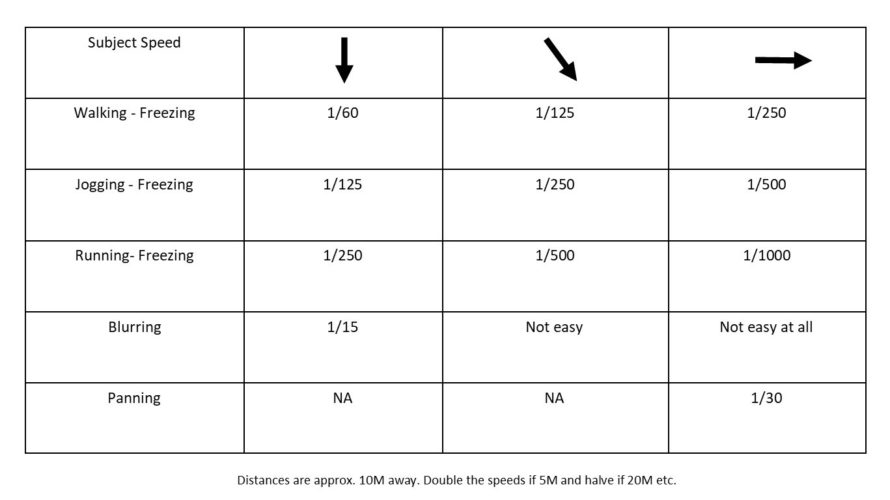
1 Freezing That is you freeze action with a fast shutter speed. That could be anything from sports action to facial expressions to droplets of water
2 Blurring Blurring on the other hand is using a slow shutter speed to blur movement. The most well know “blur” is the cascading of water through rocks or a waterfall. But there are lots of other uses as well such as rain or snowfall, slowing down action found in cycling or surfing. Another example would be transport like trains or cars
3 Panning To pan or track means you are moving the camera to follow someone or something as they move leaving the background blurred and the subject relatively sharp. This gives the impression that the subject is speeding past the viewer (photographer)
Here’s some exercises to experiment with based on the three main ways mentioned above. I’ve made the basic assumption that you have access to an outside tap with a hose. If not then use an indoor tap but make sure the area is well lit preferably with natural light.
1 Grab that camera, turn it on and take off the lens cap!
2 Now go outside
3 Use an outside tap that’s easy to access. If you don’t have one (that’s easy to access) then mount the end of a garden hose (with or without a nozzle) on something like a washing line that’s no higher than head height.
4 Before turning on the tap set your shutter speed to around 1/500 by finding that dial that has the “S” adjustment
5 If you have a zoom lens make sure it’s between 50mm and 100mm (35mm equivalent) and have it ready to go (so you don’t waste too much water.
6 Turn on the tap
7 Now take at least one shot. This is your freezing exercise
8 Repeat steps 1-7 except you now adjust the shutter speed to 1/15 to blur the water as it comes out of the tap. At that speed it’s preferable to mount the camera on a tripod with a remote shutter release. If you don’t have a remote shutter release, then use your timer. And if you don’t have a tripod use a wall or chair – in other words use your imagination!
9 Finally to get a panning effect you need to:
1 Repeat steps 1 and 2
2 Go outside to the (or any) road. Stay on the footpath or verge.
3 Adjust the shutter speed to around 1/30.
4 If you have a zoom lens make sure it’s between 50mm and 100mm (35mm equivalent)
5 Pick a moving vehicle and press the shutter button as you track it
This last one is a bit tricky so you may need a few goes at it.
After your shoot, if possible, compare images on a monitor or at least a tablet.
Voila, you should now have an understanding of how to use the S or Shutter Speed setting.
All in all, that should have taken you around 15 minutes (not counting any travelling time).
As an aid to this I have a simple checklist for you to download.
Just pop your name and email in the box below and it will magically appear in your inbox.
Compare the shots to see the differences and then play around with different focal lengths and shutter speeds.
You’ve got the new beaut camera or maybe you dusted off an old one that you’ve had for a couple of years and instead of using your smartphone, you thought you would use this for your marketing images. After all you have enough of searching for stock photos that just aren’t what you need.
After looking at this camera you realise there’s a dial on it that says A, P, S and P and maybe a couple of other items like the picture of a video camera, auto or some other sign that gives you choices to select a genre. But you’ve heard that the best way to shoot is to use “A’. But what is A?
Well it’s Aperture priority. Now to refresh your memory on what aperture is I’ll send you off to have a quick read of these 2 articles.
So now you’ve done that or at least scanned it. Lets’ go forward
A stands for Aperture – yes, you’ve worked that out. Great!
Aperture is measured in f-numbers. An f-no. or f-stop is the size of the aperture and by moving that dial you control it.
Usually the numbers relate to a stop and each stop represents twice the preceding value and half the next higher value. So, if the number was 1 then the next number would be 2 and then the next number would be 4 and so on.
In f-nos they look like this:
f/2.8, f/4, f/5.6, f8, f11, f16, f/22 which is slightly different from what I just told you and that’s because it works in the amount of light it lets in. f/4 lets in half as much light as f/2.8, f/5.6 lets in half as much light as f4, f/8 lets in half as much light as f5.6 and so on.
It is arguable that changing the Aperture setting is the best or at least one of the best ways to be creatively in control with the final image that you want.
So why would you want that? Well from a creative control point of view it gives you options.
Options like how much you have in focus;
Basically, as you look at a subject or scene you can set the F-no. so that you can decide what you want in focus. That could be just the subject or everything you can see within the frame.
How does it do that? Well I won’t go into the physics too much as you’re here to learn quickly and I don’t want you to get bogged down in detail.
In simple terms, the bigger the hole or aperture the less of the scene in front of the camera from front to back is in focus.
And that is called the Depth of Field (DOF).
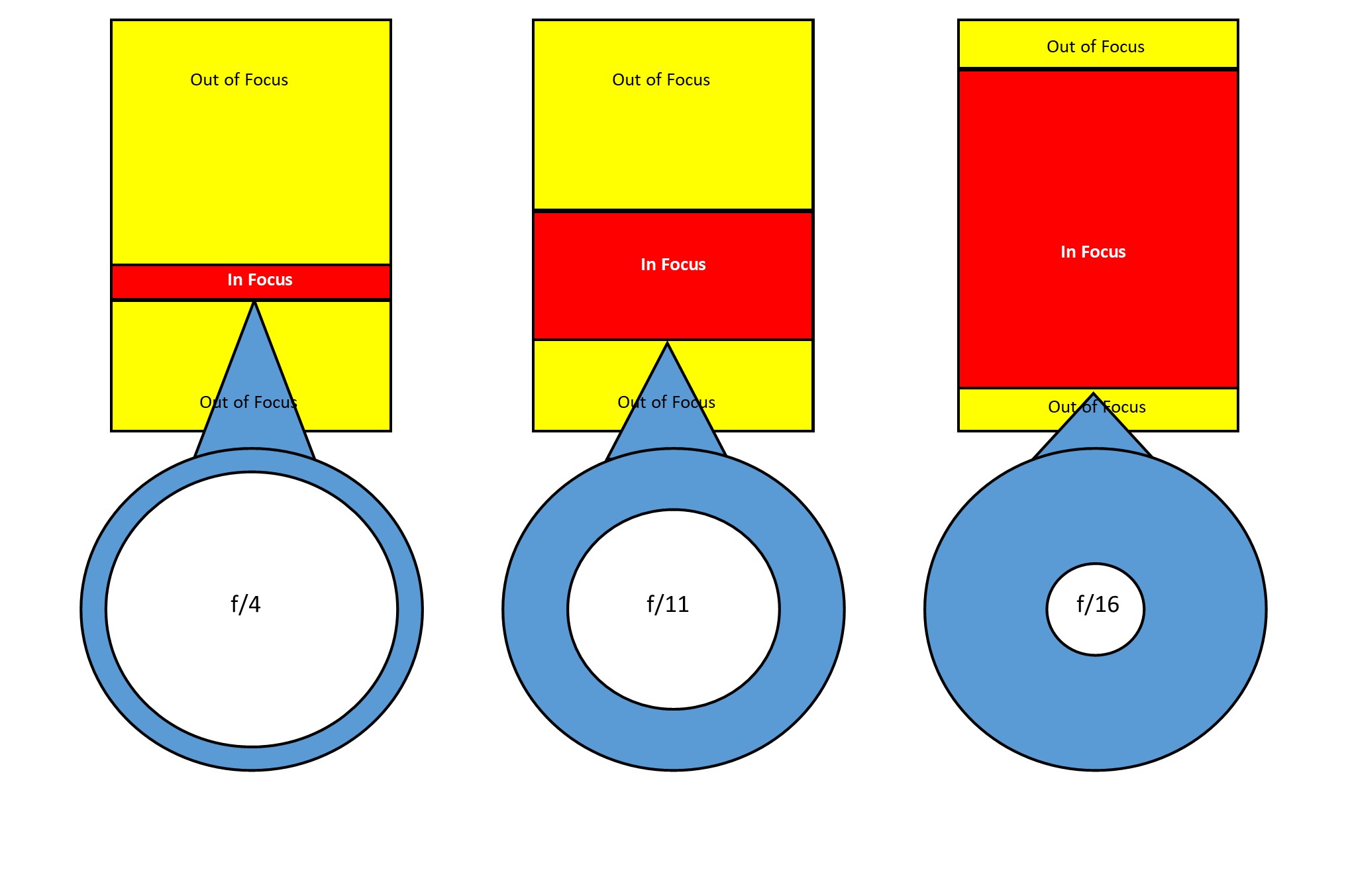
Let’s look at this infographic that shows the differences in f-no in a plan or overhead view:
The left-hand side shows a shallow DOF due to a small f-no or a large aperture. The amount in focus is quite narrow. Whilst if we go to the right-hand side the amount in focus is significantly greater. If I added another diagram to the far right showing an even smaller aperture then the amount in focus would extend out to infinity. I didn’t want to confuse you though.
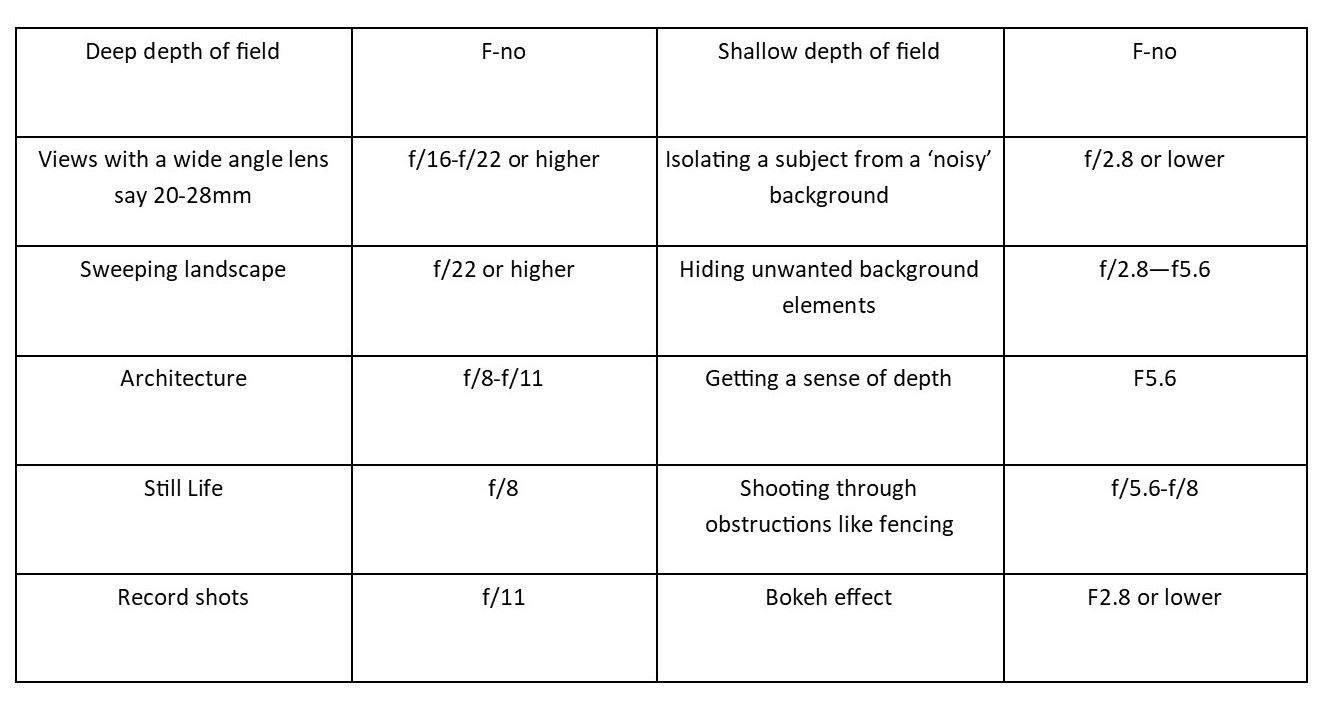
So, let’s look at when you would use this with this little chart:
OK enough from me, now it’s down to you.
1 Grab that camera, turn it on and take off the lens cap!
2 Get a bottle or a can or vase (the subject)
3 Now go outside
4 Mount ‘the subject’ on a table or some support
5 Find that dial that has “A” on it and find the dial that you use to adjust it.
6 If you have a zoom lens make sure it’s between 50mm and 100mm (35mm equivalent).
7 Now take three shots:
1 At Ff2.8 or lower if your camera goes that low. You may find that you can’t go as low as that due to the lens you have. So, in that case just go with the lowest setting.
2 At f/11
3 At f/22. If possible, this shot should have a long background.
Because ideally you want the same background, having a big garden or living in an apartment with a view are the ideal locations. But you could just go to the nearest park and take all three there.
Compare the shots to see the differences and then play around with different focal lengths as that can make also change the DOF.
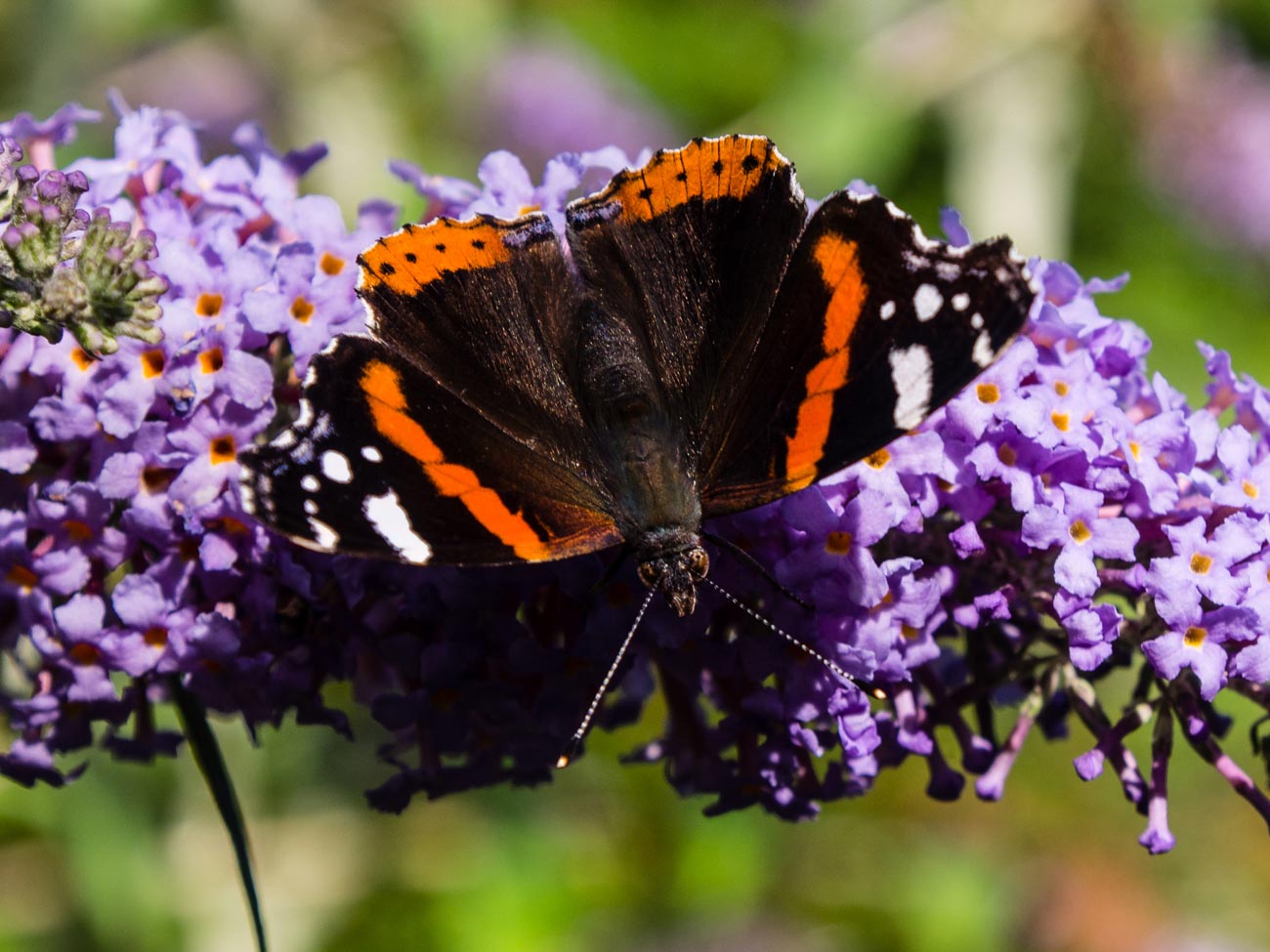
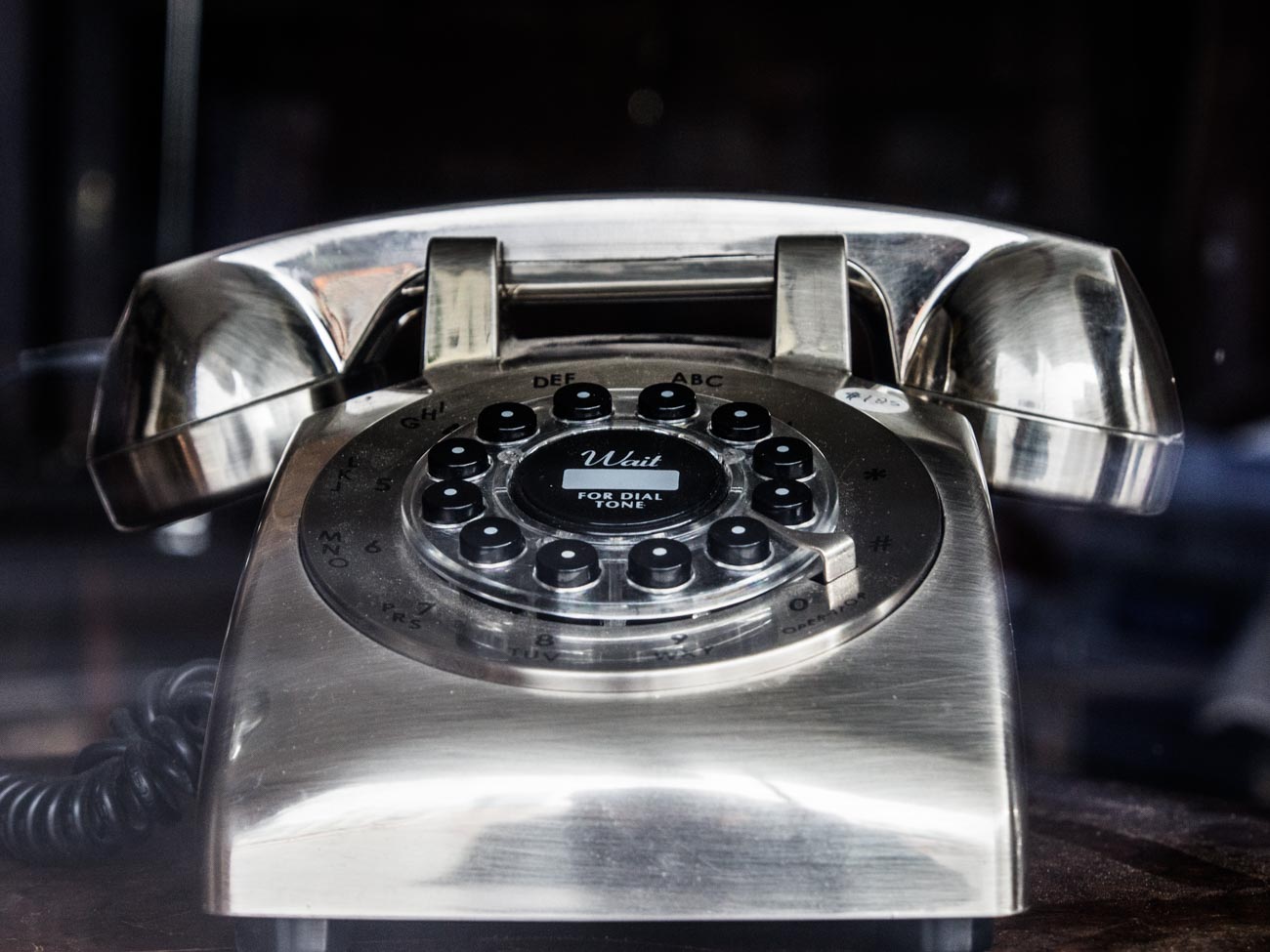
See these examples:
f/5.6
f2.8
It’s best, if possible, to compare images on a monitor or at least a tablet.
Voila, you should now have an understanding of how to use the A or Aperture setting.
All in all, that should have taken you around 15 minutes (not counting any travelling time).
As an aid to this I have a simple checklist for you to download.
Just pop your name and email in the box below and it will magically appear in your inbox.
Buying any sort of technology whether it be a phone, a TV or in this case, a camera, can be mystifying in a lot of cases and more importantly, time consuming.
But it doesn’t have to be.
Ask these questions and you have a fair chance of coming away with a decent camera from a camera store. Note that I said camera store not online store. Sure, you can still buy it from Amazon or B & H or any online store but as with a TV you really want to ‘try before you buy’. Cameras are personal and if doesn’t feel right it won’t help you take the sort of photos you want.
All these questions are for you to answer not the camera store salesperson or online forums, facebook groups but you.
1 What are you going to use it for? Are you are a business looking to take product picture. Are you in the travel industry and looking for a general all-rounder for travel pictures? Do you just want to use it for your blog? Do you also want to take pictures of your family?
You get the point.
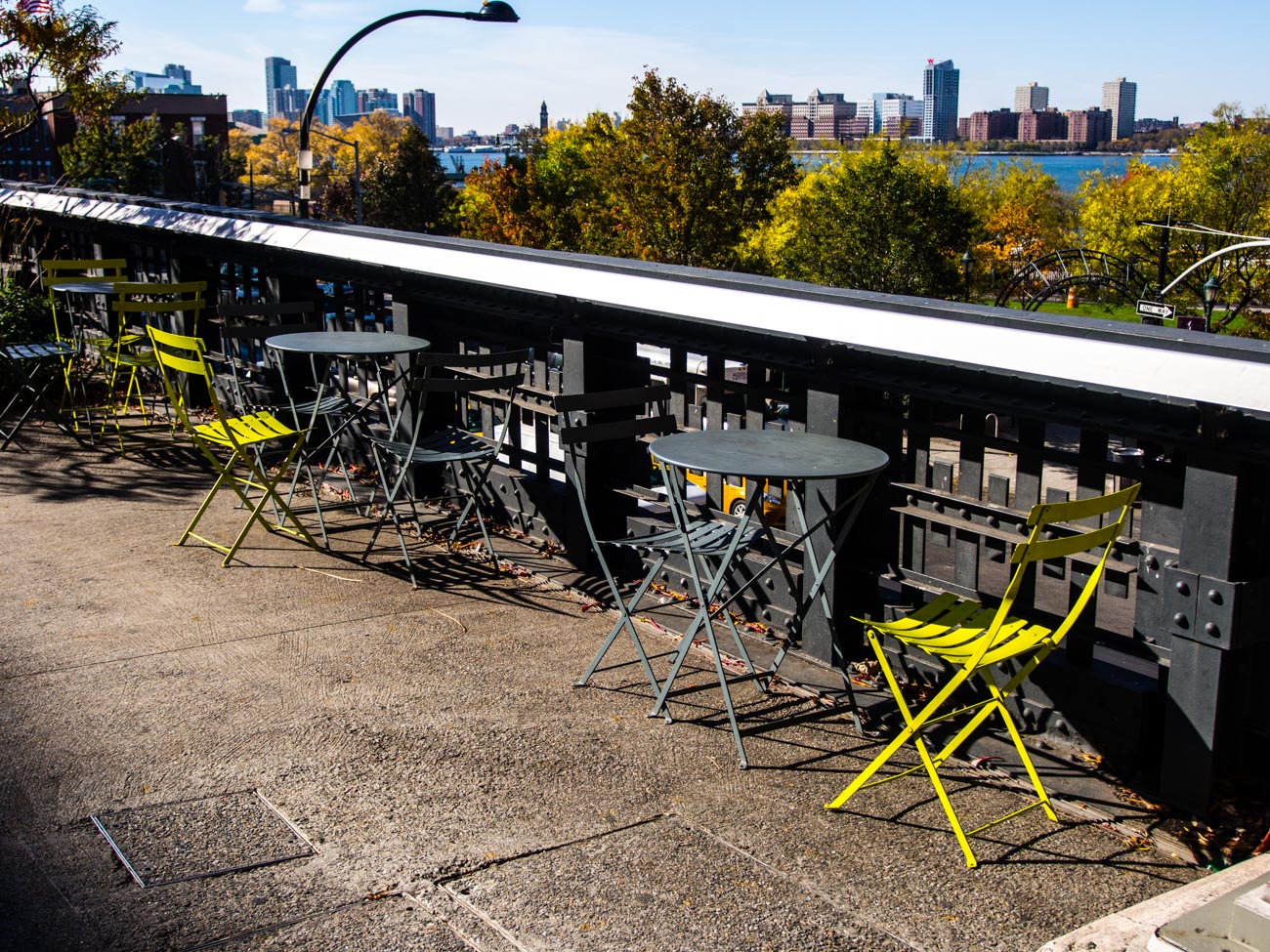
The High Line Walk Way in New York
2 What’s your budget? Whilst the camera is not always the main reason for taking great photos it does give flexibility and that flexibility is usually but no always proportional to the amount of you want to spend. Don’t get into financial stress over it but don’t scrimp if you can afford not to.
3 What size camera do you want? Cameras come in all sort of shapes and sizes. If you’ve been used to using a smartphone then buying a DSLR may not suit. The camera is big and the lenses quite heavy. So maybe a top end compact or a mirrorless camera may be better. If on the other hand you’ve had a DSLR but it’s a bit old in the tooth then consider a Mirrorless. It also depends how mobile you want to be. Do you have an existing interchangeable lens camera that you want to upgrade? In which case you will want to keep to the same brand if possible.
4 Are you the only one going to use it? If one of your staff or another member of your family are also going to use it then it may be worth getting their input as well. On the other hand, that could also confuse the issue so think this one through first.
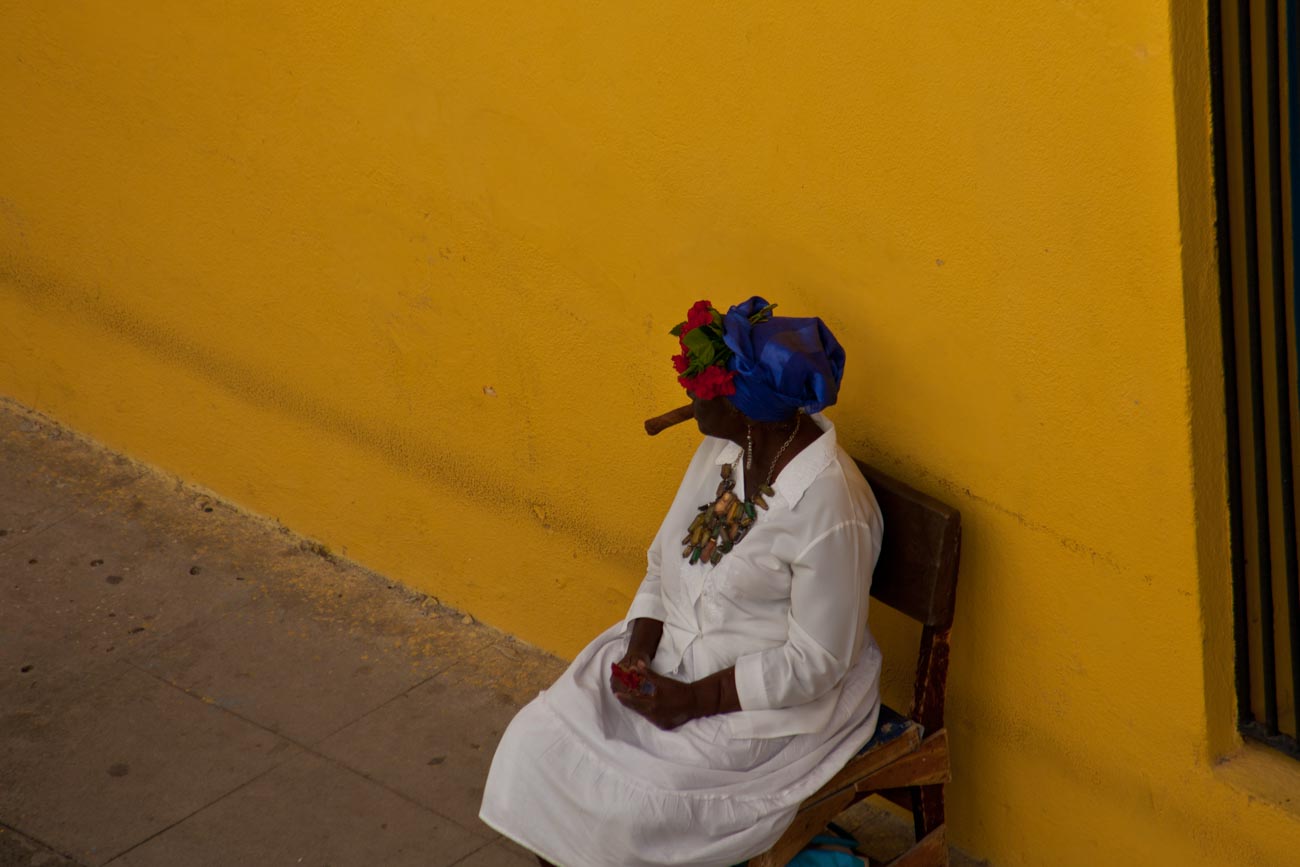
Cigar smoking fortune teller near Catedral Plaza, Havana
5 Are you going to buy more than one lens? Nearly all interchangeable lens cameras come with a ‘kit’ lens which is usually enough to get you started. You can always add to it later
So that’s it. All you need to do now is to go into a camera store and say the following for example:
I want an camera with an interchangeable lens, that’s light, than can be used for portraits that will be used commercially and that I only need one lens for.
Try it out. It’s much quicker and better to ask yourself these questions than spend hours of research on the net and then be totally confused.
You can change your mind once you get into the shop but I’d try and be certain as you can before looking at different cameras so that you can keep on point.
I’ve eaten at lots of good or great restaurants (I’ve eaten at some pretty ordinary ones too but that is a story for another day).
And not once has it occurred to me to think that the equipment in the Chef’s kitchen must be fantastic!
I appreciate the fact that it’s the chef or chefs that created this meal that I found so enjoyable.
From the start of the dish to sourcing and delivery of raw materials to preparation, the cooking and assembling the meal, dishing the meal onto a plate and finally the delivery to your table, it just happens.
But nowhere on this path do we even consider what equipment they are using.
We trust that their systems in place will deliver to us their creation.
They may well have used the latest pan or cooker or have a great point of sale tablet.
They might well have great knives, to die for ovens or the latest work stations.
We, as the consumer, don’t care as long as the food has got to us in the time expected and is good or even great.
Why then as a photographer, Do I often have people say “WOW! You must have a great (or expensive) camera” when they look at my work.
As if it was the equipment that made the images that are they impressed by.
The best camera is the one you have with you.
If you’ve only got one device with you that can take photos whether it’s a phone or a DSLR – then that’s what you’ve got – period.
You can take great images with pretty much anything provided you know how.
Having an expensive camera is not directly proportional to the quality of the image.
I’ve heard it said amongst winemakers that you can make bad wine from great fruit but you can’t make a great wine from poor fruit regardless of the shiny expensive equipment you might have in the winery.
But, you can make great wine from great fruit without having the latest, greatest and most expensive equipment.
Well the same applies to a camera if you have good technique, a good eye and skill then you can make great images with any camera.
Even Stock agencies now accept images taken by mobile phones such as the iPhone or Samsung S series.
The reality is that the vast majority of ‘photographers’, who don’t rely on their cameras for use in specific genres, a simple, usable and light camera is more than enough when you know how to use it.
You see, even with all the right kit it’s easy to take an average photo.
Here’s an example of 2 images I took on a polar bear trip.
The fuzzy out of focus badly composed image on the right was taken with a Canon 5D Mk 11 with a pro 100-400mm telephoto lens.
The one on the left was taken with a soon to be traded in HTC one XL smartphone.
On both I was in the right place at the right time and for the first one I had all the time in the world but still managed to stuff it up.
You can take great photos with anything you just need to know the limitations of the camera you have.
Let’s take smartphone cameras.
Smartphone cameras struggle to take images that will blur or freeze motion.
They are hopeless in low light unless you have a tripod (and even then, it depends on the brand). Despite smartphone manufacturers best efforts phone they still can’t get the same bokeh that a camera with a interchangeable lens can.
It’s physics after all. But eventually smartphones will be able to provide the flexibility and quality of larger cameras.
But a DSLR or Mirrorless camera , can do all these things but you can’t carry it in a pocket or small bag
So, you play to its strengths not it’s weakness.
Use a smartphone for still shots in good light that don’t need that bokeh effect and you’ll have as good as image as you can get based on your ability.
So, there you have it.
Hopefully that helps you realise that you don’t need the latest and greatest camera to take some really good images for your marketing
They are some of the benefits you can get with right equipment. But to reiterate the image is only as good as the person with who has their finger on the shutter button.
To use another analogy, are drivers of Mercedes, Rolls Royce or Porsche cars any better drivers than you or me (assuming you are not one of them)? I think not.
I would be interested in your opinion.
Do you agree?
Did this help you gain some confidence in what camera you have?




















 Katin Images Travel Photography