Katin Images Travel Photography

Travel Photos, Travel Photography Tips and Software

Tag: smartphone

  • 8 Tips on how to use a Smartphone Camera
    8 Tips on how to use a Smartphone Camera

    8 Tips on how to use a Smartphone Camera

    8 Tips on how to use a Smartphone Camera
    8 Tips on how to use a Smartphone Camera

    Smartphones are amazing things. You can live your whole life on one. From doing your banking to checking your email to turning on your lights; hell! it even talks to you now!

    It’s a great device for managing almost anything on the go.

    The one thing that it was lagging on was the camera. But over the last 2-3 years that’s all changed.

    Samsung and Apple lead the race on this but Google, Nokia and HTC are catching up quickly.

    Is the Smartphone as good as a DSLR or Mirrorless I.e. Interchangeable lens camera or high-end compacts?

    Not yet.

    The quality of the image and more importantly the flexibility and options are not there yet and whilst I’m reluctant to say it, they may never be.

    So how do you get the best images from that small device you have in your hand.

    Here’s 8 Tips on how to use a Smartphone Camera

    1 Hold the camera still

    In my recent article How to hold a camera correctly there is some detailed information on how to hold a smartphone camera but it’s worth repeating some of that here:

    Most smartphones these days have the option to operate the shutter with a physical button like a volume control instead of tapping the screen.
    So, if you have that option then use it for the landscape position. It’s a big more awkward in the portrait position so the virtual button is better to use in most situations

    Tuck in your elbows and bring it close to you. Holding it away from your body makes it much more difficult to hold still.

    Use both hands. It gives me nightmares watching some people take photos one handed.

    In low light use a Tripod. I love the little Joby GripTight Micro Stand. It folds down flat

    2 Turn off that flash

    Ever taken a picture of a loved one and they look like a rabbit caught in headlights. Yes. Well that’s cos you had the flash on.  

    As with any camera with a built-in flash they are not in the right position for most shots. So, if you can, avoid using it.

    3 Familiarise yourself with the settings

    These days the smartphones come with lots of different settings.

    They are there to give you options rather than just leave it on auto.

    Nothing wrong with auto of course but if you can improve an image by using a different setting then why not?

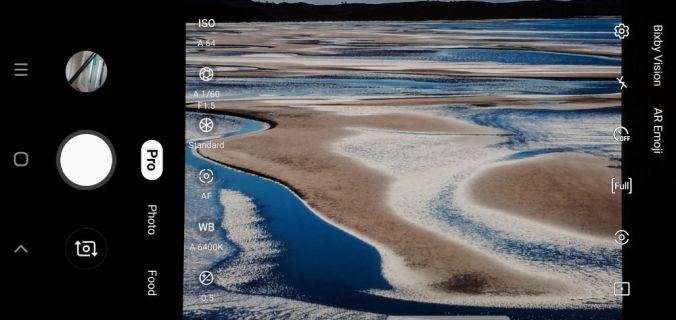
    For example, the Samsung Smartphone camera has a “Pro” mode. This allows you to change the ISO, White Balance and shutter speed amongst other things.
    8 Tips on how to use a Smartphone Camera
    Samsung Galaxy Pro Camera Settings

    4 Use apps

    The Camera Apps for the smartphone, as I mentioned before in 4, are improving and coming up with more ways that allow to you control your image.

    However, there are a number of apps out there that not only give you ways of filtering and editing but shooting as well.

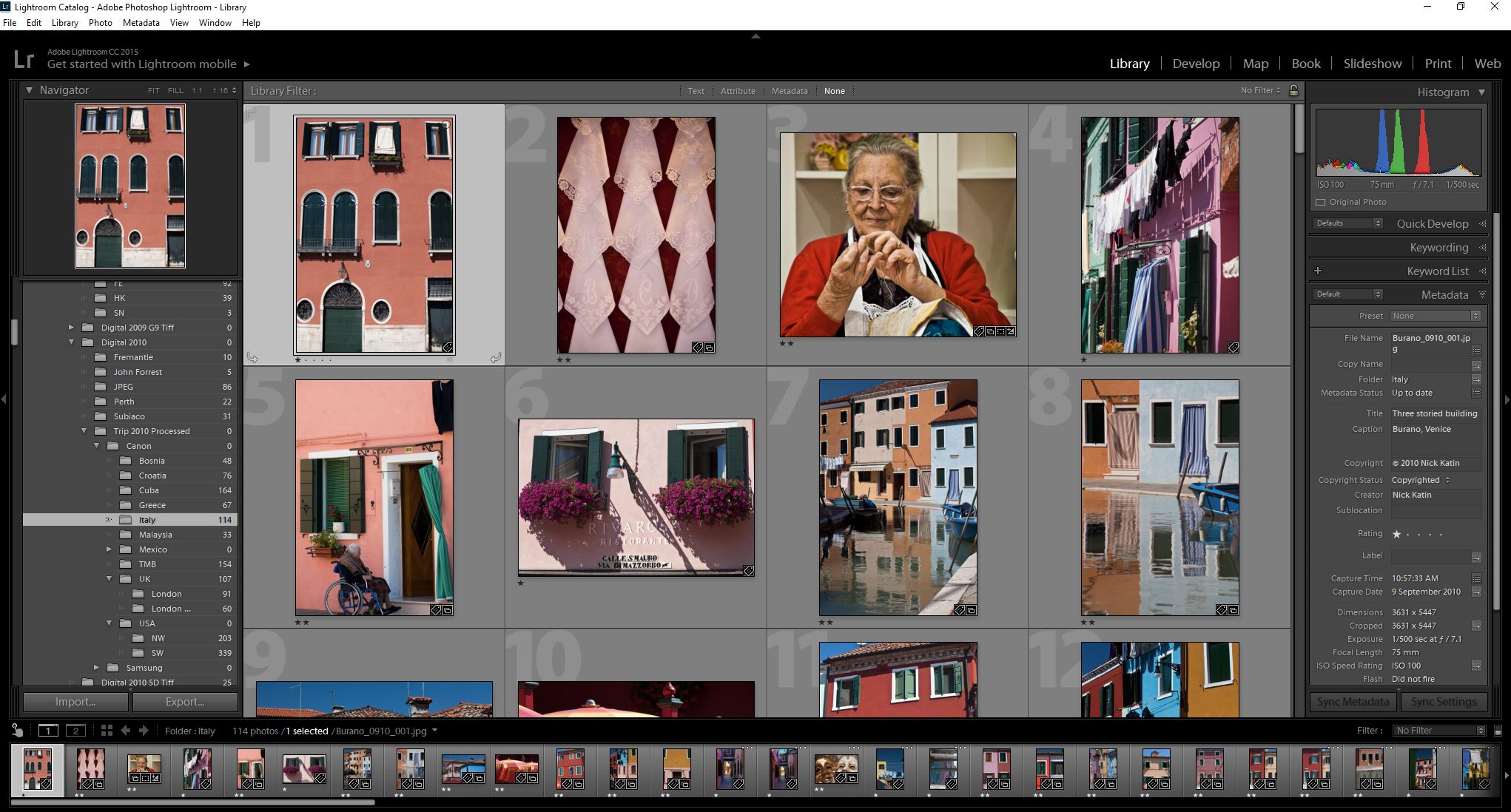
    My favourite is Lightroom but you need to have Lightroom on a desktop or Laptop for it to sync to.

    What I like about is that it allows you to shoot in RAW using the Adobe DNG format. That way when you sync to your desktop version you have much more flexibility in editing.
    8 Tips on how to use a Smartphone Camera
    Lightroom Library View

    5 Photo size

    Now you should always shoot with the maximum size selected so that you have options on the size print you can have.

    The camera setting will allow you to choose this so select maximum size id if you are only sharing by text or on social media. Sharing apps have the algorithms necessary to automatically reduce the size.


    6 Watch your storage

    Once you start increasing the size of your photos then storage can be an issue.

    But these days there are plenty of ways to overcome this. The obvious one is to increase your storage with a mini SD or equivalent.

    However, some phones won’t allow you to do this so cloud services are the next, in fact they are probably the best, option. I mentioned Lightroom earlier.

    When it syncs with the desktop version, it downloads into a folder on your hard drive.

    Other more well-known ones though are Google Photos, Dropbox, iCloud or OneDrive.

    So, once you’ve uploaded (usually you set the service to do this on auto) delete the ones you don’t need on your smartphone.
    You should be able to view the photo via the app rather than your gallery.
    8 Tips on how to use a Smartphone Camera
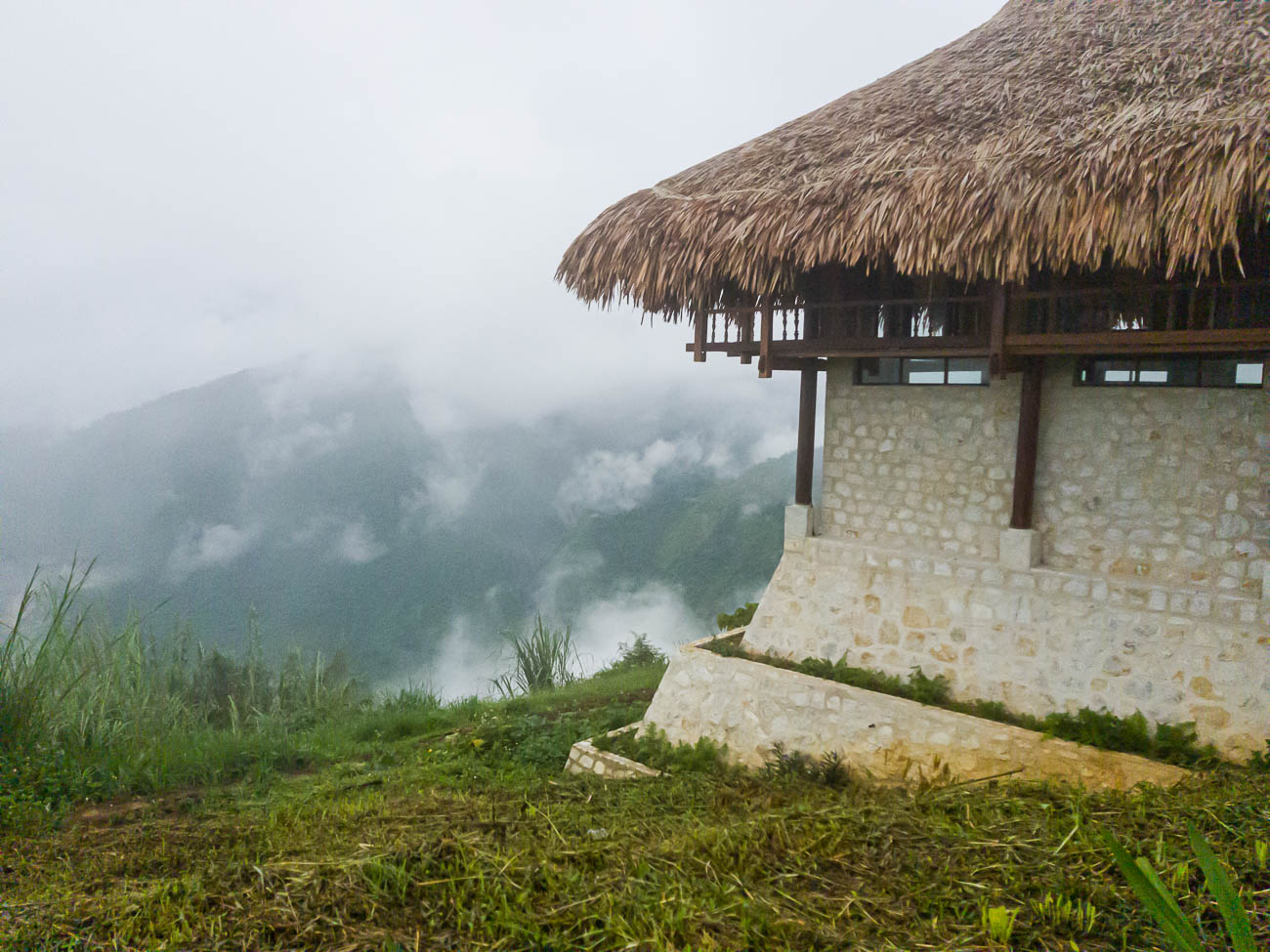
    Sapa Mountain Resort Vietnam. Taken with Samsung S8

    7 Remember that the Camera Lens is at the top of the Phone.

    This is something that can be confusing.

    Usually the Camera Lens on a Smartphone is, when looking at it vertically or in the Portrait position, about 25mm (1”) from the top.

    Not a problem if you are taking what you see but if you are mounting it on a Tripod or propping it up just bear it in mind otherwise you will end up with a lopsided photo or you might not capture what you wanted.

    8 Forget Bokeh unless you have the latest Model

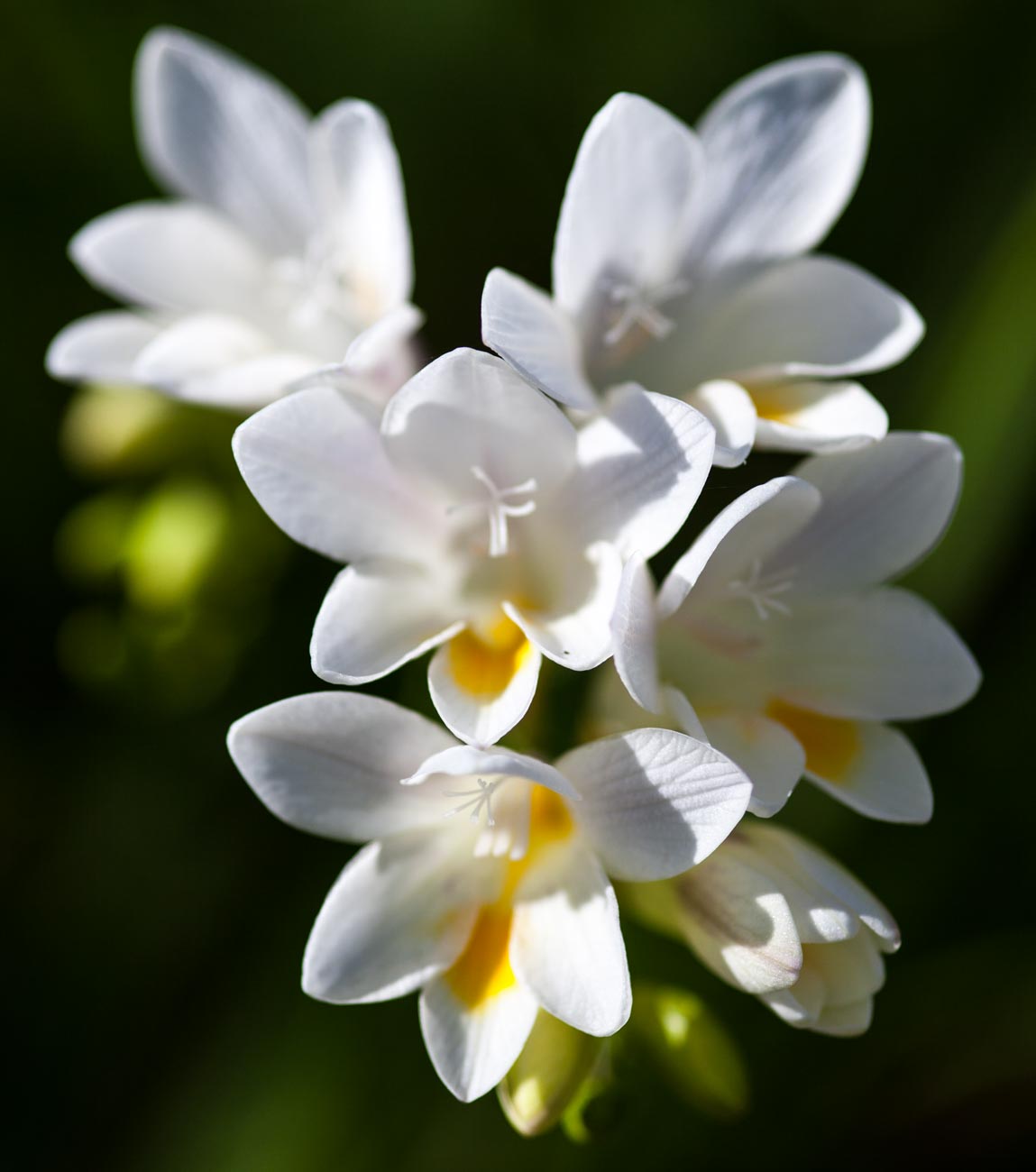
    Bokeh what’s that? Well it’s the picture of the flower with little or no focus in the background but a good focus on the flower.

    I’m not going to go deep into that here but if want that ‘effect you need to find a decent app that will do it after the shot has been taken. Alternatively the latest smartphones such as Googles’ Pixel, Samsung S10 or the iPhone X etc. have duel or triple lens with some grunty alogoritms that will create that bokeh effect. However outside of those you are not going to get good results with a smartphone when you attempt to get that sort of image.

    The sensor is just too small.

     However, I did say you can use an app. These apps can be easily found but have varying reviews and I haven’t really found one that performs as well as a DSLR or Mirrorless camera for Bokeh.

    The problem is that they simulate by software and that is a long way from being perfect – Yet!
    8 Tips on how to use a Smartphone Camera
    Wildflower Kings Park Perth

    So, in conclusion if you follow some or all of these tips, you should end up with a half decent image

    Summary for 8 Tips on how to use a Smartphone

    • 1 Hold the camera still
    • 2 Turn off that flash
    • 3 Familiarise yourself with the settings
    • 4 Use apps
    • 5 Photo size
    • 6 Watch your storage
    • 7 Remember that the Camera Lens is at the top of the Phone.
    • 8 Forget Bokeh unless you have the latest model

    Remember if you want to take great travel photos

    • that you can share and display.
    • that help you relive your travel experience
    • that give you a chance to have your travel photos published

    then sign up below and subscribe to my exclusive Travel Photo Tips Newsletter.


  • How to take an ‘awesome’ selfie!

    How to take an ‘awesome’ selfie!

    How to take an ‘awesome’ selfie!

    In previous posts I’ve talked about having the need to have a decent self-portrait or ‘selfie’ on your website or publication to show the human face.

    If you don’t have a website or business you almost certainly will have a social media presence, whether it’s LinkedIn, Facebook, Instagram, Twitter or anything else.

    In this day and age of digital social interactions I believe it’s still important to control your personal image and make sure any ‘selfie’ is a true representation of you.

    That’s right, ‘you’ not your dog, kids, motorbike or picture taken on holiday in a bar in Bali.

    Once you get ahead around that you then need to decide what sort of self-portrait or selfie you think represents you best

    1. You may want a more conservative head shot.
    2. Or a full-length portrait with business like clothes like jacket and trousers.
    3. On the other hand, you may want to convey a trendy relaxed image.
    4. There are no rules except to be true to yourself.

    The four most crucial factors to getting a professional ‘selfie’ or self portrait

    1 Equipment

    I’m going to show you on a smartphone but any camera should do the job provided it works

    2 Light

    Light is everything. If the light is dull or too bright the image can be too dark or ‘blown out’ (a term for images that have the highlights way too bright).

    3 A way of mounting the camera.

    A tripod is undoubtable the best way if someone is not taking it for you.

    4 Staging

    Make sure you select the correct pose. You may have to take several different images at different angles to get one you want to use.

    Incidentally there is no rule that says you must use the same image across the all platforms or for the same purpose

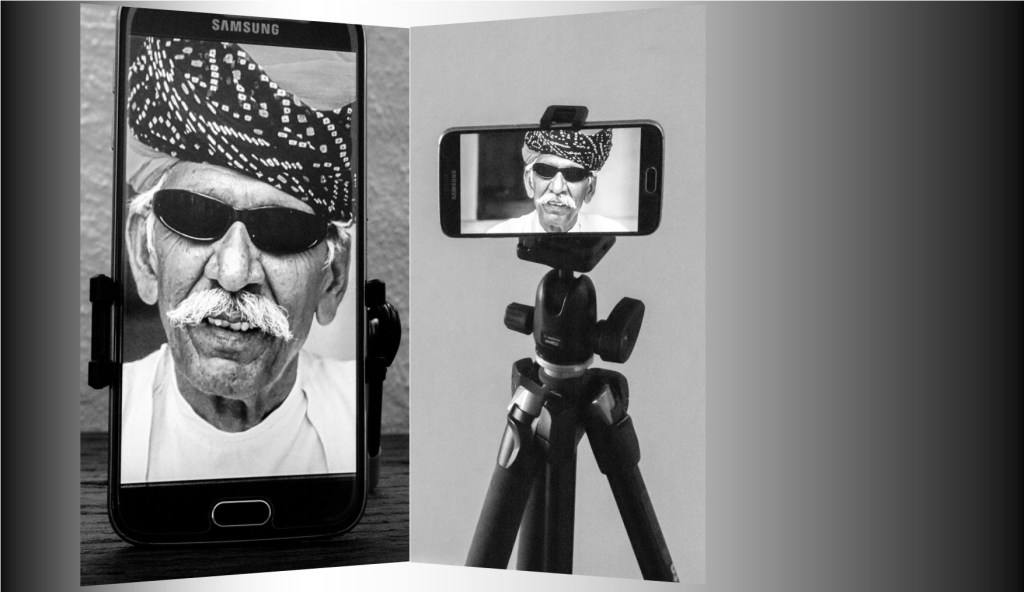
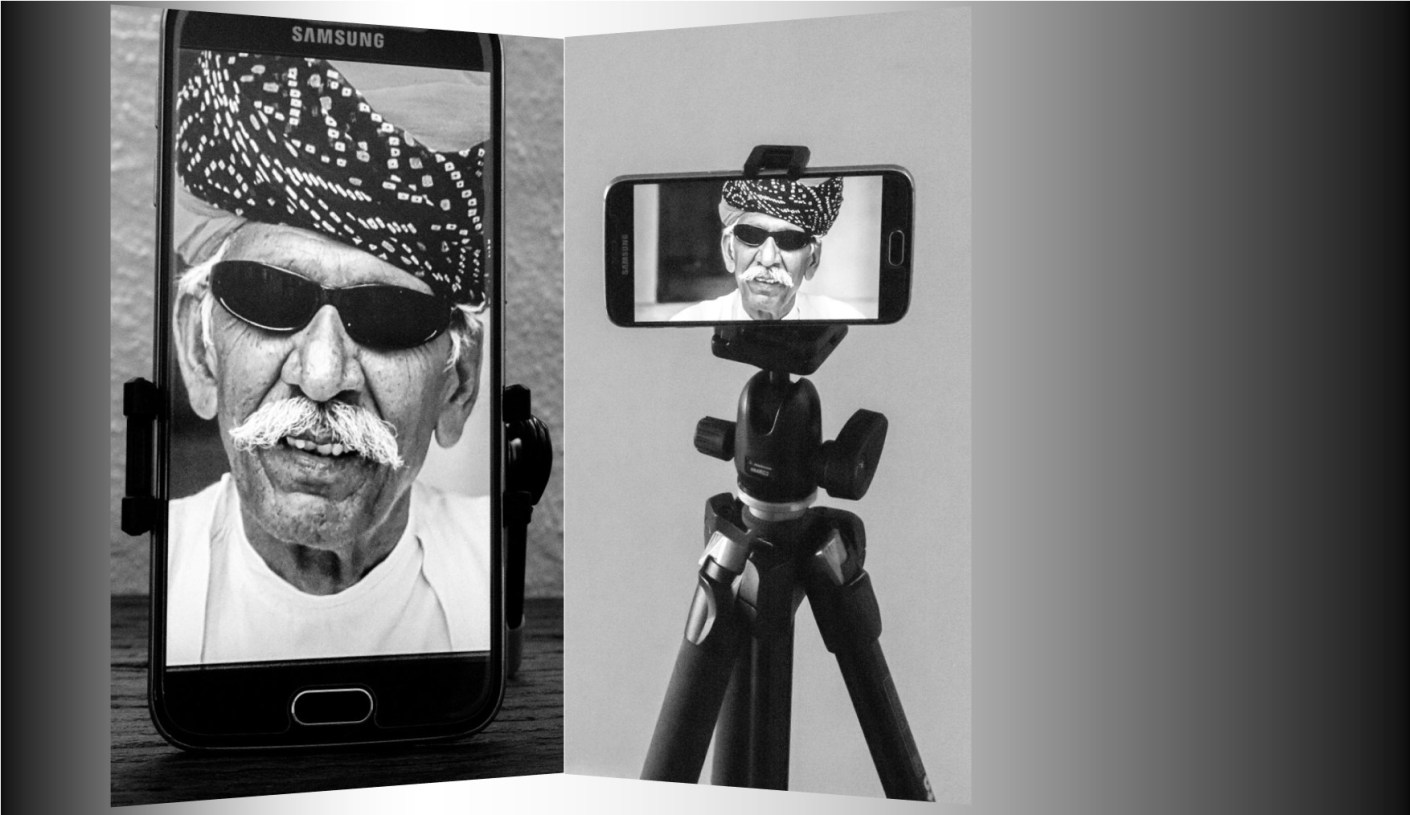
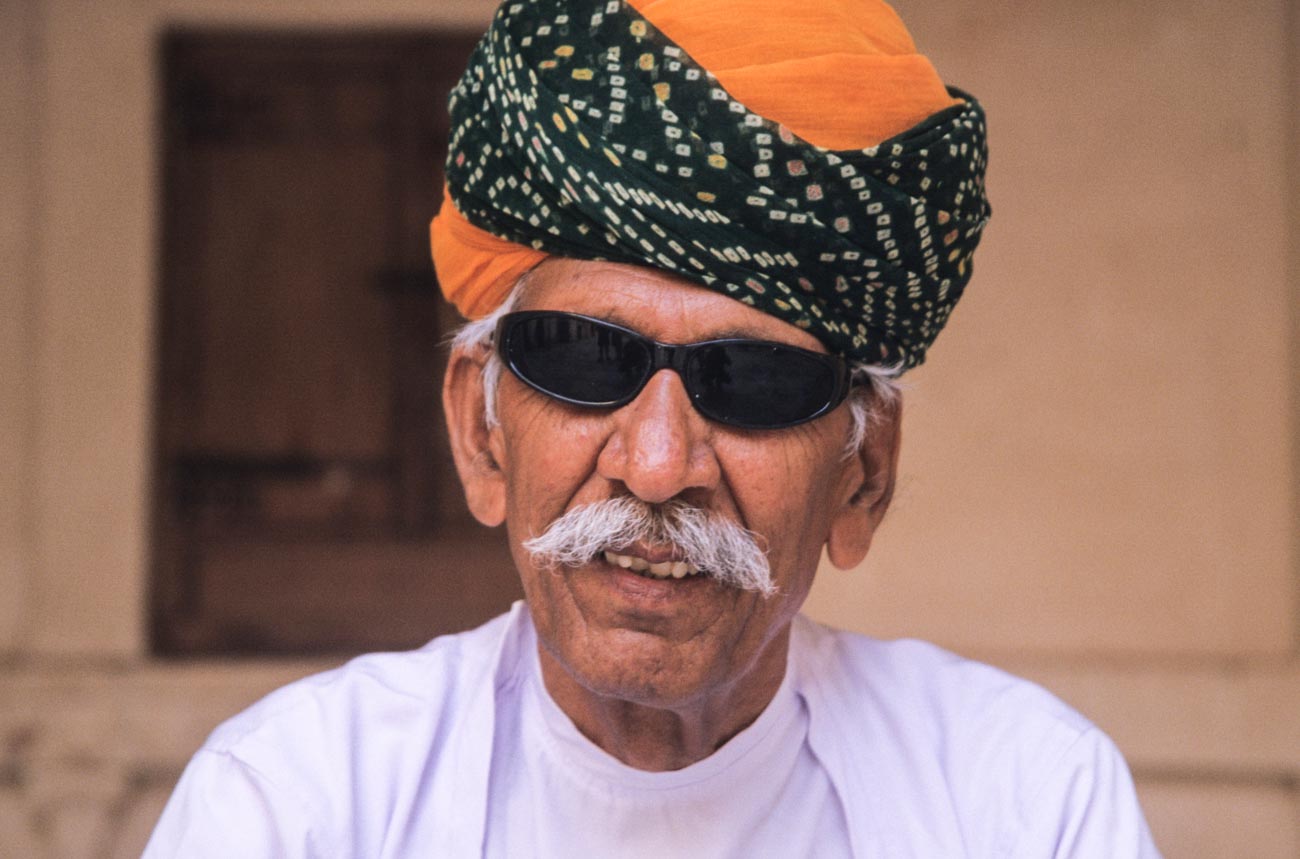
    Man in turban at Mehrangarh Fort in Jodhpur, Rajasthan.
    Man in turban at Mehrangarh Fort in Jodhpur, Rajasthan.

    Set the camera up;

    1 Regardless of what the use is, make sure you have the biggest resolution.

    • Much better to size down than try to upsize.
      For example on the Samsung S series smartphone cameras you will find picture size next to the settings icon.
      Select 16M or 12M or whatever the largest number is.
      The resolution on the IPhone is set to maximum and has no adjustment from that except with the use of a third-party app.
      Some other brands only give you the option to select large or high
      Note: The front camera usually has a much smaller resolution than the main camera, so avoid using it for this application
    • Find the timer and set it to 10 seconds
      You can usually just leave the camera on auto if the light is pretty good.
      But you can change the settings on some smartphones.
      The only settings I recommend changing are either the ISO and/or the exposure compensation.
    • Mount the camera on a tripod or any other way you can find to mount.
      I use the Joby Grip Tight Micro Stand a great little find that has a mini stand.
      It can also be fitted to a standard tripod head.

    2 Set the scene

    • Find a well-lit position.
      You can be creative by sitting or standing near a window and allow the light to be strongest on one side.
      Alternatively, if you want to light up both sides, use a whiteboard on the side away from the light.
    • Think about the background.
      Make sure it’s not cluttered and distracting to the eye.
      Again, a whiteboard is handy.
      White (or off white) backgrounds are always the best way.
    • Think about your position.
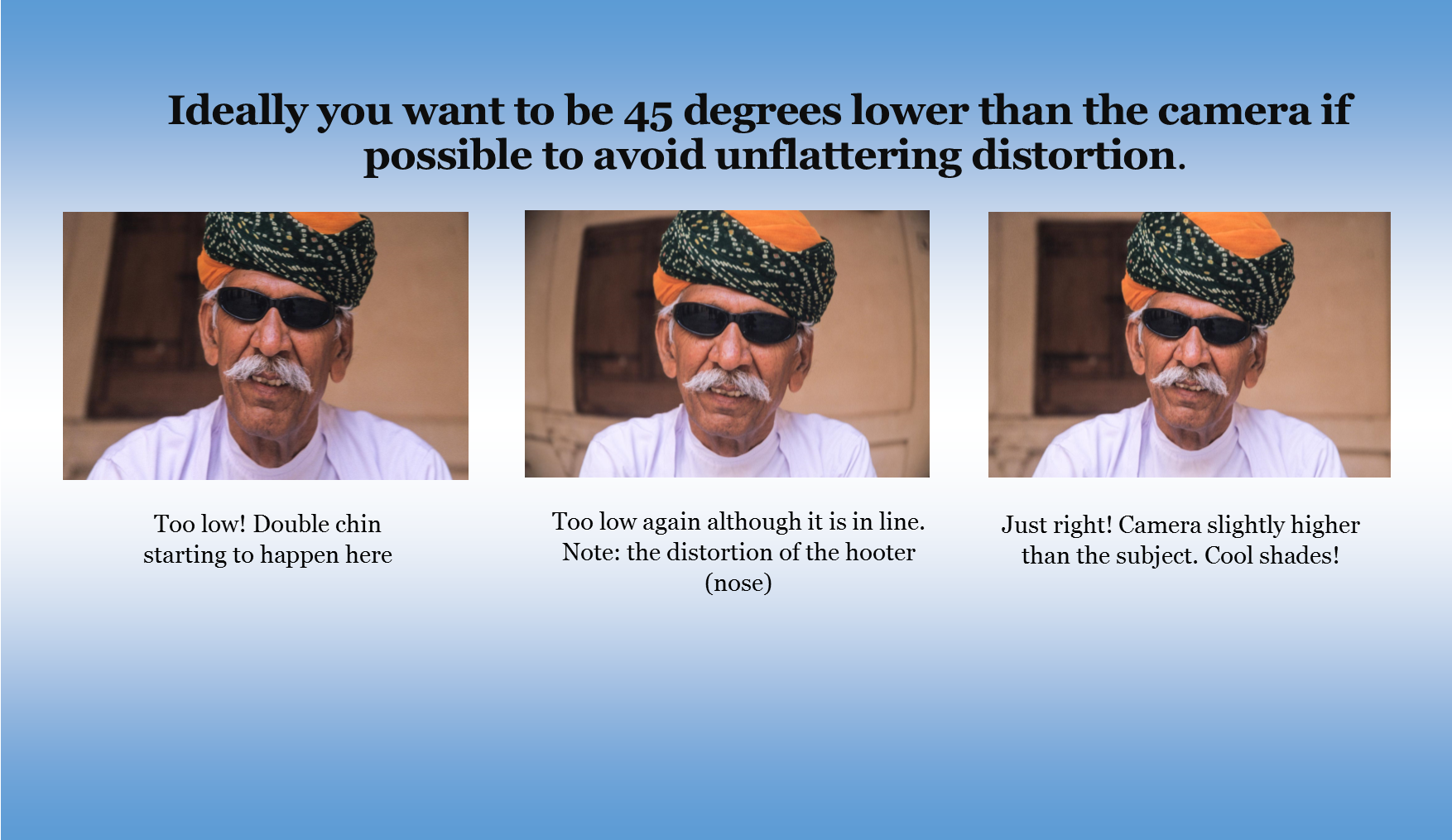
      Ideally you want to be slightly lower than the camera if possible to avoid unflattering distortion.
    How to take an ‘awesome’ selfie
    • Now comes the tricky bit.
      Unless you have someone else helping, you are going to have to focus the camera on your final position, be it a full length or head shot.
      The easiest way to do this is to put something in that position and then focus on it.
    • Just press the shutter button and then get into position.
    • Take plenty of images, trying different poses and maybe different locations.
      You can’t take too many!

    3 Review

    1. Review on your phone and add a filter if you wish.
      There’s plenty of them out there!
    2. Load the images onto your computer.
    3. Look for softness (slightly blurry), unwanted distractions or items and light
    4. Crop if required.
      You may need to crop for different applications.
    5. Upload to your platform of choice

    Finally

    Rinse and repeat if need be.
    You may think you’ve got it right but there’s always room to improve.

    Summary for “How to take an ‘awesome’ selfie”

    • Make sure you are true to yourself and have a ‘selfie’ that truly represents you.
    • Decide on your orientation and pose
    • Four crucial factors for selfies are:
      • Equipment
      • Light
      • Mounting
      • Staging
    • Set the camera up
    • Set the scene
    • Review

    Do you see yourself taking some great travel photos that you can share or display?

    Or can see yourself reliving your travel experience by bringing home some emotive travel photos?

    Maybe you want to get your travel photos published.

    If one or all of these is YOUR goal, I can help.

    If you go to the form below you can sign up and get my free eBook “9 ways to improve your Travel Photography”.

    At the same time, you will also subscribe to my Travel Photo Tips Newsletter which is exclusive to those who have signed up.

    Remember if you want to take great travel photos

    • that you can share and display.
    • that help you relive your travel experience
    • give you a chance to have your travel photos published

    Then go to the form below and subscribe to my Travel Photo Tips Newsletter and for your trouble get my eBook “9 ways to improve your Travel Photography”

    Any questions then please write your comments below or contact me here

    Now that you’ve got down this far can I ask a favour.

    Please share this with anyone who is going on a trip and wants to take and bring back some great travel photos.

    You’ll be doing both them and I a favour.

  • Displaying your Travel Photos

    Displaying your Travel Photos

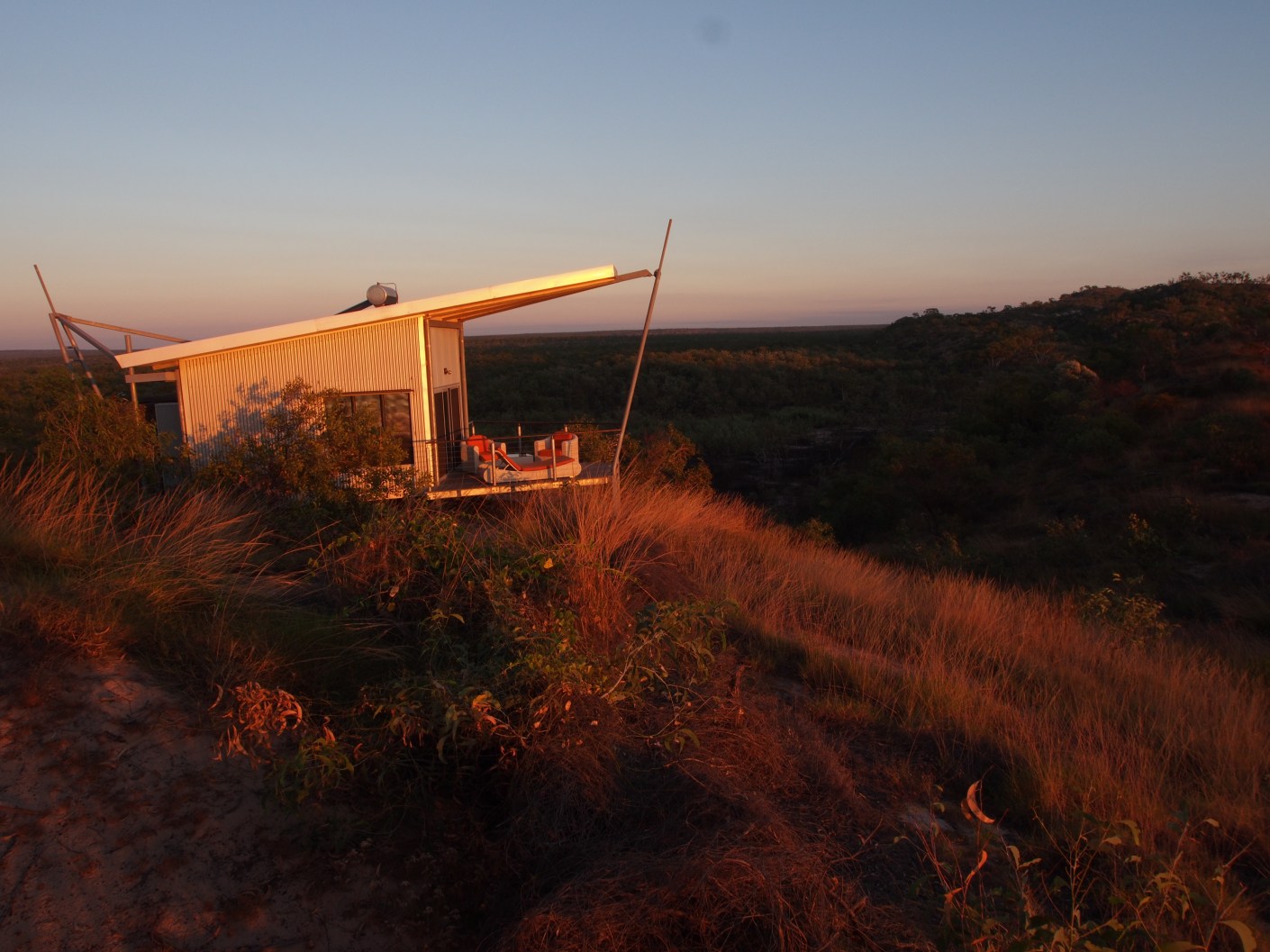
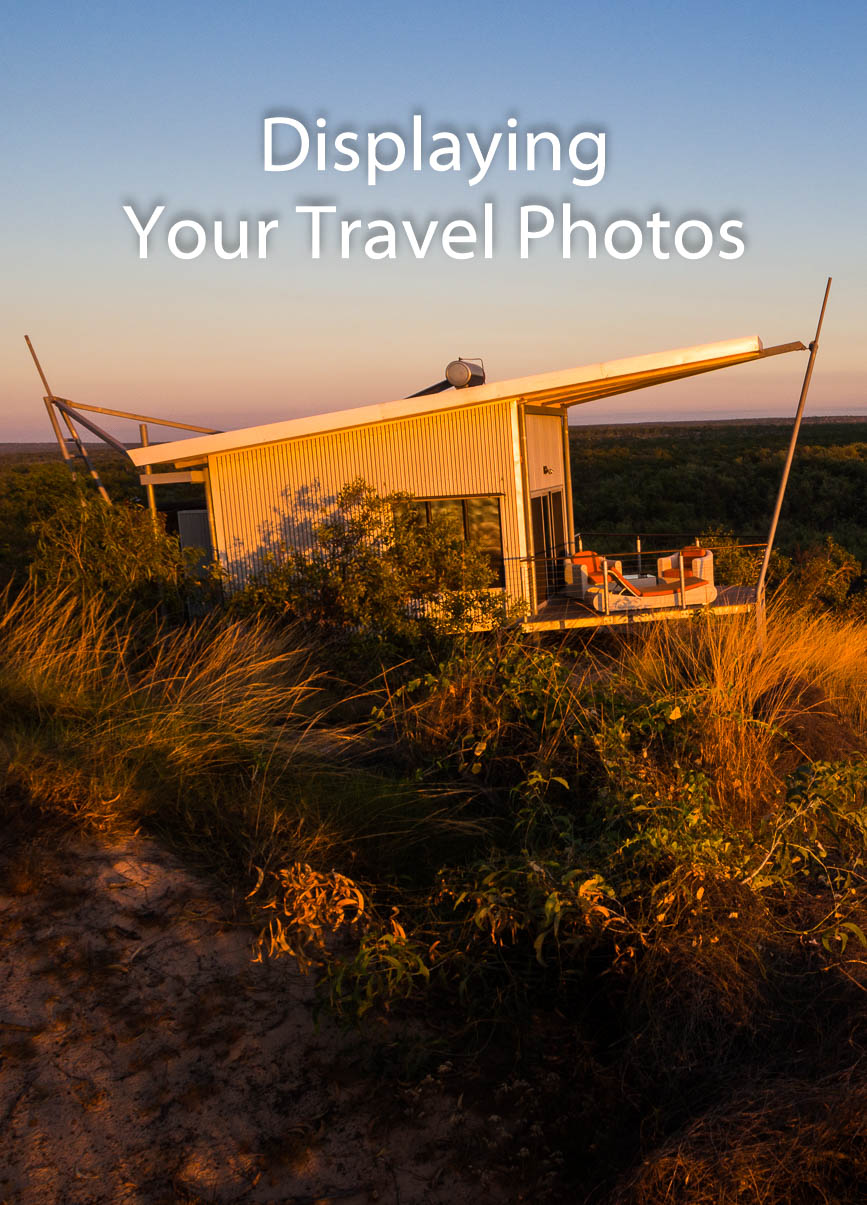
    Berkely River Lodge Cabin Western Australia

    Following on from 7 Ways to Organise Your Travel Photos and How to Back up your Travel Photos, we now move on to displaying your travel photos.
    After all it’s all very well to have them organised and backed up but what about showing them off.

    Let’s see what the best ways are for displaying your travel photos

    Physical or Hard Copies

    The most obvious one is to print them out and then display them in several different ways.

    Printing

    A word on printing. Printing is very much one of the dark arts.
    Getting the calibration correct so that what you see in print matches what you see on screen is no easy feat.

    At some later date, I will cover this and if you have never delved into printing, then I suggest you get them printed by a third party.

    Of course, that’s not that straightforward either. You will need to decide three important elements:

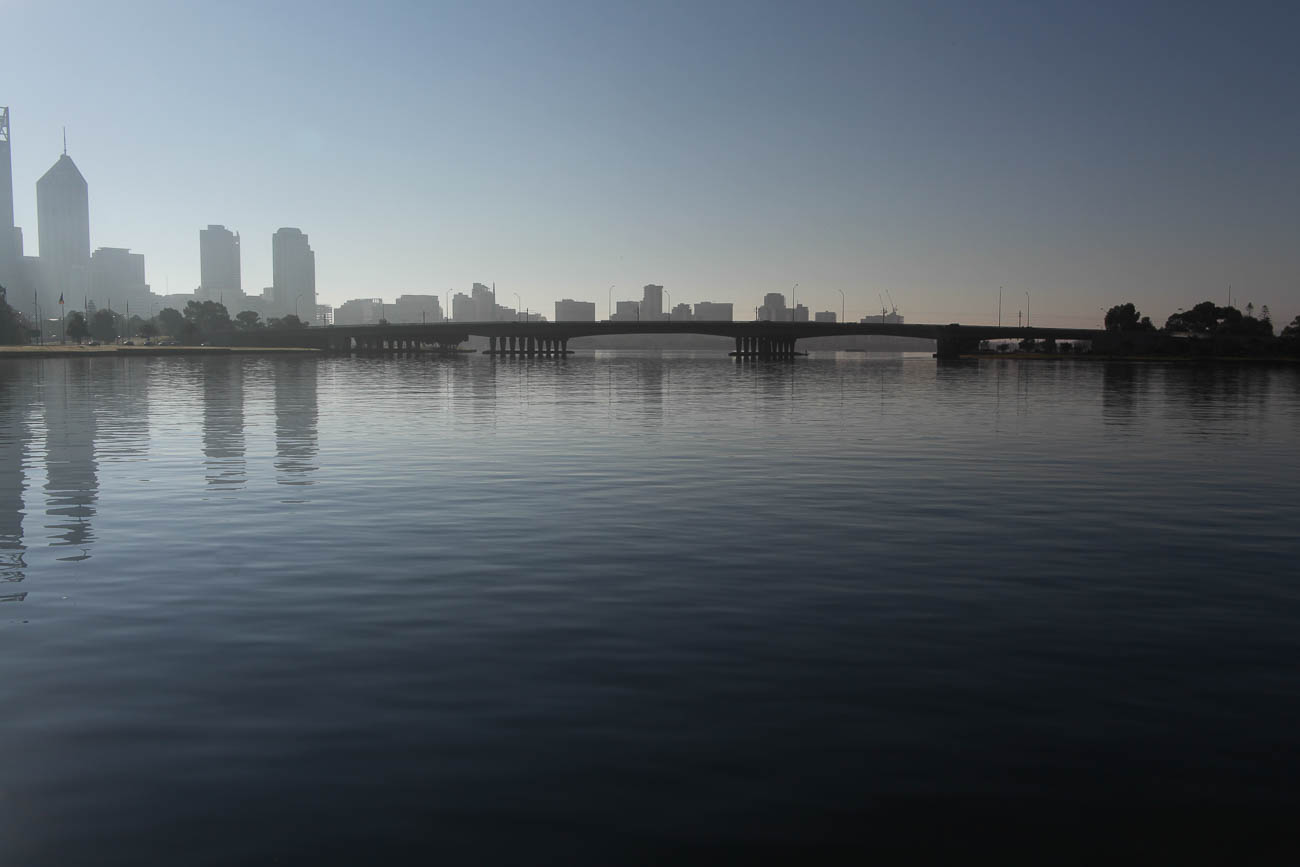
    Perth from the Old Swan Brewery on the Swan River in Western Australia
    Perth from the Old Swan Brewery on the Swan River in Western Australia. Click on the image for a larger view and for other options

    Quality

    Quality can be subjective.

    Make sure that the digital photo you want printed has had some post processing and you are happy enough with the result to want to get it printed.

    There are many different organisations that will print your beloved photo.

    This is where quality comes in. If you want to have something that you can mount on your wall (or even someone else’s) then I would recommend that you go to a specialist printing lab. They have varying degrees of quality that you can choose according to your budget and requirements.

    For example, they can colour match and also will offer different process’s that will enhance your photo.

    There are still some Shopping Mall Photo Printing Labs that will give your photo some attention before printing.

    But most stick it through their process and you get what you get.
    As in most things you get what you pay for.

    Some of these also have DIY booths or machines where you can do some of your own ’tweaking’ like contrast and brightness.

    You can also find these booths at some department stores like Walmart or K-Mart,

    Paper

    Again, depending on what you are looking to achieve, choosing the correct paper will be very important.

    There are multitudes of different papers available.

    To decide on which paper to have you will need to take into consideration things like wear and tear, framing, reflective surfaces etc.

    There are 3 main types of paper; Gloss, Lustre and Matte. Gloss is punchy, Lustre is a bit more subdued and Matte will tend to be used to evoke a moody and artistic feel to a photo.

    Size

    You will need to decide whether you are going to frame the photo and where you will display it.
    If you intend to display it you want to make sure it’s a reasonable size, at least foolscap, which is A4 or USA Letter.

    If on the other hand you just want to show and tell, then 6 x 4” is adequate.

    One tip about framing is that unless your budget is big, go for paper sizes that suit standard frames. Going to a framing company is not necessary these days.
    I like Ikea frames as they are a reasonable quality at an inexpensive price

    You want a simple frame that enhances the photo without being a distraction.

    Digital

    The more likely option of displaying your photos is digitally.

    Often, we will get our memory cards, load them on our computer and then forget about them.

    Let’s assume you are organised. That your images are all sitting in well organised folders on your computer.
    If they are not then go to 7 Ways to Organise Your Travel Photos to get some tips on how to do that.

    Private Display

    What do I mean by private display?
    The most important person to see your photos is you.
    We can all get carried away in the moment of taking photos without looking at them.
    You need to view them on a large screen and learn what worked and what didn’t.

    I would suggest you do that before you have even edited any of them, otherwise you will never look at them.
    Like most photographers, I run well behind my post processing. but I still like to view them even if they are not at their best!

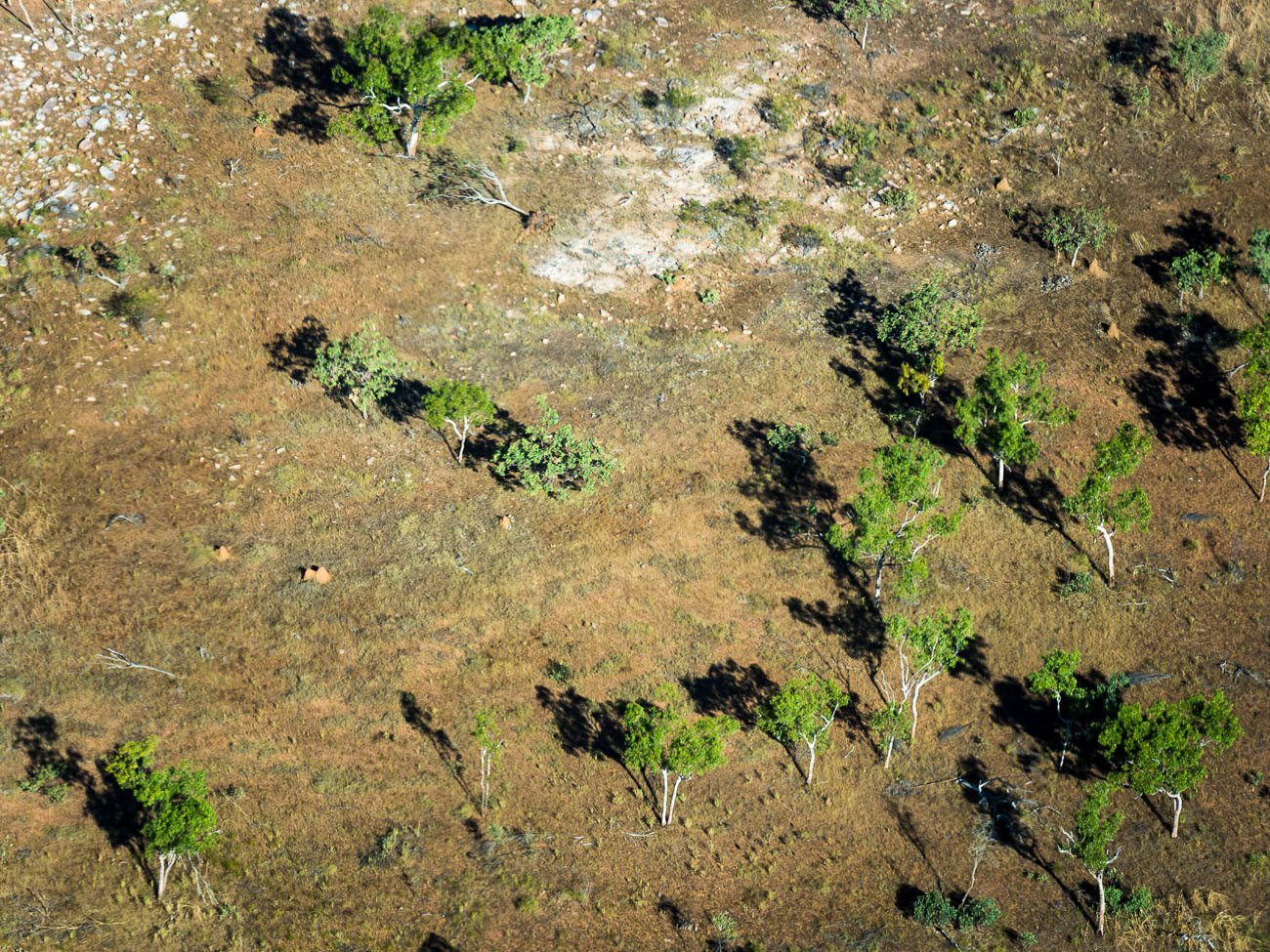
    Near Berkley River in the Kimberleys Western Australia, from the air
    Near Berkley River in the Kimberleys Western Australia, from the air

    JPEG Double Up

    If you shoot in RAW, which you should be, then a good idea is to also shoot in a small JPEG format, which is usually around 1280 × 960Px.

    Then when you take a photo you have 2 versions, the RAW untouched version and a JPEG.
    The Camera does do some minor processing on the JPEG version which is what you see on the camera rear view screen or monitor.
    That way you can dump the JPEGs into a separate folder.
    Note: If you intend printing the JPEG then it’s best to go full size.

    Display Options

    There are lots of options for displaying at home.

    From a physical point of view, you can use a computer or TV screen.
    The bigger the better, so a TV screen is usually best.

    So now how do you get them on your TV?

    There are many ways of displaying your photos on a TV. Let’s list the most common of them starting with the most basic:

    1 Plugged in Flash Drive. Load your photos onto a flash drive and plug it into your TV

    2 Plugged in Hard Drive. Load your photos onto a hard drive and plug it into your TV

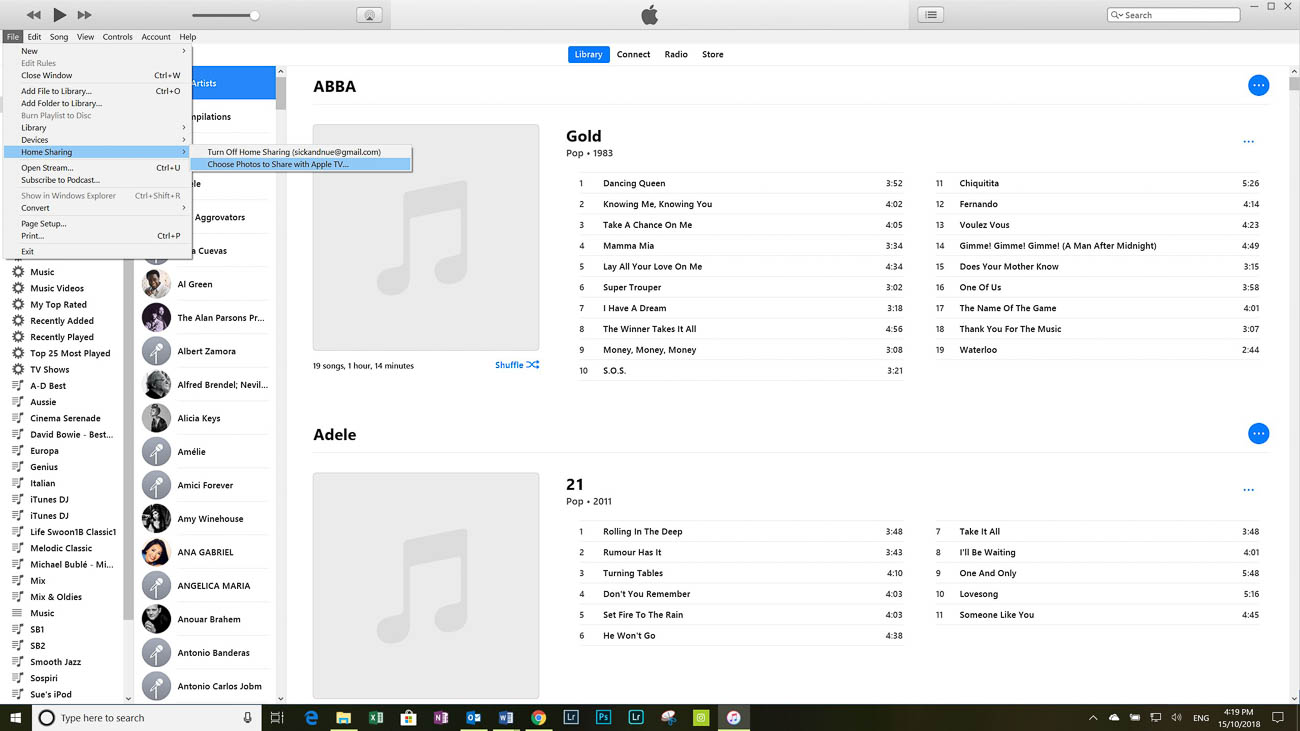
    3 Apple TV. Using iTunes select file – home sharing – select photos to share with Apple TV

    4 Google. You can cast your photos if you have a Chromecast from either your mobile device or Laptop

    5 Plex. Plex is free software that allows you to play music, video and view photos on your TV.
    There are other smart TV apps that do the same as Plex but not as well.

    6 Home Network. One of the best ways to display your photos on TV is to have them on drives or your computer on a home network.
    But you will need a smart TV or a device that makes your TV ‘Smart’.

    Depending on your TV and which of the above methods you use, the images can be set up to have continuous slide shows.
    I do that with the Apple TV. If I’m playing music via the Apple TV, the screen saver kicks in.
    Or If I’m not watching my TV I can just have the Apple TV scrolling the images in the background.

    Displaying your travel photos

    Viewing on a computer monitor

    If you have a decent size computer screen. By that I mean anything from 18” upwards then looking at your photos is a snip compared to a TV.

    If you are either a PC or Mac user, you can view them from the default photo viewers.
    Both have pretty good photo viewing apps. There are also plenty of free and paid options of course. Ones like Gimp and Ifranview have been around for a while.
    Whilst Google has Polarr (which is more of an editing suite) and Photos.

    However the market leader, Adobe, has the best options for viewing, organising and editing. Especially with it’s very popular Lightroom.

    Sharing Displaying your travel photos

    If you are using a smartphone to take your travel photos, then there are a lot of ways of sharing your photos. You can share using MMS (text messages) email, social media, Dropbox, iCloud, One Drive, Google Photos and Bluetooth.
    The list is endless

    If there is an application missing, you can change that by granting the app permission (assuming you already have it installed).

    Sharing your photos to multiple social media and photo sharing sites can be made easy by using apps like Buffer, Hootsuite and Meet Edgar

    So that’s pretty easy but what if you are using a camera that has a memory card?

    In How to Back up your Travel Photos I talked about wireless memory cards and cameras that may also have wireless built in.
    This is a big advantage as it gives you the option to share to your mobile device and then on to other places.
    With older cameras without wireless capabilities you have to remove the memory card.
    Once removed you can use an adaptor and load it onto your mobile device or Laptop and again share it from there.

    There are also wireless hard drives like WD’s My Passport Wireless Pro. You can load the contents of an SD card on to it and then stream or view its content on another device turning it into a media server.

    Photo Sharing Sites

    Another way to share is via a photo sharing site like Flickr, Smugmug or 500px.

    There are several ways of uploading your photos to one of these sites.

    With Smugmug I counted around 20 different ways.
    The most common is via Adobe Lightroom. The Smugmug Lightroom Extension will mirror your galleries and photos.

    Once you have loaded your pics you can copy and share a link for a photo or gallery.

    Go to How to Back up your Travel Photos for more on photo sharing sites.

    Click on the image below and you will be taken to one of my galleries on my Smugmug Site.

    Colourful umbrellas outside a cafe in Burano
    Colourful umbrellas outside a cafe

    Displaying your travel photos – Summary

    There are many ways of displaying your photos:

    Whilst printing is not so popular these days, with the right print, paper and frame you can enhance a really good image

    It’s best to have your own way of displaying your photos for your own personal consumption whether it be through a Smart TV or a large Monitor.
    If you don’t, you’ll never look at them again which is a shame.
    Like a good wine, age can improve them and bring back fond memories at the same time.

    Once you have selected photos for others to view, then it’s time to share them, whether it’s via Social Media, Photo sharing sites or via cloud services.
    Most sharing is via a mobile device.

    If your camera doesn’t have wireless facilities then there are several workarounds that allow you to share your travel photos on a memory card.

    So how do you display and share your travel photos?

    I’ve come clean and told you what I do. What about you? How do you display and share your travel photos? I’d love to hear from you. Leave your comments below

    Do you want to come home with great Travel Photos?

    Pop your email in the box below to learn how and for your trouble, get a free E-Book. 9 ways to improve your Travel Photography”. You’ll also get exclusive content that’s not posted here or anywhere else.

    Any questions then please contact me here and/or please say hello at these places:

    Facebook: Twitter: Instagram: LinkedIn:

    Feel free to share this to your social media of choice

    Berkley River Lodge in the Kimberleys Western Australia
    Berkley River Lodge in the Kimberleys Western Australia
  • The basics of camera equipment – Best camera equipment for travel photography

    The basics of camera equipment – Best camera equipment for travel photography

    “If I could tell a story in words, I wouldn’t need to lug a camera” Lewis Hines

    Lewis’s quote is relevant to most of us these days.
    It’s far easier to document something visually than to describe it in words.
    But to do it well and consistently you do need a ‘decent’ camera. 

    Despite those who say its’s not about the gear, you need a camera that will suit your style and objectives.


    So, if you’ve read my last 2 posts: An Introduction to Travel Photography and Different types of Travel Photography, you are probably wondering what is best camera equipment for travel photography.
    Or maybe you are not.
    Either way, when you are travelling or going on holiday, you want to come back with photos that you are proud of.
    So it’s worth the 5 minutes of your time to read this.

    Smartphone Cameras

    These days everyone gravitates to their smartphone for most pictures. 

    Originally, they were mostly used to document items, like a sign or an extract from a newspaper or even a product you were looking to buy. 

    Only occasionally were they used for happy snappies or selfies.

    Fast forward to today and most smartphones are used for selfies first and then general photos of all types second.
    On my travels, I see lots of people using their smartphones to take travel photos.
    But are they the best camera equipment for travel photography?

    Smartphone Capabilities

    Today’s smartphone cameras are better than some of the compact cameras that have been or are available.

    But, and you were waiting for the but, weren’t you? They are limited. 

    Think about it. Physics dictates that, whilst lots of things are becoming smaller and retaining quality, optics are still a way behind.

    A smartphone camera has a small lens and that means you are restricted on what it will do well. Especially compared to mirrorless or a DSLR camera. 

    Even with the new software and multiple lens of the latest offerings you still have limitations.

    If you are happy with that, then that’s absolutely fine. 

    But if you want more flexibility, then consider either a mirrorless or a DSLR.

    What a smartphone camera can’t do well.

    Well the first thing is it doesn’t perform well in low light. Let’s say you are taking photos with a Smartphone Camera inside a Basilica somewhere in Europe. Unless you are using a tripod, which is often banned in some public places, you will find your images will appear blurred. That’s camera shake. 

    For more about that go to 5 Ways to Eliminate Camera Shake and How to hold a camera correctly

    Even if you are using a tripod, Smartphone Cameras find it hard to replicate the details in low light. 

    Now I know that will improve and I understand that the Samsung S9 is a lot better in low light than previous models.

    But unless you are on a plan that allows you to get the latest model, you will have to find at least $1000.00 to get that in your hot little hands.

    Half of that will buy a camera that will perform much better. 

    Of course, it won’t have a phone or the rest of your life in apps like email, internet, health and fitness etc. etc. 

    But it will mean you have options.

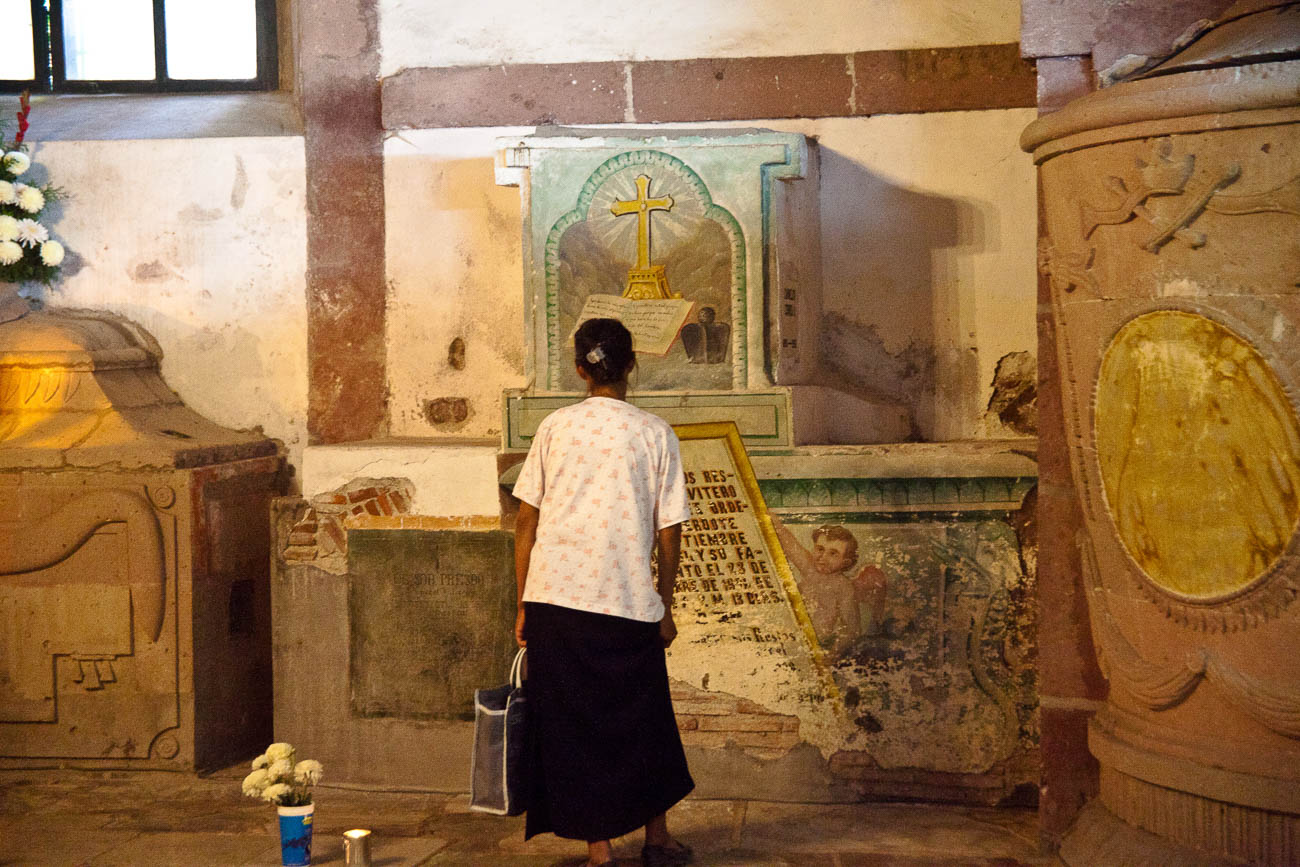
    Women grieving in San Miguel de Allende's parroquia crypt
    Women grieving in San Miguel de Allende’s parroquia crypt

    Optical and Digital Zooms

    A smartphone struggles when zooming in, losing not only quality but also resolution. 

    That’s because it is a digital zoom not an optical one. 

    The difference? 

    Well, a technical explanation is not what I want to give you. But I will give you an analogy. 

    It’s the difference between cropping an image on your computer screen to a smaller picture size. For example, a photo that measures 1000 x 1000 becomes 500 x 500 Pixels. Zooming in optically retains the size and therefore the resolution.
    Why should you care? Well cropping digital images means to see it at a good size or to print it you must blow it up and that’s when you see the faults. 

    As the technology of these cameras improves there won’t be such a differential between larger cameras and smartphone cameras.

    Having said all that if you want to just take a smartphone camera with your and nothing else then knock yourself out. 

    Just be aware that you are restricting yourself. So my advice would be to concentrate on taking photos of subjects that a smartphone cameras do best.

    Compact Cameras

    Ok so now I’ve dismissed your idea of only having a smartphone, what is the best camera equipment for travel photography?

    Well if we start at the bottom. Compact cameras are generally the same these days as smartphone cameras. So there’s no point in you taking one of those. Unless of course you don’t have a smartphone.

    However, having said that, there are a few high end compact cameras that have great optics and sensors. Ones like the Sony Cyber-shot DSC-RX10 III and Fujifilm X100F come highly recommended but will set you back $1100.00 plus. See DP Review’s take on it.

    Mirrorless Cameras

    After those we are looking at Mirrorless or Micro Four Thirds cameras. 

    What is a mirrorless camera? 

    Well DSLR’s have a mirror protecting the sensor. 

    When you are looking through the viewfinder you are actually seeing the mirror which is reflecting your subject to your eye. When the shutter button is pushed the mirror lifts up and exposes the sensor to light and the subject. 

    Having a mirror takes up space and so nearly all DSLR’s are quite big, chunky and relatively heavy. 

    The mirrorless cameras don’t have a mirror – hence the name “mirrorless”. 

    Not having a mirror reduces the size and weight of the camera body. 

    Now I could go into lenses etc now, but I’ll cover that in another post.

    Different types of Mirrorless Cameras

    Not all mirrorless cameras are equal though. 

    Some have larger sensors than others. 

    That doesn’t mean that the larger the sensor the better the quality. But it does mean that it correlates to the size of the lens. 

    So, the larger the sensor the more likely the lens will be larger and heavy.

    Mirrorless cameras do give you a lot more flexibility than compact or smartphones. Because they all have removable lens you can vary your lens according to the subjects you want to photo.

    And as I’ve mentioned they are much smaller and lighter than most DSLR’s, which makes them more ideal for Travel.

    DSLR Cameras

    So, what about DSLR’s? Well in most people’s eyes DSLRs are synonymous with quality.
    When I take out my DSLR, I get lots of people comment on how I have such a good camera, so “I must take good photos”.
    The only comments I get on my mirrorless is that they look “cool” as they have a sort of ‘retro’ look. 

    These days with, the exception of the very high-end models, differences in quality between both types are negligible. 

    Personal choice. 

    I do like the feel of my Canon 5D MKII and I often use it for local shoots. 

    But when it comes to travel that’s when I reach out for my Olympus OMD1 MKII. 

    It’s so much lighter and even with the pro lens I have, it takes up so little space in comparison.

    Of course, if money is no object then the Leica models are lightweight and small and come with fantastic quality. Or if you don’t mind lugging around a big DSLR then the high-end Canon or Nikon cameras will also give you great quality. 

    But with both you will need to use the same wheelbarrow that you carried the money to pay for them, to carry them around.

    Tour de Mont Blanc Path near Les Contamines, France
    Tour de Mont Blanc Path near Les Contamines, France

    Conclusion

    It’s often quoted that the best camera equipment for travel photography is “the one you have with you”. 

    But I would challenge that. Unless you are travelling to the same destination over and over again, it’s quite likely that where you travel to next will be a once in a lifetime trip. 

    Do you want to trust your photo creation equipment to a restricted device when there are so many better options on the market today?

    For more about buying a new camera check out these posts:

    Why selecting a new camera is like selecting a new date (or TV)

    Buying a new camera? Then read this

    Why having the right camera equipment is important – or is it?

    Buy a Camera in 15 minutes with these 5 Questions

    Plus if you want to know more about the features of a camera then you can download my free

    Camera Features Guide

    Just click on any of the above images to view a larger version and for other options