Katin Images Travel Photography

Travel Photos, Travel Photography Tips and Software

Tag: shutter speed

  • Learn how to use shutter priority in 15 minutes

    Learn how to use shutter priority in 15 minutes

    Learn how to use shutter priority in 15 minutes

    You’ve got the new beaut camera or maybe you dusted off an old one that you’ve had for a couple of years and instead of using your smartphone, you thought you would use this for your marketing images. After all you have had enough of searching for stock photos that just aren’t what you need.

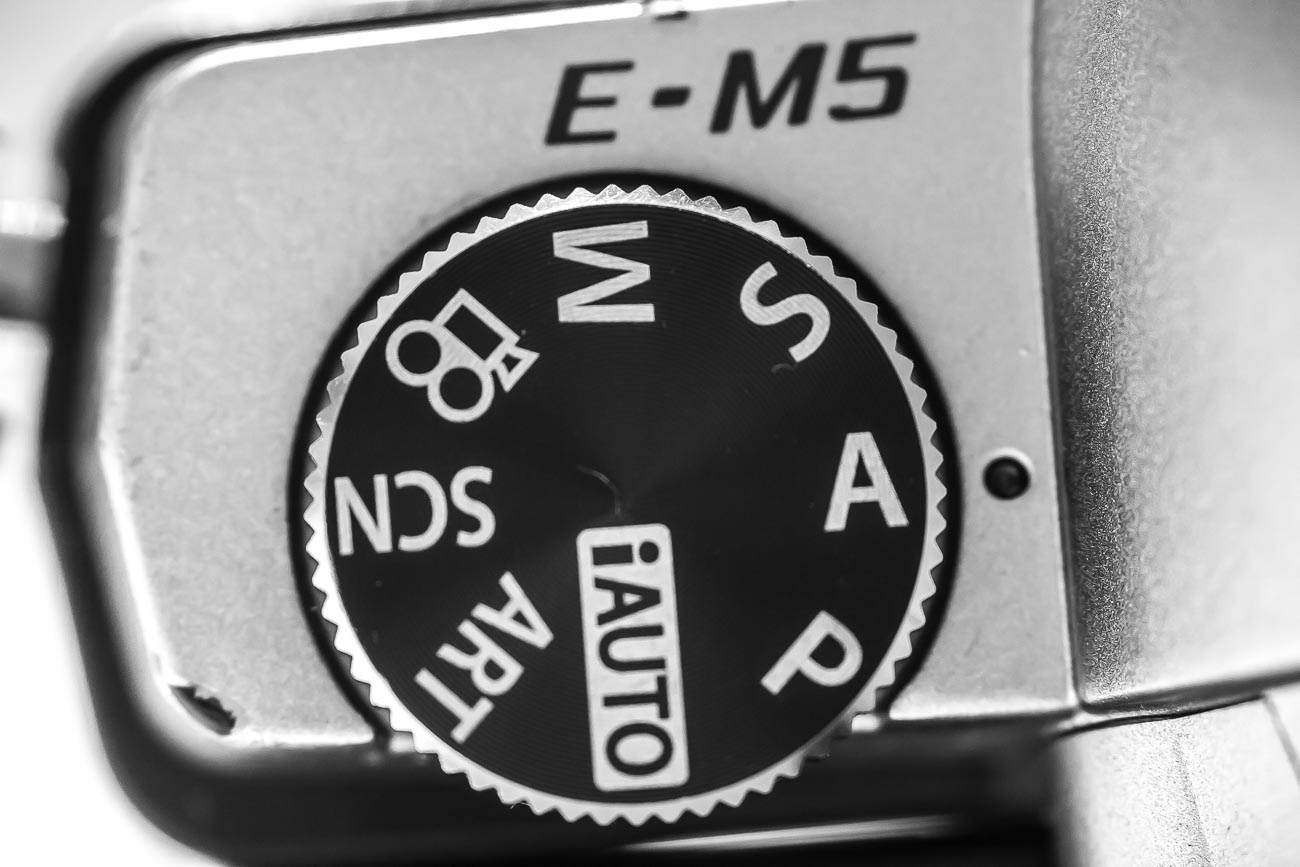
    After looking at this camera you realise there’s a dial on it that says A, P, S and M and maybe a couple of other items like the picture of a video camera, auto or some other sign that gives you choices to select a genre. But you’ve heard that one of the best ways to shoot is to use “S’. But what is S?

    Well it’s Shutter priority. Now to refresh your memory on what the shutter is I’ll send you off to have a quick read of these 2 articles.

    10 Vital Facts about Camera Shutter Speed

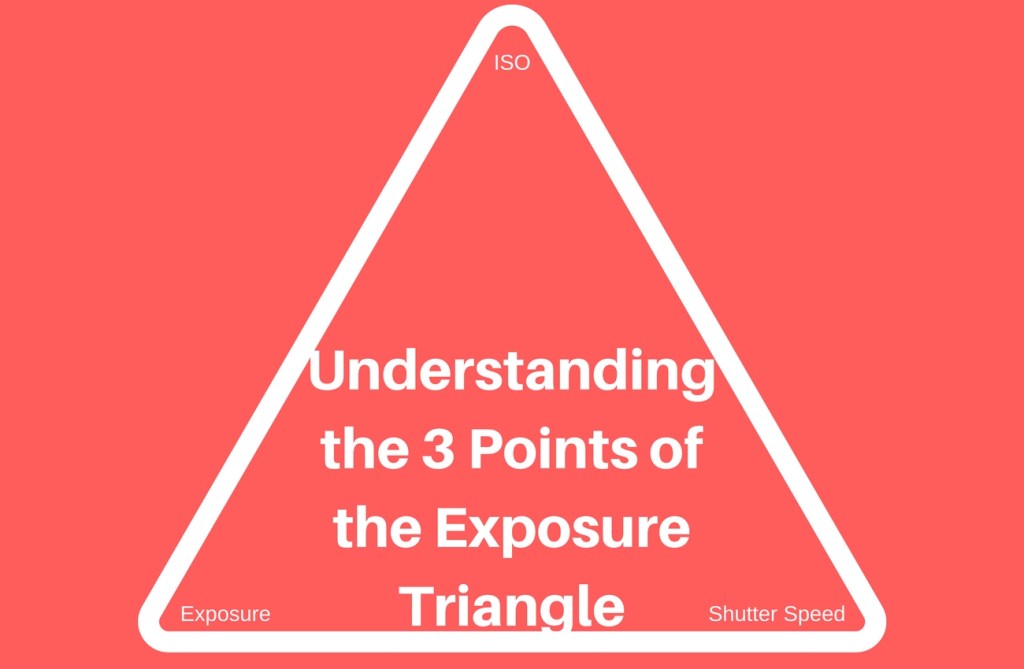
    Understanding the 3 points of the exposure triangle

    So now you’ve done that or at least scanned it. Lets’ go forward

    S stands for Shutter – yes, you’ve worked that out. Great!

    But unlike Aperture which is a dimension of the hole that allows light in and is measured in f-numbers, it’s actually a speed. So, you are effectively measuring the time it takes to open and close the shutter in front of the sensor.

    As with Aperture usually the numbers relate to a stop. However unlike Aperture the range of Shutter speeds is usually much greater so it doesn’t follow that each stop represents twice the preceding value and half the next higher value.

    In shutter speeds the measurements look like this:

    60”, 30”, 2”, 1”, 1/2.5, 1/5, 1/10, up to 1/4000. Each of these values relate to seconds or fractions of a second. 60” is actually 60 seconds whilst 1/4000 is actually 0.00025 of a second. That is the time that that the shutter is open and allowing light to reach the sensor. In film days it used to be the film strip that the shutter was exposing to light.

    It is arguable that changing the Shutter Speed setting is the best or at least one of the best ways to be creatively in control with the final image that you want.

    So why would you want that? Well from a creative control point of view it gives you options.

    But the most important effect of shutter speed is its effect on camera shake. Camera Shake is probably the single most noticeable effect on an image.
    Having the correct minimum shutter speed is vital to prevent Camera Shake. Notice I said “minimum”. That’s because it’s better to have a faster shutter speed than a slow one.

    For more on this go to 5 Ways to Eliminate Camera Shake

    Have you looked at a what you thought was a good photo close up only to realise that it’s slightly blurred? Well that’s camera shake and in the industry it’s called “soft”.

    Here’s an extreme example:

    Fuzzy Leopard
    Fuzzy Leopard

    The first one is noticeably soft. The photographer (that’s me) didn’t have a lot going for him. Not much light, using s telephoto lens and as the subject (the leopard) was moving had no time to compose or even think about the shot.

    Sharp Leopard
    Sharp Leopard

    However, in the above shot I had just enough time to jack up the ISO so that I could get a shutter speed that would freeze the action. Probably still not the best photo of a Leopard but not bad.

    So apart from reducing or eliminating Camera Shake what else do we use the shutter speed for?

    Well there are 3 main ways to use it:

    1 Freezing
    That is you freeze action with a fast shutter speed. That could be anything from sports action to facial expressions to droplets of water

    2 Blurring
    Blurring on the other hand is using a slow shutter speed to blur movement. The most well know “blur” is the cascading of water through rocks or a waterfall. But there are lots of other uses as well such as rain or snowfall, slowing down action found in cycling or surfing. Another example would be transport like trains or cars

    3 Panning
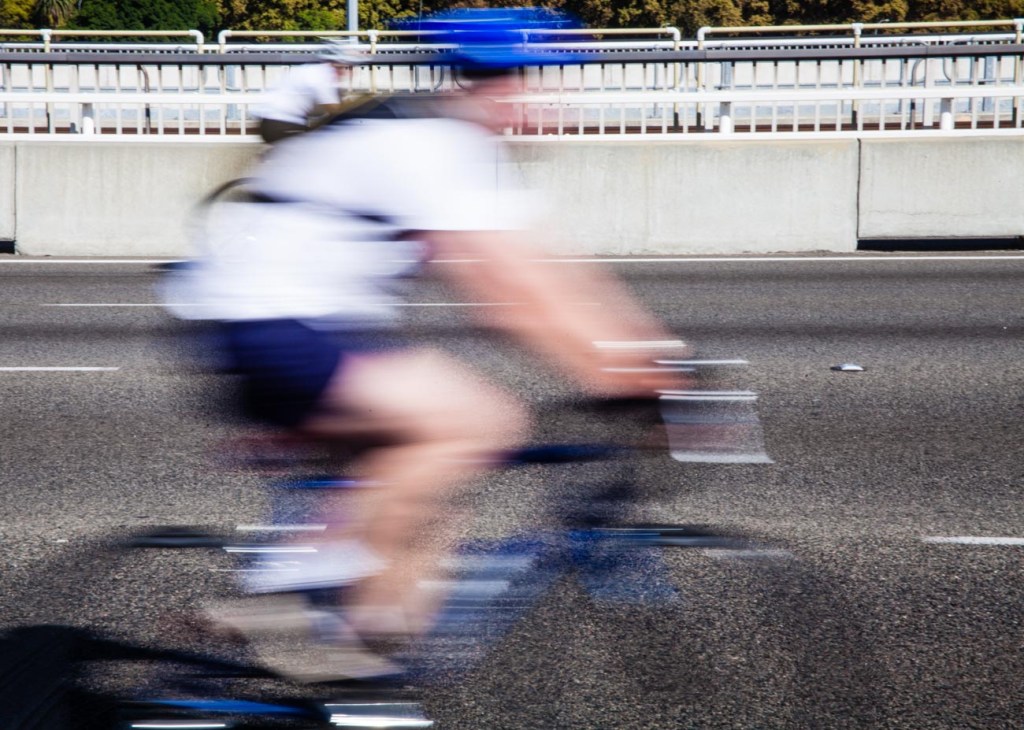
    To pan or track means you are moving the camera to follow someone or something as they move leaving the background blurred and the subject relatively sharp. This gives the impression that the subject is speeding past the viewer (photographer)
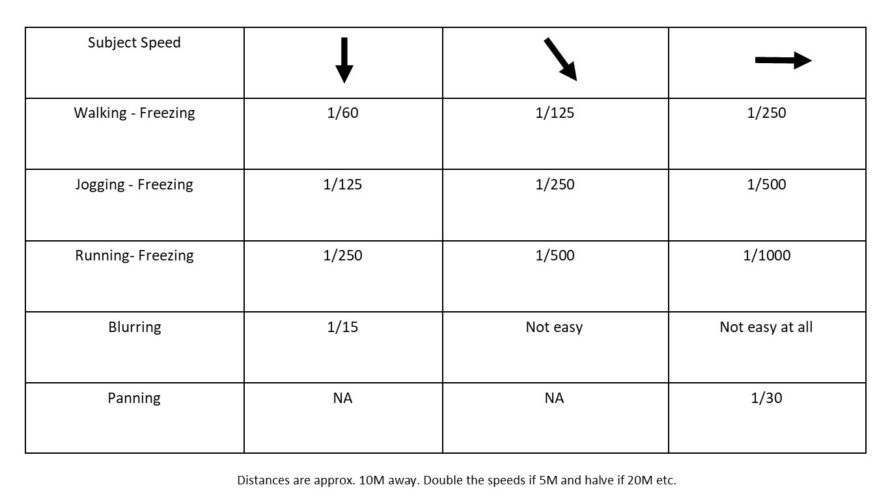


    Here’s some exercises to experiment with based on the three main ways mentioned above.
    I’ve made the basic assumption that you have access to an outside tap with a hose. If not then use an indoor tap but make sure the area is well lit preferably with natural light.

    1 Grab that camera, turn it on and take off the lens cap!

    2 Now go outside

    3 Use an outside tap that’s easy to access. If you don’t have one (that’s easy to access) then mount the end of a garden hose (with or without a nozzle) on something like a washing line that’s no higher than head height.

    4 Before turning on the tap set your shutter speed to around 1/500 by finding that dial that has  the “S” adjustment

    5 If you have a zoom lens make sure it’s between 50mm and 100mm (35mm equivalent) and have it ready to go (so you don’t waste too much water.

    6 Turn on the tap

    7 Now take at least one shot. This is your freezing exercise

    8 Repeat steps 1-7 except you now adjust the shutter speed to 1/15 to blur the water as it comes out of the tap. At that speed it’s preferable to mount the camera on a tripod with a remote shutter release. If you don’t have a remote shutter release, then use your timer. And if you don’t have a tripod use a wall or chair – in other words use your imagination!

    9 Finally to get a panning effect you need to:

    1 Repeat steps 1 and 2

    2 Go outside to the (or any) road. Stay on the footpath or verge.

    3 Adjust the shutter speed to around 1/30.

    4 If you have a zoom lens make sure it’s between 50mm and 100mm (35mm equivalent)

    5 Pick a moving vehicle and press the shutter button as you track it

    This last one is a bit tricky so you may need a few goes at it.


    After your shoot, if possible, compare images on a monitor or at least a tablet.


    Voila, you should now have an understanding of how to use the S or Shutter Speed setting.


    All in all, that should have taken you around 15 minutes (not counting any travelling time).


    As an aid to this I have a simple checklist for you to download.


    Just pop your name and email in the box below and it will magically appear in your inbox.


    Compare the shots to see the differences and then play around with different focal lengths and shutter speeds.



  • 10 Vital Facts about Camera Shutter Speed

    10 Vital Facts about Camera Shutter Speed

    In 10 Vital Facts about Camera Aperture I wrote that “The aperture of a camera is the centre of the photographic universe – well maybe – the other centre, as some would argue, is the shutter.” 

    Let’s go to the other centre of the photographic universe, the Shutter and specifically Shutter Speed.

    In all honesty, I must admit that shutter speed is just as important as your aperture setting. In another post Understanding the 3 points of the exposure triangle I make it clear (I hope) that ISO, Aperture and shutter speed all influence each other. Adjust one and the other changes.

    So, you can see how important it is to get the right setting.


    BTW make sure you scroll to the bottom of the page for an Infographic summary


    Moving on let’s get straight to the 10 Vital Facts about Camera Shutter Speed.


    1 The Shutter Speed is the speed that it takes to open and close the flap that sits in front of the aperture.


    2 It’s measured in seconds and fractions of seconds e.g. 1/500 of a Second


    3 To freeze action you need a fast (or quick) Shutter Speed


    4 To show movement you need a slow Shutter Speed


    5 It’s a big contributor to Camera shake or lack of


    6 To calculate the minimum speed you need to prevent camera shake, use this rule of thumb. At 100 ISO- the Shutter Speed = the focal lens setting of a lens. More on this below


    7 Shutter Speed becomes less important, in most situations, the better or brighter the light you have


    8 When taking hand held photos in poor light i.e. indoors without a flash you need to use the fastest speed you can get.


    9 The faster the shutter speed the lower the F Stop number which can in turn, can influence how much you can get in focus.


    10 Taking photos with a lower F stop gives you much more freedom with your shutter speed in good light but reduces as stated in 9, how much you can get in focus.


    11 The slower the shutter speed the higher the f stop number


    12 Only use Shutter speed priority when you are trying to achieve something specific.


    I’ve just realised I’ve given you 12 vital facts about camera shutter speed! Oh well you’ve got a bonus 2!


    So why do you need to worry about it?

    Well the most important reason overall is point 5; It’s a big contributor to Camera shake.

    Camera shake is pretty much irreversible and whilst shutter speed is not the only contributing factor, it can be the deciding one. Unless you are wobbling around with camera in hand snapping away.

    As I said in 6, a rule of thumb to get the slowest minimum shutter speed is to match the shutter speed to the focal length of the lens you are using.

    As an example, if you are using a 200mm lens then the closest shutter speed will be 1/200.

    But, there are complications.

    If the lens or camera has mage stabilisation then you can reduce the shutter speed by a couple of settings e.g 1/50.

    Then there are other factors that will come into play see 5 Ways to Eliminate Camera Shake

    The size of the sensor in a camera can also affect the shutter speed. An Olympus OMD _M5 for instance has a crop factor of 2 which means you need to double the focal length to get the minimum shutter speed.

    So if it was 100mm it would now be 1/200.

    Now I don’t want to confuse things but it works out the same.

    The reason is that a 100mm lens on a 2 x crop factor sensor camera is actually 200mm on a full frame so the minimum shutter speed is 1/200


    Here are some other reasons for adjusting the shutter speed:


    Freezing action

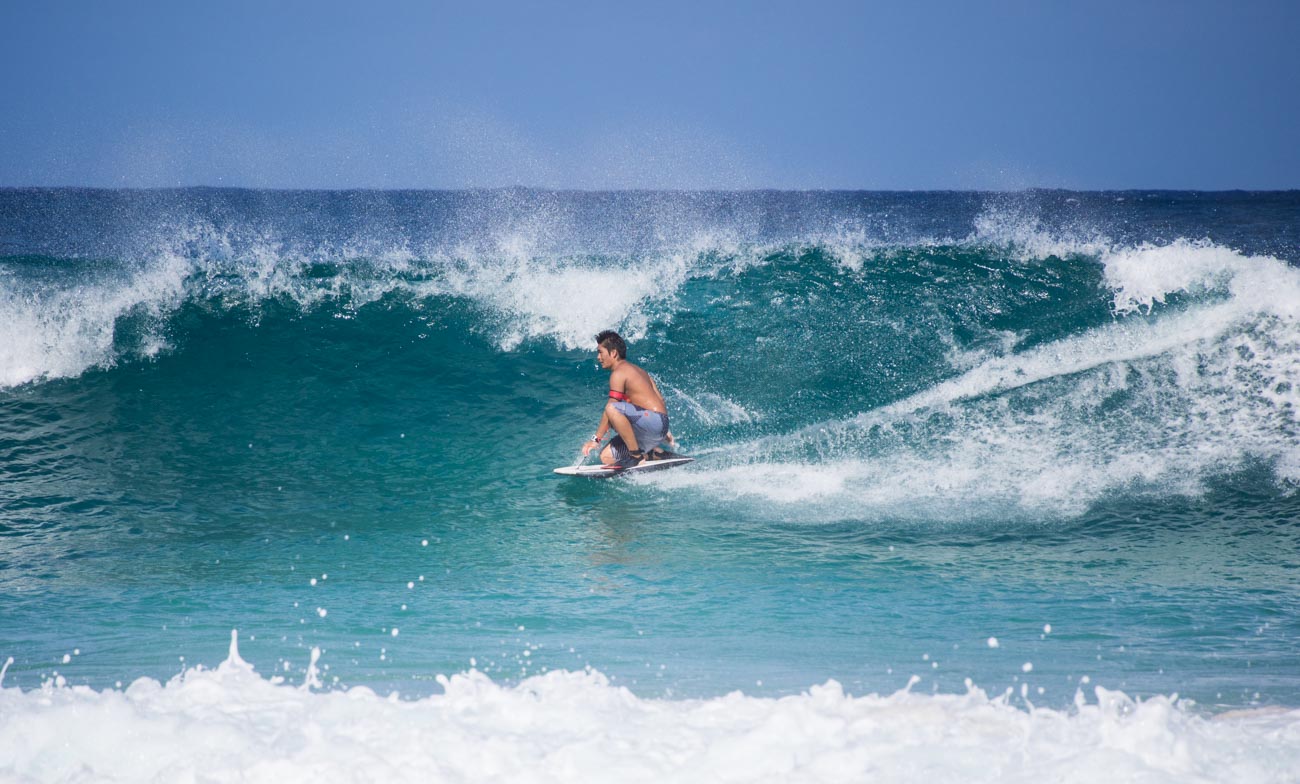
    Let’s say you want a picture like this one of a surfer to freeze the moment. You want it to be crisp and clear so the shutter speed needs to be on the high side.


    10 Vital Facts about Camera Shutter Speed


    This one was taken at 1/1600 Sec at an aperture of f5.6 ISO 200.  Whilst the foreground spray is little bit soft that’s due to the point of focus not the shutter speed.


    Slowing action

    On the other hand, with the waterfall below we’re looking for that fluid almost viscous look of the water flowing down the rocks.


    10 Vital Facts about Camera Shutter Speed
    At the Medenhall Glacier reserve. 13 miles from the city centre this is one of Juneau’s main tourist attractions in Alaska


    This one was taken at much lower speed 1.6sec at an aperture of f32 ISO 100 which is roughly 10 times lower than the surfing picture


    Interior light

    If you don’t have a flash or don’t’ want to use it then having a fast shutter speed can help.


    10 Vital Facts about Camera Shutter Speed


    Conclusion

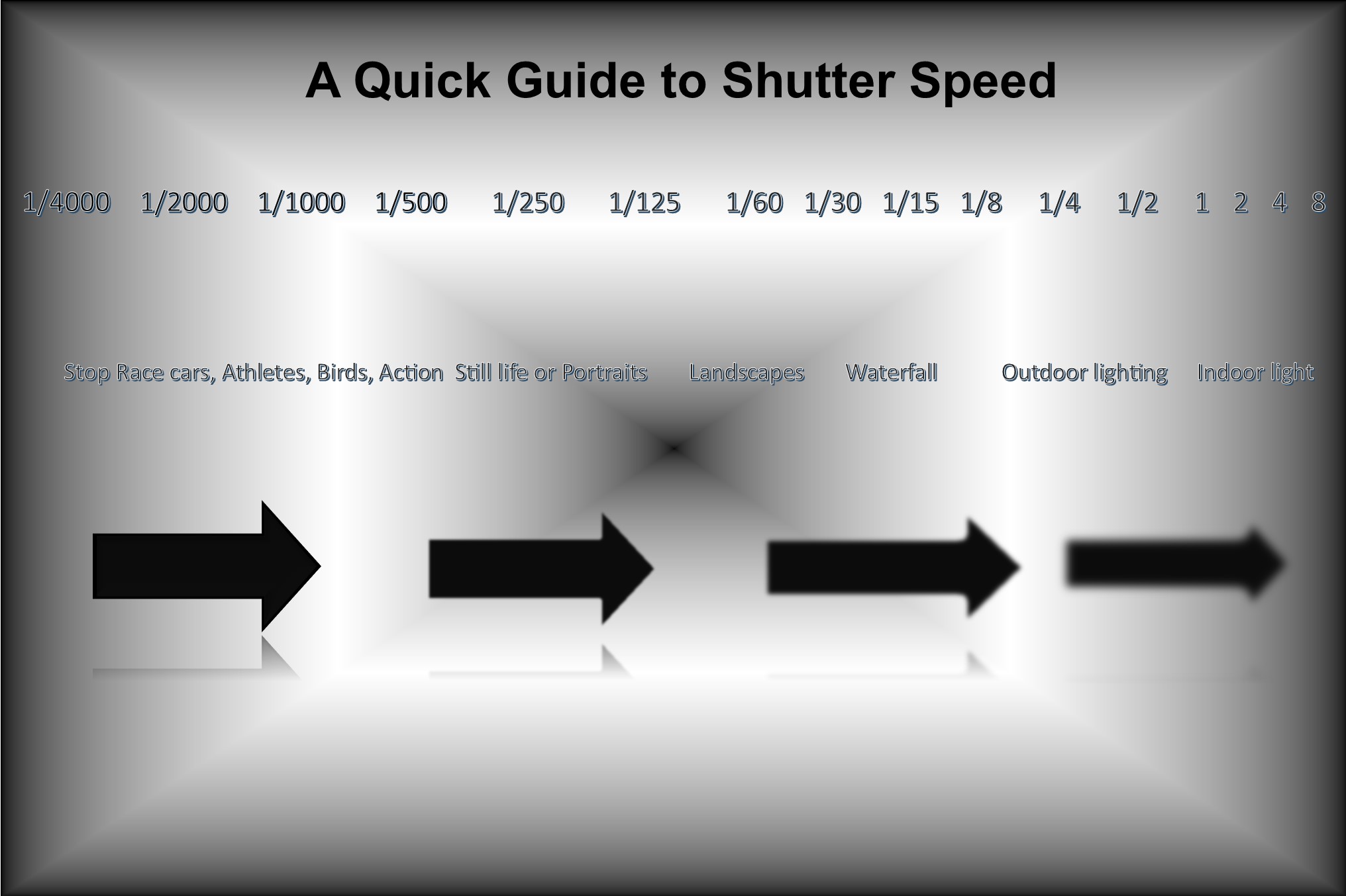
    So to summarise these last points, as promised here’s an infographic.


    10 Vital Facts about Camera Shutter Speed


    Did you understand all that? I’m happy to clarify anything you’re not sure of.

    Just post in the comments section below. Don’t be shy.


    While you are at it why not subscribe for future updates below.

    You’ll get my free guide “Eleven easy ways to help you take your own stock photography”.


  • 5 Ways to Eliminate Camera Shake

    5 Ways to Eliminate Camera Shake

    How many times have you looked at those beautiful images only to realise on closer inspection there’s a slight blurriness about it. It’s just not as crisp and clear as it should be.

    That’s called softness and is usually caused by Camera shake.


    Like most cities in the USA, Anchorage has a big fourth of July parade. This one was in 2012
    He’s a bit soft! (Probably wouldn’t tell him that!)


    https://katinimages.smugmug.com/Travel/Independence-Day/i-WnMvsVN/A
    That’s better! (Fourth of July parade.)

    In my last post How to hold a camera correctly on this topic, I went through the best ways to hold a camera to try and reduce camera shake. Now lets’ look at 5 other ways in order you can help eliminate camera shake


    1 Use a fast shutter speed


    Typically, Camera Shake is caused by the shutter speed being too low.

    Selecting the correct shutter speed can be a challenge. On most cameras, you can select the shutter speed and a rule of thumb, depending on the camera is the focal lens x 1.5 or 2 = the shutter speed.

    So, if you have a focal length of 100mm then you will need a minimum shutter speed of 1/160; a 200mm focal length would be 320 etc. etc…
    Now on some compacts and a lot of Smartphone cameras you can’t adjust the Shutter speed so the next best thing is to either adjust the exposure compensation or the ISO.
    If you are going to shoot a lot of images at low light, then experiment so you know how your camera performs.


    2 Use image stabilisation


    Many years ago, I met a photographer who was taking clear and sharp images of wildlife at dusk without a tripod. That was my first introduction to image stabilisation.
    Basically it compensates for camera shake caused by slow shutter speeds.

    Initially they were only available on the lens but nowadays most cameras have it inbuilt. So now you don’t have to worry about what lens to use.
    Having it inbuilt also means that most cameras have options and settings that can give flexibility.

    Smartphone cameras also have them built in but usually only have the option to turn it on or off.

    Just a little warning – some manufacturers advise you to turn off stabilisation if using a tripod.

    An image stabiliser only goes so far. At the end of the day if the shutter speed is too low for the conditions then it won’t help.


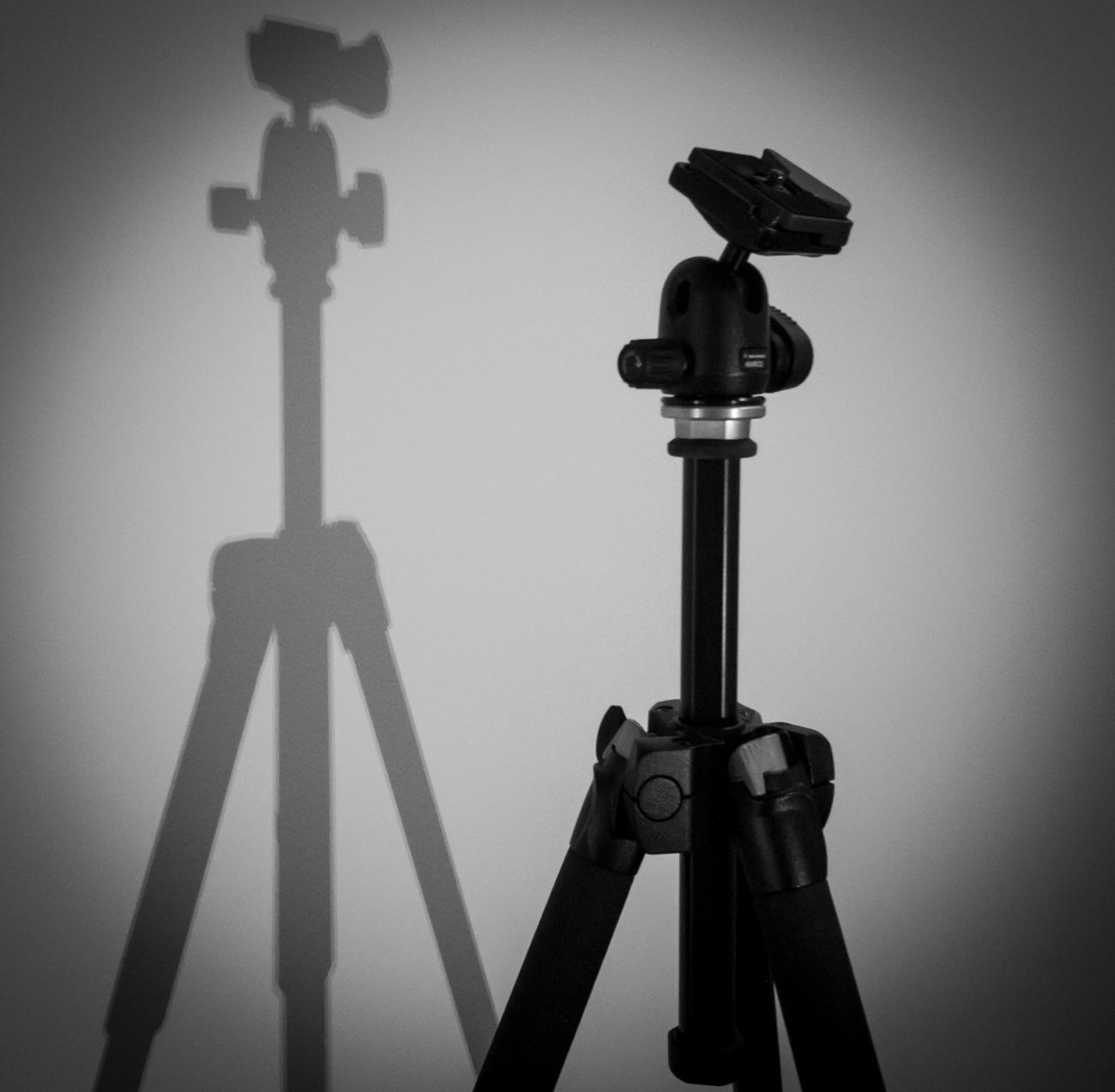
    3  Use a tripod


    This one is obvious. After all, if you don’t have to hold it then it’s not likely to move. Right?
    Well yes and no and I’ll explain in the next tip but for now putting a camera on a tripod is always going to be better than hand holding.

    Nowadays there are lots of different tripods out there. Some are designed for different applications and cameras.

    For a mirrorless, compact or DSLR cameras there is a few considerations such as the weight, ease of use and sturdiness.
    And it also depends on the use. As an example, I have 3 tripods, a studio tripod that never leaves the ‘studio’ a heavy duty one that I use for assignments and a lightweight one which I take travelling or on assignments where weight is an issue.

    For smartphone cameras, there are also a lot of choices but they are usually chosen on convenience. I use the Joby Grip Tight Micro Stand, a great little find that has a mini stand. It can also be fitted to a standard tripod head.


    4 Use the timer


    The other main reason for camera shake is the shutter button action. When you press down on the shutter button the camera moves. Even if you are gentle it still moves. Of course, if you have a fast-enough shutter speed then it’s not a problem but if you are shooting in low light then it will create vibration which equals camera shake

    Another option is to use the timer. In all seriousness, you wouldn’t use the timer if you were hand holding. The idea is to use it when on a tripod or if you have the camera mounted on something sturdy.

    Most cameras have 2 or 3 timer settings. Use the lowest unless there’s some reason you need time like taking a self-portrait. After all, 2 seconds is not a lot of time to get into position.


    5 Use a remote


    For the same reason as the previous point (5) using a remote will take that that heavy human press out of the equation.
    There are a lot of types of remotes out there.
    From the old-school release cable for a DSLR to using a smartphone app to trigger your mirrorless camera to using a Bluetooth remote trigger for your smartphone.

    Choose the one that is right for you or choose a couple for different applications.


    Did you understand all that? I’m happy to clarify anything you’re not sure of.

    Just post in the comments section below. Don’t be shy.

    While you are at it why not subscribe for future updates below.

    You’ll get my free guide “Eleven easy ways to improve your marketing photography”.

  • Understanding the 3 points of the exposure triangle

    Understanding the 3 points of the exposure triangle

    So, what is the exposure triangle?

    Well the exposure triangle is the relationship between aperture, shutter speed and ISO.
    Each one affects the other.

    OHM’s Law

    Remember Ohm’s law? Well if you don’t (I’m not even sure they teach it at school these days).
    It’s basically an electrical equation V Volts (power) = R Ohms (resistance) x I Amps (current) and if you change one you change the other.
    If you know the power and the resistance then by changing the equation to Volts ÷ Ohms = Amps, you can work out the current (amps).

    Understanding the 3 points of the exposure triangle

    It’s the same for the exposure triangle.

    The Three Points of the Exposure Triangle

    1. Aperture

    Aperture is a hole that lets light in. The bigger the hole the more light you let in.
    What does that mean?
    It means the smaller the hole the more in focus – the bigger the hole the less in focus.

    Let’s say you took a picture with a setting of F2.4. Because the size of the hole is inversely proportional to its setting that’s a large hole. The subject will be in the focus but the background will be blurry.

    But if you took a picture with a small hole e.g. a setting of F22. then everything will be in focus. That’s not strictly true as the amount in focus starts at the point at which you are focusing the camera out towards, potentially, infinity. 

    2. Shutter speed

    This is an easier one to grasp.
    As with the aperture, the longer the shutter is open the more light you allow in.
    Shutter speeds are measured in fractions of second to seconds.
    So, a shutter speed setting of 1/100 is one hundredth of a second or .001. A setting of 5 is 5 seconds.
    However, the effect is totally different from the aperture. A fast shutter speed will generally freeze motion e.g. sports. Whilst a slow shutter speed will blur motion e.g. a fluid looking waterfall.

    3. ISO

    ISO stands for International Organization for Standardization and in the film days was an indicator of how sensitive to light a film was.
    An ISO 400 film was 4 times as sensitive to light than a ISO 100 film.
    On digital cameras that sensitivity is for the camera sensor. When the ISO is increased or decreased you are in effect, making the camera sensor more or less sensitive to light.
    ISO 100 being the least sensitive whilst ISO 25600 plus is the most sensitive.

    Practical Example

    So, there you have the three points of the exposure triangle.

    I’ve already mentioned how each one affects the other but let’s see how that affects, for example, Product photography and look at a couple of specific examples.

    OK, so we’ve got this new beaut product that we want to take to the market place and we want to create some really cool images to use for marketing.
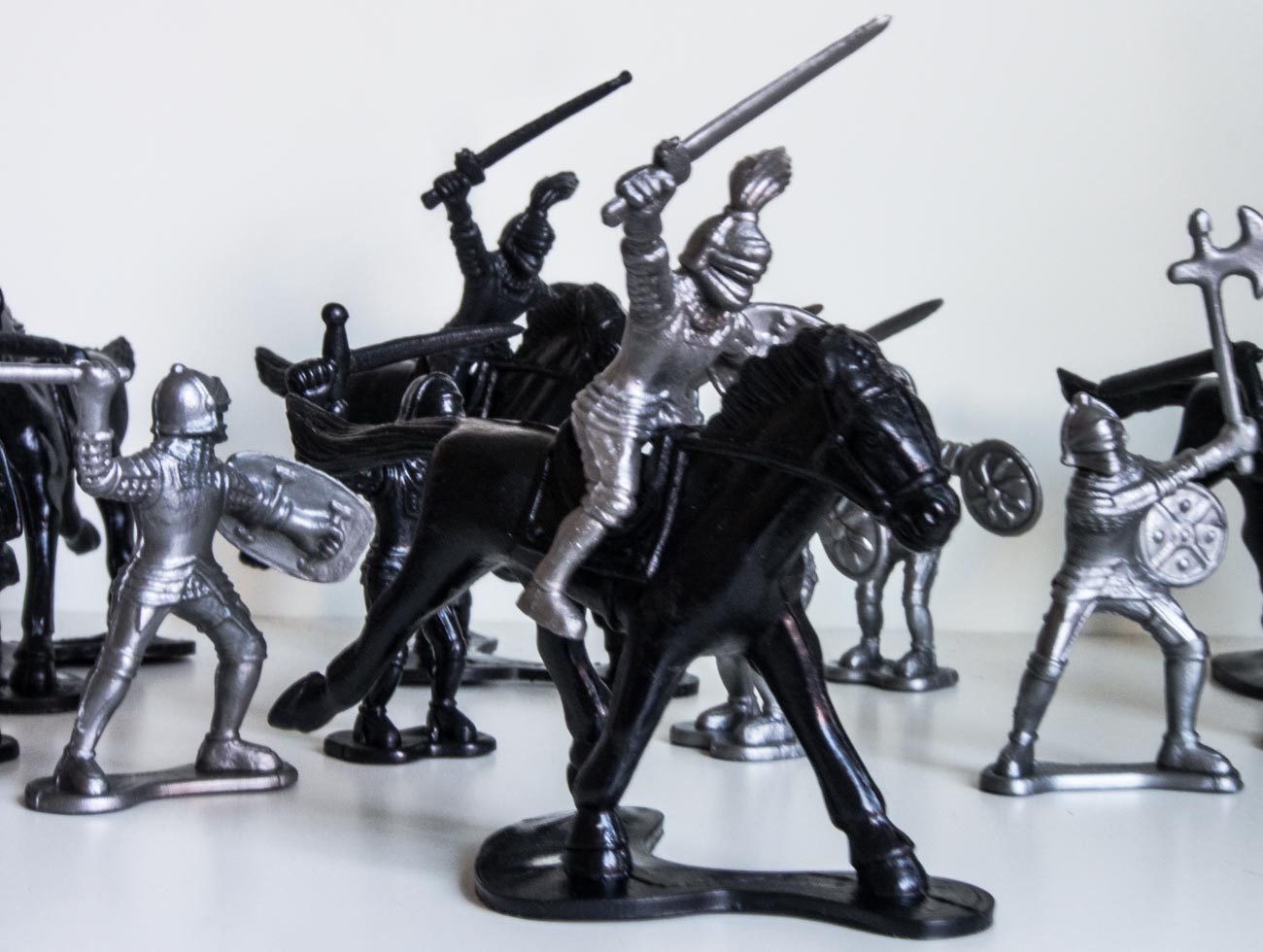
    Let’s say it’s this toy soldier
    We’re taking the picture inside which is fairly bright, even though we’re using just natural light. To make sure we get a properly exposed image we are going to take a couple at different settings.

    Understanding the 3 points of the exposure triangle

    The first image has an aperture of f5 and a ISO of 800 whilst the camera has calculated the shutter speed.
    You can see everything is in focus and the light looks fairly normal.
    But look closely and you’ll see that it looks a bit soft e.g. slightly blurred?
    That’s because the shutter speed is too low at 1/20 which means I couldn’t hold it still enough.

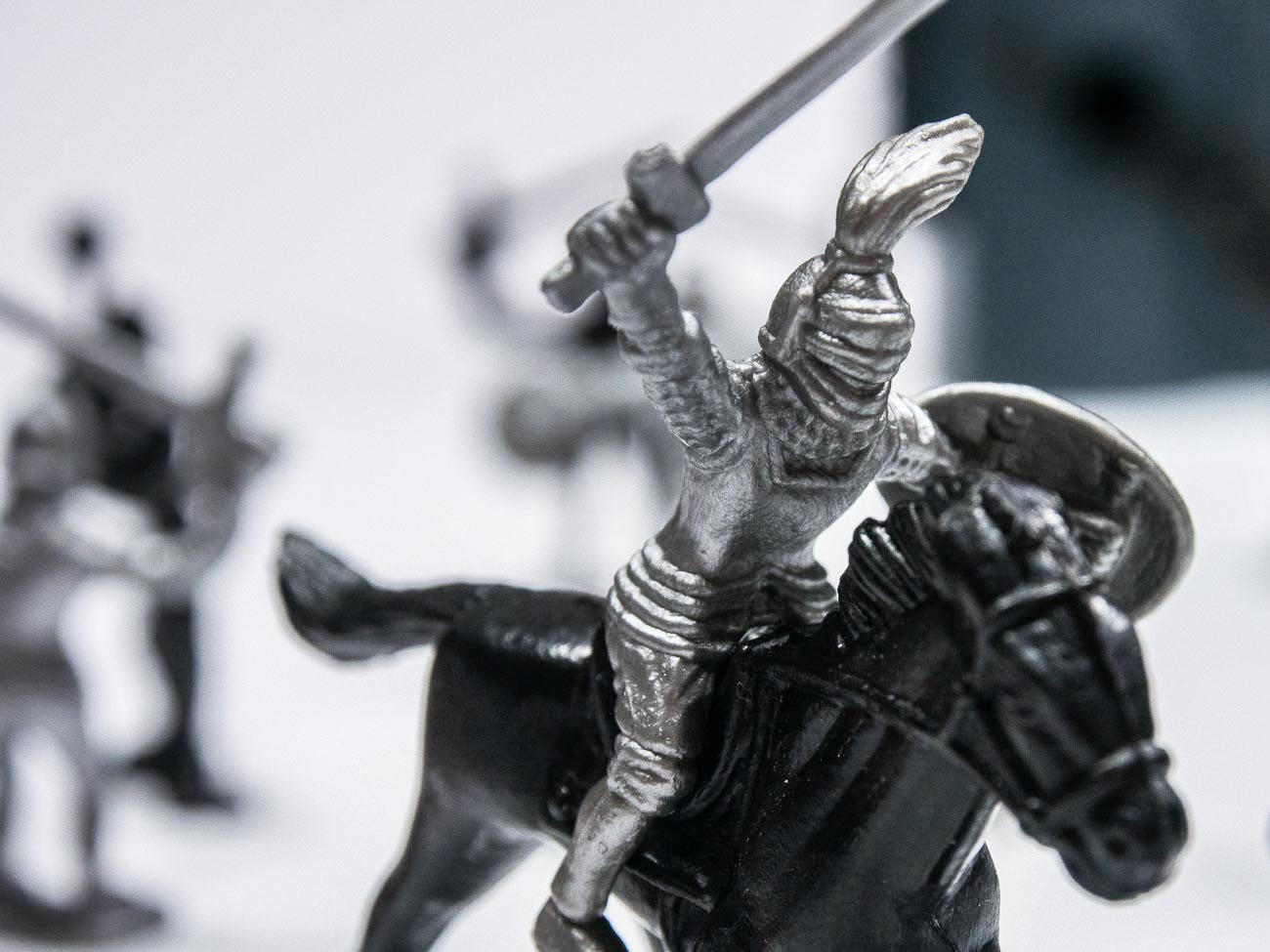
    Understanding the 3 points of the exposure triangle

    The second image had an aperture of f1.2 and a ISO of 2000. Here you can see that the soldier is in focus whilst the background is blurred (bokeh).
    That’s a fairly common way for ensuring that the spotlight is on the product and not distracted by the back ground.

    Because of the high ISO the shutter speed is 1/200 which means the image is much sharper.
    That’s because the shutter speed is now 10 times as fast and is a bit more forgiving.

    As an aside if you think you can hold a camera still regardless, think again. Our hands move without us knowing.

    [mailerlite_form form_id=7]

    However, the disadvantage of having a high ISO is that the image could have noise which may or may not be an issue.

    As a rule of thumb, with newer cameras the higher the maximum ISO setting on the camera the less likely noise will occur at lower settings. E.G. The OMD1 MKII Mirrorless Camera that I have, has a maximum setting of 25600. Realistically I don’t really see any noise in an image until around 1000. Compare that with my Galaxy S8 Smartphone Camera that has a maximum ISO of 800. With this one I notice noise at around 400 ISO

    Of course, there are ways of reducing or getting rid of noise in post-production with software like Adobe Lightroom. So, it’s not that a big issue.

    Below are two examples of noise from two different cameras.

    Understanding the 3 points of the exposure triangle
    Understanding the 3 points of the exposure triangle

    There you have it, that’s the exposure triangle.

    Did you understand all that? I’m happy to clarify anything you’re not sure of.
    Just post in the comments section below. Don’t be shy.

    Thanks for reading this article

    There must have been something that piqued your interest.

    Is it that you see yourself taking some great travel photos that you can share or display?

    Or is it you can see yourself reliving your travel experience by bringing home some emotive travel photos?

    Maybe you aspire to getting your travel photos published.

    If one or all of these is YOUR goal, I can help.

    If you sign up in the box below you’ll get my free eBook “9 ways to improve your Travel Photography”. At the same time, you will also subscribe to my Travel Photo Tips Newsletter.

    Remember if you want to take great travel photos

    •   that you can share and display.

    •   that help you relive your travel experience

    •   give you a chance to have your travel photos published

    then sign up below and subscribe to my Travel Photo Tips Newsletter and for your trouble get my eBook “9 ways to improve your Travel Photography”

    [mailerlite_form form_id=7]

    Any questions then please write your comments below or contact me here and please say hello at these places:

    FacebookTwitterInstagramLinkedIn:


  • 7 Ways Good Photography Equipment Can Help You Create Great Marketing Images

    7 Ways Good Photography Equipment Can Help You Create Great Marketing Images

    7 ways good photography equipment can help you create great marketing images


    I’ve said in a “Why selecting a new camera is like selecting a new date (or TV)” that it’s not the camera but the person with their finger on the shutter button that makes or breaks a great photo.

    Well just to contradict myself, sometimes it is the gear.

    Having certain equipment can give you shots that you may not be able to get without it.

    A sports action photographer won’t get some of the shots he would like if the auto focus in his camera is slow.

    Fashion photography requires excellent lighting.

    Top quality landscape photographers usually use a tripod and high resolution cameras.

    Cameras with more settings will generally have more flexibility and therefore give the photographer choices.


    Let’s look at what equipment can give you:


    1 Artistic opportunities.


    It gives opportunities to create something imaginative.

    For instance, with some of the filters that are part of almost every camera today, including smartphones, you have options to give your image a Grainy Film, Pop Art or Sepia old worlde tone look.

    The image below is a combination of a couple of filters.


    7 ways good photography equipment can help you create great marketing images


    2 Freeze motion


    When you are taking images of an event that has motion you generally need a high number of frames per second (FPS) to capture several images at a time.

    Some cameras have high FPS and some lower and that can make a big difference.


    3 Blurring motion


    Conversely if you wish to blur motion then you need a camera that will allow a slow enough shutter speed.

    That may not always be possible especially in bright light. So, a ND (neutral density) filter can be added so that the amount of light entering the camera is reduced.


    4 The ability to take images in low light part 1


    There’s no doubt that modern cameras can almost see in the dark.

    However not all cameras are created equal. Even though there are cameras that have ISO rating in the 100’s of thousands they may not give the crisp clear images you want.

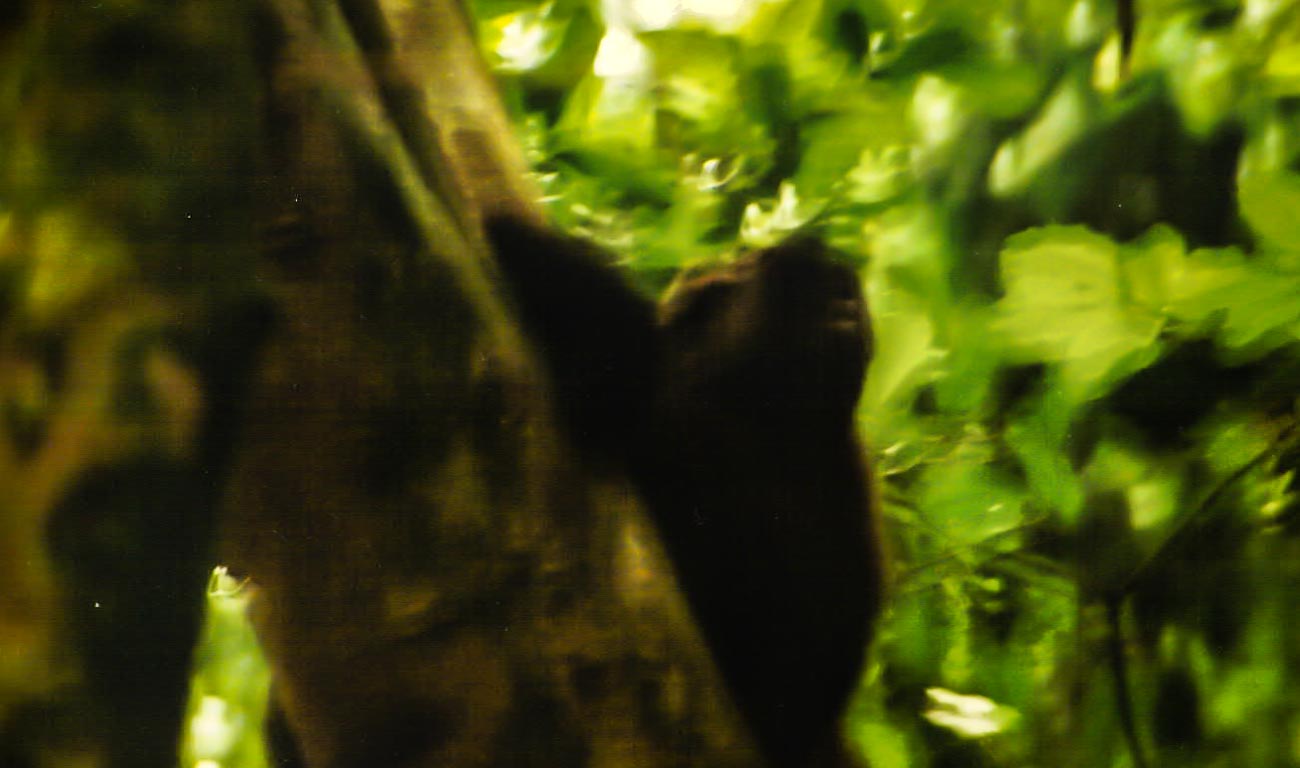
    Why is ISO that important? Well to give you a personal example; when I was first learning photography, back in the film days, I was on a gorilla safari in Uganda.

    The forest we were in was dark and as we got a view of the gorillas I snapped away not understanding that I should have had a film with a much higher ISO. 

    The images were developed some time later and were so disappointing.


    7 ways good photography equipment can help you create great marketing images


    Blurred because the camera had a slow shutter speed due to the lack of light.

    A priceless experience that was never properly recorded!

    Before digital, the ISO rating you had on the film meant that you were locked in for however many frames there were e.g. 36. Now you can change the setting per frame.

    Film also only went up to around 1600 and even then, you got a grainy image which is OK if you want to depict a moody grainy photo but not so good if you wanted something crisp and clean.

    So, yes, some cameras will give you some great images and high ISO negating the need for tripods or other ways of holding the camera still but not all.

    My wife’s camera (granted it’s a few years old now) is ok up to 1600 after that the grain is quite noticeable.

    On the other hand, the Olympus OMD5 I have is great up to about 6400.


    5 The ability to take images in low light part 2


    Image stabilisation can really help if you need to take images in low light or with slow shutter speeds. In some cases, that can eliminate the need for a tripod.
    I first saw image stabilisation in Namibia on safari. A photographer had a lens with image stabilisation and he could take images without the need for a tripod in fairly low light. This was 20 years ago when I was first learning photography and that blew my mind!


    6 The ability to take images in low light part 3


    I’ve always hated carrying and using a tripod but now with these lightweight models and the fact that the cameras are now a lot smaller and weigh less it’s not so much of a burden to carry one. Using it – well that’s still another matter but I will say if you are taking images of products especially in low or artificial light then it’s a valuable tool.

    With a tripod, you can take yourself out of the equation and with a wireless (or wired) remote you can take images of subjects reasonably stress free and creatively.


    7 Bokeh


    Bokeh is the term used for making the subject stand out from its background by ensuring that the subject is in sharp focus and that the back ground is blurred.

    The right equipment can allow you to create an image with great Bokeh.

    The equipment for this is a little more complex. If you have a full frame camera, then it’s relatively easy with even the package lens to get a reasonable bokeh.

    Where it gets tricky is with mirrorless (there is the odd full frame mirrorless but for this purpose, we’ll cater to the majority).

    Any none full frame camera is very much dependent on the lens and couple of other factors like distance and zoom.


    So, that was my alternative view on the importance of equipment.


    Do you agree?


    Let me know in the comments section below

  • The essential feature to have on your camera

    The essential feature to have on your camera

    This follows on from my previous post Why selecting a new camera is like selecting a new date (or TV).

    Over the next few weeks I’m going to suggest some essential features you need to consider having when you are in the market for a new camera or even mobile phone with a camera.

    At the end of each feature I’ll give a rating out of 10 – 10 being must have.

    At the end of the series if you haven’t had time to read them all then you can scroll to the bottom of the last in the series and get all four in a PDF.

    When we were in the market for a new TV, we discussed all the different features and benefits with retailers and become absolutely confused by salespeople in different shops telling us something different about the same TV.

    For example, one would say this TV doesn’t have Freeview plus whilst another would say that it does.

    In the end I researched on each manufacturers website and even rang them to ensure that the information I had gathered was accurate.

    After doing that we went and bought the TV we wanted.

    So what about the features and benefits of a new camera?
    Well compared to TV’s I think there way more things to think about and personally I believe that there are too many features that are just not needed!

    So over the next few weeks I’m going to suggest some essential features you need to consider having when you are in the market for a new camera or even mobile phone.

    At the end of each feature I’ll give a rating out of 10 – 10 being must have.

    At the end of the series a free cheat sheet for will be available for you to have on hand when you need it.

    So let’s start with absolute must!!

    Mechanical Exposure controls
    Usually on most cameras there are a P, A, S and M modes.

    However, on small compacts there usually is only a P mode and on smartphone cameras, even the best ones, they don’t yet have the option to adjust the exposure the “old fashioned way”.

    So what’s with the “old fashioned way”? Well without going into a great deal of details on how a camera works, I’ll explain:

    All cameras have an aperture and a shutter. Both allow light into the sensor but differently. The aperture allows in light by changing the size of its hole, the shutter allows in light by the speed of its movement.

    Having the option of being able to control both or at least one of these is one of the keys to getting great photography.

    So what do all these letters mean?

    P stands for program and is basically a slightly more sophisticated way of shooting in auto.
    The camera decides which aperture and shutter speed to use but you can also weigh in by using what’s called in the industry “shift”.

    A stands for aperture priority and S stands for shutter priority.
    In both these modes you control one whilst the other one is controlled by the camera. Most pro photographers depending on their specialisation will shoot in aperture priority.

    M is where you have complete control you set both the aperture and the shutter speed and is not something a beginner would dabble in until they have goCamera_0216_017t some experience with the other modes.

    Confused?

    Let’s simplify. Basically if you want to take a photo of a product with all the background blurred than you would need to adjust the aperture.

    If on the other hand you want to take a photo of movement, say one of your dance students practicing or performing then you would more than likely want to adjust the shutter to capture the type of movement you want.

    So It’s really handy to have that degree of control.

    What’s that you say?

    You’re only beginning so you just need auto.

    That’s fine however I would suggest that if you really want to create images that represent your brand then at some time in the future you will need a greater degree of control.

    One additional control that goes hand in hand with exposure is ISO adjustment.

    In fact the aperture, shutter speed and ISO are called the exposure triangle.

    That is to say that adjustment of one affects the other two.

    With each camera manufacturer trying to outdo each other, the ISO on a top end DSLR can now be adjusted to over 400,000 which is crazy, as now the camera can take pictures in the dark!

    When you change your ISO setting, you’re adjusting your camera’s sensitivity to light.

    ISO settings are normally anywhere from 100 to 10,000 (or higher), and these numbers have a direct relationship with the device’s sensitivity and therefore the aperture and shutter speed, so a lower setting means you need more light whilst a high setting needs less.

    Rating: A or S is 10/10

    So did you understand all that? I’m happy to clarify anything you’re not sure of.
    Just post in the comments section below. Don’t be shy.
    While you are at it why not subscribe for future updates here.
    You’ll get my free guide “Eleven easy ways to improve your marketing photography”.