Katin Images Travel Photography

Travel Photos, Travel Photography Tips and Software

Category: travel photography

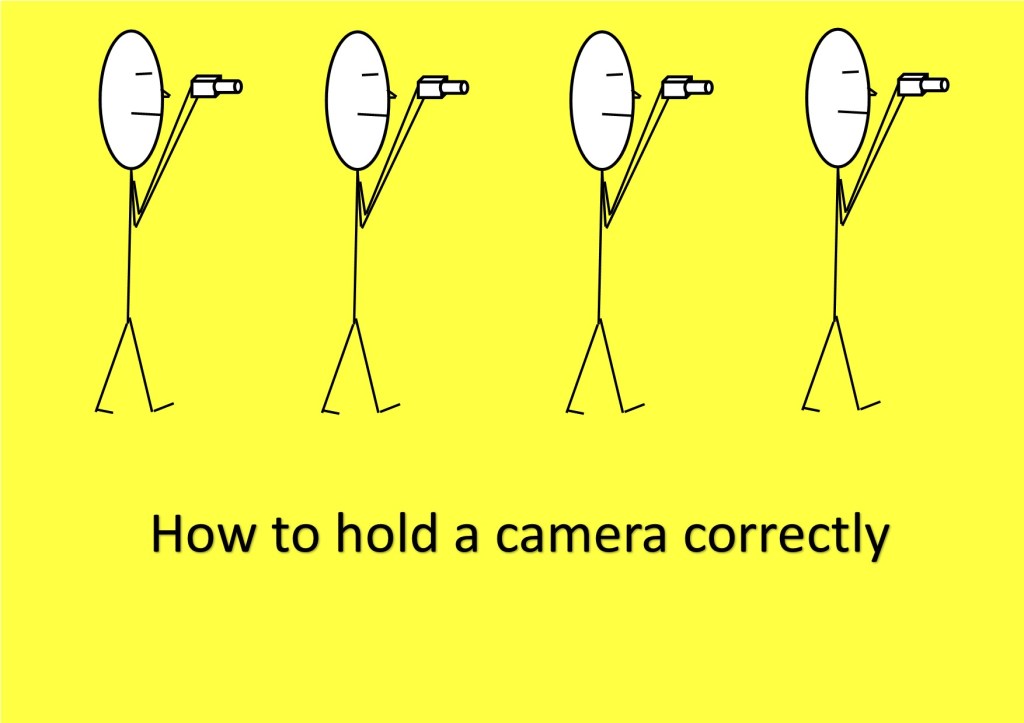
  • How to hold a camera correctly

    How to hold a camera correctly

    So, you think you can hold a camera or smartphone correctly? Well how do you know?

    Take a good look at your photos.

    No, not on the camera or phone screen but on your PC, Mac or Laptop. Even a tablet is better than a smartphone or camera screen but the bigger the better.

    Now does it look really sharp or does look a little bit blurred (the industry phrase is “soft”) in parts or may even a quite a bit blurred?

    If so, there is a good chance you are not paying enough attention to the fact that a camera moves when you hold it. Now that’s not the camera moving on its own but you moving it.
    Got It?

    Now there are several techniques to overcome this but I’m going to basically cover how you should be holding your camera and smartphone.

    Let’s start with the camera.

    • If it has a view finder – then use it! When you use the view finder you are putting the camera up to your face and therefore bracing it on your face.

    Now to add to that, tuck your elbows in against your side.

    • Ok so it doesn’t have a viewfinder or you don’t want to use it! The overwhelming majority of people ta king pictures using the view finder do not hold it correctly and consequently having pictures that are ‘soft’.

    If you have studied physics you will know what the pendulum theory is. Holding the camera at arm’s length creates a pendulum effect and ‘soft’ or blurry photos unless the light is very good and you have a high shutter speed.

    So just like using the viewfinder tuck those arms in against your sides and bring the camera closer to your eyes.

    • For either situation, depending on the weight of the camera, grip one side with one hand usually the right where the shutter button is and the position the other hand underneath the body or if it’s a fairly long lens then under the lens.
    • Ideally you want to stand with your legs shoulder width apart so that you well grounded.
    • If there happens to be a handy surface, say a wall, rest the camera on that.
    • Or you can support yourself against a vertical surface such as a tree or a wall if practical.
    • The portrait position is similar for both the viewfinder and rear screen.
      You just need to decide which side is more comfortable for the shutter button. The shutter speed at the bottom is the most practical so that you can use the bottom to help support the bottom of the camera.
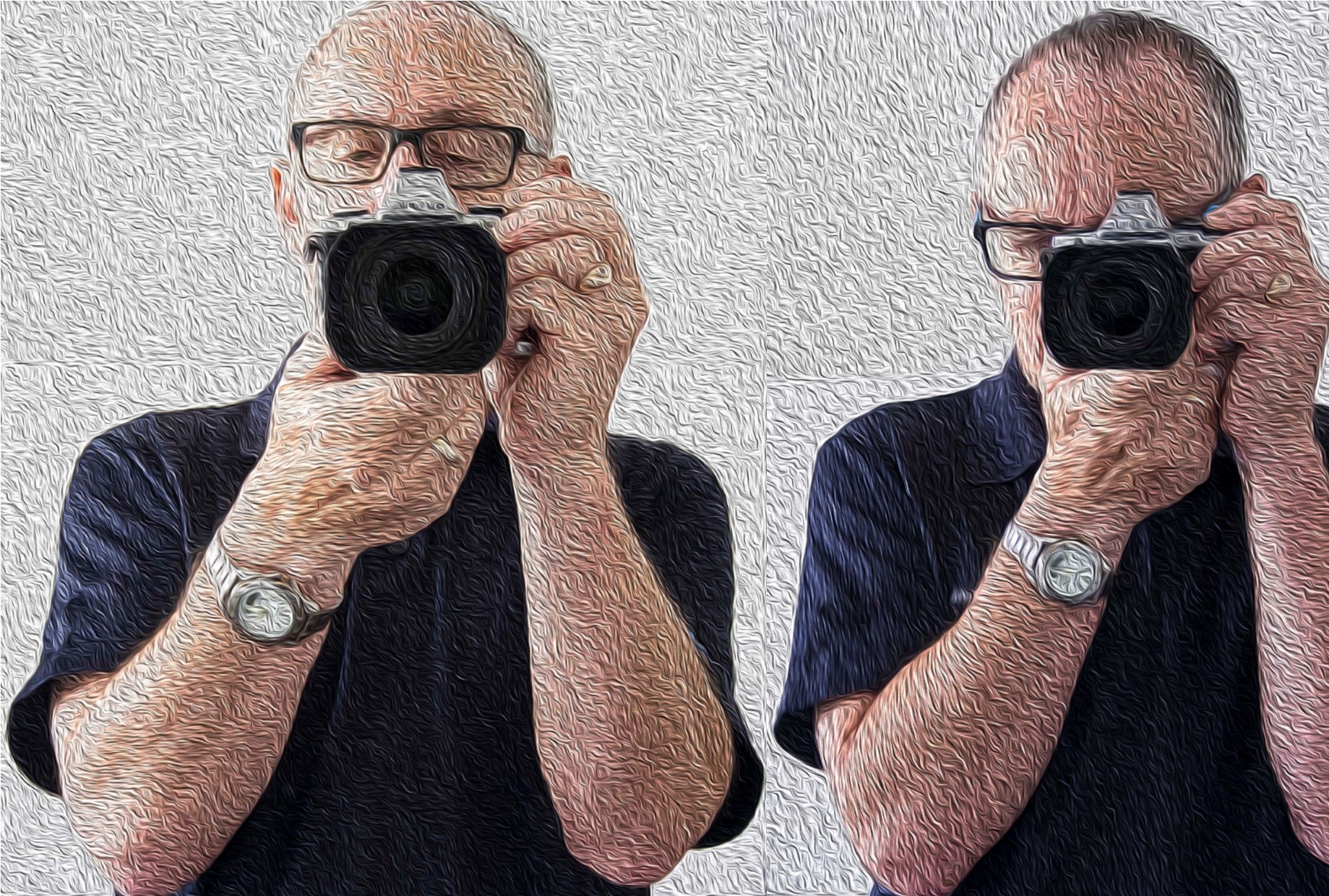
    How to hold a camera correctly
    Camera Holds

    Ok now the smartphone

    • Most smartphones these days have the option to operate the shutter with a physical button like a volume control instead of tapping the screen.
      So, if you have that option then use it! Especially for the landscape position.
    • As with a camera most people using a smartphone camera often don’t hold it correctly. So tuck in your elbows
    • Use both hands. It gives me nightmares watching some people take photos one handed. With a smartphone, you need to use 2 different handling techniques.
    • In the horizontal or landscape position hold it with your hands in the same spot on each side. With whatever hand you are using to press the shutter button make sure you have that trigger finger free so that you can tap the virtual shutter or press the physical shutter button.
    • Now the vertical or portrait position is bit trickier.

    If you are using a physical shutter, then hold the phone with whichever side it’s on and curl it around the back below of course the lens with the thumb operating the shutter.
    The other hand can hold the bottom of the phone with the index finger and thumb.
    For a virtual button the difference is that it’s the hand at the bottom that presses the virtual button and can’t in that case grip the bottom of the smartphone at the same time.

    In all honesty when in portrait mode, it’s often better to use the virtual button.

    How to hold a camera correctly
    Smartphone Holds

    In some situations, you may not be physically vertical. You may have to lie or sit to take the photo. If you are lying down, you have the added support of the ground or floor but you need to rest the elbows on the ground or you will end taking a steady of image of the ground which may not be your intended subject.

    If you are sitting, then usually there is something you can rest the camera on.

    Of course, there are lots of ways to avoid that blurry or soft photo.

    Use a tripod, make sure you have image stabilisation turned on (if fitted), ensure that your shutter speed is fast enough, use the timer and so on. 

    But this piece is just the basics on holding the camera.

    More on those tips on the next post.

    If you have any tips, please don’t be shy just stick ’em in the comment box below?

    Is there anything else that you want explained? Again just ask.

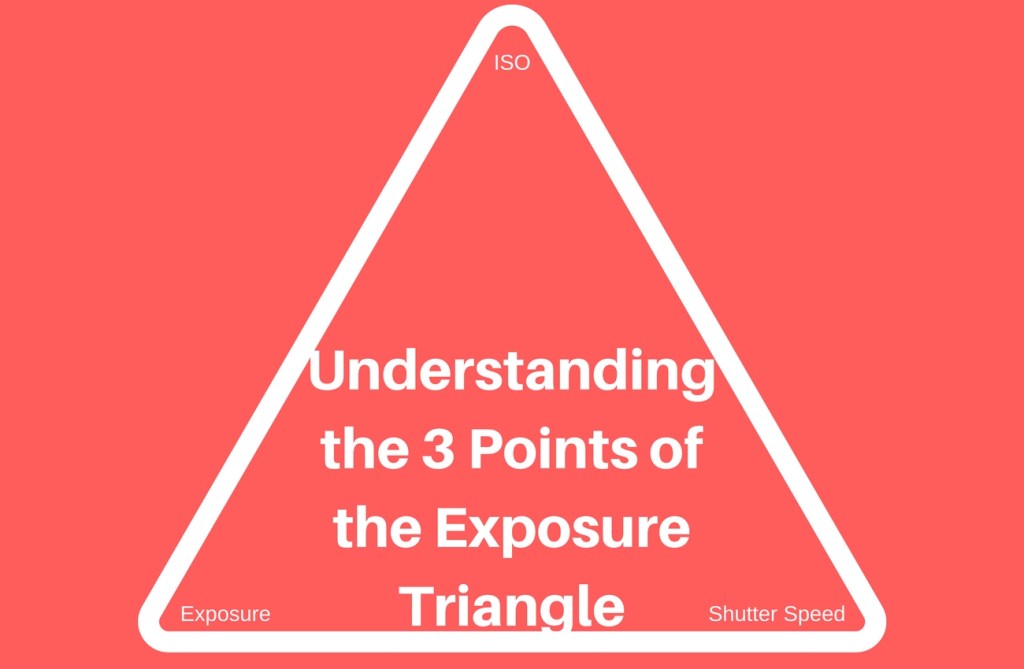
  • Understanding the 3 points of the exposure triangle

    Understanding the 3 points of the exposure triangle

    So, what is the exposure triangle?

    Well the exposure triangle is the relationship between aperture, shutter speed and ISO.
    Each one affects the other.

    OHM’s Law

    Remember Ohm’s law? Well if you don’t (I’m not even sure they teach it at school these days).
    It’s basically an electrical equation V Volts (power) = R Ohms (resistance) x I Amps (current) and if you change one you change the other.
    If you know the power and the resistance then by changing the equation to Volts ÷ Ohms = Amps, you can work out the current (amps).

    Understanding the 3 points of the exposure triangle

    It’s the same for the exposure triangle.

    The Three Points of the Exposure Triangle

    1. Aperture

    Aperture is a hole that lets light in. The bigger the hole the more light you let in.
    What does that mean?
    It means the smaller the hole the more in focus – the bigger the hole the less in focus.

    Let’s say you took a picture with a setting of F2.4. Because the size of the hole is inversely proportional to its setting that’s a large hole. The subject will be in the focus but the background will be blurry.

    But if you took a picture with a small hole e.g. a setting of F22. then everything will be in focus. That’s not strictly true as the amount in focus starts at the point at which you are focusing the camera out towards, potentially, infinity. 

    2. Shutter speed

    This is an easier one to grasp.
    As with the aperture, the longer the shutter is open the more light you allow in.
    Shutter speeds are measured in fractions of second to seconds.
    So, a shutter speed setting of 1/100 is one hundredth of a second or .001. A setting of 5 is 5 seconds.
    However, the effect is totally different from the aperture. A fast shutter speed will generally freeze motion e.g. sports. Whilst a slow shutter speed will blur motion e.g. a fluid looking waterfall.

    3. ISO

    ISO stands for International Organization for Standardization and in the film days was an indicator of how sensitive to light a film was.
    An ISO 400 film was 4 times as sensitive to light than a ISO 100 film.
    On digital cameras that sensitivity is for the camera sensor. When the ISO is increased or decreased you are in effect, making the camera sensor more or less sensitive to light.
    ISO 100 being the least sensitive whilst ISO 25600 plus is the most sensitive.

    Practical Example

    So, there you have the three points of the exposure triangle.

    I’ve already mentioned how each one affects the other but let’s see how that affects, for example, Product photography and look at a couple of specific examples.

    OK, so we’ve got this new beaut product that we want to take to the market place and we want to create some really cool images to use for marketing.
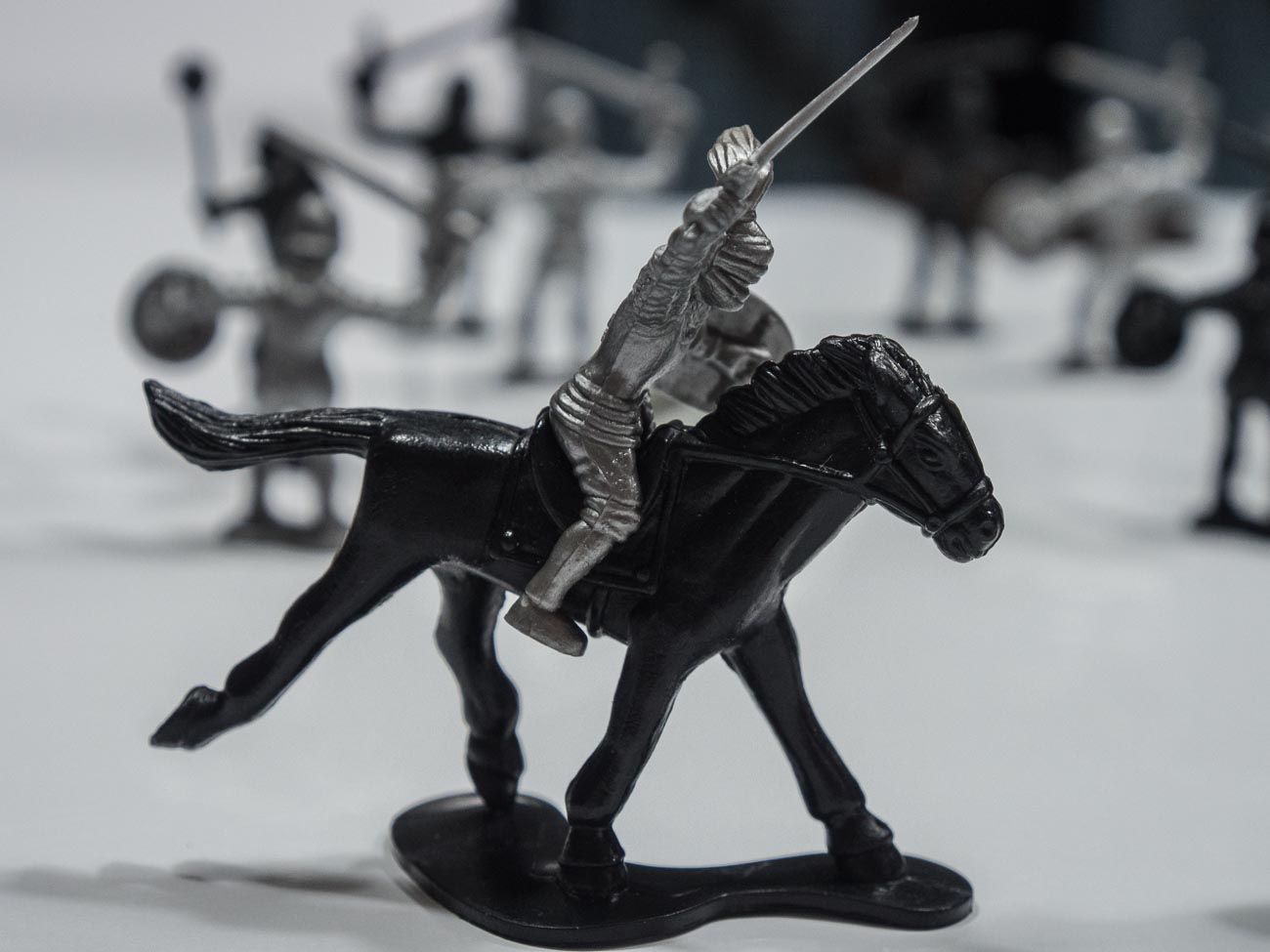
    Let’s say it’s this toy soldier
    We’re taking the picture inside which is fairly bright, even though we’re using just natural light. To make sure we get a properly exposed image we are going to take a couple at different settings.

    Understanding the 3 points of the exposure triangle

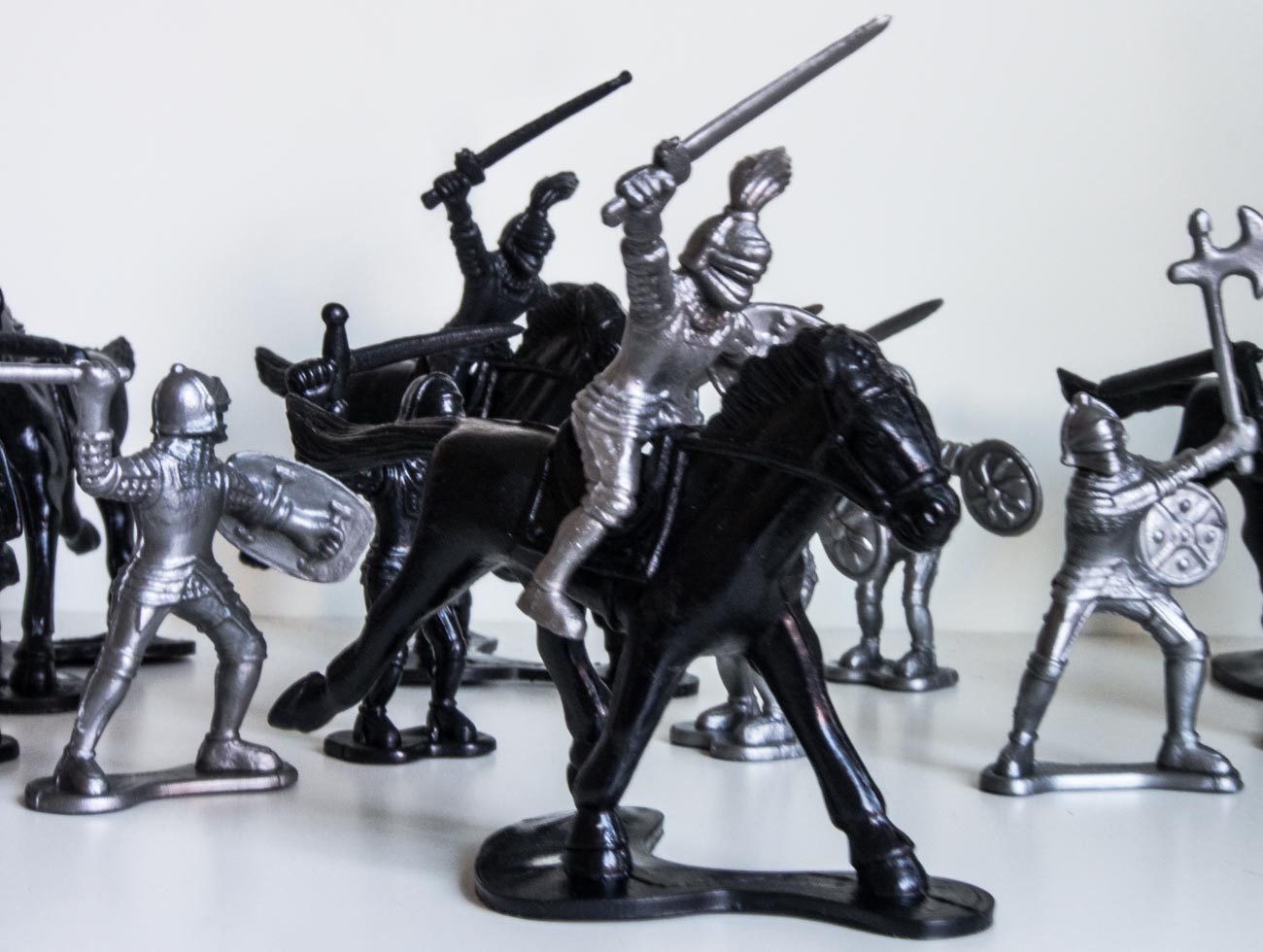
    The first image has an aperture of f5 and a ISO of 800 whilst the camera has calculated the shutter speed.
    You can see everything is in focus and the light looks fairly normal.
    But look closely and you’ll see that it looks a bit soft e.g. slightly blurred?
    That’s because the shutter speed is too low at 1/20 which means I couldn’t hold it still enough.

    Understanding the 3 points of the exposure triangle

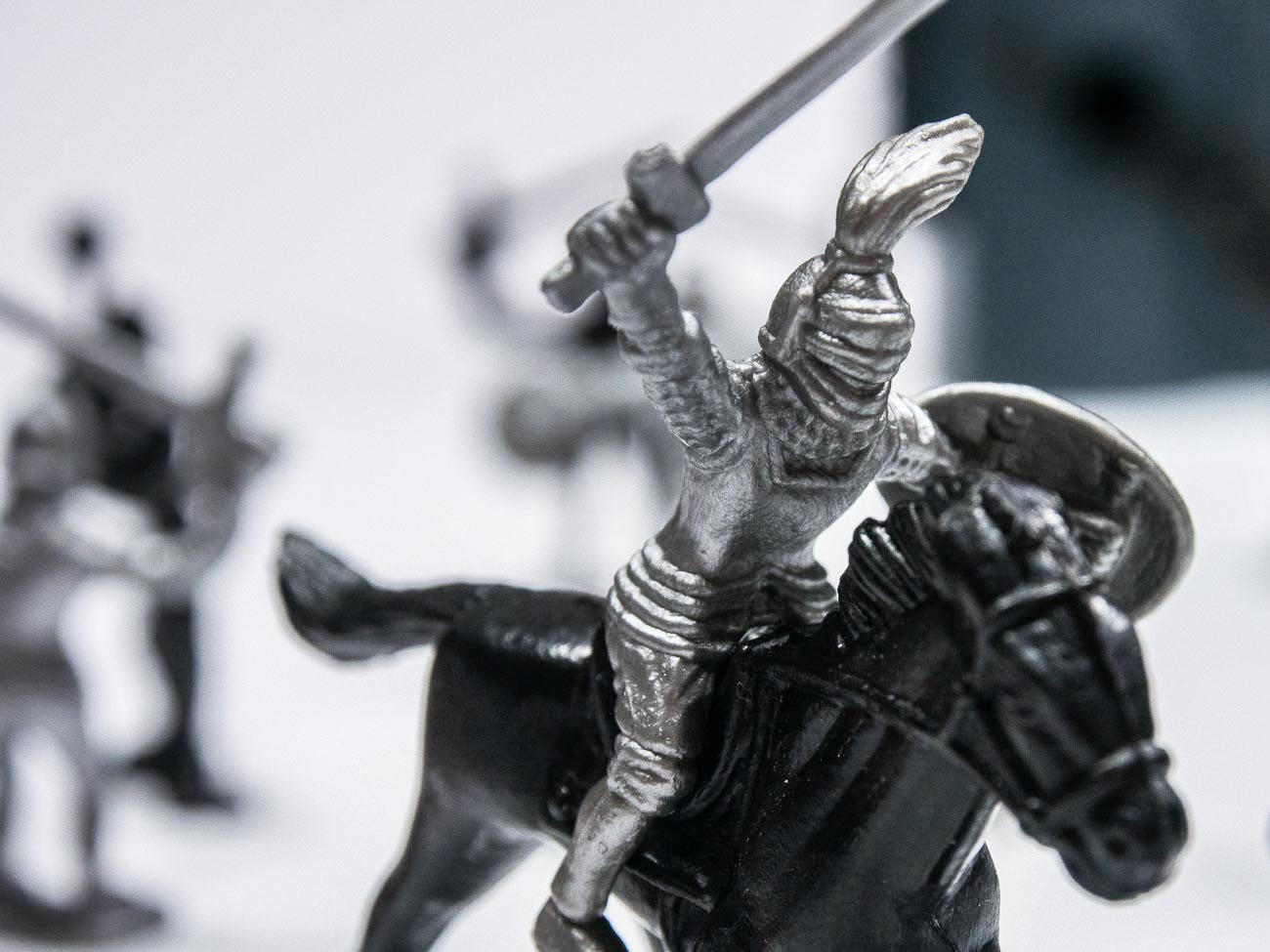
    The second image had an aperture of f1.2 and a ISO of 2000. Here you can see that the soldier is in focus whilst the background is blurred (bokeh).
    That’s a fairly common way for ensuring that the spotlight is on the product and not distracted by the back ground.

    Because of the high ISO the shutter speed is 1/200 which means the image is much sharper.
    That’s because the shutter speed is now 10 times as fast and is a bit more forgiving.

    As an aside if you think you can hold a camera still regardless, think again. Our hands move without us knowing.

    [mailerlite_form form_id=7]

    However, the disadvantage of having a high ISO is that the image could have noise which may or may not be an issue.

    As a rule of thumb, with newer cameras the higher the maximum ISO setting on the camera the less likely noise will occur at lower settings. E.G. The OMD1 MKII Mirrorless Camera that I have, has a maximum setting of 25600. Realistically I don’t really see any noise in an image until around 1000. Compare that with my Galaxy S8 Smartphone Camera that has a maximum ISO of 800. With this one I notice noise at around 400 ISO

    Of course, there are ways of reducing or getting rid of noise in post-production with software like Adobe Lightroom. So, it’s not that a big issue.

    Below are two examples of noise from two different cameras.

    Understanding the 3 points of the exposure triangle
    Understanding the 3 points of the exposure triangle

    There you have it, that’s the exposure triangle.

    Did you understand all that? I’m happy to clarify anything you’re not sure of.
    Just post in the comments section below. Don’t be shy.

    Thanks for reading this article

    There must have been something that piqued your interest.

    Is it that you see yourself taking some great travel photos that you can share or display?

    Or is it you can see yourself reliving your travel experience by bringing home some emotive travel photos?

    Maybe you aspire to getting your travel photos published.

    If one or all of these is YOUR goal, I can help.

    If you sign up in the box below you’ll get my free eBook “9 ways to improve your Travel Photography”. At the same time, you will also subscribe to my Travel Photo Tips Newsletter.

    Remember if you want to take great travel photos

    •   that you can share and display.

    •   that help you relive your travel experience

    •   give you a chance to have your travel photos published

    then sign up below and subscribe to my Travel Photo Tips Newsletter and for your trouble get my eBook “9 ways to improve your Travel Photography”

    [mailerlite_form form_id=7]

    Any questions then please write your comments below or contact me here and please say hello at these places:

    FacebookTwitterInstagramLinkedIn:


  • 10 Vital Facts about Camera Aperture

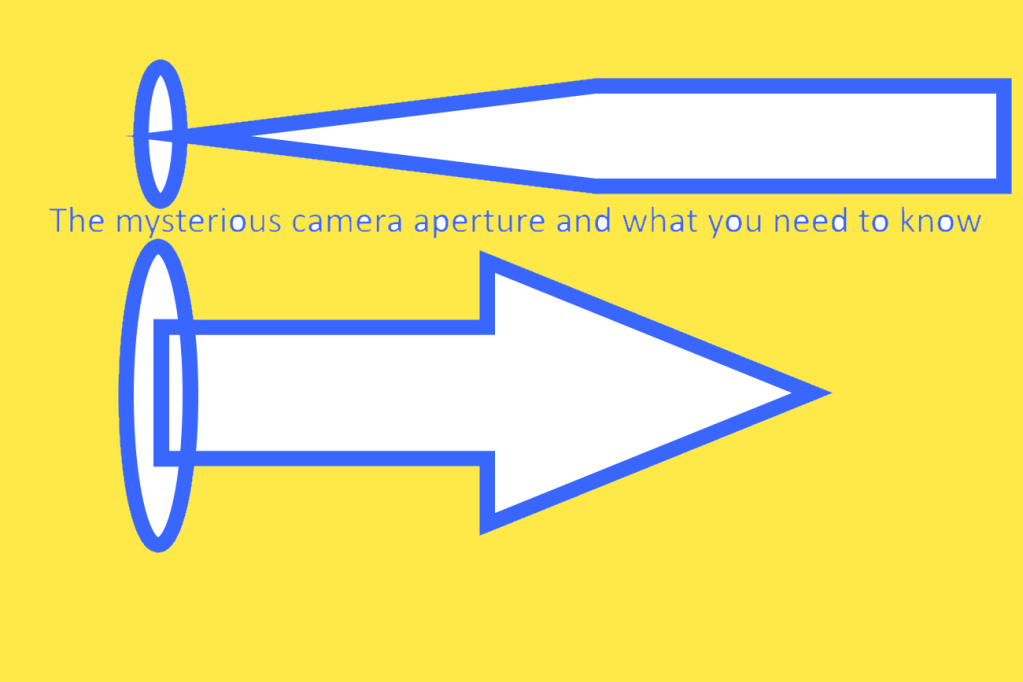
    10 Vital Facts about Camera Aperture

    10 Vital Facts about Camera Aperture

    The aperture of a camera is the centre of the photographic universe.
    Well maybe, the other centre as some would argue, is the shutter.

    No matter, let’s continue as if we haven’t heard Mr ‘some would say’ and show you 10 Vital Facts about Camera Aperture.

    The Aperture and the Heart

    The aperture is pretty much like the human heart, not at a lot goes on in the body without it.

    With your heart, almost everything you do relies on the heart beating at all. Then it needs to beat the correct rhythm to ensure what you want to do can be done.

    It’s often how fast your heart beats that will determine how quickly you can run/walk/cycle up that hill for example.

    So, it is with the aperture.

    If that’s not set properly then the image you get is not what you were expecting.
    Therefore that you won’t be happy with the end result. Especially if the subject you may never get the opportunity to photograph again. 

    So, what’s the 10 Vital Facts about Camera Aperture?

    1. The aperture is hole that allows light into the camera sensor that dictates the end result.
    2. It’s adjustable. You increase or decrease the hole size to get the effect you want.
    3. The amount of light the aperture lets in affects your ability to keep the camera still enough to get a crisp shot.
    4. Contrary to the general belief it’s the aperture not the auto or manual focus that is a major factor in what is in focus and what is not
    5. Aperture is measured in f stops. Confusingly for anyone just getting acquainted with it the lower the number the bigger the hole or opening.
    6. Each f stop doubles the size of the aperture when reduced or halves it when increased.
    7. Depth of field (DOF) is controlled by the Aperture
    8. A large DOF F22 reduces the aperture opening and puts everything in focus from the point of focus to infinity
    9. A small DOF F1.8 increases the aperture opening and just puts the closest item focused on in focus.
    10. The lens you use affects the lowest aperture setting. You may have one lens that will have a minimum setting of f1.8 whilst another could be f4.5

    So why do you need to worry about those 10 Vital Facts about Camera Aperture?

    Well if you are using auto on your camera, you don’t!

    But if you want just a small degree of control then adjusting the aperture is a good place to start.
    Of course, there are filters (and apps for the smartphone users) that you can use to give you some basic creative control.
    But even the best don’t offer the sort of creative control that you can get by understanding how aperture works.


    For example

    This shot of a toy soldier was taken with a large aperture (small f-stop).
    The shot just below was taken with a small aperture (large f-stop).

    If we look at the uses for a small DOF (refer to no 9 above), then you could take an image of, say, someone you came across in your travels. Or it can be anything from a piece of Jewellery to food in the market place.

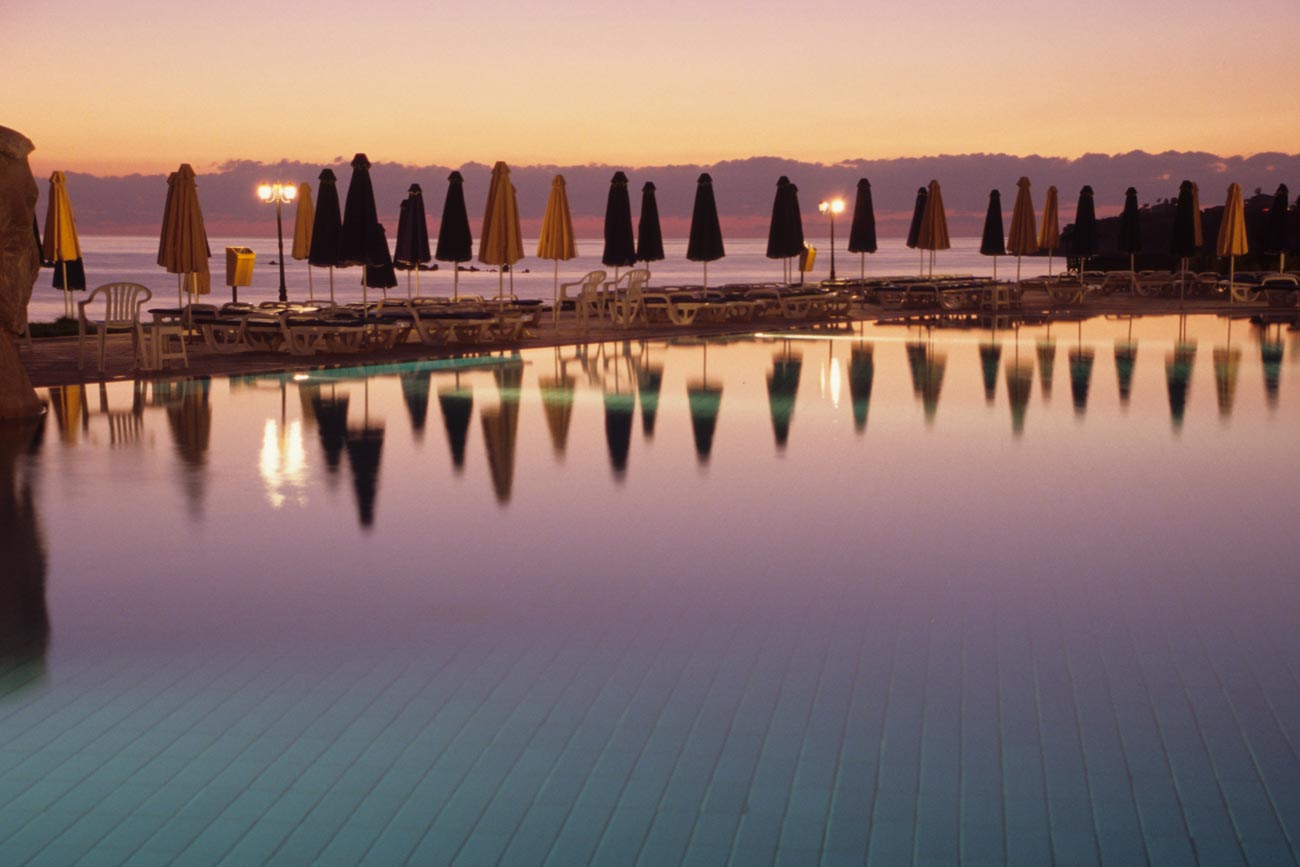
    The main pool at dusk at the Capital Coast Resort in Cyprus

    On the other hand, you could take a wide angle shot with a large DOF (no 8 above) of a building or a landscape with everything in focus with a small aperture.


    Hope you enjoyed reading this post and found it useful

    Please share if you did. Subscribe to nickkatin.com to get my weekly newsletter for exclusive content and to keep[ up to date.

    You’ll get a free e-book for just entering your email on the form below

    [mailerlite_form form_id=7]

    Let me know if you want me to expand or clarify anything.
    For some further reading check out:
    Understanding the 3 points of the exposure triangle
    and
    Learn how to use aperture priority in 15 minutes

    What other challenges do you have with photography and marketing?

    Leave your comments below.


  • The 6 features you don’t need on your camera

    The 6 features you don’t need on your camera

    This is the last in my series features to have (or not have) on your camera

    The previous posts were:

    The essential feature to have on your camera

    4 features you must have on your camera

    8 more features to have on your camera

    If you haven’t had time to read them all whilst you are here for a visit then you can scroll to the bottom and get all four in a PDF.

    I have strong opinion on what you should have on your new (or existing) camera but guess what?
    I have an equally strong opinion on what you didn’t need as well.

    So, let’s get into it:

    1. Picture Styles

    Often there are picture styles, modes or scenes available and they can be countless; Action, Portrait, Landscape, Panorama, Sunset, Candle, Fireworks, Beach & Snow, Fisheye, Wide-angle, Macro etc. etc.

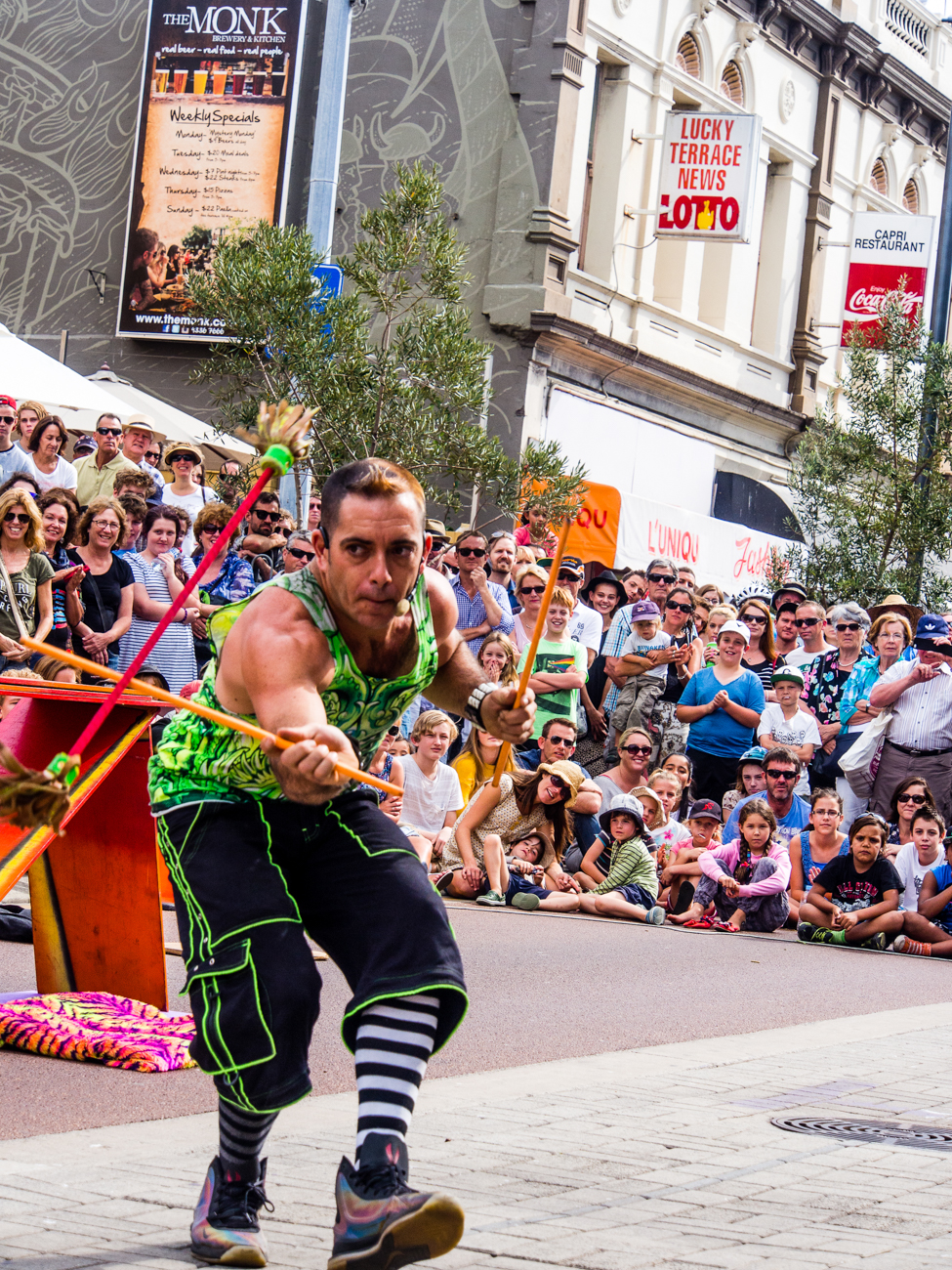
    Some models also give you some tips for certain photo genres in the same mode. E.G. “Tips for flower Photos”The street art act, Dream State Circus at the Street arts festival in Fremantle, Western Australia. the festival attracts over 100,000 spectators over the Easter long weekend.

    What is often not discovered until the camera is used is that some of these modes, e.g. Fisheye, Wide-angle or Macro need to have lens that support those scenes.

    There is one camera that it’s probably better to have some modes available for and that’s a good smartphone camera, like maybe the Samsung or Apple varieties. Most images taken by a smartphone are shared so it can be a shortcut to getting a good image first time.

    Rating: 2/10


    2. 3D

     Here’s a useless option ‘3D Photography’.

    3D TV’s bombed and as far as I can tell there’s not many 3D monitors either, so why would anyone want to shoot a 3D image or video.

    It is used for some specific industries e.g. Computer-graphics, Architecture or Health.

    However, for marketing purposes it’s useless as it relies on the viewer having the equipment to view it.

    Rating: 0/10

     3. Multiple Exposures

     Not so useless but not essential is the recording of multiple exposures.

    Multiple Exposures are photographs in which two or more images are superimposed in a single frame. For marketing images that could be handy although somewhat tricky.

    Some would say that it’s much easier to do it in something like Photoshop.

    Rating: 4/10

     4. Digital Zooms

    Digital Zooms are commonplace at the compact level and all phone cameras have it.
    Personally I avoid using them as much as possible and will use an optical zoom over a digital one.

    What’s the diff?

    Well an optical zoom is a true zoom lens. They produce much better-quality images.

    A digital zoom uses some in-camera image processing. When you use a digital zoom, the camera enlarges the image area at the centre of the frame and trims away the outside edges of the picture.

    The result is the same as when you open an image in your photo-editing program, crop away the edges of the picture, and then enlarge the remaining portion of the photo.

    By using the in camera digital zoom you lose the information around the crop, whilst if it’s cropped during post processing you can keep the entire frame for use later on.

    Rating: 2/10

    5. Face Priority

    My pet irritation is Face Priority. Personally I think it’s a gimmick.

    Originally in small compacts it’s spread its way into phone cameras and now even DSLR’s.

    If you are taking a portrait, then supposedly the camera will aid your focus by detecting the face.

    Really!

    Rating: 0/10

    Like most cities in the USA, Anchorage has a big fourth of July parade. This one was in 2012

    6. Printing

    Printing is on its way back and whilst the option to directly print from the camera could be handy, it’s also generally restrictive, requiring certain functions to be available on the printer.

    At the end of the day, if you are going to do any post processing even if it’s minimal you should be able to print from that software or alternatively take it to a print shop if you are looking for high quality.

    Of course, you can always use the self-service machines that are everywhere.

    Rating: 2/10


    Of course, there are others but they the main ones you will most likely come across.

    Now over to you do you agree with me?

    Do you find some of these useful?

    Any others that could be added to the list?

    As I mentioned in the beginning got no time to read this now? Download all four articles in one document and read both offline and when it suits you.


  • 8 features to have on your camera

    8 features to have on your camera

    “*I Still Haven’t Found What I’m Looking For”

    This follows on from my previous posts:

    The essential feature to have on your camera

    and

    4 features you must have on your camera

    Over the next few weeks I’m going to suggest some essential features you need to consider having when you are in the market for a new camera or even mobile phone with a camera.

    At the end of each feature I’ll give a rating out of 10 – 10 being must have.

    At the end of the series if you haven’t had time to read them all then you can scroll to the bottom of the last in the series and get all four in a PDF.

    1. Being able to turn off Flash. 

    Controversially I used to rarely used flash, preferring natural light.

    Yet the degree of control some of these cameras allow you to have over flash means that it can be used to enhance daylight and improve the image.

    So I use it more and more these days.

    There are options to use flash in several different ways, Fill in, Slow, Red Eye reduction, Auto, Off or On etc.

    But it’s the option to be able to turn it off especially if the camera comes with an inbuilt flash that’s really important.

    Speaking of inbuilt flash. Avoid using them as much as possible.

    The ideal flash should be off camera. Something I’ll discuss in a future post.

    Rating: On camera flash 4/10. Turn off flash 10/10

    2. Focus targeting

    Another option again almost universally supplied is focus targeting.

    Looking through the viewfinder and the rear screen you can bring up a rectangular or square grid of around 30 boxes that you can select to use as a focus target.

    Options usually include single, selected groups or all targets.

    Rating: 6/10

    3. Exposure Compensation

    Exposure compensation is great!

    The ability with just a twist of a dial to alter the exposure or brightness without having to alter the aperture or shutter speed that you’ve already set is extremely handy.

    Of course it has to adjust something so it should only be used for small incremental changes.

    Rating:10/10

    4. Metering

    Metering, whilst another handy option to have, is not used much.

    I think that’s because it’s not understood by most camera buyers.

    That too is a post for another day but suffice to say it’s a must have for the future.

    Rating: 7/10

    5. Image Stabilisation

    Many years ago I met a photographer who was taking clear and sharp images of wildlife at dusk without a tripod.

    That was my first introduction to image stabilisation.

    Basically it compensates for camera shake caused by slow shutter speeds and is a must have.

    Initially they were only available on the lens but nowadays most cameras have it inbuilt. So now you don’t have to worry about what lens to use.

    Again a must have.

    Rating: On camera 10/10

     6. AEL/AFL Lock

    (Auto exposure Lock/Auto Focus Lock)

    I use this option all the time. The ability to be able to lock your exposure and/or focus is invaluable.

    How does work?

    Well usually there is a button on the camera that allows you lock the exposure and or the focus and then recompose.

    When would you use it?

    In lots of situations Landscapes, Portraits, Products, even macro work

    Rating: 10/10

     7. White balance

    What’s white balance I hear you cry!

    Well it’s on every camera these days so if you leave the setting on auto you don’t have to think about it. But (always a but) there are times when auto doesn’t get it right.

    For example, tungsten or fluoro lighting tend to confuse it a bit.
    That’s when you take it off auto and set it to appropriate setting like, duh, tungsten or flouro

    Rating: 8/10

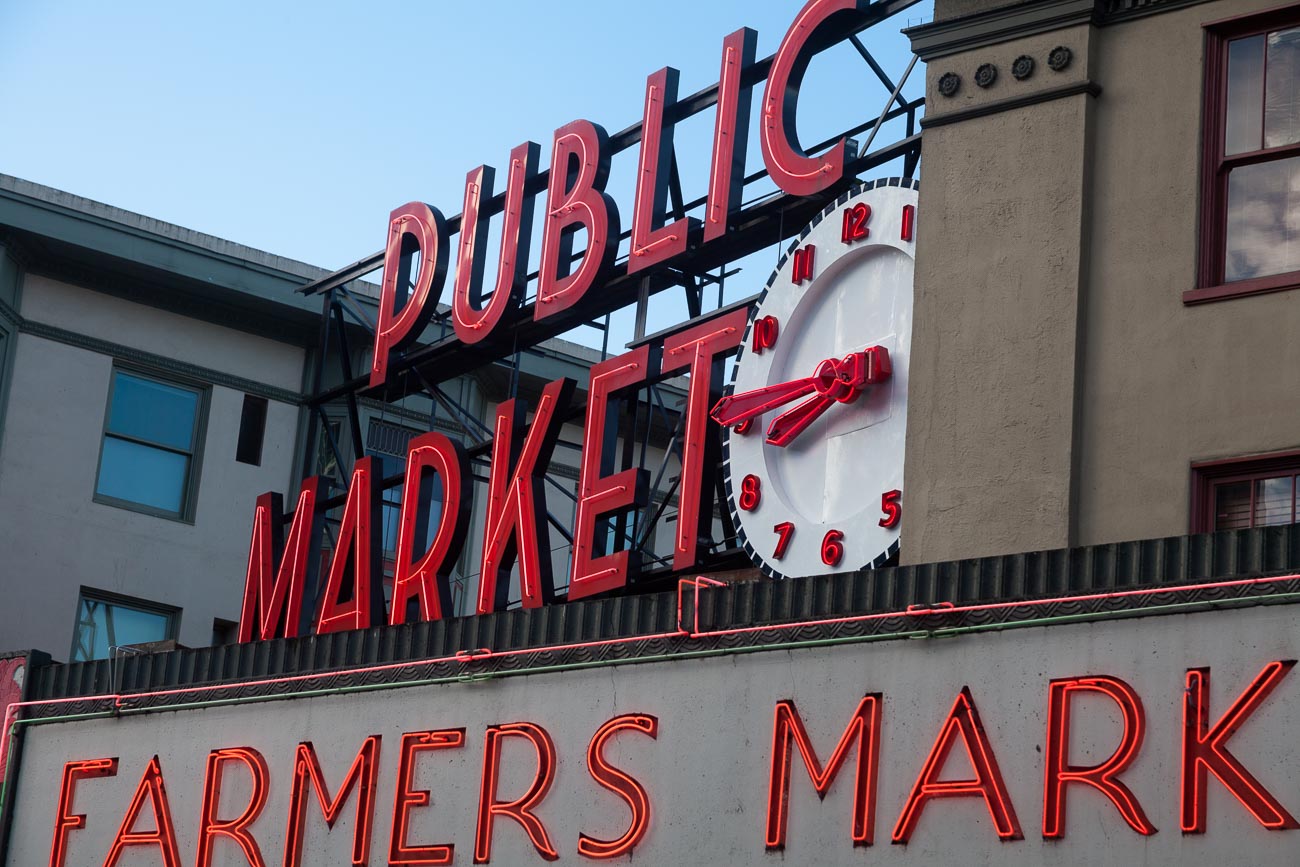
     8. RAW Format (Image Quality)Pike Place markets in Seattle, Washington, USA

    One phrase that is somewhat misleading is the term “Image quality”. Used for having the choice of what format to use i.e. JPEG or Raw.

    I’m not about to expand too much on what the difference is but if you shoot in Raw then you will need to do some post processing whilst JPEG is mostly ready to go.

    That’s simplifying it but to do the argument justice I like to use the analogy of cooking a supermarket bought ready to go meal that you sling in the microwave (JPEG) against a meal that contains the raw ingredients you have bought at the local farmer’s market and prepared and cooked from scratch (Raw).

    The former is what you see is what you get (unless you can’t cook and cock it up altogether). Whilst the latter is a creation that you can manipulate to give you whatever flavour and presentation you like.

    Clear? Another future post maybe.

    Anyway most cameras will give you the option to select either and/or both and other variations.

    But the option to be able to shoot in Raw is a must, if not to use now but in the future!

    Rating: Raw Option 10/10

    So did you understand all that? I’m happy to clarify anything you’re not sure of.
    Just post in the comments section below. Don’t be shy.
    While you are at it why not subscribe for future updates here.
    You’ll get my free guide “Eleven easy ways to improve your marketing photography”.

    *U2, I Still Haven’t Found What I’m Looking For

  • 4 features you must have on your camera

    4 features you must have on your camera

    “*Been dazed and confused for so long it’s not true”

    This follows on from my previous post The essential feature to have on your camera

    Over the next few weeks I’m going to suggest some essential features you need to consider having when you are in the market for a new camera or even mobile phone with a camera.

    At the end of each feature I’ll give a rating out of 10 – 10 being must have.

    At the end of the series if you haven’t had time to read them all then you can scroll to the bottom of the last in the series and get all four in a PDF.

    1. Drive

    Drive selection is the option to select single, continuous or timer shooting.

    Single is one shot each time the shutter button is pressed, whilst continuous can be anything up to 15 frames per second (FPS) which is great for action pictures.

    The self-timer option is great for selfies, however it’s really handy if the self-timer has two intervals.

    A short, say 2 second, interval can be handy to use if on a tripod and low light instead of using a remote cable or wireless device.

    One thing to be aware of is that cameras these days are really mini computers and sometimes there can be a lag if you shoot in continuous, especially in Raw format due to the larger file size.

    Drive selection again is pretty much standard on most new cameras.

    Rating: 10/10


    2. Bracketingbracketing-colour

    I mentioned earlier that I’m a champion for getting the shot right first time in the camera, well bracketing helps this.

    Bracketing allows you to automatically take 3 shots of the same subject at different exposures, usually by one or half a stop each. I.e. aperture and/or shutter speed settings.

    So you take the shot at the setting you think is correct and the camera automatically takes another 2 or even more at different settings to make those images lighter and darker.

    Really handy when taking images of scenes or subjects where there is a lot of contrast.

    Some cameras allow you to bracket at different ISO, white balance and flash settings, which apart from the flash option is a little superfluous.

    Rating: Exposure bracketing 8/10 ISO, white balance and flash settings 3/10


    3. Viewfinder

    OLYMPUS DIGITAL CAMERA

    In the early years of digital cameras, very few had viewfinders thinking that everyone would migrate to the rear screen or monitor on the back of the camera.

    However, the exception to the rule was the DSLR which retained the optical view finder.

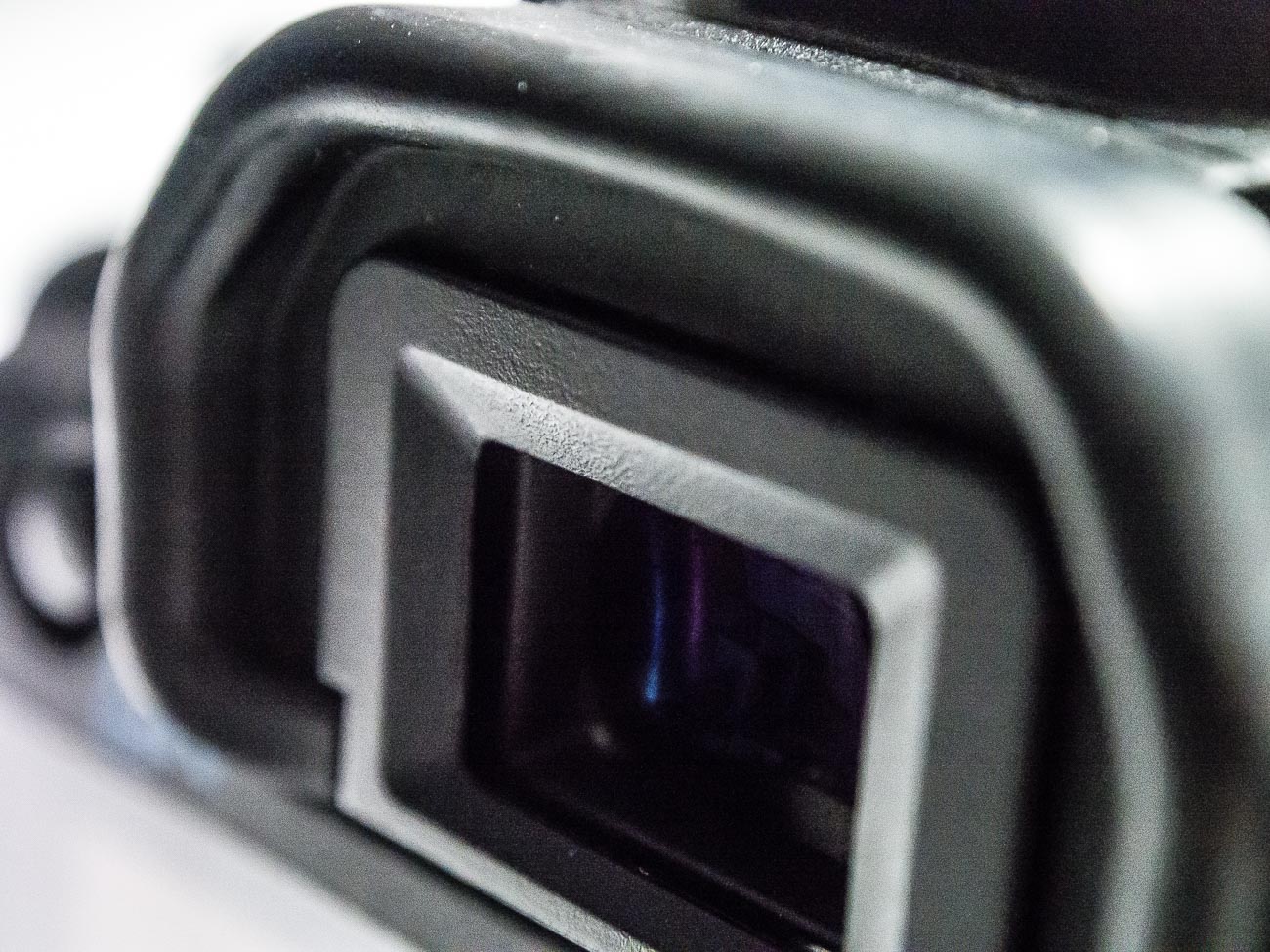
    Nowadays Electronic Viewfinders have come into their own and very good they are too.

    Why use a view finder at all?

    Why not the rear monitor?

    Well 3 reasons come to mind

    1. Camera shake is reduced. Holding the camera out from your body means it is a lot harder to keep still. 2. Competing light. Ever looked at the rear screen on a sunny day? You can’t see a bloody thing!
    2. Battery power. An LCD screen will always use a lot more power than a viewfinder either optical or electronic.

    But there are viewfinders and there are viewfinders.

    Just make sure it feels comfortable and that the frame is 100%, has a central view i.e. as if you were looking through the lens and not cropped.

    Rating: 10/10


    4. Shooting and viewing videos.

    This is usually on most cameras and is the future of online marketing.

    This is a whole article on its own so I won’t go too deep.

    I would say that at this stage the only recommendation is to ensure that the camera shoots in high definition (HD) at the minimum.

    A lot of cameras are now able to shoot in 4K but like 3D there are still limitations on being able to view 4K videos.

    That will change over time as it’s only a matter of time until 4K TV’s and Monitors will be more common as the price drops.

    Unfortunately, the image and video quality available is not yet matched by the audio quality that comes standard with most cameras.

    So make sure you buy a good microphone that’s compatible.

    Rating: 10/10

    So did you understand all that? I’m happy to clarify anything you’re not sure of.
    Just post in the comments section below. Don’t be shy.
    While you are at it why not subscribe for future updates here.
    You’ll get my free guide “Eleven easy ways to improve your marketing photography”.

    *Led Zeppelin sang this in (you’ve guessed it) Dazed and Confused in 1969.
    They could have been singing about how most people feel when shopping for new electronic equipment these days.

  • 8 reasons to post your Travel Images online

    8 reasons to post your Travel Images online

    8 reasons to post Travel Images online

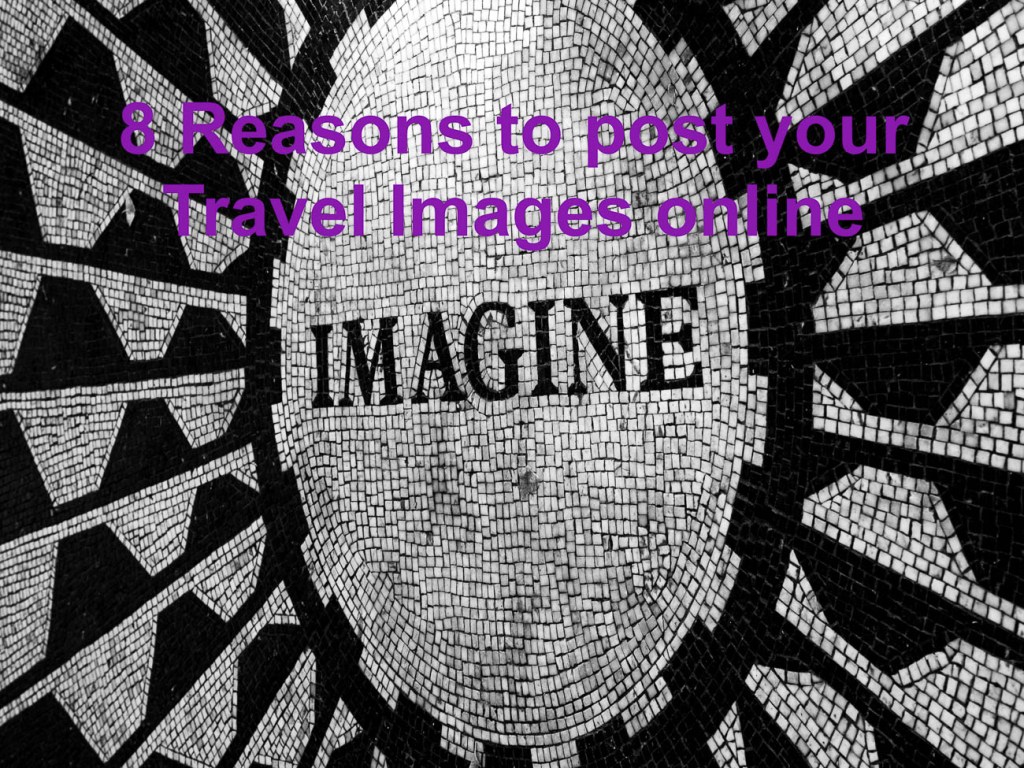
    *Imagine no internet, I wonder if you can.

    I wonder if John Lennon was to write Imagine today whether this wouldn’t be an extra verse.

    When I first started photography the only Travel images in the public domain was either in print or as part of a TV or Movie.

    Photographers like me lugged around a portfolio of printed travel images to various companies and people hoping that they would like our images.

    Nowadays there are so many places that you can post travel images online, that it’s almost mind boggling!

    And there’s lies the problem.

    The real consumption of travel images is happening on line.

    So why post your Travel Images online?

    Well let me give you 8 reasons on why you need to post your Travel Images online.

    1. Huge Market

    Last year there were 3.2 Billion Internet users.

    Let me say that again, 3.2 Billion.

    That means 40% of the world’s population have an internet connection!

    Over 80% of the population of developed countries have an internet connection.

    So if you are looking to get some exposure for your travel images to any of those countries then you have to be online.

    2. With the right strategies you can get in front of potential admirers using various electronic forms such as email or social media.

    As much as doomsayers tell us that Facebook or twitter or any other form of social media is dead.

    It’s not.

    It’s never been more popular. Sure the up take has slowed which is normal.

    Social media uptake is dwindling not because of unpopularity but because they are running out of people who aren’t already on it.

    8 reasons to post Images and Visual Content online
    Man looking at Smartphone, in Central Perth, Western Australia.


    Social media is here to stay in its different forms

    3. 85% of customers expect business’s and everyone else to be active on line.

    Everyone jumps on facebook or a website to see the latest posts.
    And there’s nothing like a great travel image to attract their attention.

    4. With smartphones users can look up destinations and search for images whilst walking past  a travel agent.

    So if you’ve got some great travel photos and you’re not posting your Travel Images online you’re missing out?

    Of course you still need to have some great travel images.

    You also need to ensure that you update regularly, otherwise people looking at your site will get bored and move on.

    And it goes without saying that your site should also be mobile friendly.

    5. 46% of people say a business website’s design is number one for gauging the credibility of a company.

    By that I mean not fancy but just easy!

    This is BIG!.

    Why not approach a business that needs travel images of the destinations you’ve been to.
    You never know where it may lead.

    If you have your own site make sure it’s quick and easy to load.
    And make sure your site is easy to navigate and works well on Apple, Windows and Android operating systems.

    I’m sure you’ve come across a site that is not easy to navigate on your iPad but easy on a PC or Windows laptop or vice versa.

    6. 90% of information transmitted to the brain is visual. We humans process visuals 60,000 times faster than text.

    Thanks to our evolution over millions of years of, we are genetically wired to respond differently to visuals than we are to text.

    It’s important that words, concepts and ideas are hooked onto an image, otherwise they will go in one ear, and go out the other.

    Words are processed by our short-term memory where we can only retain small bits of information.

    Images, on the other hand, go directly into long-term memory where they are indelibly etched.

    7. Good visual content is often shared around amongst friends and acquaintances.

    Like a visual word of mouth. Take a look at Instagram and see how many followers some travel photographers have.

    Whilst there’s no guarantee that these images will be have been shared, you’ve got to be in it to win it, as they say.

    8. Creates engagement with others especially through groups and forums.

    8 reasons to post Images and Visual Content online

    Some of the best ways to grab people’s attention is by posting an image on a forum such as Reddit (via a link) or Quora.

    The travel industry has lots of other forums some created by travellers othere by magazines and travel companies.


    So what about your experience in the online world? Do you post your Travel Images online?

    If not what’s the number one obstacle stopping you posting travel images online.

    I’d really like to know. So please leave your answers in the comments below.

    For more on travel photography you may like to go to: 

    Displaying your Travel Photos

    Or

    Travel Photography

    If you liked this article then you may want to drop your name and email in the box below to get updates and for your trouble you’ll get a free e-book.

    [mailerlite_form form_id=7]

    PS: *John Lennon actually wrote “Imagine no possessions, I wonder if you can” and then goes on to say “No need for greed or hunger, a brotherhood of man”

    Those words are as relevant today as they were in 1971


     “8 reasons to post your Travel Images online” is locked 8 reasons to post your Travel Images online

  • 20 easy ways to find time to learn photography (or anything else!)

    20 easy ways to find time to learn photography (or anything else!)

    I often hear the complaint of “I don’t have time to learn how to take better pictures of my product or service”

    Of course we live in a busy world where there are lots to things to grab our attention and pull us this way and that.
    I’m no different.
    It’s easy to be distracted by the emails, texts, people, facebook, twitter, I can go on and on.
    It much easier to do something that is going to give instant gratification than work on something that doesn’t give you that instant hit of achievement
    So over the years I’ve learned several techniques which allow me the time to do what I need and should do.
    I’ll share them with you today:

    1. Develop a ritual:

    I have a plan mapped out every day of the week that begins when I awake and finishes when I go to sleep.

    For instance, I stretch for 10 minutes at 5.50AM then exercise at 6.00AM. The exercise varies according to the day for example Mondays and Wednesdays are days I go for a run.

    From 2.30 – 3.15PM I make at least 10 phone calls that are likely to lead to promotion or sales of my business

    1. Establishing the best use of your time.

    Ask yourself on a regular basis, even hourly:
    “is what I’m doing now the best use of my time”
    “Is this going to lead to me achieving my goals”.

    1. Establish yearly goals

    Most of us have a to do list. A to do list are your mini goals for the day and more often than not we over estimate what we can get done in a day.

    What we also do is underestimate is what we can do in a year.

    Start first with your goals for the year and then work backwards.
    Then you can define what you should be doing on a daily basis and set up your ritual (see no 1)

    1. Turn off all notifications

    There are notifications everywhere these days, on your phone, your PC or Mac, your tablet, watch etc.
    Turn off any notifications that tell you that have mail, text, messenger, skype etc.

    There are always notifications you need like calendar and maybe reminders for your next client phone call. But in the main the rest can be turned off.

    Start by putting your phone on silent for half an hour at first, then an hour, then as long as you your business will allow. You’ll actually be surprised that no one missed you.

    1. To do lists

    There’s a theory that’s gaining momentum about the little old to do list.
    Basically you shouldn’t use a daily list but have a continual list. Having a daily to do list just exerts extra pressure and the reality is that most of us never tick off everything on there. So items you didn’t get around to, roll over to the next day and then the next day and the next day and so on.

    Better to have permanent list that gets added and subtracted to and then schedule time to do this in your calendar.

    1. Calendar scheduling

    Speaking of scheduling there’s a saying what doesn’t get scheduled gets doesn’t get done. You could turn that around and say whatever get scheduled gets done. But you get the point. Whichever calendar you use whether it be Google, Outlook or Apple you can easily schedule time to do certain tasks, if not all of them and add reminders.

    1. Unsubscribe, do, delete or delegate

    We spend so much time in our inbox these days. There are countless apps and theories on how to manage your inbox. Trouble is working them out is almost as much work as it to actually process your inbox.

    It’s easier to either unsubscribe, delete, delegate or just do it.

    In getting things done by David Allen, he advocates only acting on an email if it it’s going to take a small amount of time

    Anything more and if you’ve decided it still needs action by you, then decide when.

    1. Use a Voice Recorder or Smartphone App to take notes on the go

    Inspiration often comes from outside the workplace, so make a habit of recording your ideas whenever they pop into your head.

    I use a voice recorder and a note-taking app on my phone, and carry around a notepad

    1. Research on your Phone during downtime

    Use your smartphone to research when you find yourself waiting around.

    That might be waiting in shopping lines, riding public transport, or anywhere else you find yourself waiting

    1. Audiobooks and Podcasts

    Audiobooks and podcasts that help your business and your professional development are great to listen to whilst travelling.

    Extra tip: Try speeding it up to 1.3-1.5. Our brains are capable of handling speech at faster speed than normal speed.

    1. The 80/20 Principle

    Also known as the Pareto Principle, the 80/20 principle is the idea that 80% of your output will come from 20% of your effort. Start by eliminating or delegating non-essential tasks that don’t impact results.

    The more you focus on things that will affect your business, the more you’ll get done with less effort.

    1. Delegate

    If someone else can do a task 80% as well as you can, and you don’t have time to do it yourself, consider handing it off to another team member.

    1. Hiring Help

    Don’t have time to do everything yourself? Consider hiring freelance help if you can.

    1. The Pomodoro Technique

    Try using the Pomodoro technique throughout your workday.

    It’s a productivity method where you work in 25-minute bursts, separated by 5-minute break periods.

    There’s a free app available called, surprisingly, “Pomodoro”

    1. Don’t multitasking

    Studies show you’ll get much more done, faster if you focus on one task at a time rather than try to multi-task.
    1. Checklists

    Create task checklists to keep yourself on track for your projects. Checklists are an effective tool for getting things done. And it feels good to check them off as done.

    1. Never start a meeting without an agenda

    Meetings are a pet hate of mine! Plan your meetings and set timers. Never go into a meeting without an agenda or a goal that the meeting is going to help achieve.

    1. Only Use Tools That Show Real Benefits

    With the many tools and software services that are available, we often end up with non-productive tools. Get rid of them! That saves time and money all in one fell swoop.

    1. Take On Your Toughest Task First Thing In The Morning

    Do your most IMPORTANT task first thing in the morning, to free up mental space to take on the rest of your day.

    1. Sleep

      Asleep on the job
      Asleep on the job

    Get a good night’s sleep. Some say 7-8 hours per night. The more you get the more you’ll get done and with less effort, if you’re well rested. Working when you are tired leads to less energy as the day progresses.

    There’s many more but I’d really like to hear from you any additional tips or tricks that you have.

    You may be using some of the above but have adapted it for your own use. Great! Please share what you do.

    So please leave your comments in the box below.

    While you are at it why not subscribe for future updates here.
    You’ll get my free guide “Eleven easy ways to improve your marketing photography”.

  • The essential feature to have on your camera

    The essential feature to have on your camera

    This follows on from my previous post Why selecting a new camera is like selecting a new date (or TV).

    Over the next few weeks I’m going to suggest some essential features you need to consider having when you are in the market for a new camera or even mobile phone with a camera.

    At the end of each feature I’ll give a rating out of 10 – 10 being must have.

    At the end of the series if you haven’t had time to read them all then you can scroll to the bottom of the last in the series and get all four in a PDF.

    When we were in the market for a new TV, we discussed all the different features and benefits with retailers and become absolutely confused by salespeople in different shops telling us something different about the same TV.

    For example, one would say this TV doesn’t have Freeview plus whilst another would say that it does.

    In the end I researched on each manufacturers website and even rang them to ensure that the information I had gathered was accurate.

    After doing that we went and bought the TV we wanted.

    So what about the features and benefits of a new camera?
    Well compared to TV’s I think there way more things to think about and personally I believe that there are too many features that are just not needed!

    So over the next few weeks I’m going to suggest some essential features you need to consider having when you are in the market for a new camera or even mobile phone.

    At the end of each feature I’ll give a rating out of 10 – 10 being must have.

    At the end of the series a free cheat sheet for will be available for you to have on hand when you need it.

    So let’s start with absolute must!!

    Mechanical Exposure controls
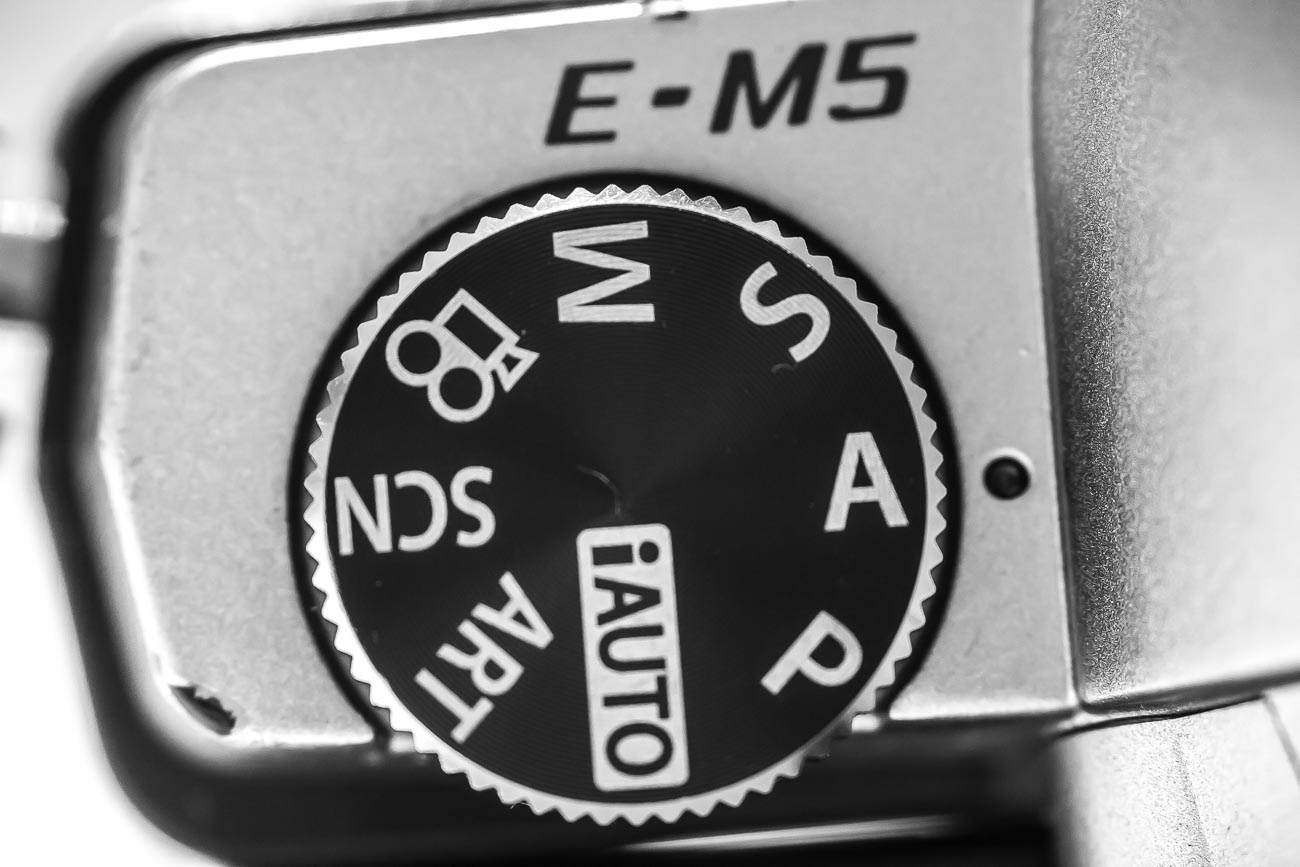
    Usually on most cameras there are a P, A, S and M modes.

    However, on small compacts there usually is only a P mode and on smartphone cameras, even the best ones, they don’t yet have the option to adjust the exposure the “old fashioned way”.

    So what’s with the “old fashioned way”? Well without going into a great deal of details on how a camera works, I’ll explain:

    All cameras have an aperture and a shutter. Both allow light into the sensor but differently. The aperture allows in light by changing the size of its hole, the shutter allows in light by the speed of its movement.

    Having the option of being able to control both or at least one of these is one of the keys to getting great photography.

    So what do all these letters mean?

    P stands for program and is basically a slightly more sophisticated way of shooting in auto.
    The camera decides which aperture and shutter speed to use but you can also weigh in by using what’s called in the industry “shift”.

    A stands for aperture priority and S stands for shutter priority.
    In both these modes you control one whilst the other one is controlled by the camera. Most pro photographers depending on their specialisation will shoot in aperture priority.

    M is where you have complete control you set both the aperture and the shutter speed and is not something a beginner would dabble in until they have goCamera_0216_017t some experience with the other modes.

    Confused?

    Let’s simplify. Basically if you want to take a photo of a product with all the background blurred than you would need to adjust the aperture.

    If on the other hand you want to take a photo of movement, say one of your dance students practicing or performing then you would more than likely want to adjust the shutter to capture the type of movement you want.

    So It’s really handy to have that degree of control.

    What’s that you say?

    You’re only beginning so you just need auto.

    That’s fine however I would suggest that if you really want to create images that represent your brand then at some time in the future you will need a greater degree of control.

    One additional control that goes hand in hand with exposure is ISO adjustment.

    In fact the aperture, shutter speed and ISO are called the exposure triangle.

    That is to say that adjustment of one affects the other two.

    With each camera manufacturer trying to outdo each other, the ISO on a top end DSLR can now be adjusted to over 400,000 which is crazy, as now the camera can take pictures in the dark!

    When you change your ISO setting, you’re adjusting your camera’s sensitivity to light.

    ISO settings are normally anywhere from 100 to 10,000 (or higher), and these numbers have a direct relationship with the device’s sensitivity and therefore the aperture and shutter speed, so a lower setting means you need more light whilst a high setting needs less.

    Rating: A or S is 10/10

    So did you understand all that? I’m happy to clarify anything you’re not sure of.
    Just post in the comments section below. Don’t be shy.
    While you are at it why not subscribe for future updates here.
    You’ll get my free guide “Eleven easy ways to improve your marketing photography”.

  • Why selecting a new camera is like selecting a new date (or TV)

    Why selecting a new camera is like selecting a new date (or TV)

    I’m in the market for a new TV at the moment. We went to a couple of stores and there are countless products with different and arguably the same features.

    Trying to get the showroom staff to give you accurate info is a challenge.
    Like moths changing direction to fly to the light so the sales staff change their song as you look like you are favouring one brand or TV over another. In the end Mr Google helped me clarify what I needed to know. But it’s a confusing experience!

    That got me thinking about buying a camera and it’s as bad or maybe even worse. The thing is, like TV’s and many other products today, there are many cameras of all shapes and sizes. So it’s no wonder we don’t know which one to buy.

    Do I get a DSLR, a Mirrorless, or a top end compact? Which make? Which model? What features do I need….?
    What about lens, filters, bags —- the list is endless.

    And then we’re fed this BS that it’s all about the camera

    “You must have a great camera to get that shot”, I hear all the time. So the pressure is on us to buy the best we can with what we can afford.

    Is it really about the gear?

    Well yes and no!

    gridYou certainly wouldn’t say to a chef that they must have a great kitchen or cooking equipment after eating a terrific meal at their 5 star restaurant.

    And if you did look in their kitchen would the meal been any the less terrific if you found the same tools as anyone else, even those you find in a domestic kitchen.

    Are drivers of Rolls Royce or Porsche cars any better drivers than you or me (assuming you are not one of them)?

    If you’ve only got one device with you that is capable to taking photos whether it’s a phone or a DSLR – then that’s what you’ve got – period.

    You can take great images with pretty much anything provided you know how.

    Having an expensive camera is not directly proportional to the quality of the image.

    In fact cameras of all shapes and sizes are all good. You just cannot buy a bad brand new camera!

    I’ve heard it said amongst winemakers that you can make bad wine from great fruit but you can’t make a great wine from poor fruit regardless of the shiny expensive equipment you might have in the winery.

    However you can make great wine from great fruit without necessarily having the latest, greatest and most expensive equipment.

    Well the same applies to a camera if you have good technique, a good eye and skill then you can make great images with any camera.

    The reality is that even for photographers, who rely on their cameras for their income, e.g. Weddings, Portraits etc. there’s plenty of smaller options than the traditional DSLR.
    So for the vast majority a simple, usable and light camera is more than enough when you know how to use it properly.

    So how to choose the camera you need?

    Well that’s where ‘selecting a new date’ comes in (you were wondering what the connection was weren’t you!)

    You see when you select a new date you’re looking for a good fit, in the dating sense its commonality and probably visual cues. Basically you want to be comfortable in their presence

    Well it’s the same for buying a new camera. When you pick it up it needs to feel comfortable (the camera that is, not the date).

    Does the grip feel good?
    Is it easy to turn to portrait or vertical mode?Your camera takes really nice pictures

    Does the weight seem too heavy, too light or just right?

    If it has a viewfinder, does that fit comfortably against your eye?

    Is the rear screen easy to see? How easy is it to see when you are holding it?

    How easy is it to adjust the dials and access the menu/s?

    This is what you need to look for in a new camera.

    Of course before that you will need to decide on features and benefits, or do you.

    As I said before, it’s not the camera that take the images but you. All features and benefits do is give you more options a lot of which you will never use or use once or twice a year at best. More on features in the next post in this series.

    So a short cut is to decide how much you are prepared to spend, go into a shop and test drive those within your budget, decide on the most comfortable and buy it.

    Now I know some of you will try before you buy in the shop and then jump on the web and buy from the cheapest online outlet. But just remember you wouldn’t be able to test drive it if the shop didn’t exist.

    By all means shop around online but a least give the shop an opportunity to match it or at least get into the ball park.

    So that’s my take on it. What about you?
    Have you purchased a camera recently?
    Feel free to add your tips and opinions below. I would really like to hear them.

    While you are at it why not subscribe for future updates here.
    You’ll get my free guide “Eleven easy ways to improve your marketing photography”.