Katin Images Travel Photography

Travel Photos, Travel Photography Tips and Software

Category: 15 Minutes

  • Learn how to use shutter priority in 15 minutes

    Learn how to use shutter priority in 15 minutes

    Learn how to use shutter priority in 15 minutes

    You’ve got the new beaut camera or maybe you dusted off an old one that you’ve had for a couple of years and instead of using your smartphone, you thought you would use this for your marketing images. After all you have had enough of searching for stock photos that just aren’t what you need.

    After looking at this camera you realise there’s a dial on it that says A, P, S and M and maybe a couple of other items like the picture of a video camera, auto or some other sign that gives you choices to select a genre. But you’ve heard that one of the best ways to shoot is to use “S’. But what is S?

    Well it’s Shutter priority. Now to refresh your memory on what the shutter is I’ll send you off to have a quick read of these 2 articles.

    10 Vital Facts about Camera Shutter Speed

    Understanding the 3 points of the exposure triangle

    So now you’ve done that or at least scanned it. Lets’ go forward

    S stands for Shutter – yes, you’ve worked that out. Great!

    But unlike Aperture which is a dimension of the hole that allows light in and is measured in f-numbers, it’s actually a speed. So, you are effectively measuring the time it takes to open and close the shutter in front of the sensor.

    As with Aperture usually the numbers relate to a stop. However unlike Aperture the range of Shutter speeds is usually much greater so it doesn’t follow that each stop represents twice the preceding value and half the next higher value.

    In shutter speeds the measurements look like this:

    60”, 30”, 2”, 1”, 1/2.5, 1/5, 1/10, up to 1/4000. Each of these values relate to seconds or fractions of a second. 60” is actually 60 seconds whilst 1/4000 is actually 0.00025 of a second. That is the time that that the shutter is open and allowing light to reach the sensor. In film days it used to be the film strip that the shutter was exposing to light.

    It is arguable that changing the Shutter Speed setting is the best or at least one of the best ways to be creatively in control with the final image that you want.

    So why would you want that? Well from a creative control point of view it gives you options.

    But the most important effect of shutter speed is its effect on camera shake. Camera Shake is probably the single most noticeable effect on an image.
    Having the correct minimum shutter speed is vital to prevent Camera Shake. Notice I said “minimum”. That’s because it’s better to have a faster shutter speed than a slow one.

    For more on this go to 5 Ways to Eliminate Camera Shake

    Have you looked at a what you thought was a good photo close up only to realise that it’s slightly blurred? Well that’s camera shake and in the industry it’s called “soft”.

    Here’s an extreme example:

    Fuzzy Leopard
    Fuzzy Leopard

    The first one is noticeably soft. The photographer (that’s me) didn’t have a lot going for him. Not much light, using s telephoto lens and as the subject (the leopard) was moving had no time to compose or even think about the shot.

    Sharp Leopard
    Sharp Leopard

    However, in the above shot I had just enough time to jack up the ISO so that I could get a shutter speed that would freeze the action. Probably still not the best photo of a Leopard but not bad.

    So apart from reducing or eliminating Camera Shake what else do we use the shutter speed for?

    Well there are 3 main ways to use it:

    1 Freezing
    That is you freeze action with a fast shutter speed. That could be anything from sports action to facial expressions to droplets of water

    2 Blurring
    Blurring on the other hand is using a slow shutter speed to blur movement. The most well know “blur” is the cascading of water through rocks or a waterfall. But there are lots of other uses as well such as rain or snowfall, slowing down action found in cycling or surfing. Another example would be transport like trains or cars

    3 Panning
    To pan or track means you are moving the camera to follow someone or something as they move leaving the background blurred and the subject relatively sharp. This gives the impression that the subject is speeding past the viewer (photographer)
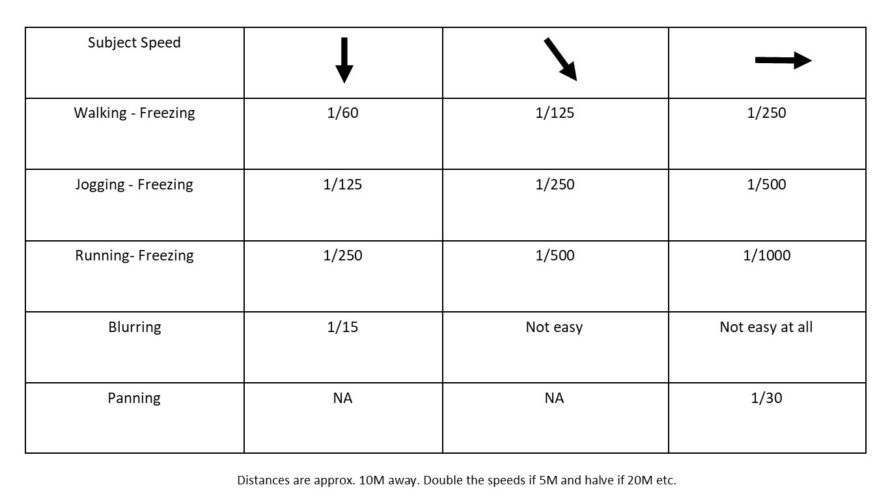


    Here’s some exercises to experiment with based on the three main ways mentioned above.
    I’ve made the basic assumption that you have access to an outside tap with a hose. If not then use an indoor tap but make sure the area is well lit preferably with natural light.

    1 Grab that camera, turn it on and take off the lens cap!

    2 Now go outside

    3 Use an outside tap that’s easy to access. If you don’t have one (that’s easy to access) then mount the end of a garden hose (with or without a nozzle) on something like a washing line that’s no higher than head height.

    4 Before turning on the tap set your shutter speed to around 1/500 by finding that dial that has  the “S” adjustment

    5 If you have a zoom lens make sure it’s between 50mm and 100mm (35mm equivalent) and have it ready to go (so you don’t waste too much water.

    6 Turn on the tap

    7 Now take at least one shot. This is your freezing exercise

    8 Repeat steps 1-7 except you now adjust the shutter speed to 1/15 to blur the water as it comes out of the tap. At that speed it’s preferable to mount the camera on a tripod with a remote shutter release. If you don’t have a remote shutter release, then use your timer. And if you don’t have a tripod use a wall or chair – in other words use your imagination!

    9 Finally to get a panning effect you need to:

    1 Repeat steps 1 and 2

    2 Go outside to the (or any) road. Stay on the footpath or verge.

    3 Adjust the shutter speed to around 1/30.

    4 If you have a zoom lens make sure it’s between 50mm and 100mm (35mm equivalent)

    5 Pick a moving vehicle and press the shutter button as you track it

    This last one is a bit tricky so you may need a few goes at it.


    After your shoot, if possible, compare images on a monitor or at least a tablet.


    Voila, you should now have an understanding of how to use the S or Shutter Speed setting.


    All in all, that should have taken you around 15 minutes (not counting any travelling time).


    As an aid to this I have a simple checklist for you to download.


    Just pop your name and email in the box below and it will magically appear in your inbox.


    Compare the shots to see the differences and then play around with different focal lengths and shutter speeds.


  • Learn how to use aperture priority in 15 minutes

    Learn how to use aperture priority in 15 minutes


    You’ve got the new beaut camera or maybe you dusted off an old one that you’ve had for a couple of years and instead of using your smartphone, you thought you would use this for your marketing images. After all you have enough of searching for stock photos that just aren’t what you need.

    After looking at this camera you realise there’s a dial on it that says A, P, S and P and maybe a couple of other items like the picture of a video camera, auto or some other sign that gives you choices to select a genre. But you’ve heard that the best way to shoot is to use “A’. But what is A?

    Well it’s Aperture priority. Now to refresh your memory on what aperture is I’ll send you off to have a quick read of these 2 articles.

    10 Vital Facts about Camera Aperture

    Understanding the 3 points of the exposure triangle

    So now you’ve done that or at least scanned it. Lets’ go forward

    A stands for Aperture – yes, you’ve worked that out. Great!

    Aperture is measured in f-numbers. An f-no. or f-stop is the size of the aperture and by moving that dial you control it.

    Usually the numbers relate to a stop and each stop represents twice the preceding value and half the next higher value. So, if the number was 1 then the next number would be 2 and then the next number would be 4 and so on.

    In f-nos they look like this:

    f/2.8, f/4, f/5.6, f8, f11, f16, f/22 which is slightly different from what I just told you and that’s because it works in the amount of light it lets in. f/4 lets in half as much light as f/2.8, f/5.6 lets in half as much light as f4, f/8 lets in half as much light as f5.6 and so on.

    It is arguable that changing the Aperture setting is the best or at least one of the best ways to be creatively in control with the final image that you want.

    So why would you want that? Well from a creative control point of view it gives you options.

    Options like how much you have in focus;

    Basically, as you look at a subject or scene you can set the F-no. so that you can decide what you want in focus. That could be just the subject or everything you can see within the frame.

    How does it do that? Well I won’t go into the physics too much as you’re here to learn quickly and I don’t want you to get bogged down in detail.

    In simple terms, the bigger the hole or aperture the less of the scene in front of the camera from front to back is in focus.

    And that is called the Depth of Field (DOF).

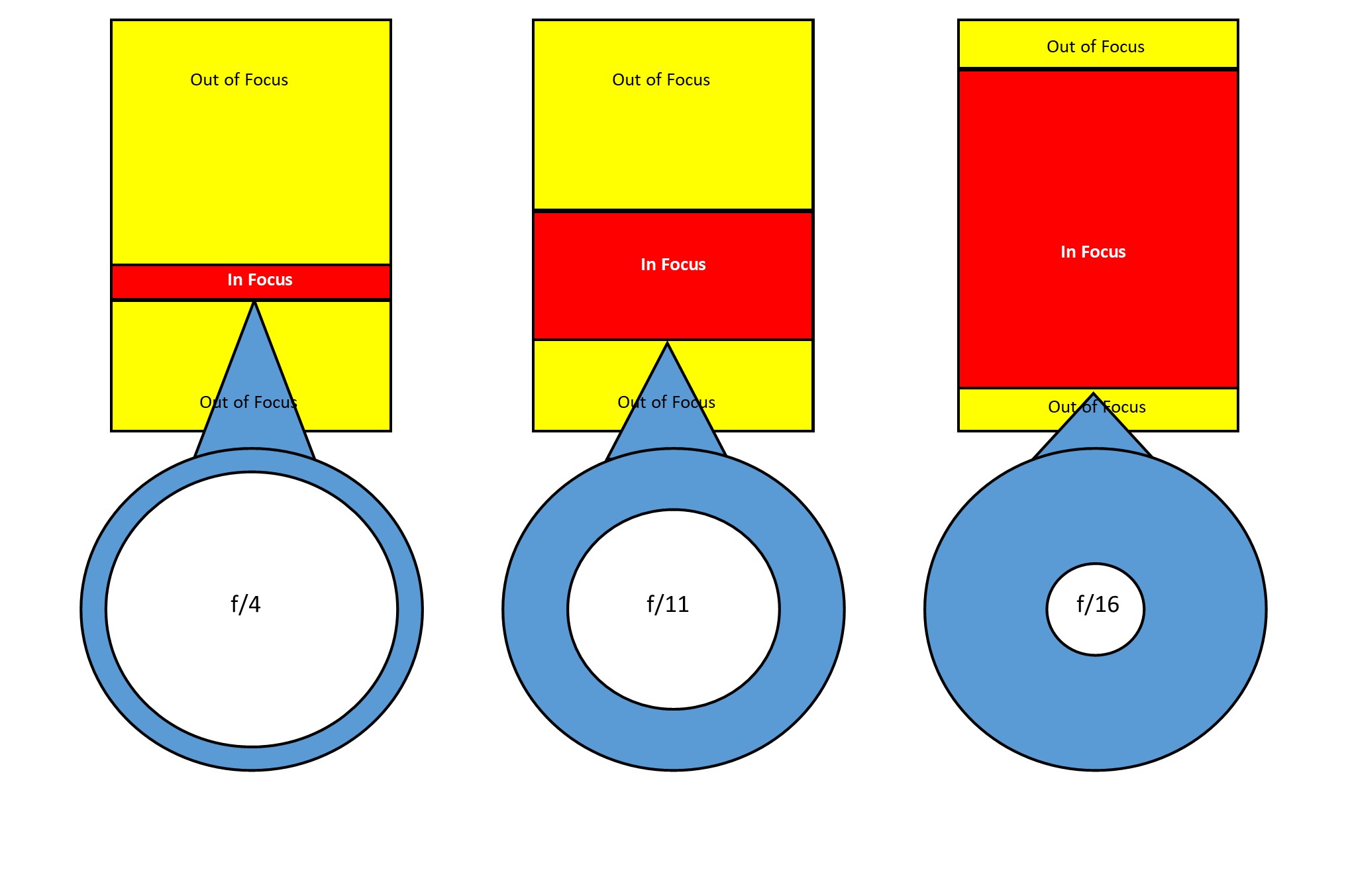
    Let’s look at this infographic that shows the differences in f-no in a plan or overhead view:

    Learn how to use aperture priority in 15 minutes

    The left-hand side shows a shallow DOF due to a small f-no or a large aperture. The amount in focus is quite narrow. Whilst if we go to the right-hand side the amount in focus is significantly greater.
    If I added another diagram to the far right showing an even smaller aperture then the amount in focus would extend out to infinity. I didn’t want to confuse you though.

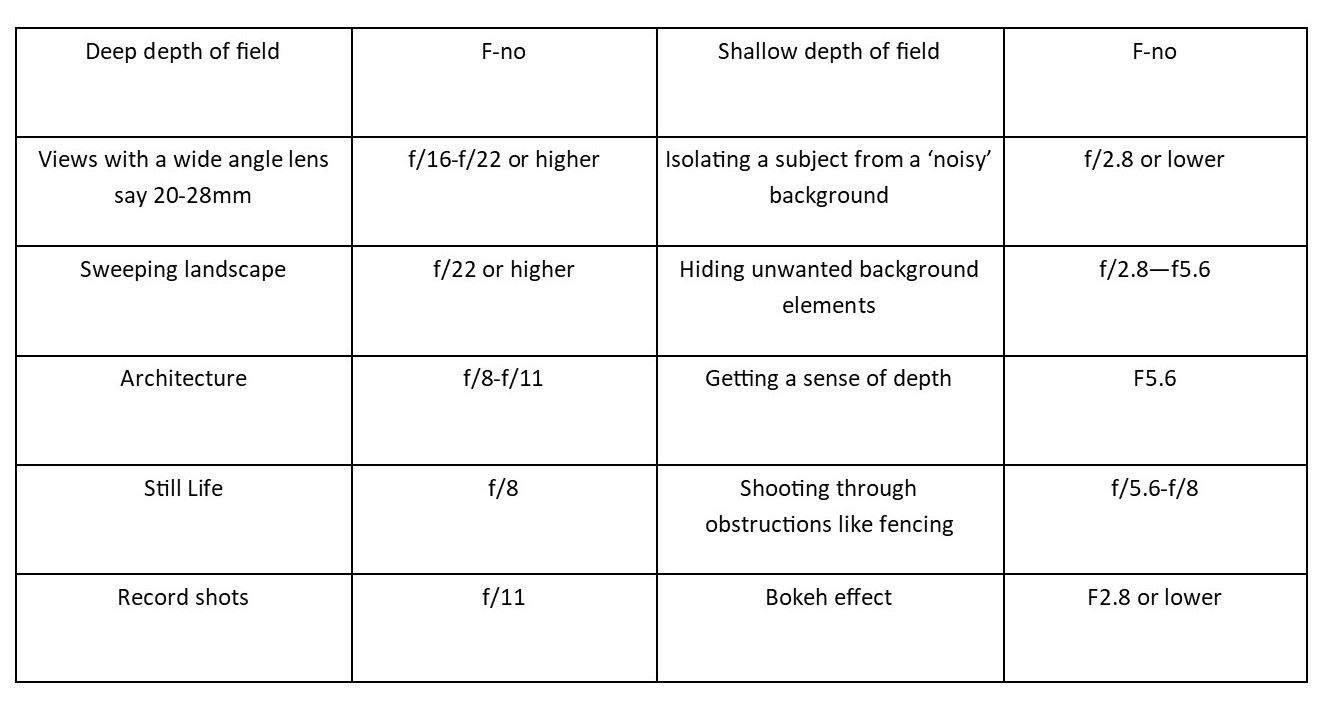
    So, let’s look at when you would use this with this little chart:


    Learn how to use aperture priority in 15 minutes

    OK enough from me, now it’s down to you.

    1 Grab that camera, turn it on and take off the lens cap!

    2 Get a bottle or a can or vase (the subject)

    3 Now go outside

    4 Mount ‘the subject’ on a table or some support

    5 Find that dial that has “A” on it and find the dial that you use to adjust it.

    6 If you have a zoom lens make sure it’s between 50mm and 100mm (35mm equivalent).

    7 Now take three shots:

       1 At Ff2.8 or lower if your camera goes that low. You may find that you can’t go as low as that due to the lens you have. So, in that case just go with the lowest setting.

       2 At f/11

       3 At f/22. If possible, this shot should have a long background.

    Because ideally you want the same background, having a big garden or living in an apartment with a view are the ideal locations.
    But you could just go to the nearest park and take all three there.

    Compare the shots to see the differences and then play around with different focal lengths as that can make also change the DOF.

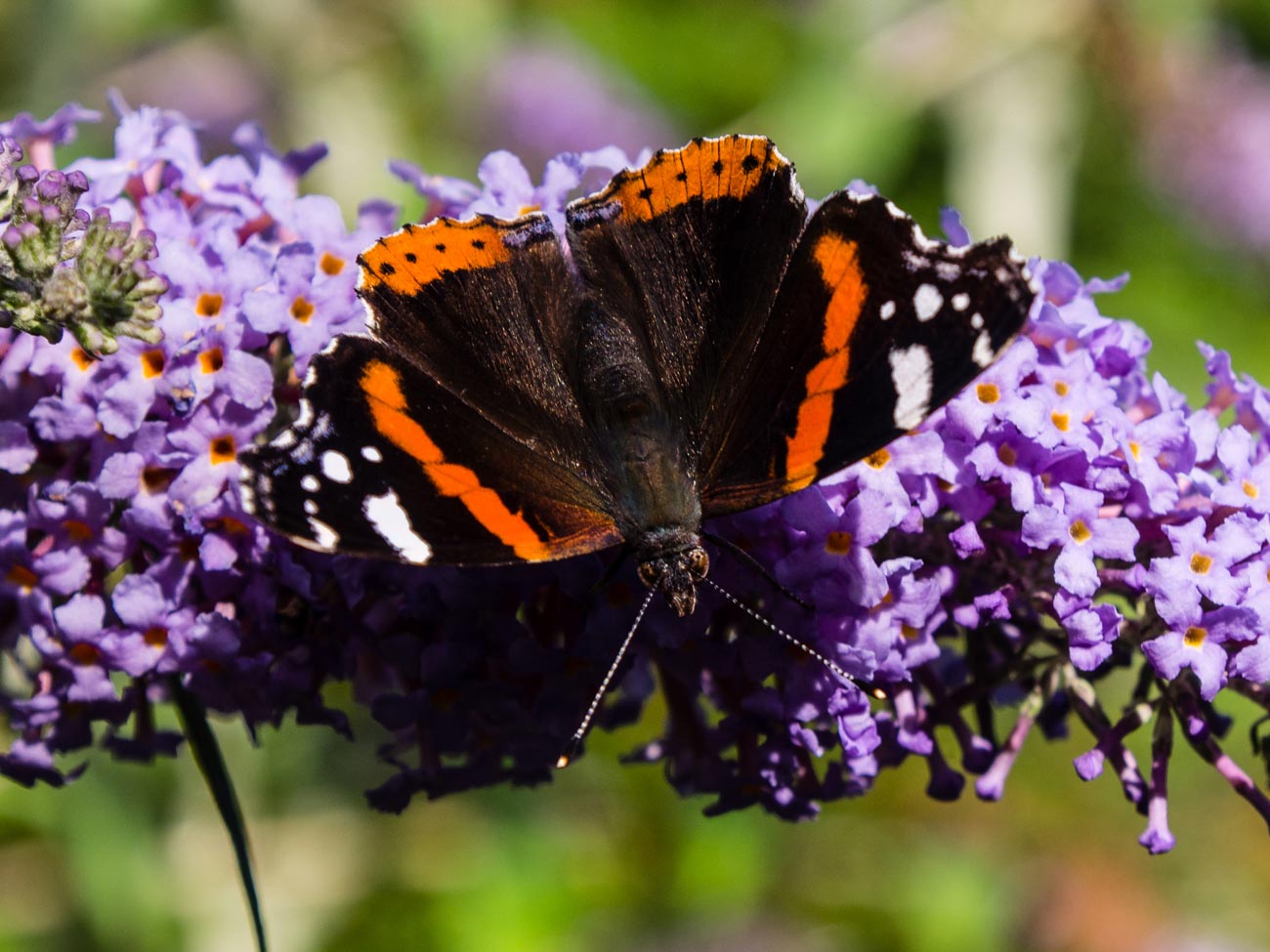
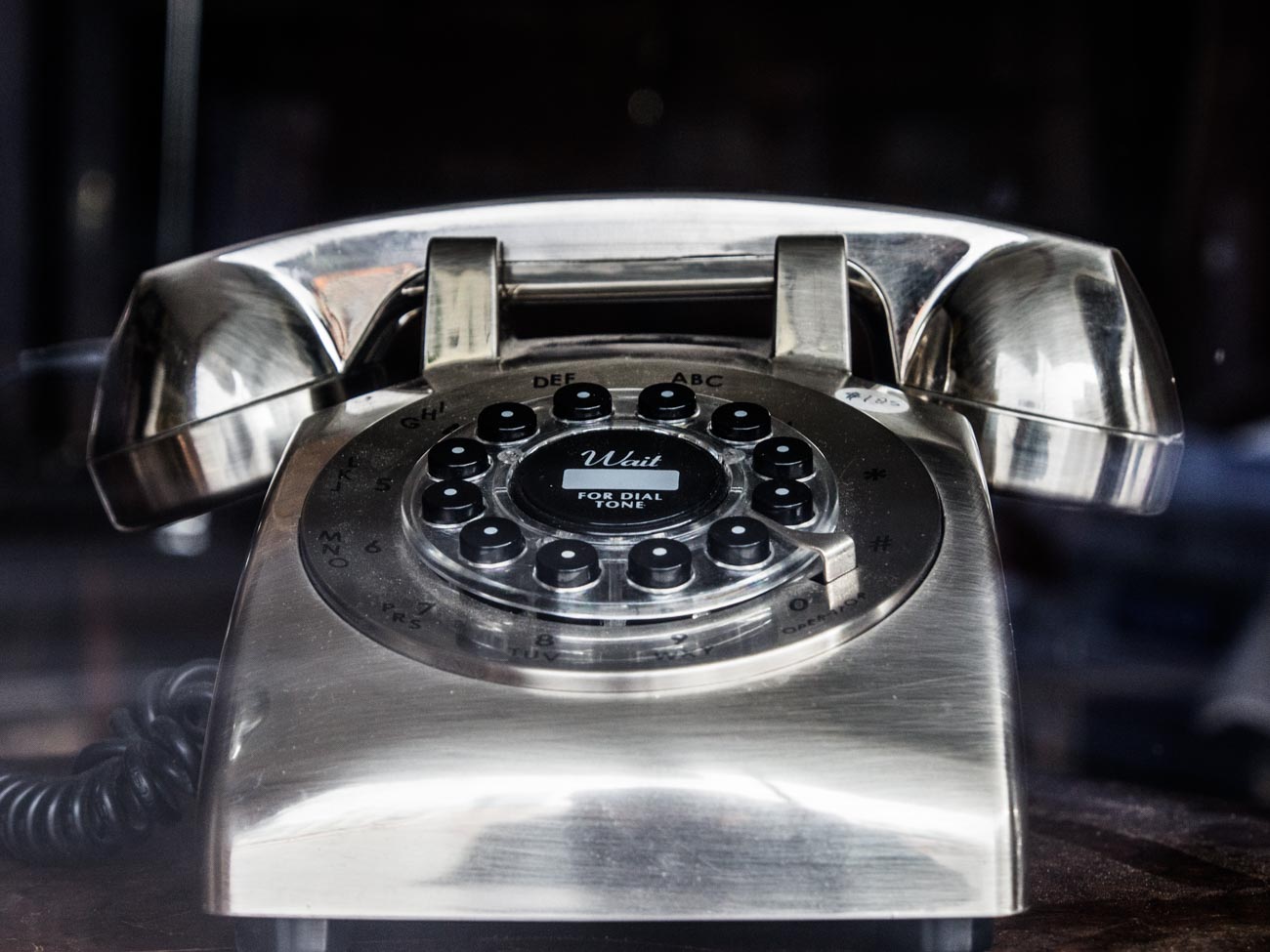
    See these examples:

    f/5.6
    Learn how to use aperture priority in 15 minutes
    f2.8

    It’s best, if possible, to compare images on a monitor or at least a tablet.

    Voila, you should now have an understanding of how to use the A or Aperture setting.

    All in all, that should have taken you around 15 minutes (not counting any travelling time).

    As an aid to this I have a simple checklist for you to download.

    Just pop your name and email in the box below and it will magically appear in your inbox.


  • Buy a Camera in 15 minutes with these 5 Questions

    Buy a Camera in 15 minutes with these 5 Questions

    Buying any sort of technology whether it be a phone, a TV or in this case, a camera, can be mystifying in a lot of cases and more importantly, time consuming.

    But it doesn’t have to be.

    Ask these questions and you have a fair chance of coming away with a decent camera from a camera store. Note that I said camera store not online store. Sure, you can still buy it from Amazon or B & H or any online store but as with a TV you really want to ‘try before you buy’. Cameras are personal and if doesn’t feel right it won’t help you take the sort of photos you want.

    All these questions are for you to answer not the camera store salesperson or online forums, facebook groups but you.

    1 What are you going to use it for?
    Are you are a business looking to take product picture.
    Are you in the travel industry and looking for a general all-rounder for travel pictures?
    Do you just want to use it for your blog?
    Do you also want to take pictures of your family?

    You get the point.


    Buy a Camera in 15 minutes with these 5 Questions


    Buy a Camera in 15 minutes with these 5 Questions
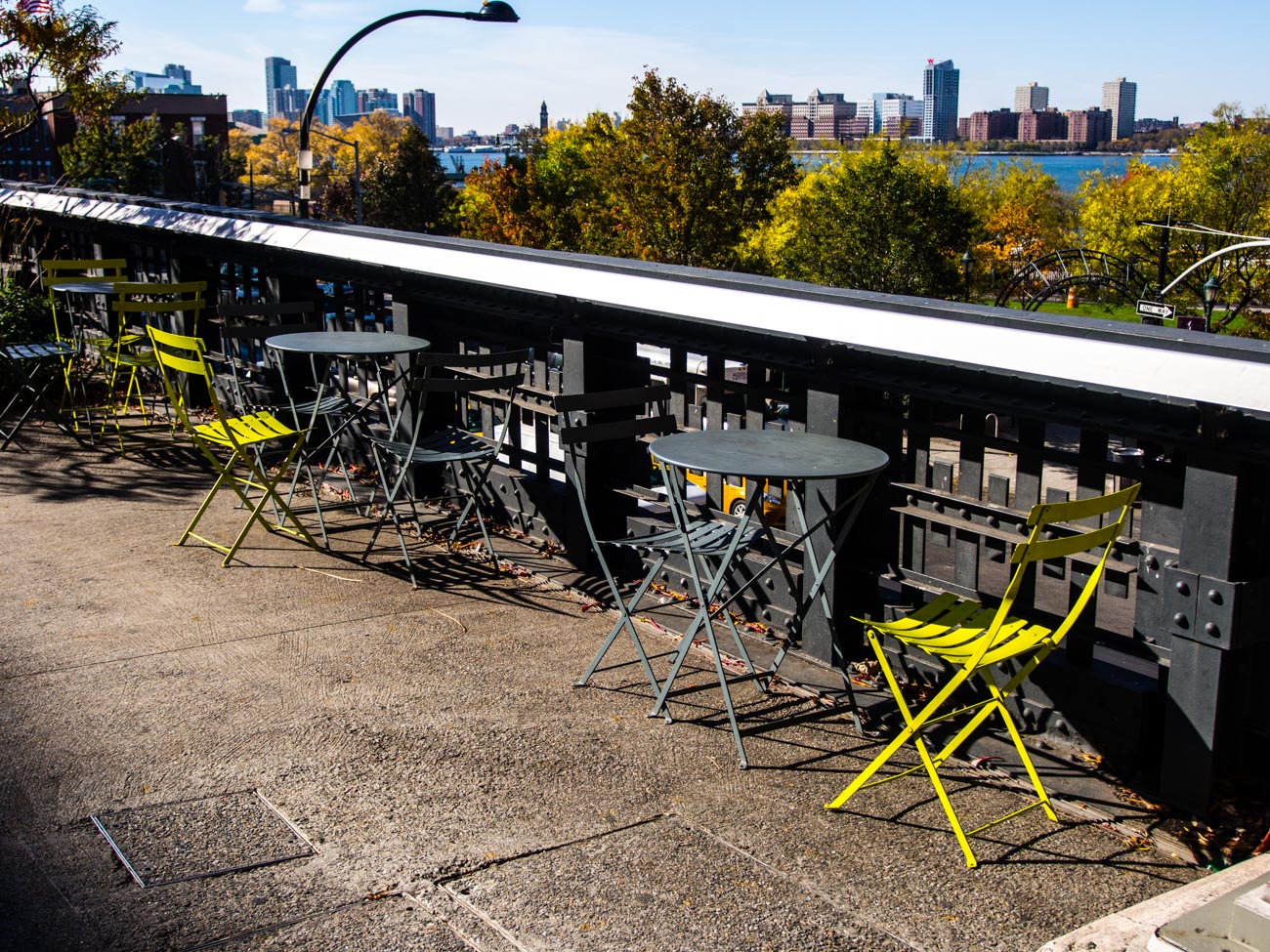
    The High Line Walk Way in New York

    2 What’s your budget?
    Whilst the camera is not always the main reason for taking great photos it does give flexibility and that flexibility is usually but no always proportional to the amount of you want to spend.
    Don’t get into financial stress over it but don’t scrimp if you can afford not to.

    3 What size camera do you want?
    Cameras come in all sort of shapes and sizes. If you’ve been used to using a smartphone then buying a DSLR may not suit. The camera is big and the lenses quite heavy.
    So maybe a top end compact or a mirrorless camera may be better. If on the other hand you’ve had a DSLR but it’s a bit old in the tooth then consider a Mirrorless. It also depends how mobile you want to be.
    Do you have an existing interchangeable lens camera that you want to upgrade?
    In which case you will want to keep to the same brand if possible.

    4 Are you the only one going to use it?
    If one of your staff or another member of your family are also going to use it then it may be worth getting their input as well. On the other hand, that could also confuse the issue so think this one through first.


    Buy a Camera in 15 minutes with these 5 Questions
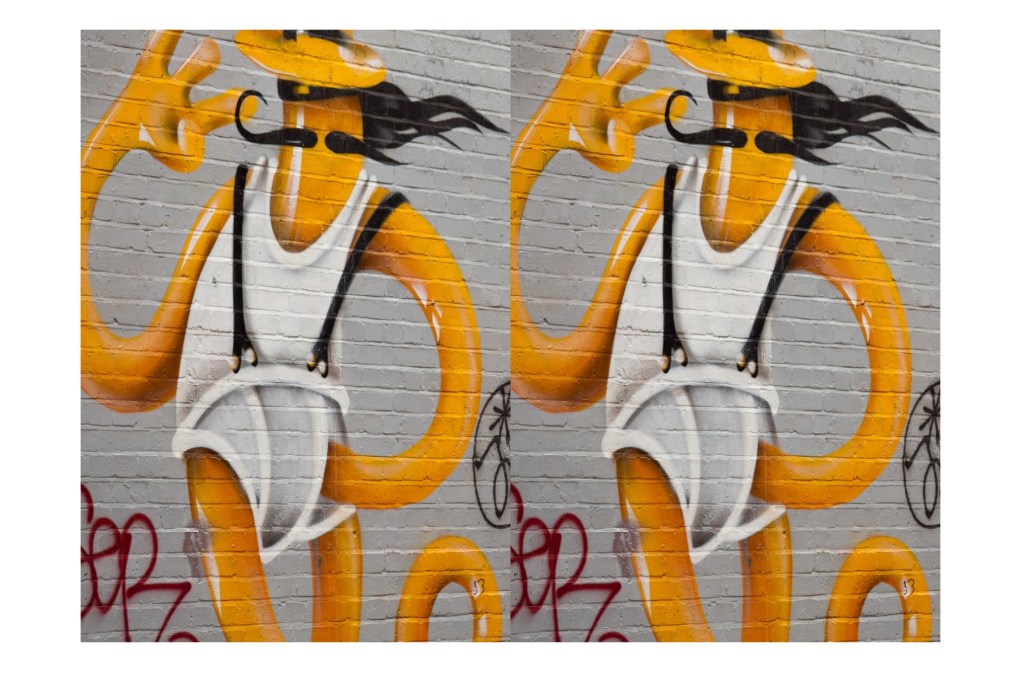
    Cigar smoking fortune teller near Catedral Plaza, Havana


    Cigar smoking fortune teller


    5 Are you going to buy more than one lens?
    Nearly all interchangeable lens cameras come with a ‘kit’ lens which is usually enough to get you started. You can always add to it later

    So that’s it. All you need to do now is to go into a camera store and say  the following for example:

    I want an camera with an interchangeable lens,
    that’s light,
    than can be used for portraits that will be used commercially and
    that I only need one lens for.

    Try it out. It’s much quicker and better to ask yourself these questions than spend hours of research on the net and then be totally confused.

    You can change your mind once you get into the shop but I’d try and be certain as you can before looking at different cameras so that you can keep on point.

    For more on buying a camera please go to:

    BUYING A NEW CAMERA? THEN READ THIS

    You may also want to download my free Camera Features Guide

    Thanks for reading

    Post any comments below. I’d love to hear them.

    And do us a favour! Please share any way which works for you.

    If you want more like this then please subscribe below and you will get a free guide on how to improve your photography.