Thought I’d pop out a quick post on a Luminar Neo special that’s only available to their partners (Moi being one!). They are offering a 30% discount on either a Lifetime Perpetual License or 12 months Subscription. This is only available during the period 14-31/3/2025 – so NOW. To get this you will need to go through this link and enter the code KATIN10.
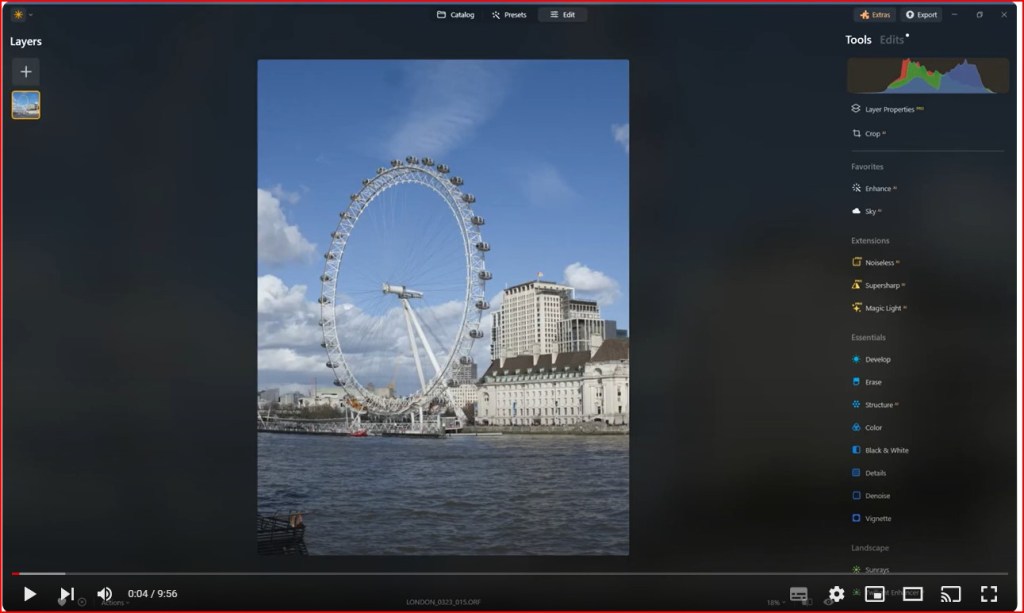
I’m about to go off FOR a few weeks so I don’t have time to create a video. But I’ve borrowed one of Luminar Neo’s videos on the relevantly new feature Colour Transfer. Remember if you want to take advantage of this discount then you will need to go through this link and enter the code KATIN10 between 14th and 31st March. There are a plenty of other posts on this website if you need refreshing but to use Skylums’s blurb – in a nutshell: Luminar Neo’s award-winning interface is designed to be convenient for people with different proficiency levels. Complicated multistep tasks are automated with intuitive AI-powered controls.
Just got wind of a promo that Skylum is doing for it’s Luminar Neo’s 2nd Anniversary has just been extended to 4th March. So join me in celebrating Luminar Neo’s 2nd Anniversary and take advantage of these exclusive anniversary offers, with discounts of up to 90% off!
Don’t miss this opportunity to vastly improve and simplify your editing and unleash your creativity with Luminar Neo. There’s exclusive anniversary discounts for both new users and existing customers. But hurry, you’ve only got till Feb 26th March 4th to cash in by going to this link. Plus if you use the coupon code “AFF-G1tU” you’ll get another 20% off. Here’s the details of Luminar Neo’s special offers (in USD):
Just got wind of a promo that Skylum is doing for it’s Luminar Neo’s 2nd Anniversary So join me in celebrating Luminar Neo’s 2nd Anniversary and take advantage of these exclusive anniversary offers, with discounts of up to 90% off!
Don’t miss this opportunity to vastly improve and simplify your editing and unleash your creativity with Luminar Neo. There’s exclusive anniversary discounts for both new users and existing customers. But hurry, you’ve only got till Feb 26th to cash in by going to this link. Plus if you use the coupon code “AFF-G1tU” you’ll get another 20% off. Here’s the details of Luminar Neo’s special offers (in USD):
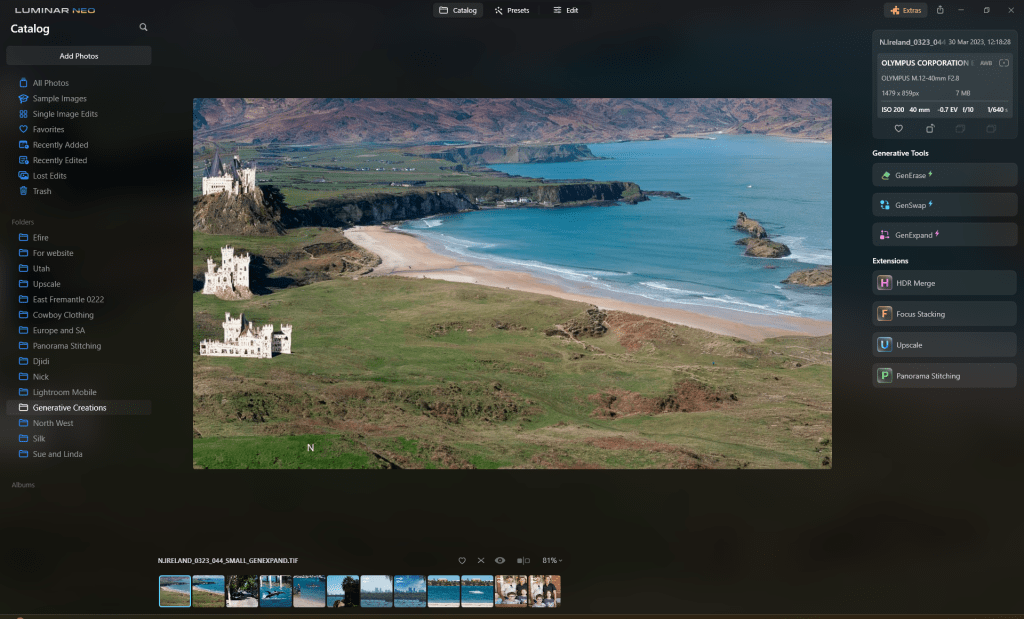
Want photos that celebrate the spectacular, wide-ranging scenes you’ve encountered during your travels? Adjust and expand the frame, refine proportions, easily correct composition issues, and ensure every element within the image aligns in perfect harmony. With GenExpand, the limitations of traditional aspect ratios are a thing of the past. In this video I’ll give a demo on how it works.
I mention this in the video but if you are thinking of buying Luminar Neo then Skylum have got a deal that you won’t find on their website and that’s 30% off. But you have to use this link. Additionally if you are into Landscapes and have Neo, or are thinking of buying it, then they have 35% off the Countryside Landscape Kit. This kit is packed with resources to help you capture breathtaking landscapes and consists of the following:
5 Presets/Templates for photos with a captivating countryside aesthetic 5 of the same Presets/Templates, but with built-in Skies for added allure 5 Skies featuring different clouds and moods to enhance your images 5 LUTs with unique color solutions for a personalized touch 5 Overlays with bokeh lights and flares to add a touch of magic 3 Overlays with fog to create an ethereal atmosphere 1 professional editing guide complete with tips and instructions
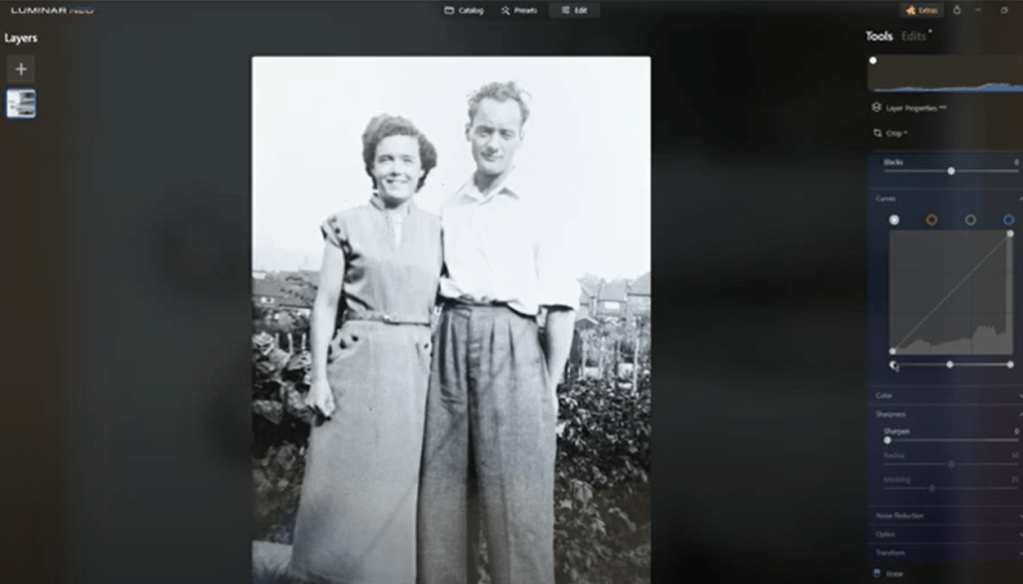
Thought I’d give a quick demo of my recent project, scanning and cleaning up old photos. So I’ve selected a photo from my collection to show what I do with Luminar Neo.
Scanning Equipment
Let’s kick things off with the gear. I use a Canon 5D Mark 2 for scanning photos and slides. The beauty of this setup lies in its ability to provide high-resolution images, far surpassing what a standard flatbed scanner can offer. Below is a photo of my scanning equipment so you can see the fairly basic setup.
Rotate and Crop
Now, let’s dive into the editing process with Luminar Neo. After selecting the image, the first step is usually some sort of rotation or levelling. Following that, a quick crop to eliminate any distracting elements around the edges.
Contrast Via the Develop Module
To breathe life into the photo, tweaking the contrast via Luminar Neo’s develop module is crucial. While the smart contrast button gets us part of the way, tweaking the white and black points manually ensures the optimal balance, avoiding over-darkening or washing out details.
Enhance
Moving on, Luminar Neo’s enhance feature works wonders in refining the overall appearance of the photo. Even if the original image has blown-out areas, enhance can add a touch of magic, transforming it into something visually striking.
Black and White Conversion
Considering the origin of most scanned images tends to be grayscale, I often convert the photo to black and white to maintain the essence of the original image captured during scanning.
Spot Removal
A bit of fine-tuning includes using the erase tool to eliminate any unwanted spots or imperfections. Patience is key, especially when dealing with smaller details.
Detail
To bring out the finer details, a subtle sharpening is applied. Care is taken not to overdo it, ensuring a natural look without introducing artifacts.
Final Touches
While some images might benefit from a vignette, this particular photo seems well-balanced without one. Finally, the edited masterpiece is ready to be saved.
Saving for Different Purposes
I generally save the edited photo as a high-resolution file for potential printing purposes. However, for online sharing or smaller prints, resizing to around 1300 pixels on the longest side is usually good enough.
And there you have it, a glimpse into my photo scanning and restoration process using a camera and Luminar Neo.
Luminar Neo also has some great Generative AI tools. You can see a couple of these by going here.
If you are interested in a free 10 day trial after which you can get 30% off plus and additional 10% if you use the code KATIN10, then you go to Luminar Neo Gen Offer. But you have got to be quick. The campaign runs from 9PM AWST January 19th to 9PM AWST 29th January.
Skylum’s program Luminar Neo, have just launched its first-ever generative AI technologies within the platform GenErase, and GenSwap. Luminar Neo is one of the first photo editors on the market to introduce generative technology. The new AI-powered tools streamline photographers’ editing by allowing them to create beautiful imagery by easily removing unwanted objects or replacing and adding specific elements into a photo.
Let’s take a look at them:
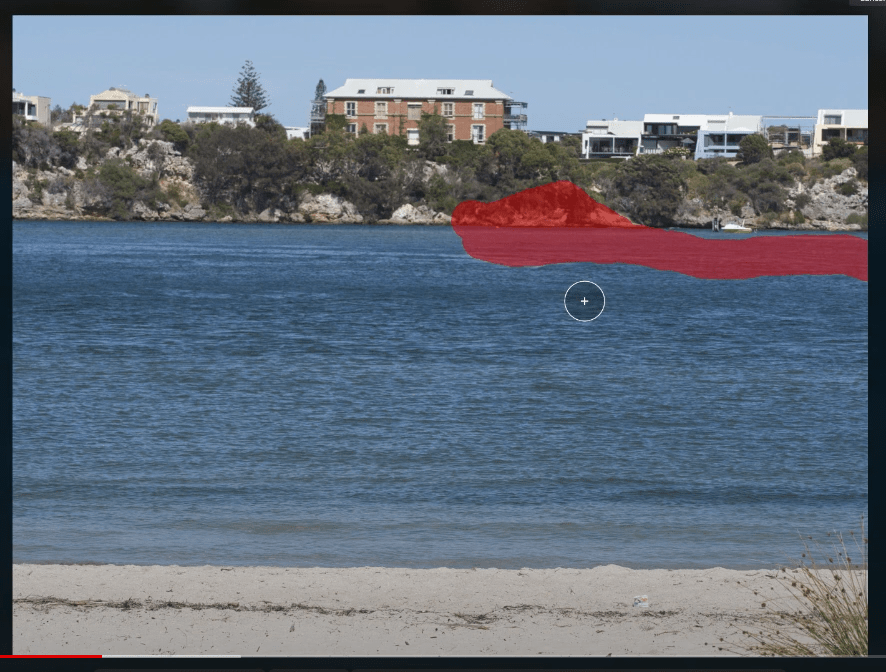
GenErase: A next-generation Erase tool that not only removes unwanted distractions from your images, but also intelligently replaces those areas using content-aware AI tools, providing a focused and distraction-free composition. This feature preserves the integrity of your photos by filling in the gaps with textures and other elements using AI to match the surrounding area. GenErase can seamlessly remove objects such as trash, street signs, utility poles, vehicles, graffiti, crowds, and more to preserve the beauty of the composition.
GenSwap: GenSwap allows photographers to change the image composition by replacing or swapping objects or seamlessly adding new details generated by AI according to the user’s prompt. GenSwap allows you to also enhance images by adding elements such as trees, animals and more, transforming your photos. For example, change an unpleasant tree for a better looking one, add a bird to the sky, or drop a stone in the desert to help the composition.
As you can see Luminar Neo also has some great Generative AI tools.
If you are interested in a free 10 day trial after which you can get 30% off plus and additional 10% if you use the code KATIN10, then you go to Luminar Neo Gen Offer. But you have got to be quick. The campaign runs from 9PM AWST January 19th to 9PM AWST 29th January.
Another day another update from the guys at Skylum
This one is pretty good.
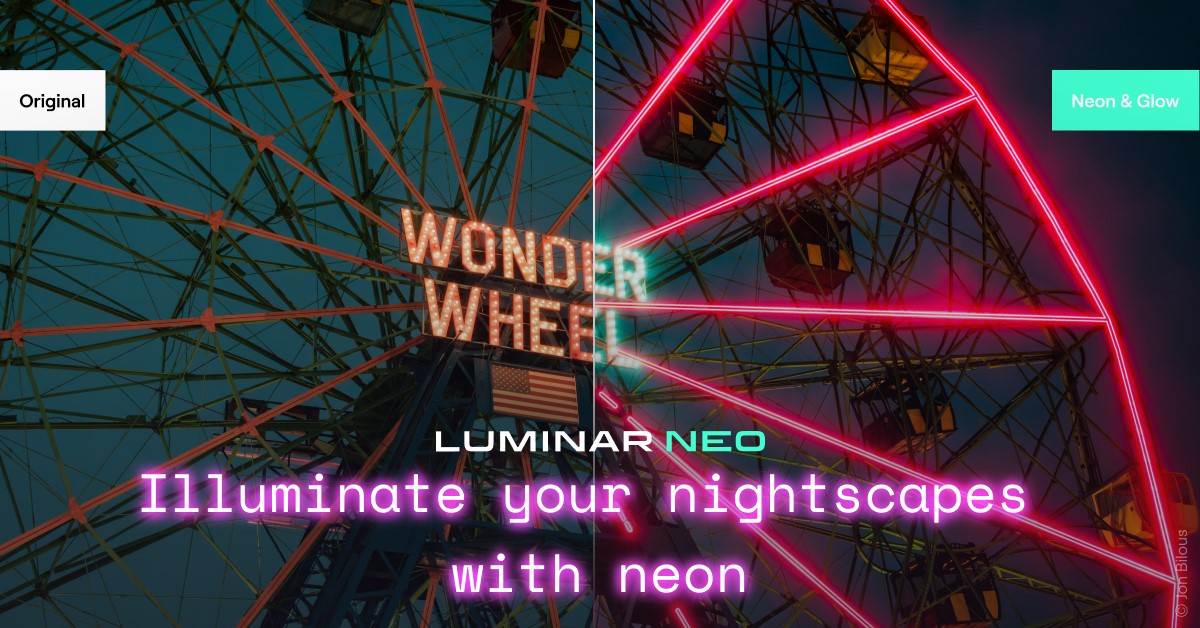
The first new addition is Neon and Glow Discover even more creative possibilities for light manipulation. Seamlessly blend visually striking neon elements into your composition or make your subject glow. It’s perfect for adding that futuristic look to your images, creating captivating digital art, or delivering impressive wildlife photos with a twist. In addition, apply Neon & Glow on your nightscapes and turn them into true visual masterpieces.
Let’s take a look:
The second is Tilt Shift Blur
What is the tilt shift effect?
The tilt-shift lens has the capability of two different types of motion: the rotation of the lens plane relative to the image plane and the movement of the lens parallel to the image plane. Tilt is used to control perspective and the field that is in focus, the part of the image that remains sharp. The shift is needed to change the position of image objects without having to move the camera backward, for example, it is very useful to avoid the convergence of parallel lines when shooting tall buildings. You can get interesting effects for a photo by shifting and rotating the lenses. As a result, the there’s more opportunities to make unusual shots. The method of simulating depth of field in with tilt shift blur is called a fake tilt-shift effect because the photos used were not taken with a tilt shift lens. Luminar Neo’s Tilt Shift blur option is the fourth type of effect in the Blur Tool. With it, you can transform life-sized locations or subjects to look like miniature-scale models. Experiment with your cityscapes, landscapes, and aerial photos. Just like with the other types of blur, you can adjust the amount, angle, and position of the effect, and use masking to selectively apply it.
Let’s see how that works in practice:
If this entices you to grab a copy or subscription of Luminar Neo then go here and get a 10% discount if you use the coupon code KATIN10.
There’s a new feature that’s being released on Luminar neo at the end of the month I mentioned this in my previous post (AI and the Future of Editing Software with Neo) about the bucketful of new features and extensions and this is the first cab off the rank.
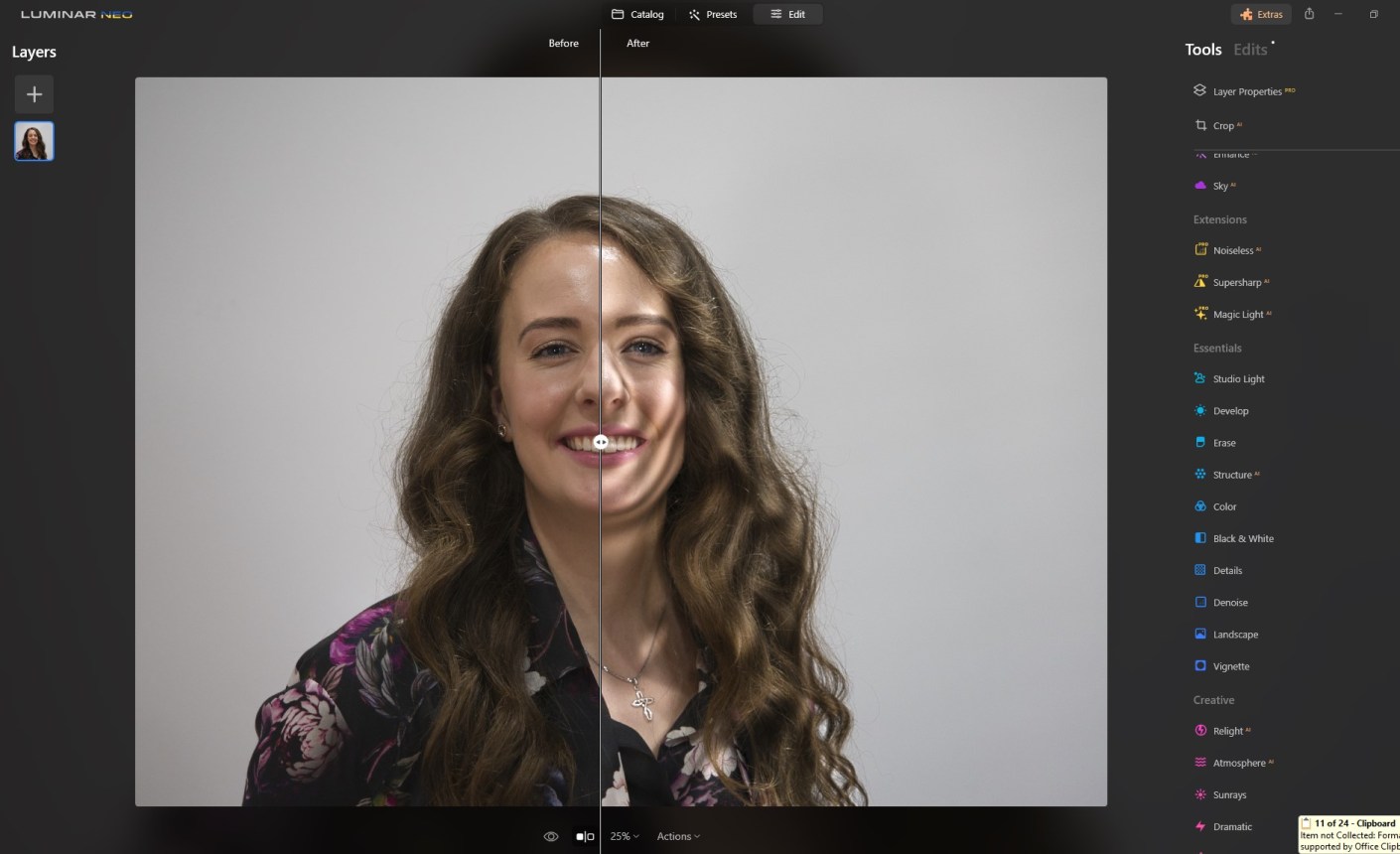
It’s called Studio Light. And it’s a creative tool for portrait photographers that faithfully replicates lightning effects usually achieved with expensive technical equipment in the studio and breathes new life into older photos. With Studio Light, creators can easily add a whole new dimension to portrait photos.
So if you haven’t already got a copy then grab it here and get a 16% (approx.) discount that’s current until 27th August. Plus if you use the coupon code KATIN10 you’ll get an additional 10% off.
Just thought I’d give you an idea of what Skylum has planned for Luminar Neo.
As you are probably aware they have consistently introduced new features. Well In the next 3 or so months they are going to release several new features which will be more and more based on AI.
The beauty of AI-assistive photo editing once it becomes second nature, is that it will save us photographer’s precious time. We won’t have to spend time on mundane tasks. We will have more time for exploring the world and our creativity.
These features will help scene manipulation, removing unwanted objects, and expanding the canvas of a photo. Here’s the full list:
GenErase: Anext-generation Erase tool that not only removes unwanted distractions from your images but also replaces those areas using content-aware tools, providing a focused and distraction-free composition. This feature preserves the integrity of your photos by intelligently filling in the gaps with textures and other elements to match the surrounding area. GenErase can seamlessly remove objects like rubbish, street signs, vehicles, graffiti, and more to preserve the beauty of the composition.
SceneExpand: This tool enables users to extend the boundaries of their photos, adding a new dimension to original compositions. Whether creating panoramic landscapes or adding breathing room to favourite images, SceneExpand offers the ability to break free from traditional aspect ratios and unlock new creative possibilities.
SceneSwap: Let users replace specific elements (such as the sky or foreground) with high-quality AI-generated visuals that blend seamlessly with the rest of the photo. Imagine a stunning sunset replacing the dull, overcast sky or crystal-clear azure waters instead of a murky pond in your photos.
Water Enhancer: Designed to enhance water features in aquatic scenes, giving landscape photos greater visual impact.
Studio Light: A creative tool for portrait photographers that faithfully replicate lightning effects usually achieved with expensive technical equipment in the studio and breathes new life into older photos. With Studio Light, creators can easily add a whole new dimension to portrait photos. For more on Studio Light got HERE
Neon & Glow: Elevate your creations with impressive lighting effects. This tool will allow photographers to overcome challenges such as inadequate lighting conditions and seamlessly blend visually striking neon elements into the composition, making them even more intriguing.
Skylum will also debut a Refreshed UI Design and Navigation. This update addresses user interface fatigue and usability issues, as well as improves the overall user experience. The improvements will address some of the most common challenges with photo management and interaction with the app, making the experience using Luminar Neo even more intuitive and enjoyable.
Pretty Impressive hey?
So if you haven’t already got a copy then grab it here and get a 16% (approx.) discount that’s current until 27th August. Plus if you use the coupon code KATIN10 you’ll get an additional 10% off.
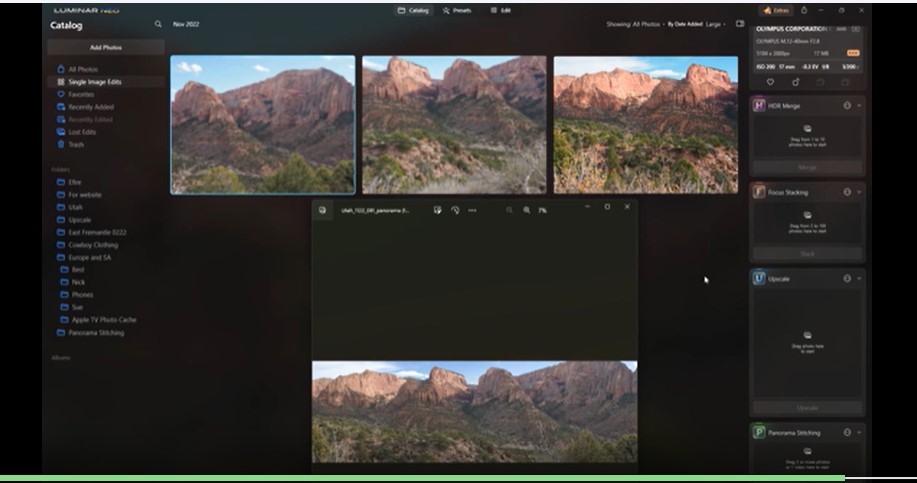
Skylum have just released Panorama Stitching Extension that allows photographers to create sweeping panoramic photos using four distinct creation methods:
1. Pano stitching: Effortlessly stitch RAW or JPEG files to create seamless panoramic photos that convey the grandeur of vast landscape and cityscape scenes.
2. HDR Panorama: Combine multiple exposure and pano brackets into a single HDR panorama that preserves every detail, from the brightest highlights to the darkest shadows, as you showcase these vast expanses.
3. Panorama from Video: Panorama Stitching extension allows you to add your video footage and seamlessly extract frames to stitch together into panoramic images. Good for action sequences as your videos are transformed into stunning, wide-spanning photographs.
4. Object/Subject Composition Panorama: Select specific subjects within a video and converting them into captivating panoramic images. The Panorama Stitching Extension intelligently isolates and combines frames centred around your chosen element, resulting in visually striking panoramas that emphasize and highlight your subject
We’re going to concentrate on simple stitch as this extension lends itself to landscapes more than anything else.
A couple of photo tips before we begin:
Avoid using an excessively wide angle lens, such as 35mm or wider, as this may result in a more artificial and less natural image. Instead, opt for a narrower-angle lens for better results.
Ensure that each photo overlaps with the adjacent one by at least 20%.
Take a look at the demo
Luminar Neo Panorama Stitching
The new Panorama Stitching Extension is a useful tool for capturing breathtaking wide-angle views of stunning landscapes, unique portrait compositions, cityscapes, and architectural wonders.
The Panorama Stitching Extension is available to monthly and annual subscribers of the Pro and Ultimate plans, along with all other Extensions. Luminar Neo owners with a lifetime license can purchase the Panorama Stitching Extension individually or transition to one of the subscription plans. The price for Panorama Stitching is US$39, and US$49.
If you didn’t see or read this before there’s a very exciting offer from the makers of Luminar Neo for all photography enthusiasts – TheUltimate Photography Bundle! But it ends 28th March (tomorrow at 8PM WST in Australia 8AM EDT in the US)
From presets to textures, to e-books and courses, this bundle has it all. The bundle includes a selection of high-quality products, as well as some creative content produced by Skylum and partners.
Ultimate Photography Bundle is worth US$1000, but for a limited time, they are offering it at a heavily discounted price – 85% off – for new users and current owners of Luminar Neo. This is a biggie! Let’s take a look and see what’s included in this offer.
Ultimate Photography Bundle includes: Luminar Neo Lifetime license (available for new Neo users only) Luminar X Membership 1 year subscription 125 LUTs, Skies, Presets, and Overlays for Luminar, Photoshop, and Lightroom Full Editing Course on landscape photography from Albert Dros Portrait Fundamentals from Darlene Hildebrandt Drone Cinematography Crash Course from Stewart and Alina Carrol Luminar Neo Ultimate Editing Handbook Creative content from a couple of world renowned photographers
So what’s the price:
New users who don’t have Neo – US$149 instead of US$1019 (85% discount) Owners who have Neo (the bundle won’t include a Neo license) – US$99 instead of US$820 (save 87%) If you want to take advantage of the offer you had better hurry as it finishes on March 28, 2023. Click on the links below for this deal plus an additional 10% off
Whilst you are there grab the extensions package, you won’t regret it.
You can get all of them (recommended) or choose from Upscale U, Supersharp S, Noiseless N, HDR Merge H, Magic (lighting) M, Focus Stacking F and Background B. You might want to revist the following posts Extensions, Background, and Supersharp
So, there’s a very exciting offer from the makers of Luminar Neo for all photography enthusiasts – TheUltimate Photography Bundle!
From presets to textures, to e-books and courses, this bundle has it all. The bundle includes a selection of high-quality products, as well as some creative content produced by Skylum and partners.
Ultimate Photography Bundle is worth US$1000, but for a limited time, they are offering it at a heavily discounted price – 85% off – for new users and current owners of Luminar Neo. This is a biggie! Let’s take a look and see what’s included in this offer.
Ultimate Photography Bundle includes: Luminar Neo Lifetime license (available for new Neo users only) Luminar X Membership 1 year subscription 125 LUTs, Skies, Presets, and Overlays for Luminar, Photoshop, and Lightroom Full Editing Course on landscape photography from Albert Dros Portrait Fundamentals from Darlene Hildebrandt Drone Cinematography Crash Course from Stewart and Alina Carrol Luminar Neo Ultimate Editing Handbook Creative content from a couple of world renowned photographers
So what’s the price:
New users who don’t have Neo – US$149 instead of US$1019 (85% discount) Owners who have Neo (the bundle won’t include a Neo license) – US$99 instead of US$820 (save 87%) If you want to take advantage of the offer you had better hurry as it finishes on March 28, 2023. Click on the links below for this deal plus an additional 10% off
Whilst you are there grab the extensions package, you won’t regret it.
You can get all of them (recommended) or choose from Upscale U, Supersharp S, Noiseless N, HDR Merge H, Magic (lighting) M, Focus Stacking F and Background B. You might want to revist the following posts Extensions, Background, and Supersharp
G’day, I’ve been playing around with another useful piece of software from Pixbim. It’s called Pixbim Animate Photos AI. It’s a photo animation software that helps you animate faces in photos with the click of a button. Pixbim animate face app uses artificial intelligence to automatically animate a photo and generate a video from it. Besides being easy to use, it gives perfect results that you can feel comfortable in sharing with others. The software animates photos using models that result in images with blinking eyes and changing facial features. AND it doesn’t require professional video editing skills to animate still photos.
One other benefit is Face Enhancement
So let’s check it out
It also has as added value the ability to upscale a photo by 2X plus you can batch and select the type of animation you want to try.
Currently they have it for sale at $49.99 but if you use the following code KATINCSAI20, you’ll get another 10% off. To buy or get a free trial go to pixbim.com/animate-photos
How often have you taken a photo that you thought was sharp only to find later when viewed on a bigger screen that it’s slightly soft? Well Luminar neo has an extension called SuperSharp that can help. Let’s check it out. Oh and by the way don’t forget that you’ve only got till 30th january to take advantage of thier big sale, If you use this link Skylum Neo you’ll get an additional discount as well.

































 Katin Images Travel Photography