Katin Images Travel Photography

Travel Photos, Travel Photography Tips and Software

Tag: photography tips

  • Looking for stock photos? Here’s how to take your own.

    Looking for stock photos? Here’s how to take your own.

    Ever wondered how there are so many good stock photos out there? And how they got taken?


    Have you also downloaded one and had to settle “for almost but not quite right”?


    Maybe you’ve got fed up looking for the right one and just settled for something free and second rate.


    Well, ‘you’ can take your own.


    If you know your way around a camera or even a smartphone you can take the image
    you need to display for your business.


    Don’t get me wrong I’m not against stock photos. They have their place.


    But most small businesses often can’t afford to use the good ones.
    So, they end up looking for free ones, which has a big cost in time, and then use them, more often
    than not, for their online presence and a lot of these free ones are just not good enough.


    In this article by Paul Suggett of the Balance. He uses the analogy of stock photography being
    the “off the shelf clothing” and either your own or your photographer’s photos being the made to
    measure that “fits you like it fits no one else”


    Of course any Stock photo you use is not exclusive to you which can create other issues.


    For more on that read Why stock images are bad for business!


    But you can take a leaf out of the stock photography industry and follow these rules to take
    your own purpose taken image.


    Looking for stock photos?


    Most *stock photographers use these following elements when taking stock photography.


    Four Basic Elements of Stock photography


    1. Background


    2. People (Model/S)


    3. Subject


    4. Involvement


    Let’s break this down:


    1. Background


    Almost as important as the subject matter. Simplicity and Clarity are the keys here.

    You want to ensure that the background doesn’t have distractions.


    Choose a background that’s uncluttered and depicts the story that you want to tell.

    For example, say you have a kitchen product, then use an actual kitchen or at least
    have a background that looks like a kitchen.


    The Kitchen needs to be a fairly bland kitchen with no other brands or appliances obvious.

    Using contrast between the people, your subject and the background can give the image a
    3-dimensional feel (without photo-shopping)


    2. People (Model/S)


    A vast majority of stock photos have people. People evoke emotion and interest.


    In the Kitchen product example, ideally you would have someone using it.


    Make sure they are posing naturally not as if this a family photo or portrait.


    You want to convey the feel that you as the photographer are a fly on the wall and
    not make it look staged.


    If you are going to use the image for commercial or marketing use, ensure you get the model,
    even if it’s your Aunt Amy, to fill out a model release. Just in case you fall out with the old girl
    and she wants you to pay her in money instead of tea and scones later.


    I will cover this issue in a later post. But it’s worth being flagged here.


    Looking for stock photos?

    3. Main subject


    This is the main focal point of a stock image. You want it to shine out. Most products, and services are
    meant to be used, worn or consumed. Like the Kitchen product show it in use.


    But be careful! Don’t go overboard with the subject after all the story you are telling is what
    benefit it will bring to your potential customer’s life.


    If as another example, you are wine producer just taking images of your label or bottle is not
    going to get you sales.

    You could depict when is a good time to drink it. A Rose on a warm summers
    afternoon, a Riesling matched with Thai food.


    4. Involvement


    This is gives the opportunity to show your subject being used by someone who is really involved.
    They should be showing some emotion maybe enjoyment or surprise.


    Some images can work better if there is more than one person.

    In the kitchen product example, they could be using it and interacting with someone else,
    who looks amazed at the results or else could be helping or also using the product.


    Remember it’s not a portrait you are after. Even if you have a piece of clothing or Jewellery,
    much better to show how people wearing it being active even if it’s only reading a book.


    *By the way I have defined a stock photographers as a photographer that takes images for
    certain markets. They are not taking images on behalf of a specific client


    If you have a product that you are considering taking your own images of then you may be
    interested in this article Make sure your Product Image speaks for itself with this Photography Checklist.

    At the bottom of that post is a link to download a checklist which will help.


    Thanks for reading


    Post any comments below. I’d love to hear them.


    And do us a favour! Please share any way which works for you.


    If you want more like this then please subscribe below and you will get a
    free guide on how to improve your photography.


  • 5 Ways to Eliminate Camera Shake

    5 Ways to Eliminate Camera Shake

    How many times have you looked at those beautiful images only to realise on closer inspection there’s a slight blurriness about it. It’s just not as crisp and clear as it should be.

    That’s called softness and is usually caused by Camera shake.


    Like most cities in the USA, Anchorage has a big fourth of July parade. This one was in 2012
    He’s a bit soft! (Probably wouldn’t tell him that!)


    https://katinimages.smugmug.com/Travel/Independence-Day/i-WnMvsVN/A
    That’s better! (Fourth of July parade.)

    In my last post How to hold a camera correctly on this topic, I went through the best ways to hold a camera to try and reduce camera shake. Now lets’ look at 5 other ways in order you can help eliminate camera shake


    1 Use a fast shutter speed


    Typically, Camera Shake is caused by the shutter speed being too low.

    Selecting the correct shutter speed can be a challenge. On most cameras, you can select the shutter speed and a rule of thumb, depending on the camera is the focal lens x 1.5 or 2 = the shutter speed.

    So, if you have a focal length of 100mm then you will need a minimum shutter speed of 1/160; a 200mm focal length would be 320 etc. etc…
    Now on some compacts and a lot of Smartphone cameras you can’t adjust the Shutter speed so the next best thing is to either adjust the exposure compensation or the ISO.
    If you are going to shoot a lot of images at low light, then experiment so you know how your camera performs.


    2 Use image stabilisation


    Many years ago, I met a photographer who was taking clear and sharp images of wildlife at dusk without a tripod. That was my first introduction to image stabilisation.
    Basically it compensates for camera shake caused by slow shutter speeds.

    Initially they were only available on the lens but nowadays most cameras have it inbuilt. So now you don’t have to worry about what lens to use.
    Having it inbuilt also means that most cameras have options and settings that can give flexibility.

    Smartphone cameras also have them built in but usually only have the option to turn it on or off.

    Just a little warning – some manufacturers advise you to turn off stabilisation if using a tripod.

    An image stabiliser only goes so far. At the end of the day if the shutter speed is too low for the conditions then it won’t help.


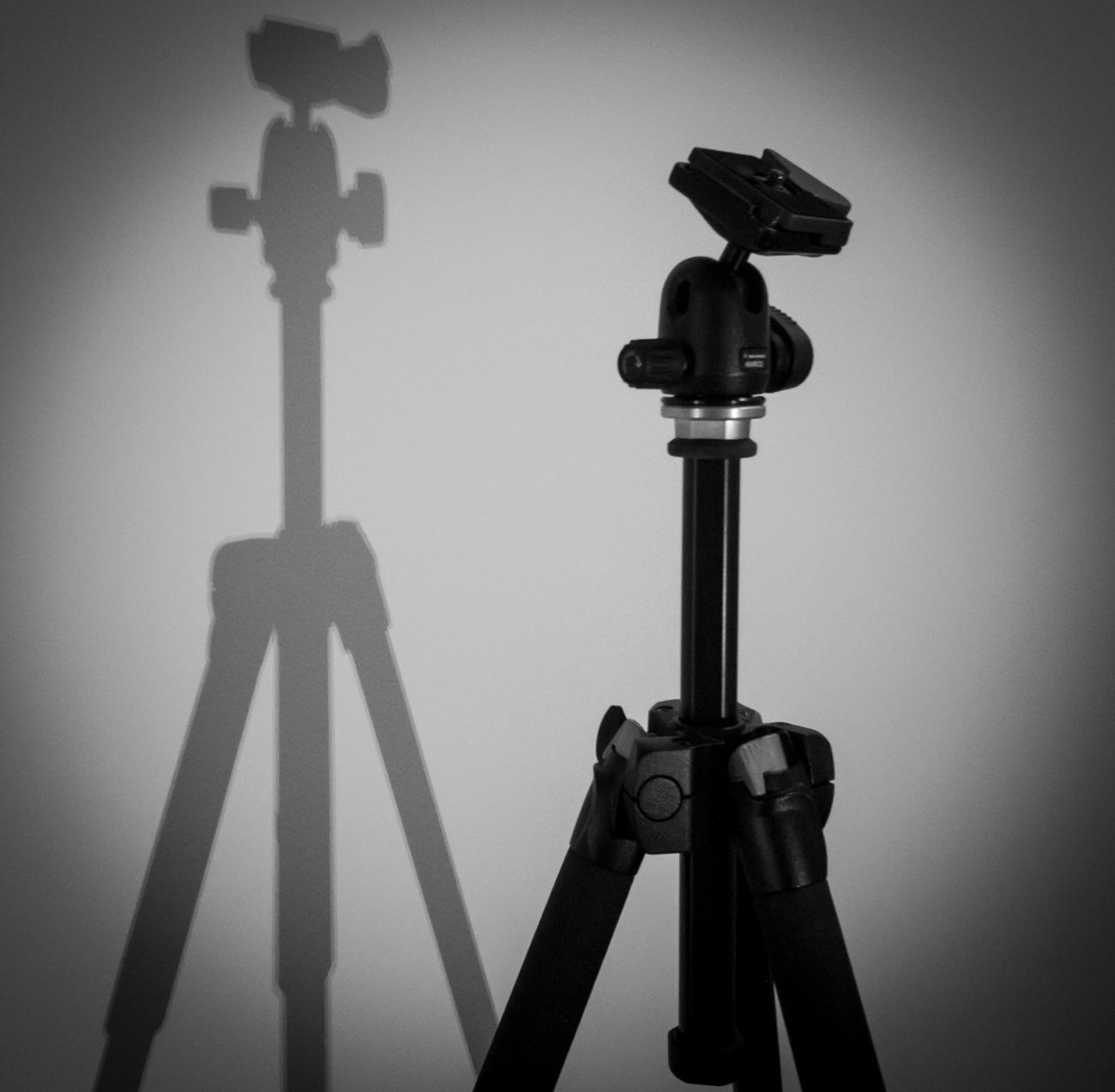
    3  Use a tripod


    This one is obvious. After all, if you don’t have to hold it then it’s not likely to move. Right?
    Well yes and no and I’ll explain in the next tip but for now putting a camera on a tripod is always going to be better than hand holding.

    Nowadays there are lots of different tripods out there. Some are designed for different applications and cameras.

    For a mirrorless, compact or DSLR cameras there is a few considerations such as the weight, ease of use and sturdiness.
    And it also depends on the use. As an example, I have 3 tripods, a studio tripod that never leaves the ‘studio’ a heavy duty one that I use for assignments and a lightweight one which I take travelling or on assignments where weight is an issue.

    For smartphone cameras, there are also a lot of choices but they are usually chosen on convenience. I use the Joby Grip Tight Micro Stand, a great little find that has a mini stand. It can also be fitted to a standard tripod head.


    4 Use the timer


    The other main reason for camera shake is the shutter button action. When you press down on the shutter button the camera moves. Even if you are gentle it still moves. Of course, if you have a fast-enough shutter speed then it’s not a problem but if you are shooting in low light then it will create vibration which equals camera shake

    Another option is to use the timer. In all seriousness, you wouldn’t use the timer if you were hand holding. The idea is to use it when on a tripod or if you have the camera mounted on something sturdy.

    Most cameras have 2 or 3 timer settings. Use the lowest unless there’s some reason you need time like taking a self-portrait. After all, 2 seconds is not a lot of time to get into position.


    5 Use a remote


    For the same reason as the previous point (5) using a remote will take that that heavy human press out of the equation.
    There are a lot of types of remotes out there.
    From the old-school release cable for a DSLR to using a smartphone app to trigger your mirrorless camera to using a Bluetooth remote trigger for your smartphone.

    Choose the one that is right for you or choose a couple for different applications.


    Did you understand all that? I’m happy to clarify anything you’re not sure of.

    Just post in the comments section below. Don’t be shy.

    While you are at it why not subscribe for future updates below.

    You’ll get my free guide “Eleven easy ways to improve your marketing photography”.

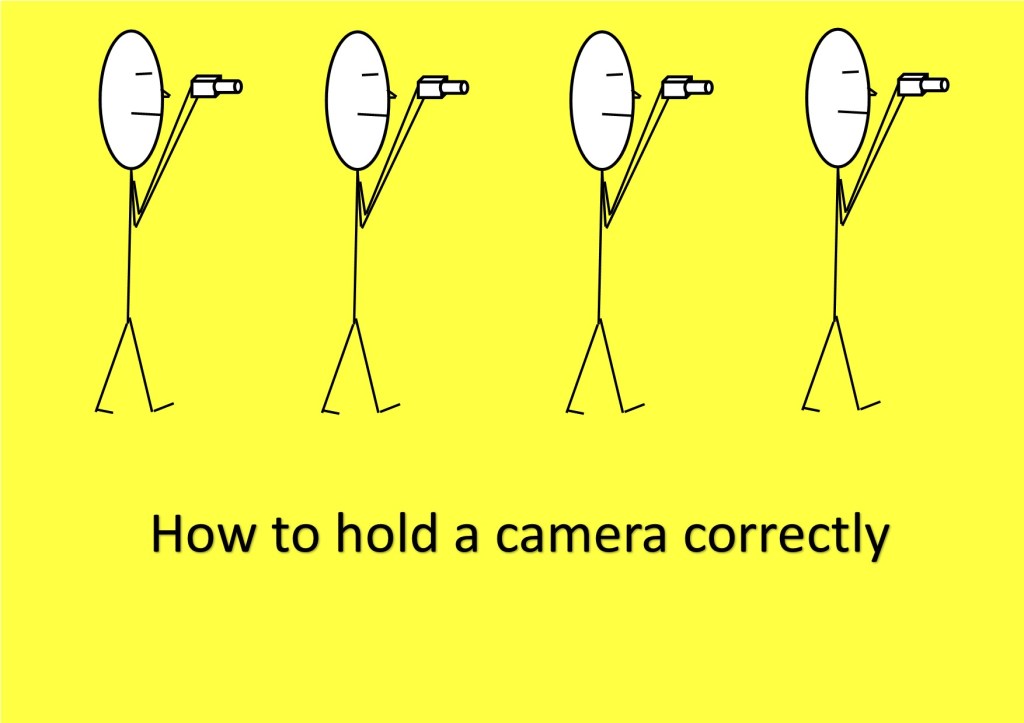
  • How to hold a camera correctly

    How to hold a camera correctly

    So, you think you can hold a camera or smartphone correctly? Well how do you know?

    Take a good look at your photos.

    No, not on the camera or phone screen but on your PC, Mac or Laptop. Even a tablet is better than a smartphone or camera screen but the bigger the better.

    Now does it look really sharp or does look a little bit blurred (the industry phrase is “soft”) in parts or may even a quite a bit blurred?

    If so, there is a good chance you are not paying enough attention to the fact that a camera moves when you hold it. Now that’s not the camera moving on its own but you moving it.
    Got It?

    Now there are several techniques to overcome this but I’m going to basically cover how you should be holding your camera and smartphone.

    Let’s start with the camera.

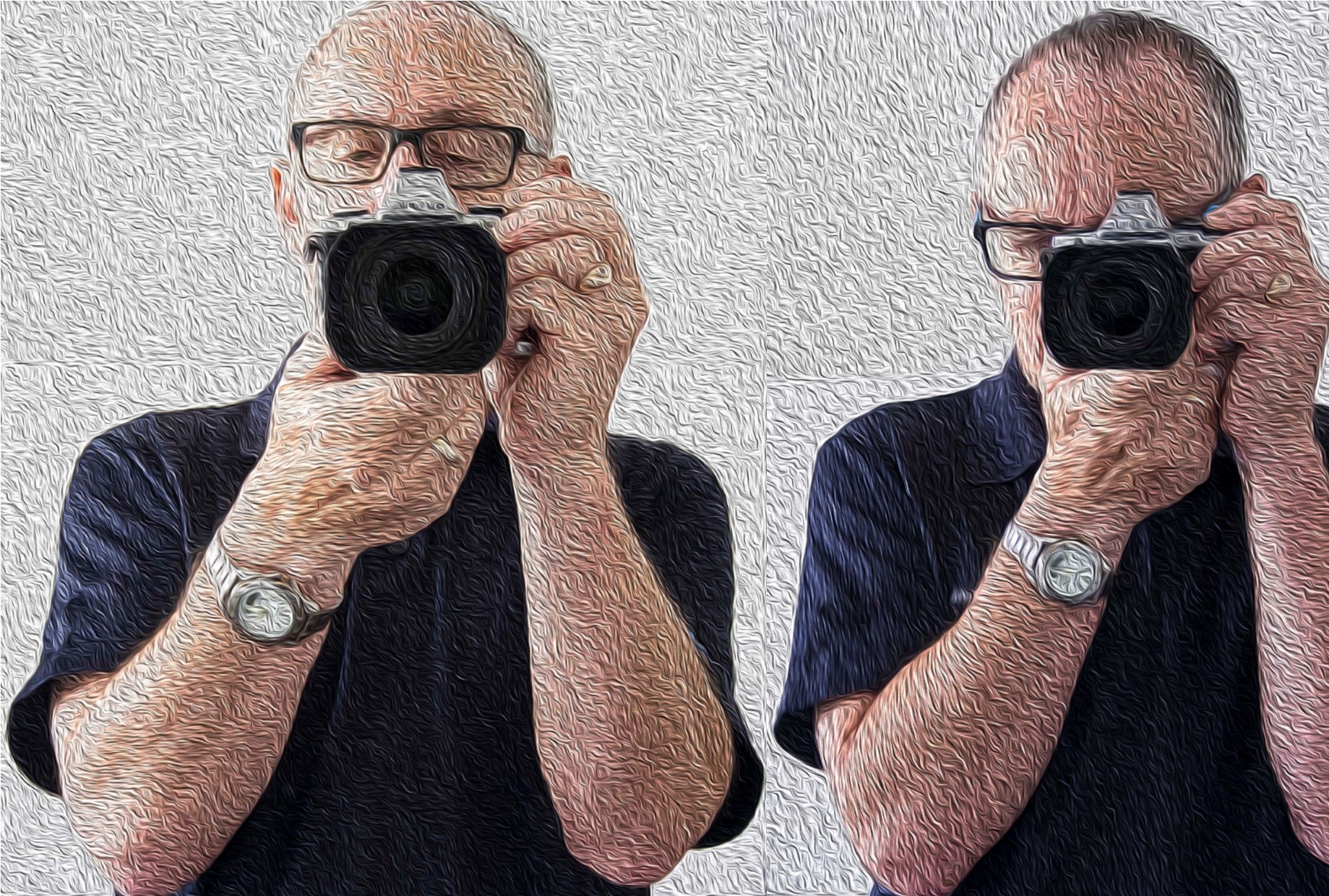
    • If it has a view finder – then use it! When you use the view finder you are putting the camera up to your face and therefore bracing it on your face.

    Now to add to that, tuck your elbows in against your side.

    • Ok so it doesn’t have a viewfinder or you don’t want to use it! The overwhelming majority of people ta king pictures using the view finder do not hold it correctly and consequently having pictures that are ‘soft’.

    If you have studied physics you will know what the pendulum theory is. Holding the camera at arm’s length creates a pendulum effect and ‘soft’ or blurry photos unless the light is very good and you have a high shutter speed.

    So just like using the viewfinder tuck those arms in against your sides and bring the camera closer to your eyes.

    • For either situation, depending on the weight of the camera, grip one side with one hand usually the right where the shutter button is and the position the other hand underneath the body or if it’s a fairly long lens then under the lens.
    • Ideally you want to stand with your legs shoulder width apart so that you well grounded.
    • If there happens to be a handy surface, say a wall, rest the camera on that.
    • Or you can support yourself against a vertical surface such as a tree or a wall if practical.
    • The portrait position is similar for both the viewfinder and rear screen.
      You just need to decide which side is more comfortable for the shutter button. The shutter speed at the bottom is the most practical so that you can use the bottom to help support the bottom of the camera.
    How to hold a camera correctly
    Camera Holds

    Ok now the smartphone

    • Most smartphones these days have the option to operate the shutter with a physical button like a volume control instead of tapping the screen.
      So, if you have that option then use it! Especially for the landscape position.
    • As with a camera most people using a smartphone camera often don’t hold it correctly. So tuck in your elbows
    • Use both hands. It gives me nightmares watching some people take photos one handed. With a smartphone, you need to use 2 different handling techniques.
    • In the horizontal or landscape position hold it with your hands in the same spot on each side. With whatever hand you are using to press the shutter button make sure you have that trigger finger free so that you can tap the virtual shutter or press the physical shutter button.
    • Now the vertical or portrait position is bit trickier.

    If you are using a physical shutter, then hold the phone with whichever side it’s on and curl it around the back below of course the lens with the thumb operating the shutter.
    The other hand can hold the bottom of the phone with the index finger and thumb.
    For a virtual button the difference is that it’s the hand at the bottom that presses the virtual button and can’t in that case grip the bottom of the smartphone at the same time.

    In all honesty when in portrait mode, it’s often better to use the virtual button.

    How to hold a camera correctly
    Smartphone Holds

    In some situations, you may not be physically vertical. You may have to lie or sit to take the photo. If you are lying down, you have the added support of the ground or floor but you need to rest the elbows on the ground or you will end taking a steady of image of the ground which may not be your intended subject.

    If you are sitting, then usually there is something you can rest the camera on.

    Of course, there are lots of ways to avoid that blurry or soft photo.

    Use a tripod, make sure you have image stabilisation turned on (if fitted), ensure that your shutter speed is fast enough, use the timer and so on. 

    But this piece is just the basics on holding the camera.

    More on those tips on the next post.

    If you have any tips, please don’t be shy just stick ’em in the comment box below?

    Is there anything else that you want explained? Again just ask.

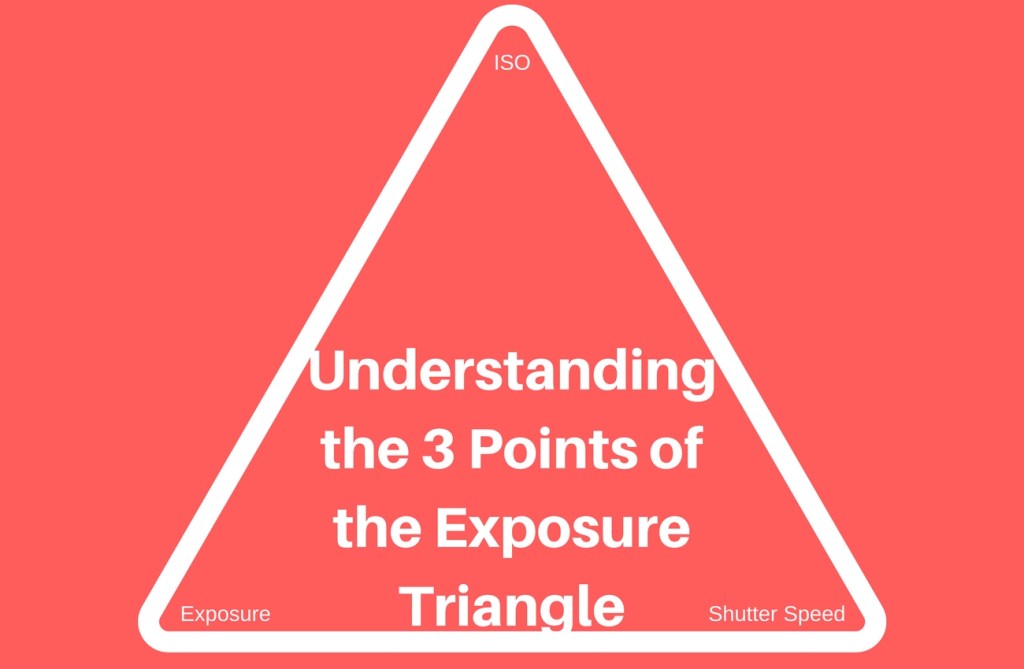
  • Understanding the 3 points of the exposure triangle

    Understanding the 3 points of the exposure triangle

    So, what is the exposure triangle?

    Well the exposure triangle is the relationship between aperture, shutter speed and ISO.
    Each one affects the other.

    OHM’s Law

    Remember Ohm’s law? Well if you don’t (I’m not even sure they teach it at school these days).
    It’s basically an electrical equation V Volts (power) = R Ohms (resistance) x I Amps (current) and if you change one you change the other.
    If you know the power and the resistance then by changing the equation to Volts ÷ Ohms = Amps, you can work out the current (amps).

    Understanding the 3 points of the exposure triangle

    It’s the same for the exposure triangle.

    The Three Points of the Exposure Triangle

    1. Aperture

    Aperture is a hole that lets light in. The bigger the hole the more light you let in.
    What does that mean?
    It means the smaller the hole the more in focus – the bigger the hole the less in focus.

    Let’s say you took a picture with a setting of F2.4. Because the size of the hole is inversely proportional to its setting that’s a large hole. The subject will be in the focus but the background will be blurry.

    But if you took a picture with a small hole e.g. a setting of F22. then everything will be in focus. That’s not strictly true as the amount in focus starts at the point at which you are focusing the camera out towards, potentially, infinity. 

    2. Shutter speed

    This is an easier one to grasp.
    As with the aperture, the longer the shutter is open the more light you allow in.
    Shutter speeds are measured in fractions of second to seconds.
    So, a shutter speed setting of 1/100 is one hundredth of a second or .001. A setting of 5 is 5 seconds.
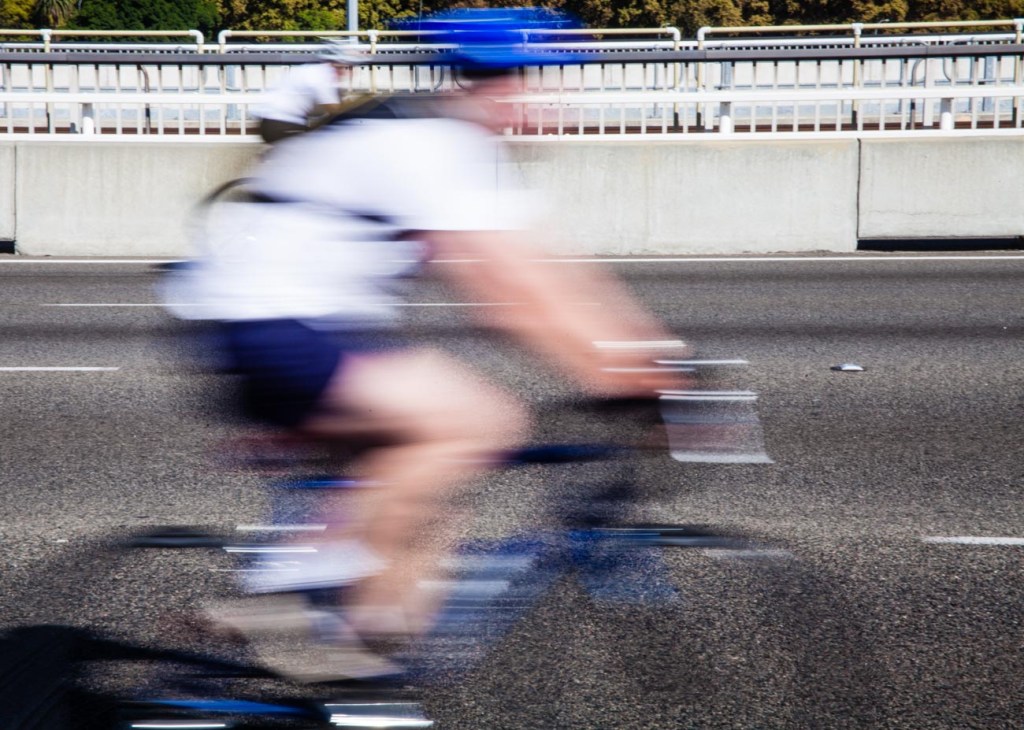
    However, the effect is totally different from the aperture. A fast shutter speed will generally freeze motion e.g. sports. Whilst a slow shutter speed will blur motion e.g. a fluid looking waterfall.

    3. ISO

    ISO stands for International Organization for Standardization and in the film days was an indicator of how sensitive to light a film was.
    An ISO 400 film was 4 times as sensitive to light than a ISO 100 film.
    On digital cameras that sensitivity is for the camera sensor. When the ISO is increased or decreased you are in effect, making the camera sensor more or less sensitive to light.
    ISO 100 being the least sensitive whilst ISO 25600 plus is the most sensitive.

    Practical Example

    So, there you have the three points of the exposure triangle.

    I’ve already mentioned how each one affects the other but let’s see how that affects, for example, Product photography and look at a couple of specific examples.

    OK, so we’ve got this new beaut product that we want to take to the market place and we want to create some really cool images to use for marketing.
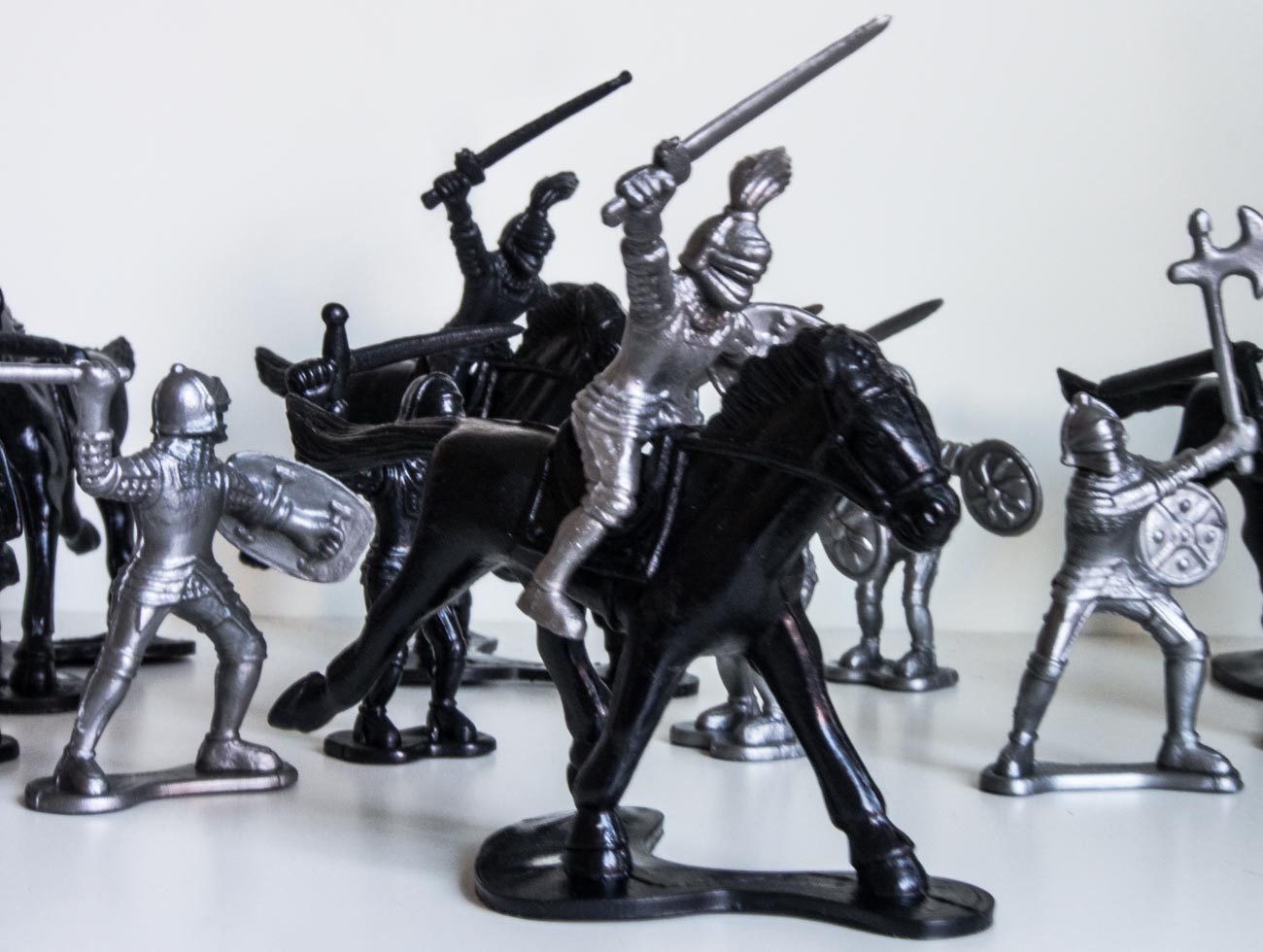
    Let’s say it’s this toy soldier
    We’re taking the picture inside which is fairly bright, even though we’re using just natural light. To make sure we get a properly exposed image we are going to take a couple at different settings.

    Understanding the 3 points of the exposure triangle

    The first image has an aperture of f5 and a ISO of 800 whilst the camera has calculated the shutter speed.
    You can see everything is in focus and the light looks fairly normal.
    But look closely and you’ll see that it looks a bit soft e.g. slightly blurred?
    That’s because the shutter speed is too low at 1/20 which means I couldn’t hold it still enough.

    Understanding the 3 points of the exposure triangle

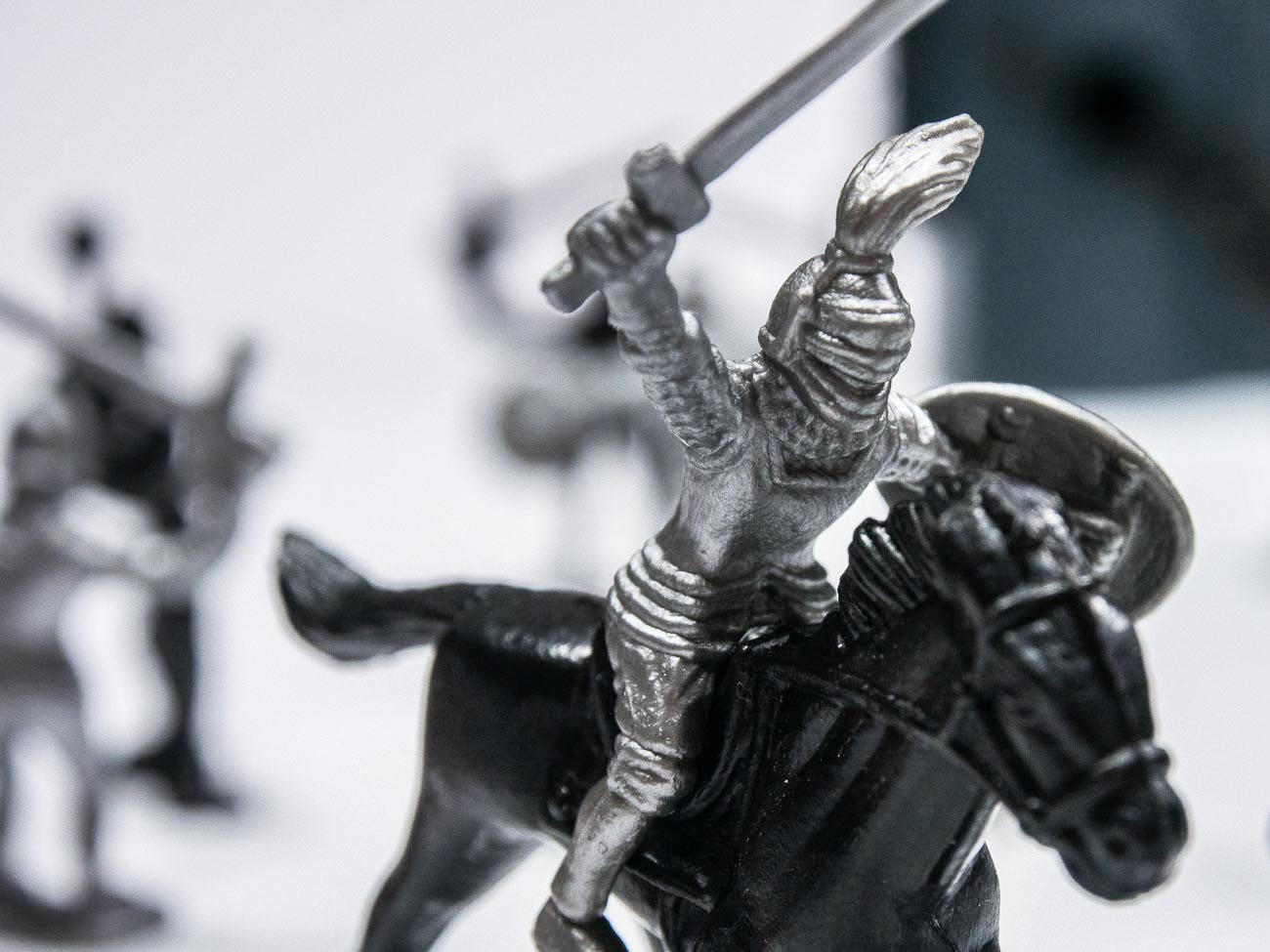
    The second image had an aperture of f1.2 and a ISO of 2000. Here you can see that the soldier is in focus whilst the background is blurred (bokeh).
    That’s a fairly common way for ensuring that the spotlight is on the product and not distracted by the back ground.

    Because of the high ISO the shutter speed is 1/200 which means the image is much sharper.
    That’s because the shutter speed is now 10 times as fast and is a bit more forgiving.

    As an aside if you think you can hold a camera still regardless, think again. Our hands move without us knowing.

    [mailerlite_form form_id=7]

    However, the disadvantage of having a high ISO is that the image could have noise which may or may not be an issue.

    As a rule of thumb, with newer cameras the higher the maximum ISO setting on the camera the less likely noise will occur at lower settings. E.G. The OMD1 MKII Mirrorless Camera that I have, has a maximum setting of 25600. Realistically I don’t really see any noise in an image until around 1000. Compare that with my Galaxy S8 Smartphone Camera that has a maximum ISO of 800. With this one I notice noise at around 400 ISO

    Of course, there are ways of reducing or getting rid of noise in post-production with software like Adobe Lightroom. So, it’s not that a big issue.

    Below are two examples of noise from two different cameras.

    Understanding the 3 points of the exposure triangle
    Understanding the 3 points of the exposure triangle

    There you have it, that’s the exposure triangle.

    Did you understand all that? I’m happy to clarify anything you’re not sure of.
    Just post in the comments section below. Don’t be shy.

    Thanks for reading this article

    There must have been something that piqued your interest.

    Is it that you see yourself taking some great travel photos that you can share or display?

    Or is it you can see yourself reliving your travel experience by bringing home some emotive travel photos?

    Maybe you aspire to getting your travel photos published.

    If one or all of these is YOUR goal, I can help.

    If you sign up in the box below you’ll get my free eBook “9 ways to improve your Travel Photography”. At the same time, you will also subscribe to my Travel Photo Tips Newsletter.

    Remember if you want to take great travel photos

    •   that you can share and display.

    •   that help you relive your travel experience

    •   give you a chance to have your travel photos published

    then sign up below and subscribe to my Travel Photo Tips Newsletter and for your trouble get my eBook “9 ways to improve your Travel Photography”

    [mailerlite_form form_id=7]

    Any questions then please write your comments below or contact me here and please say hello at these places:

    FacebookTwitterInstagramLinkedIn:


  • 7 Ways Good Photography Equipment Can Help You Create Great Marketing Images

    7 Ways Good Photography Equipment Can Help You Create Great Marketing Images

    7 ways good photography equipment can help you create great marketing images


    I’ve said in a “Why selecting a new camera is like selecting a new date (or TV)” that it’s not the camera but the person with their finger on the shutter button that makes or breaks a great photo.

    Well just to contradict myself, sometimes it is the gear.

    Having certain equipment can give you shots that you may not be able to get without it.

    A sports action photographer won’t get some of the shots he would like if the auto focus in his camera is slow.

    Fashion photography requires excellent lighting.

    Top quality landscape photographers usually use a tripod and high resolution cameras.

    Cameras with more settings will generally have more flexibility and therefore give the photographer choices.


    Let’s look at what equipment can give you:


    1 Artistic opportunities.


    It gives opportunities to create something imaginative.

    For instance, with some of the filters that are part of almost every camera today, including smartphones, you have options to give your image a Grainy Film, Pop Art or Sepia old worlde tone look.

    The image below is a combination of a couple of filters.


    7 ways good photography equipment can help you create great marketing images


    2 Freeze motion


    When you are taking images of an event that has motion you generally need a high number of frames per second (FPS) to capture several images at a time.

    Some cameras have high FPS and some lower and that can make a big difference.


    3 Blurring motion


    Conversely if you wish to blur motion then you need a camera that will allow a slow enough shutter speed.

    That may not always be possible especially in bright light. So, a ND (neutral density) filter can be added so that the amount of light entering the camera is reduced.


    4 The ability to take images in low light part 1


    There’s no doubt that modern cameras can almost see in the dark.

    However not all cameras are created equal. Even though there are cameras that have ISO rating in the 100’s of thousands they may not give the crisp clear images you want.

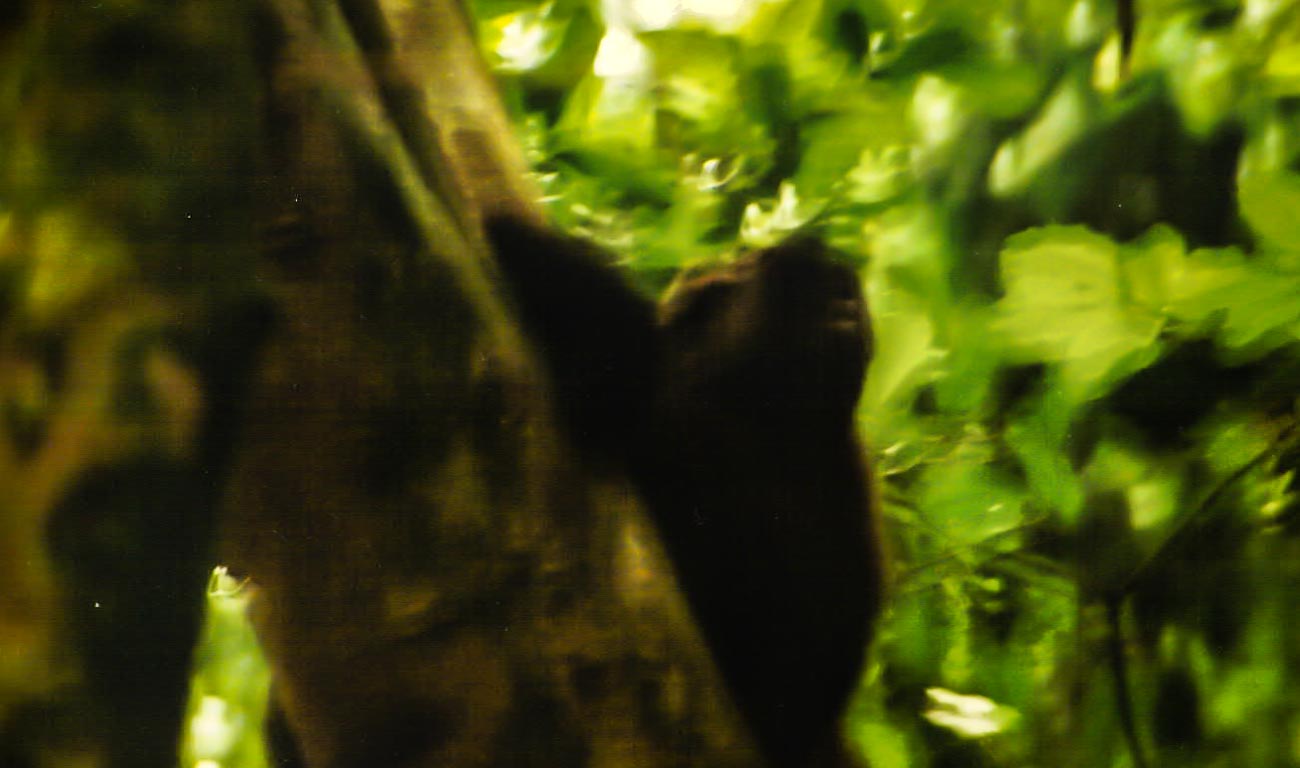
    Why is ISO that important? Well to give you a personal example; when I was first learning photography, back in the film days, I was on a gorilla safari in Uganda.

    The forest we were in was dark and as we got a view of the gorillas I snapped away not understanding that I should have had a film with a much higher ISO. 

    The images were developed some time later and were so disappointing.


    7 ways good photography equipment can help you create great marketing images


    Blurred because the camera had a slow shutter speed due to the lack of light.

    A priceless experience that was never properly recorded!

    Before digital, the ISO rating you had on the film meant that you were locked in for however many frames there were e.g. 36. Now you can change the setting per frame.

    Film also only went up to around 1600 and even then, you got a grainy image which is OK if you want to depict a moody grainy photo but not so good if you wanted something crisp and clean.

    So, yes, some cameras will give you some great images and high ISO negating the need for tripods or other ways of holding the camera still but not all.

    My wife’s camera (granted it’s a few years old now) is ok up to 1600 after that the grain is quite noticeable.

    On the other hand, the Olympus OMD5 I have is great up to about 6400.


    5 The ability to take images in low light part 2


    Image stabilisation can really help if you need to take images in low light or with slow shutter speeds. In some cases, that can eliminate the need for a tripod.

    I first saw image stabilisation in Namibia on safari. A photographer had a lens with image stabilisation and he could take images without the need for a tripod in fairly low light. This was 20 years ago when I was first learning photography and that blew my mind!


    6 The ability to take images in low light part 3


    I’ve always hated carrying and using a tripod but now with these lightweight models and the fact that the cameras are now a lot smaller and weigh less it’s not so much of a burden to carry one. Using it – well that’s still another matter but I will say if you are taking images of products especially in low or artificial light then it’s a valuable tool.

    With a tripod, you can take yourself out of the equation and with a wireless (or wired) remote you can take images of subjects reasonably stress free and creatively.


    7 Bokeh


    Bokeh is the term used for making the subject stand out from its background by ensuring that the subject is in sharp focus and that the back ground is blurred.

    The right equipment can allow you to create an image with great Bokeh.

    The equipment for this is a little more complex. If you have a full frame camera, then it’s relatively easy with even the package lens to get a reasonable bokeh.

    Where it gets tricky is with mirrorless (there is the odd full frame mirrorless but for this purpose, we’ll cater to the majority).

    Any none full frame camera is very much dependent on the lens and couple of other factors like distance and zoom.


    So, that was my alternative view on the importance of equipment.


    Do you agree?


    Let me know in the comments section below

  • 10 Vital Facts about Camera Aperture

    10 Vital Facts about Camera Aperture

    10 Vital Facts about Camera Aperture

    The aperture of a camera is the centre of the photographic universe.
    Well maybe, the other centre as some would argue, is the shutter.

    No matter, let’s continue as if we haven’t heard Mr ‘some would say’ and show you 10 Vital Facts about Camera Aperture.

    The Aperture and the Heart

    The aperture is pretty much like the human heart, not at a lot goes on in the body without it.

    With your heart, almost everything you do relies on the heart beating at all. Then it needs to beat the correct rhythm to ensure what you want to do can be done.

    It’s often how fast your heart beats that will determine how quickly you can run/walk/cycle up that hill for example.

    So, it is with the aperture.

    If that’s not set properly then the image you get is not what you were expecting.
    Therefore that you won’t be happy with the end result. Especially if the subject you may never get the opportunity to photograph again. 

    So, what’s the 10 Vital Facts about Camera Aperture?

    1. The aperture is hole that allows light into the camera sensor that dictates the end result.
    2. It’s adjustable. You increase or decrease the hole size to get the effect you want.
    3. The amount of light the aperture lets in affects your ability to keep the camera still enough to get a crisp shot.
    4. Contrary to the general belief it’s the aperture not the auto or manual focus that is a major factor in what is in focus and what is not
    5. Aperture is measured in f stops. Confusingly for anyone just getting acquainted with it the lower the number the bigger the hole or opening.
    6. Each f stop doubles the size of the aperture when reduced or halves it when increased.
    7. Depth of field (DOF) is controlled by the Aperture
    8. A large DOF F22 reduces the aperture opening and puts everything in focus from the point of focus to infinity
    9. A small DOF F1.8 increases the aperture opening and just puts the closest item focused on in focus.
    10. The lens you use affects the lowest aperture setting. You may have one lens that will have a minimum setting of f1.8 whilst another could be f4.5

    So why do you need to worry about those 10 Vital Facts about Camera Aperture?

    Well if you are using auto on your camera, you don’t!

    But if you want just a small degree of control then adjusting the aperture is a good place to start.
    Of course, there are filters (and apps for the smartphone users) that you can use to give you some basic creative control.
    But even the best don’t offer the sort of creative control that you can get by understanding how aperture works.


    For example

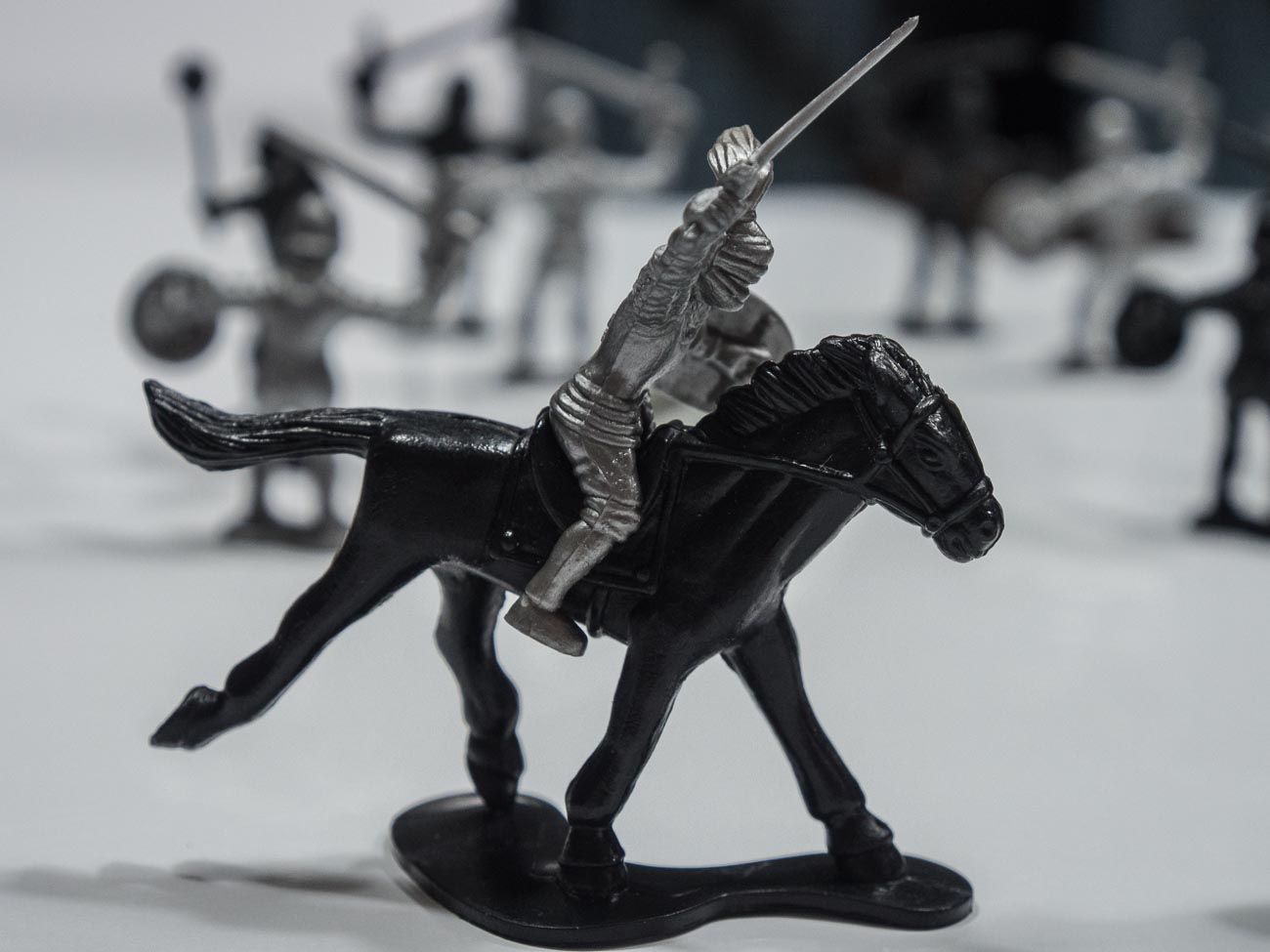
    This shot of a toy soldier was taken with a large aperture (small f-stop).
    The shot just below was taken with a small aperture (large f-stop).

    If we look at the uses for a small DOF (refer to no 9 above), then you could take an image of, say, someone you came across in your travels. Or it can be anything from a piece of Jewellery to food in the market place.

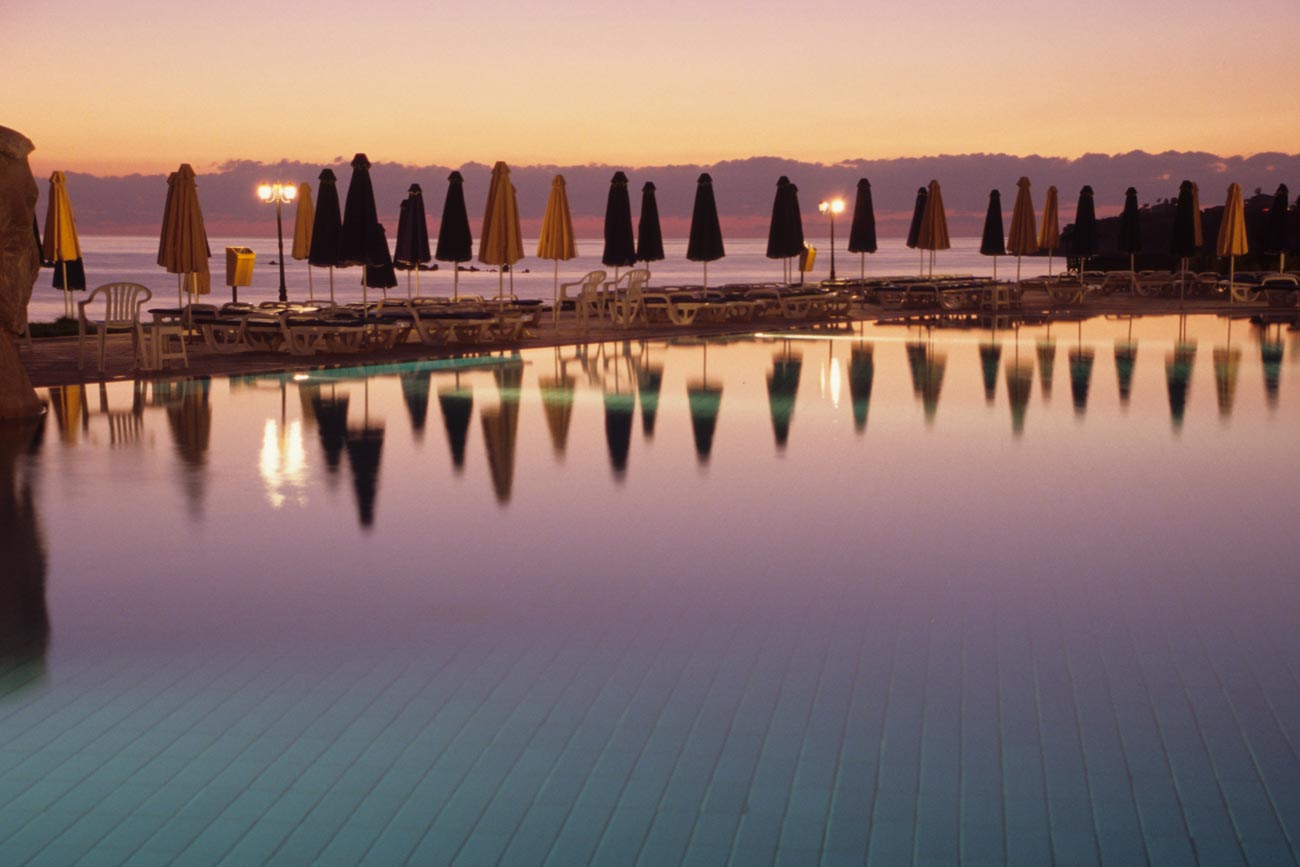
    The main pool at dusk at the Capital Coast Resort in Cyprus

    On the other hand, you could take a wide angle shot with a large DOF (no 8 above) of a building or a landscape with everything in focus with a small aperture.


    Hope you enjoyed reading this post and found it useful

    Please share if you did. Subscribe to nickkatin.com to get my weekly newsletter for exclusive content and to keep[ up to date.

    You’ll get a free e-book for just entering your email on the form below

    [mailerlite_form form_id=7]

    Let me know if you want me to expand or clarify anything.
    For some further reading check out:
    Understanding the 3 points of the exposure triangle
    and
    Learn how to use aperture priority in 15 minutes

    What other challenges do you have with photography and marketing?

    Leave your comments below.


  • The 6 features you don’t need on your camera

    The 6 features you don’t need on your camera

    This is the last in my series features to have (or not have) on your camera

    The previous posts were:

    The essential feature to have on your camera

    4 features you must have on your camera

    8 more features to have on your camera

    If you haven’t had time to read them all whilst you are here for a visit then you can scroll to the bottom and get all four in a PDF.

    I have strong opinion on what you should have on your new (or existing) camera but guess what?
    I have an equally strong opinion on what you didn’t need as well.

    So, let’s get into it:

    1. Picture Styles

    Often there are picture styles, modes or scenes available and they can be countless; Action, Portrait, Landscape, Panorama, Sunset, Candle, Fireworks, Beach & Snow, Fisheye, Wide-angle, Macro etc. etc.

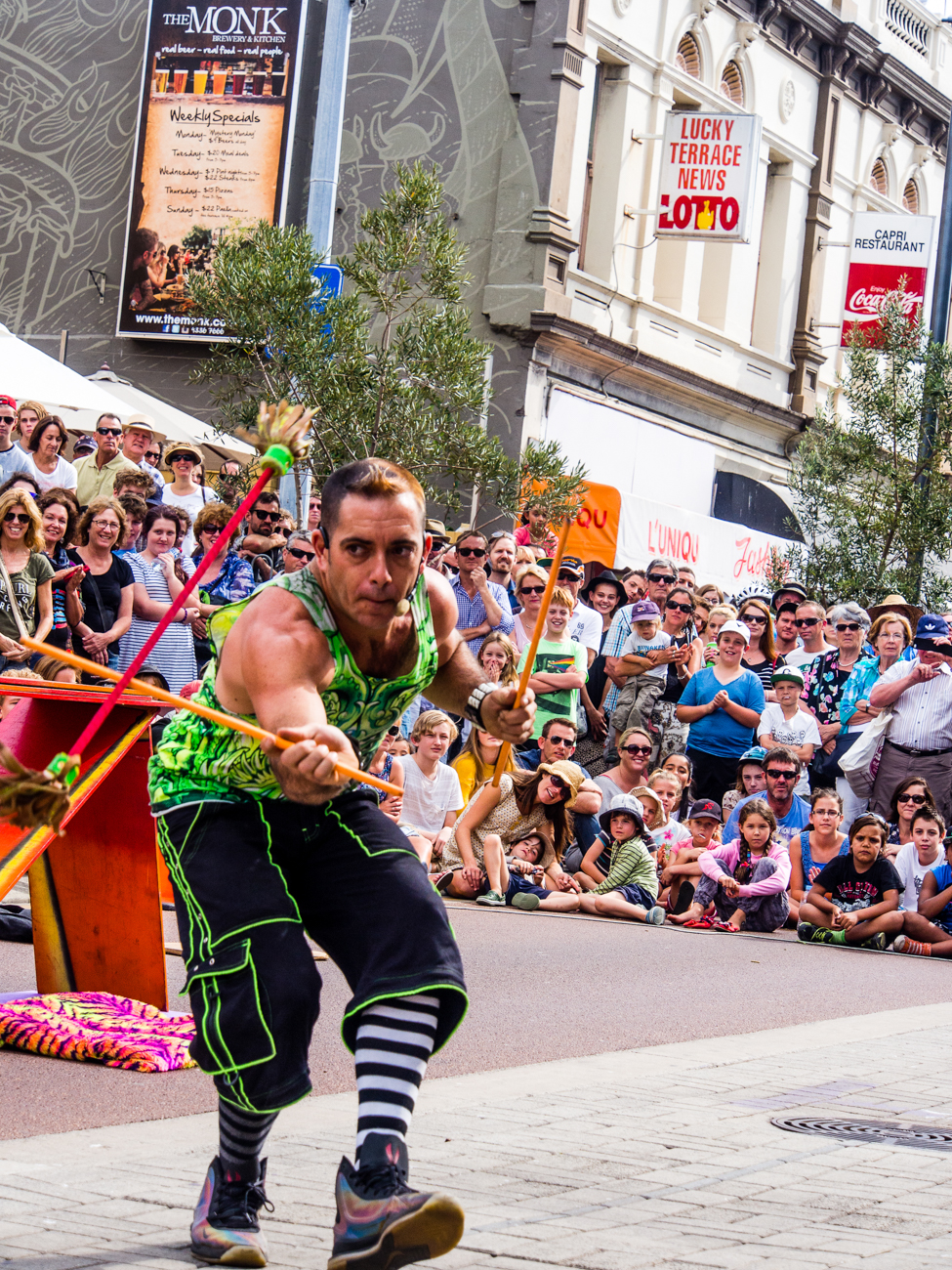
    Some models also give you some tips for certain photo genres in the same mode. E.G. “Tips for flower Photos”The street art act, Dream State Circus at the Street arts festival in Fremantle, Western Australia. the festival attracts over 100,000 spectators over the Easter long weekend.

    What is often not discovered until the camera is used is that some of these modes, e.g. Fisheye, Wide-angle or Macro need to have lens that support those scenes.

    There is one camera that it’s probably better to have some modes available for and that’s a good smartphone camera, like maybe the Samsung or Apple varieties. Most images taken by a smartphone are shared so it can be a shortcut to getting a good image first time.

    Rating: 2/10


    2. 3D

     Here’s a useless option ‘3D Photography’.

    3D TV’s bombed and as far as I can tell there’s not many 3D monitors either, so why would anyone want to shoot a 3D image or video.

    It is used for some specific industries e.g. Computer-graphics, Architecture or Health.

    However, for marketing purposes it’s useless as it relies on the viewer having the equipment to view it.

    Rating: 0/10

     3. Multiple Exposures

     Not so useless but not essential is the recording of multiple exposures.

    Multiple Exposures are photographs in which two or more images are superimposed in a single frame. For marketing images that could be handy although somewhat tricky.

    Some would say that it’s much easier to do it in something like Photoshop.

    Rating: 4/10

     4. Digital Zooms

    Digital Zooms are commonplace at the compact level and all phone cameras have it.
    Personally I avoid using them as much as possible and will use an optical zoom over a digital one.

    What’s the diff?

    Well an optical zoom is a true zoom lens. They produce much better-quality images.

    A digital zoom uses some in-camera image processing. When you use a digital zoom, the camera enlarges the image area at the centre of the frame and trims away the outside edges of the picture.

    The result is the same as when you open an image in your photo-editing program, crop away the edges of the picture, and then enlarge the remaining portion of the photo.

    By using the in camera digital zoom you lose the information around the crop, whilst if it’s cropped during post processing you can keep the entire frame for use later on.

    Rating: 2/10

    5. Face Priority

    My pet irritation is Face Priority. Personally I think it’s a gimmick.

    Originally in small compacts it’s spread its way into phone cameras and now even DSLR’s.

    If you are taking a portrait, then supposedly the camera will aid your focus by detecting the face.

    Really!

    Rating: 0/10

    Like most cities in the USA, Anchorage has a big fourth of July parade. This one was in 2012

    6. Printing

    Printing is on its way back and whilst the option to directly print from the camera could be handy, it’s also generally restrictive, requiring certain functions to be available on the printer.

    At the end of the day, if you are going to do any post processing even if it’s minimal you should be able to print from that software or alternatively take it to a print shop if you are looking for high quality.

    Of course, you can always use the self-service machines that are everywhere.

    Rating: 2/10


    Of course, there are others but they the main ones you will most likely come across.

    Now over to you do you agree with me?

    Do you find some of these useful?

    Any others that could be added to the list?

    As I mentioned in the beginning got no time to read this now? Download all four articles in one document and read both offline and when it suits you.


  • Why selecting a new camera is like selecting a new date (or TV)

    Why selecting a new camera is like selecting a new date (or TV)

    I’m in the market for a new TV at the moment. We went to a couple of stores and there are countless products with different and arguably the same features.

    Trying to get the showroom staff to give you accurate info is a challenge.
    Like moths changing direction to fly to the light so the sales staff change their song as you look like you are favouring one brand or TV over another. In the end Mr Google helped me clarify what I needed to know. But it’s a confusing experience!

    That got me thinking about buying a camera and it’s as bad or maybe even worse. The thing is, like TV’s and many other products today, there are many cameras of all shapes and sizes. So it’s no wonder we don’t know which one to buy.

    Do I get a DSLR, a Mirrorless, or a top end compact? Which make? Which model? What features do I need….?
    What about lens, filters, bags —- the list is endless.

    And then we’re fed this BS that it’s all about the camera

    “You must have a great camera to get that shot”, I hear all the time. So the pressure is on us to buy the best we can with what we can afford.

    Is it really about the gear?

    Well yes and no!

    gridYou certainly wouldn’t say to a chef that they must have a great kitchen or cooking equipment after eating a terrific meal at their 5 star restaurant.

    And if you did look in their kitchen would the meal been any the less terrific if you found the same tools as anyone else, even those you find in a domestic kitchen.

    Are drivers of Rolls Royce or Porsche cars any better drivers than you or me (assuming you are not one of them)?

    If you’ve only got one device with you that is capable to taking photos whether it’s a phone or a DSLR – then that’s what you’ve got – period.

    You can take great images with pretty much anything provided you know how.

    Having an expensive camera is not directly proportional to the quality of the image.

    In fact cameras of all shapes and sizes are all good. You just cannot buy a bad brand new camera!

    I’ve heard it said amongst winemakers that you can make bad wine from great fruit but you can’t make a great wine from poor fruit regardless of the shiny expensive equipment you might have in the winery.

    However you can make great wine from great fruit without necessarily having the latest, greatest and most expensive equipment.

    Well the same applies to a camera if you have good technique, a good eye and skill then you can make great images with any camera.

    The reality is that even for photographers, who rely on their cameras for their income, e.g. Weddings, Portraits etc. there’s plenty of smaller options than the traditional DSLR.
    So for the vast majority a simple, usable and light camera is more than enough when you know how to use it properly.

    So how to choose the camera you need?

    Well that’s where ‘selecting a new date’ comes in (you were wondering what the connection was weren’t you!)

    You see when you select a new date you’re looking for a good fit, in the dating sense its commonality and probably visual cues. Basically you want to be comfortable in their presence

    Well it’s the same for buying a new camera. When you pick it up it needs to feel comfortable (the camera that is, not the date).

    Does the grip feel good?
    Is it easy to turn to portrait or vertical mode?Your camera takes really nice pictures

    Does the weight seem too heavy, too light or just right?

    If it has a viewfinder, does that fit comfortably against your eye?

    Is the rear screen easy to see? How easy is it to see when you are holding it?

    How easy is it to adjust the dials and access the menu/s?

    This is what you need to look for in a new camera.

    Of course before that you will need to decide on features and benefits, or do you.

    As I said before, it’s not the camera that take the images but you. All features and benefits do is give you more options a lot of which you will never use or use once or twice a year at best. More on features in the next post in this series.

    So a short cut is to decide how much you are prepared to spend, go into a shop and test drive those within your budget, decide on the most comfortable and buy it.

    Now I know some of you will try before you buy in the shop and then jump on the web and buy from the cheapest online outlet. But just remember you wouldn’t be able to test drive it if the shop didn’t exist.

    By all means shop around online but a least give the shop an opportunity to match it or at least get into the ball park.

    So that’s my take on it. What about you?
    Have you purchased a camera recently?
    Feel free to add your tips and opinions below. I would really like to hear them.

    While you are at it why not subscribe for future updates here.
    You’ll get my free guide “Eleven easy ways to improve your marketing photography”.