Katin Images Travel Photography

Travel Photos, Travel Photography Tips and Software

Tag: colour

  • How to pre-process black and white photo in image editing software for Pixbim ColorSurprise AI

    How to pre-process black and white photo in image editing software for Pixbim ColorSurprise AI

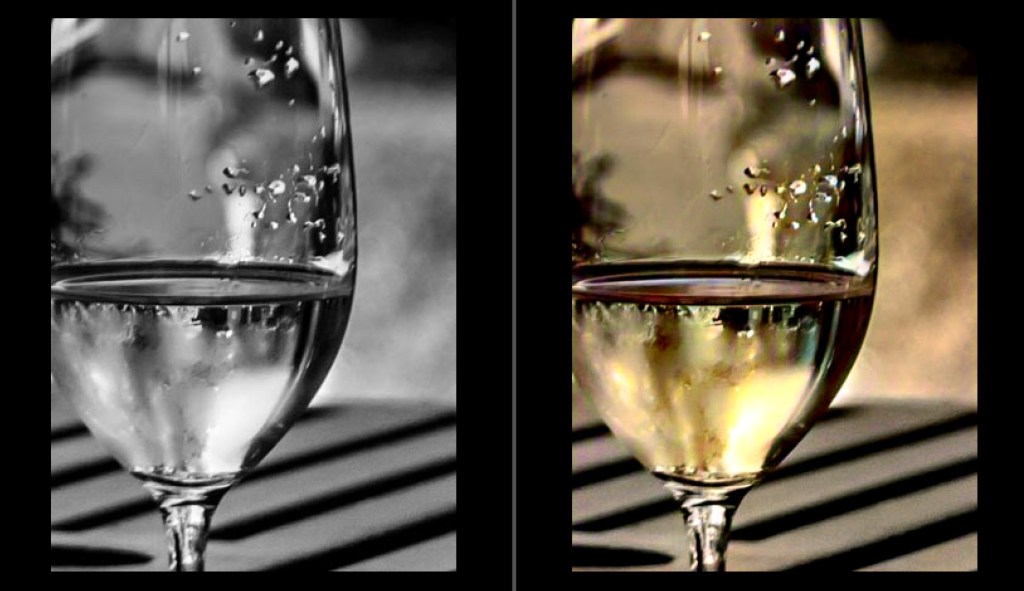
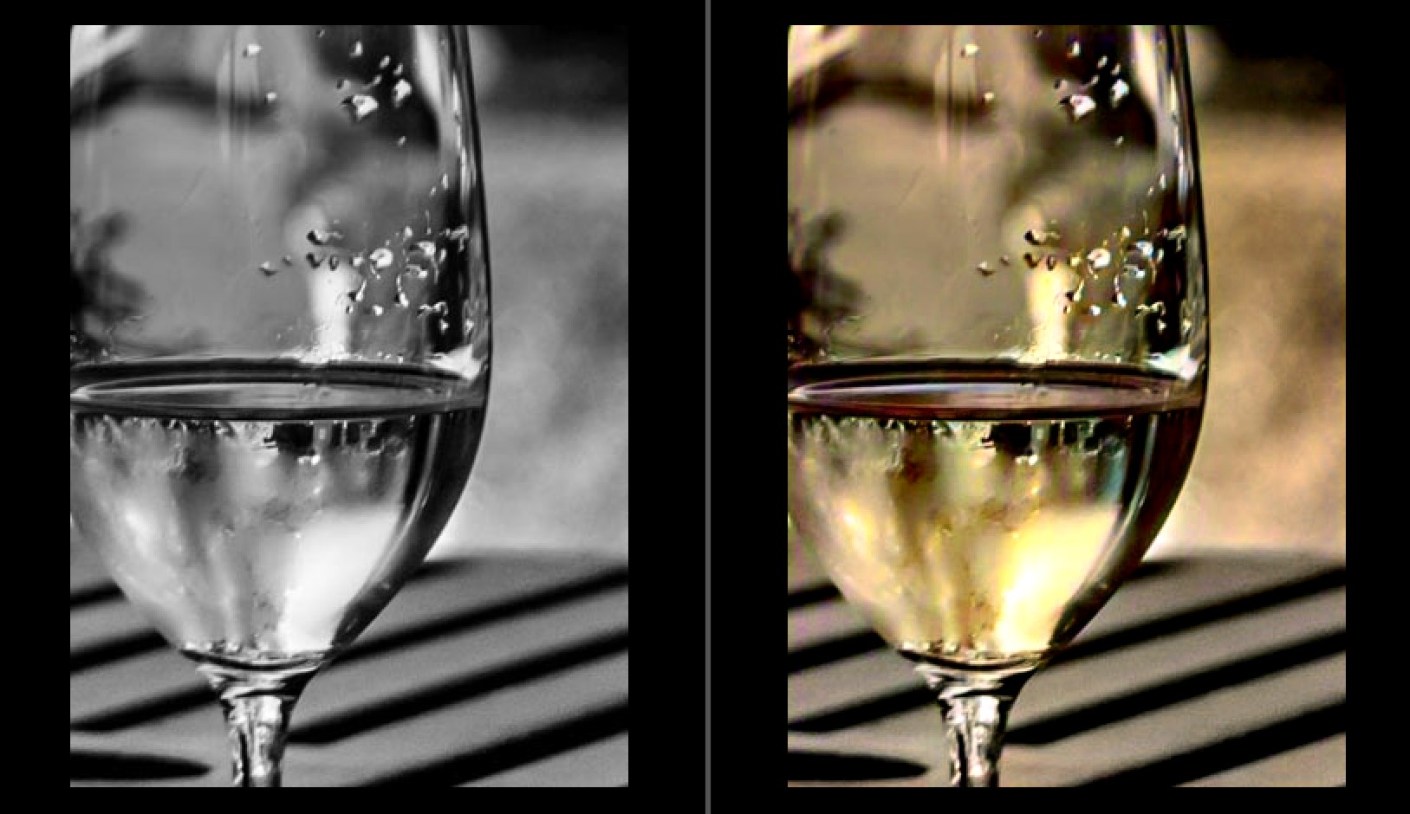
    How to pre-process black and white photo in image editing software to get the best result from Pixbim Color Surprise AI.

    You can use Irfanview, which is free, or any other image editor to get a better black and white photo before putting it through ColorSurprise AI.

    Using Irfanview as Image Editor (Irfanview is free but does lacks complex features)

    Two approaches are mentioned below Choose only one. Pixbim prefer the Gamma Correction approach.

    1. Increasing Gamma.

    Increase Gamma to 1.5 (preferred) or 2.0 (on some dark images 2.0 gives a better colored results).

    To change gamma in Irfanview, load an image in Irfanview and then go to “Image” at the top menu bar and then click “Color corrections”, move the “Gamma correction” slider and view the photo it shows in the new window and then press “OK”. Save the image so now you have a better black and white photo.
    Now send this Gamma corrected black and white photo to ColorSurprise AI.


    2. Increasing Contrast and Brightness

    Contrast should be good on black and white photo (around 50 seems to be a preferred one). To change contrast in Irfanview, load an image in Irfanview and then go to “Image” at the top menu bar and then click “Color corrections”, move the contrast slider and view the photo it shows in the new window.

    Brightness should be good on black and white photo (around 50 seems to be a preferred one). To change brightness in Irfanview move the Brightness slider and view the photo it shows in the new window.
    Press “OK” and then save the image so now you have a contrast increased and brightness adjusted black and white photo.
    Using other Image Editor

    When processing the JPG image, use a photo application to remove noise, scratches etc that might skew ColorSurprise. Crop frames or background (eg photo album or kitchen table) for the same reason.
    For quick results, Pixbim have found that the auto-adjust in Irfanview option gives a good B&W image, sometimes better than fiddling with levels and contrast adjustments

    Below are some of the important points to get a best quality digital black and white photo from existing black and white printed photos

    You will probably be taking digital shots of an existing B&W print to input photo into Pixbim ColorSurprise AI.
    It is important to get the best quality JPG image (this is lossy a compression) or PNG image(preferred).
    Ideally, set up a tripod to get the sharpest photo of the print possible, which should be on a neutral background.
    Take the shot in daylight to avoid color casts that might skew the ColorSurprise algorithm.
    Save the image as the highest quality JPG possible or PNG. Those preliminary steps will result in the best starting point for processing the digital image in ColorSurprise AI.

    This useful and fun software is still available of at the price of US$39.99 plus if you use my discount code you get an additional discount.
    Go to https://pixbim.com/color-surprise-ai-pixbim and enter the code KATINCSAI20 for a discount

  • Black and White to Colour Made Easy

    Black and White to Colour Made Easy

    ColorSurprise AI Katin Images

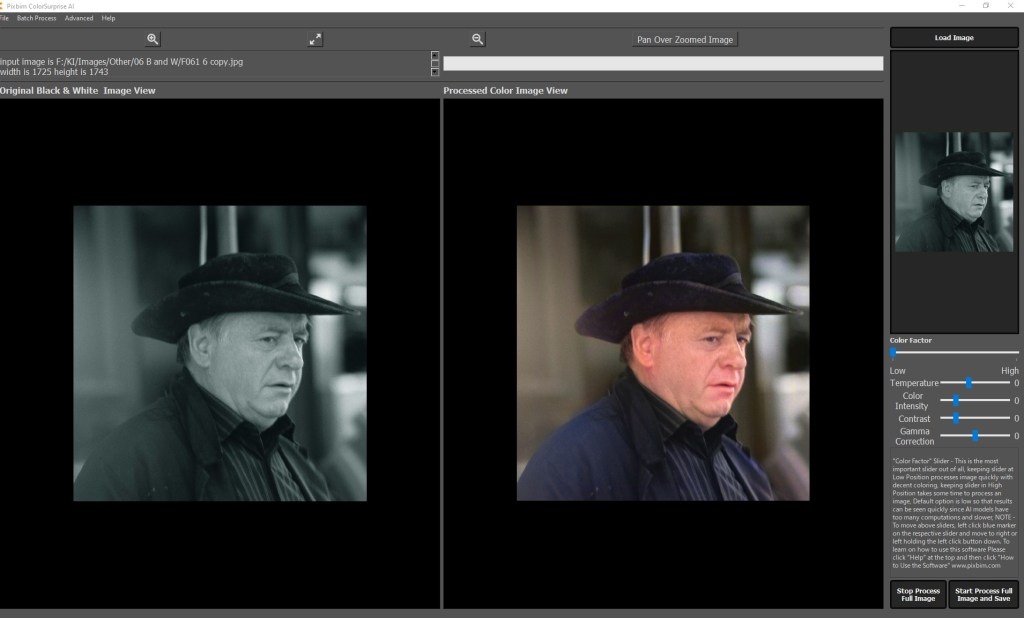
    PixBim have been busy with an update on their Color Surprise AI. They’ve now given us the tools to fine tune any black and white colour conversion within the software itself.
    New tools include Colour Temperature, Colour Intensity (Saturation), Gamma Correction, Contrast and a Brush! Plus much more and all for the same price of US$39.99 and if you use this coupon KATINCSAI20 you’ll get an extra 20% off.

    Go to https://pixbim.com/color-surprise-ai-pixbim and enter the code KATINCSAI20

    Check out the video below:


    Have you ever tried to convert a black and white to colour?
    If you have, even if you’ve tried it with Photoshop, Lightroom or any other editing software you’ll know that it’s a painful process!

    ColorSurprise AI Katin Images

    Well PixBim have this new software called colour surprise AI and it’s a beauty.
    It makes colour conversion from black and white so easy!

    So, let’s take a look.

    So this does is the heavy lifting for you. From here you can finetune in Photoshop afterwards or if you want to be a bit more creative you can use, for example, a lightroom plugin

    Why would you convert a black and white in the 1st place?

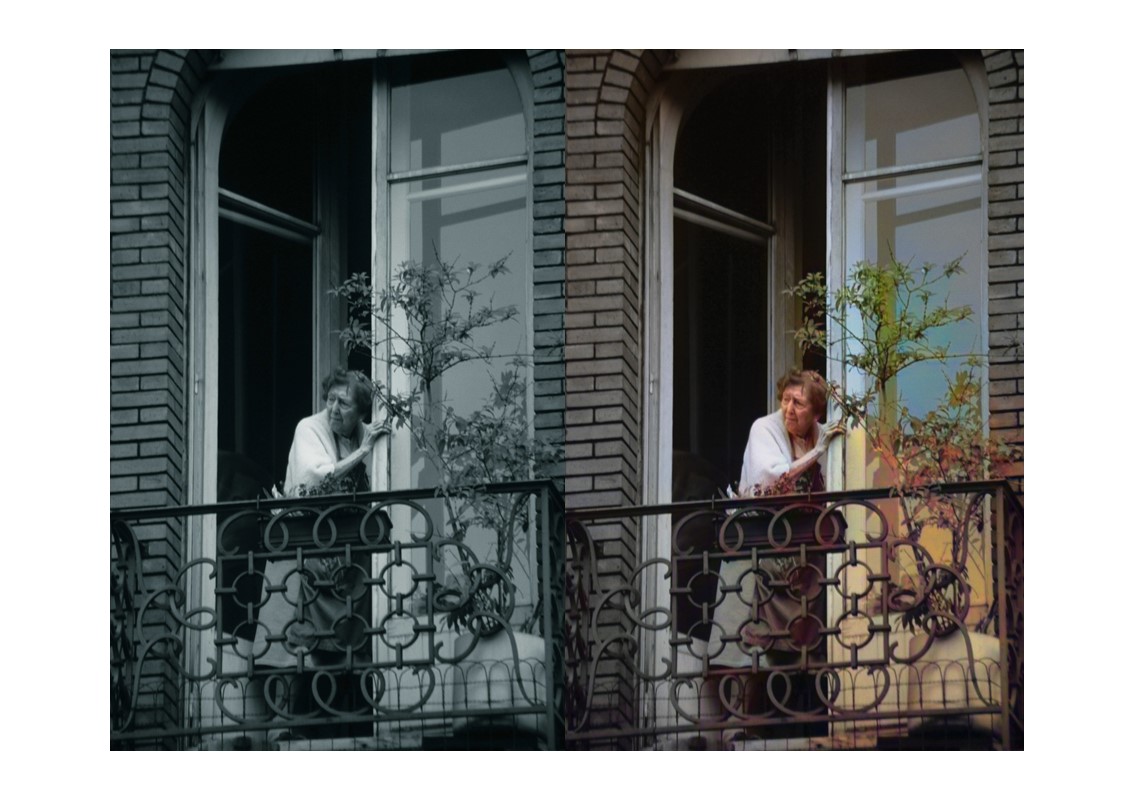
    Well you might have had a print or slide that was shot in black and white that would look good in colour. Maybe you shot some images in black and white as you can with some cameras and want to see what it looks like in colour.

    Maybe you have an old print of grandma in her wedding dress you want to convert to colour.

    If it’s the latter you probably won’t or need to fine tune it.

    So how much is it?

    Well it’s going to be US$79.99 but pixbim have an introductory special on for US$39.99 and if you use this coupon KATINCSAI20 you’ll get an extra 20% off.

    Go to https://pixbim.com/color-surprise-ai-pixbim and enter the code KATINCSAI20

    Thanks for reading this article

    Do you see yourself taking some great travel photos that you can share or display?
    Or can you see yourself reliving your travel experience by bringing home some emotive travel photos?
    Maybe you aspire to getting your travel photos published.
    If one or all of these is YOUR goal, I can help. Sign up in the box below to subscribe to my exclusive Travel Photo Tips Newsletter.
    You’ll also get my free eBook “9 ways to improve your Travel Photography”.

    Remember if you want to take great travel photos

    • that you can share and display.
    • that help you relive your travel experience
    • that give you a chance to have your travel photos published

    then sign up below and subscribe to my exclusive Travel Photo Tips Newsletter and for your trouble get my eBook “9 ways to improve your Travel Photography”.

  • Che Guevara in Cuba

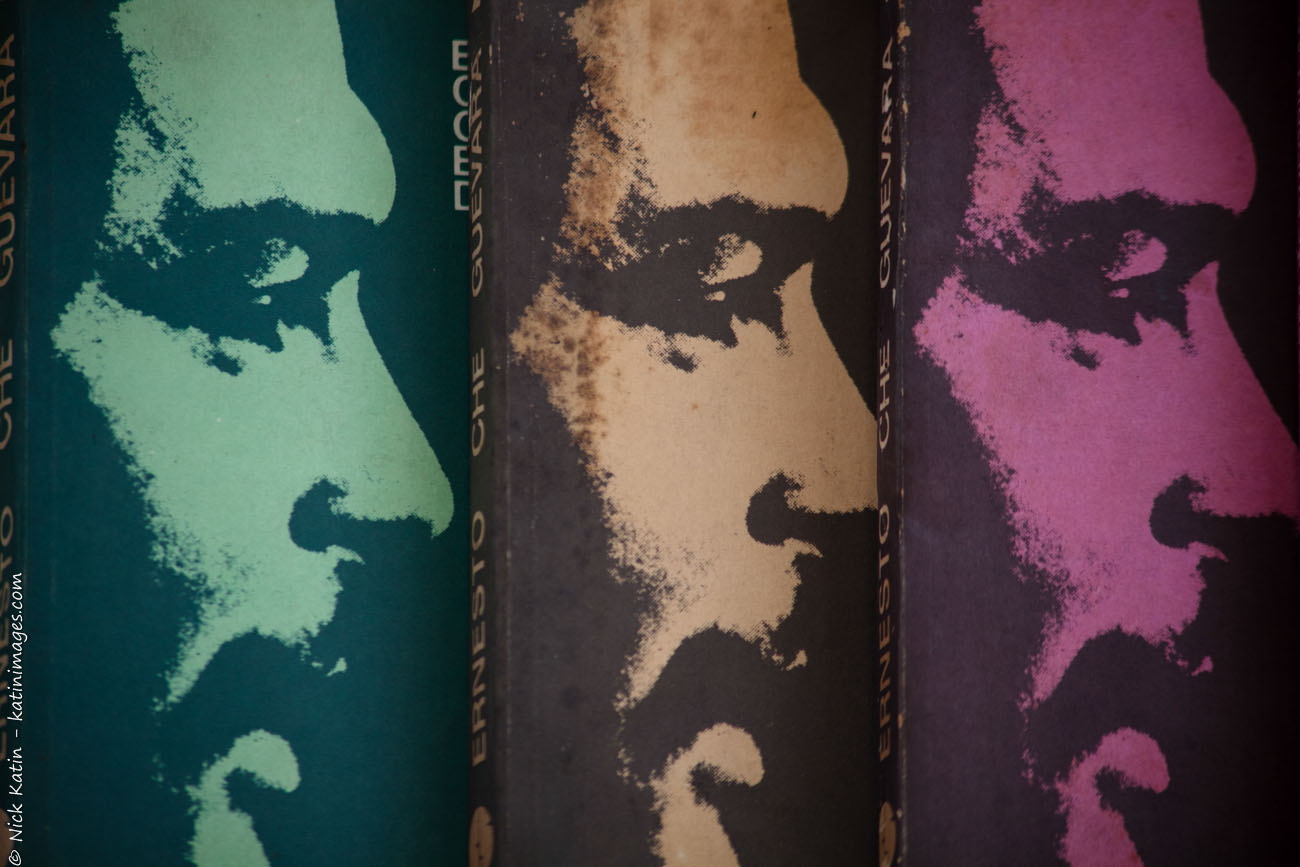
    In Cuba the late Che Guevara is everywhere. On buildings, T shirts, posters and books to name just a few. His popularity seems from an outsiders point of view to be bigger than Fidel Castro’s. Maybe dying young in pursuit of another cause creates martyrdom or maybe the many years of Castro’s dictatorship has made the Cuban population blasé about their leader.
    I’ve been away for a few weeks to watch this spot fro some images from Morocco, France and England.

    Che Guevara in colour on the front of books on Che Guevara
    Che Guevara in colour on the front of books on Che Guevara

    To see a larger image or to see purchase options click on the image

  • Burano Lace work, Venice

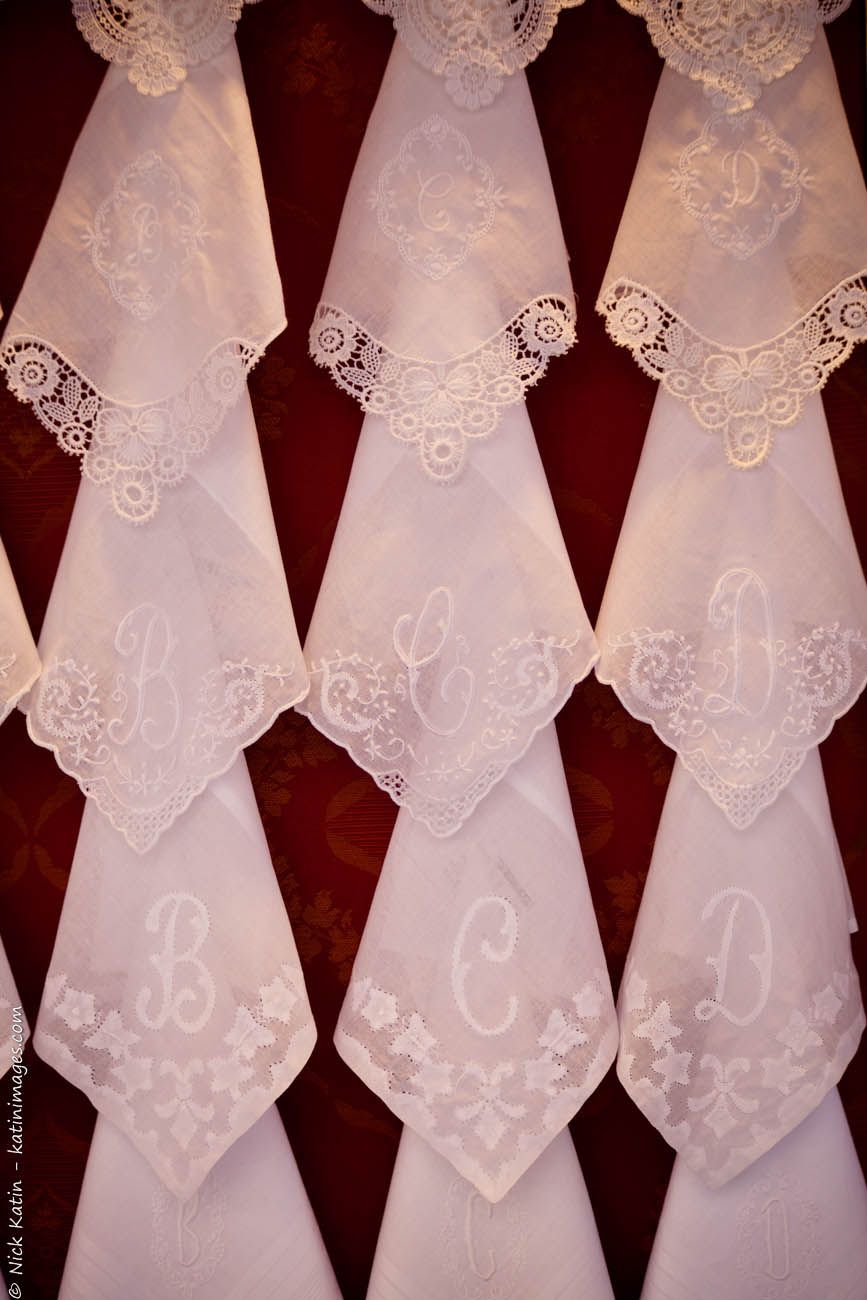
    Burano is the capital of the finest laces and doilies, handmade with skills that have been passed down through generations.
    There is even a Lace Museum (Museo del Merletto) on the island which is located in Piazza Galuppi at the palace that was seat of the Burano Lace School.
    Re-opened to the public in June 2011 after extensive restoration works, the Lace Museum offers a complete overview of the laces of Venice and islands.
    It’s fascinating to see the lace work being created in small shop fronts along Via Galuppi. But if you go there and want to buy, make sure it’s the real thing. The cheapest is usually imported from Asia!

    Lace work created and found in Burano an island near Venice, Italy
    Lace work created and found in Burano an island near Venice, Italy

    To see a larger image or to see purchase options click on the image

  • Mulatto of Havana photo

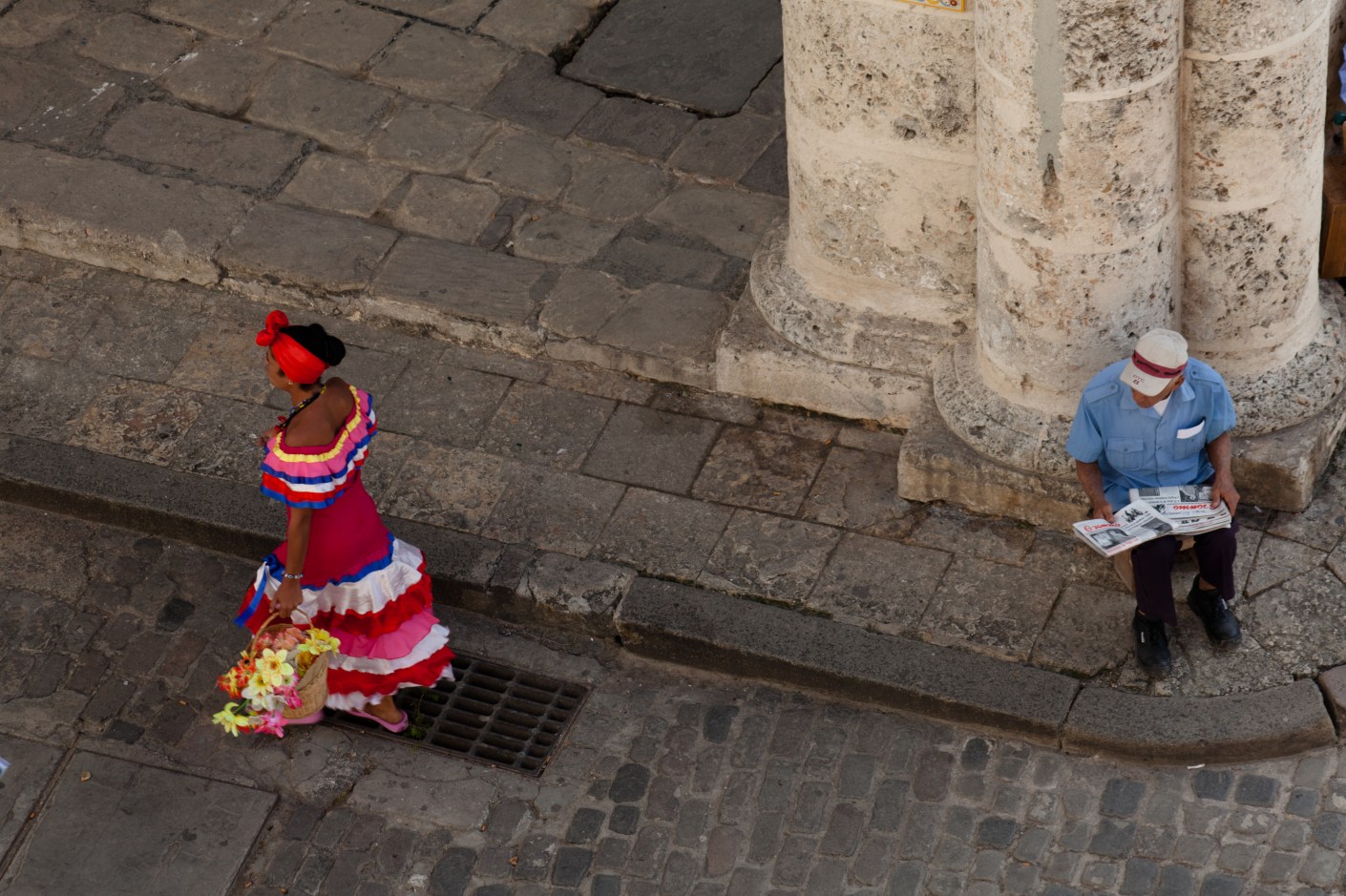
    Mulatto of Havana Lady in costume looking for photo tips © 2010 Nick Katin
    Mulatto of Havana Lady in costume looking for photo tips © 2010 Nick Katin

    In Havana’s several tourist spots there are these beautiful women in colourful dresses parading on the streets and the leafy squares. Whilst the term Mulatto means mixed race it has also been borrowed to describe these women who approach tourists for ‘picture money”. You pay for the privilege of taking a photo of her with or without you. I was intrigued with guy selling newspapers sitting watching her walk by. What was running through his mind? 1/160 f/8.0 125 mm  ISO 100

  • Travel different Murano and Burano two

    Burano, Venice Colourful canal houses in Burano © 2010 Nick Katin
    Burano, Venice Colourful canal houses in Burano © 2010 Nick Katin

    Arguably the prettiest palace in Venice’s lagoon, Burano is known for its lace industry and the colourful houses that line the streets and canals. Legend has it that the fishermen in days gone by wanted to see their houses from afar as they returned after a hard day’s trawl.
    A walk along the streets will reveal a few shops that have their own seamstress producing intricate lace. But beware Chinese imitations are creeping in.
    The day we were there was perfect but we must have also hit washing day! Washing dangled from lines drawn across alleys, streets, window to window, TV aerial to chimneys, anywhere that a make shift washing line could be installed.

    Lacemaker Burano, Venice © 2010 Nick Katin
    Lacemaker Burano, Venice © 2010 Nick Katin