Katin Images Travel Photography

Travel Photos, Travel Photography Tips and Software

    • About
    • About – Katin Images
    • Aperture Priority Checklist
    • Articles
    • Blog
    • Contact
    • Contact
    • Guide to camera features
    • Privacy Policy
    • Product Image Checklist
    • Resources
    • Shutter Priority Checklist
    • Sign up
    • Start here with taking your own Stock Photography
    • subscribe
    • The Travel Photographer Destination Guide
    • The travel photographer FAQ’s
    • TP Sign Up
    • Travel Photography for Beginners and Travellers

recent posts

  • Luminar Neo Has a special 30% discount
  • Moor
  • Solleric
  • Valiente Girls No 3
  • Valiente Girls No 2

about

Director of Want a Headshot? Partner at katin images, a travel photography business.
  • Twitter
  • Facebook
  • Instagram
  • How to pre-process black and white photo in image editing software for Pixbim ColorSurprise AI

    How to pre-process black and white photo in image editing software for Pixbim ColorSurprise AI

    June 28, 2021

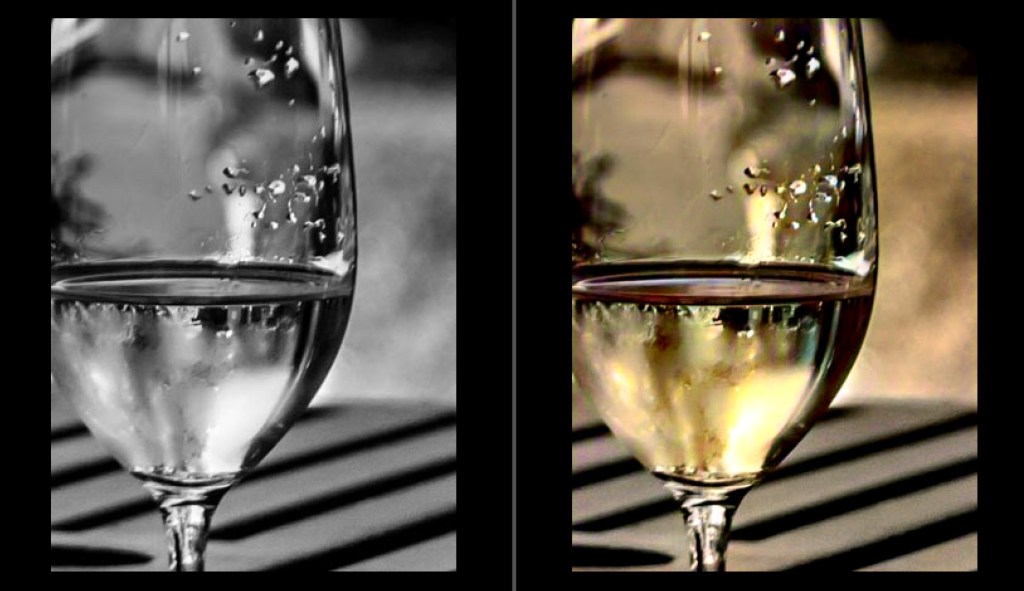
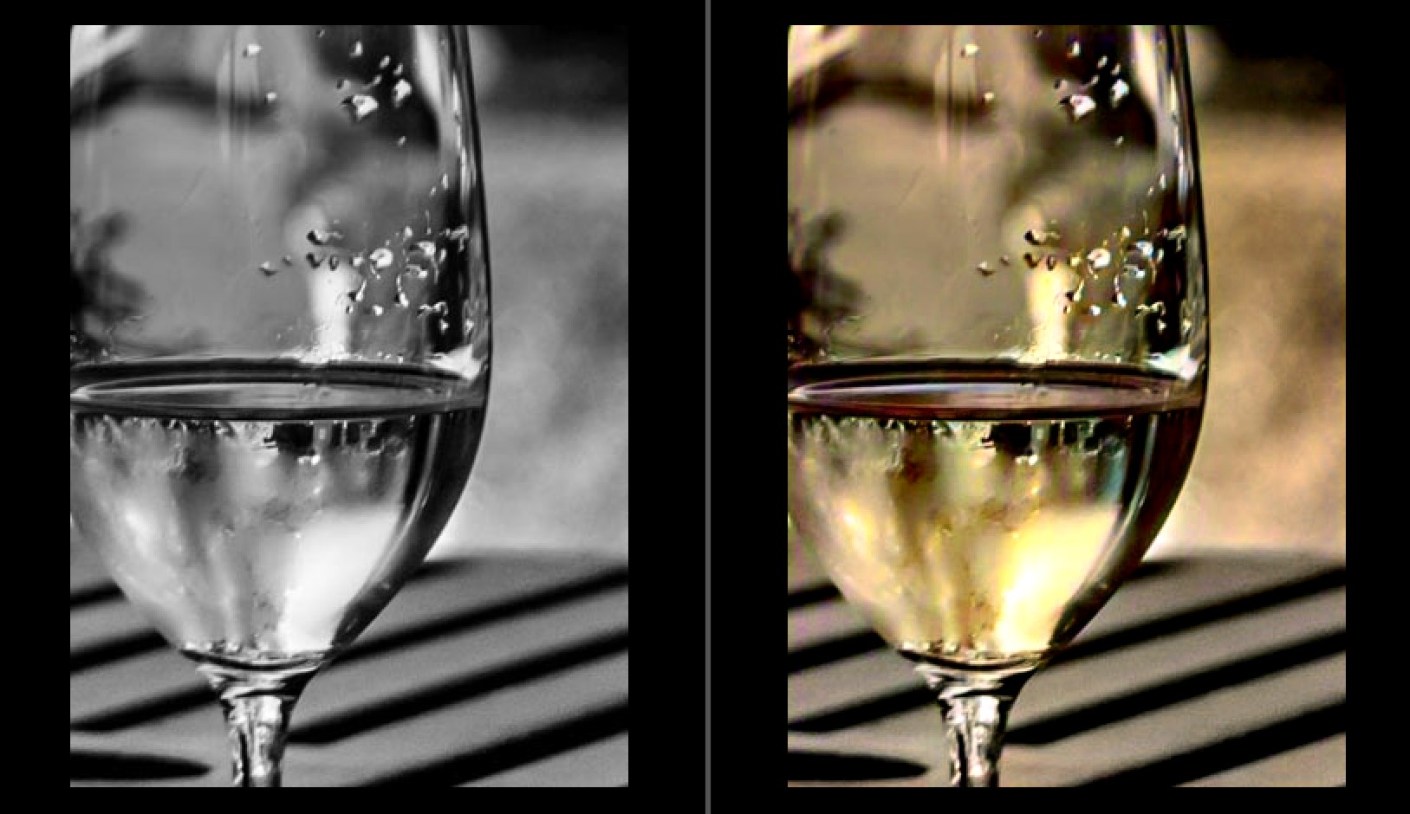
    How to pre-process black and white photo in image editing software to get the best result from Pixbim Color Surprise AI.

    You can use Irfanview, which is free, or any other image editor to get a better black and white photo before putting it through ColorSurprise AI.

    Using Irfanview as Image Editor (Irfanview is free but does lacks complex features)

    Two approaches are mentioned below Choose only one. Pixbim prefer the Gamma Correction approach.

    1. Increasing Gamma.

    Increase Gamma to 1.5 (preferred) or 2.0 (on some dark images 2.0 gives a better colored results).

    To change gamma in Irfanview, load an image in Irfanview and then go to “Image” at the top menu bar and then click “Color corrections”, move the “Gamma correction” slider and view the photo it shows in the new window and then press “OK”. Save the image so now you have a better black and white photo.
    Now send this Gamma corrected black and white photo to ColorSurprise AI.


    2. Increasing Contrast and Brightness

    Contrast should be good on black and white photo (around 50 seems to be a preferred one). To change contrast in Irfanview, load an image in Irfanview and then go to “Image” at the top menu bar and then click “Color corrections”, move the contrast slider and view the photo it shows in the new window.

    Brightness should be good on black and white photo (around 50 seems to be a preferred one). To change brightness in Irfanview move the Brightness slider and view the photo it shows in the new window.
    Press “OK” and then save the image so now you have a contrast increased and brightness adjusted black and white photo.
    Using other Image Editor

    When processing the JPG image, use a photo application to remove noise, scratches etc that might skew ColorSurprise. Crop frames or background (eg photo album or kitchen table) for the same reason.
    For quick results, Pixbim have found that the auto-adjust in Irfanview option gives a good B&W image, sometimes better than fiddling with levels and contrast adjustments

    Below are some of the important points to get a best quality digital black and white photo from existing black and white printed photos

    You will probably be taking digital shots of an existing B&W print to input photo into Pixbim ColorSurprise AI.
    It is important to get the best quality JPG image (this is lossy a compression) or PNG image(preferred).
    Ideally, set up a tripod to get the sharpest photo of the print possible, which should be on a neutral background.
    Take the shot in daylight to avoid color casts that might skew the ColorSurprise algorithm.
    Save the image as the highest quality JPG possible or PNG. Those preliminary steps will result in the best starting point for processing the digital image in ColorSurprise AI.

    This useful and fun software is still available of at the price of US$39.99 plus if you use my discount code you get an additional discount.
    Go to https://pixbim.com/color-surprise-ai-pixbim and enter the code KATINCSAI20 for a discount

    Share this:

    • Tweet
    • Click to email a link to a friend (Opens in new window) Email
    • More
    • Click to share on Reddit (Opens in new window) Reddit
    • Click to print (Opens in new window) Print
    • Share on Tumblr
    • Pocket
    • Click to share on WhatsApp (Opens in new window) WhatsApp
    Like Loading…
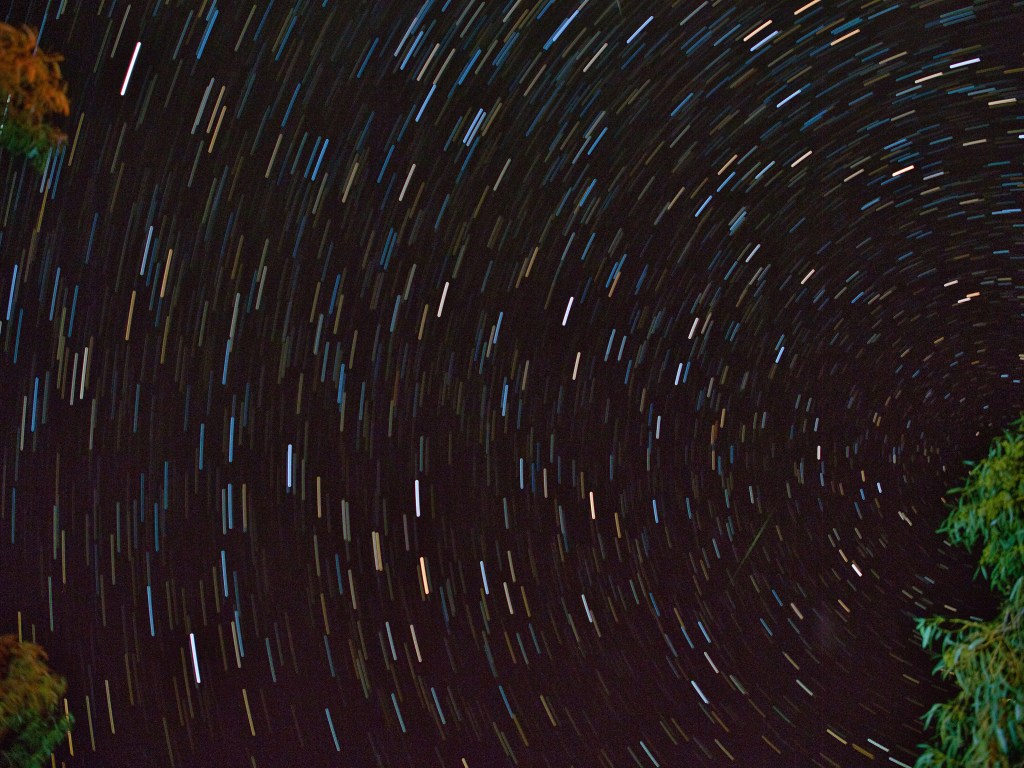
  • Star trail

    Star trail

    June 24, 2021
    Star trail at Wooramel River Station in the Pilbara region of North West Australia
    Star trail at Wooramel River Station in the Pilbara region of North West Australia. Click on the link for a bigger image

    Share this:

    • Tweet
    • Click to email a link to a friend (Opens in new window) Email
    • More
    • Click to share on Reddit (Opens in new window) Reddit
    • Click to print (Opens in new window) Print
    • Share on Tumblr
    • Pocket
    • Click to share on WhatsApp (Opens in new window) WhatsApp
    Like Loading…
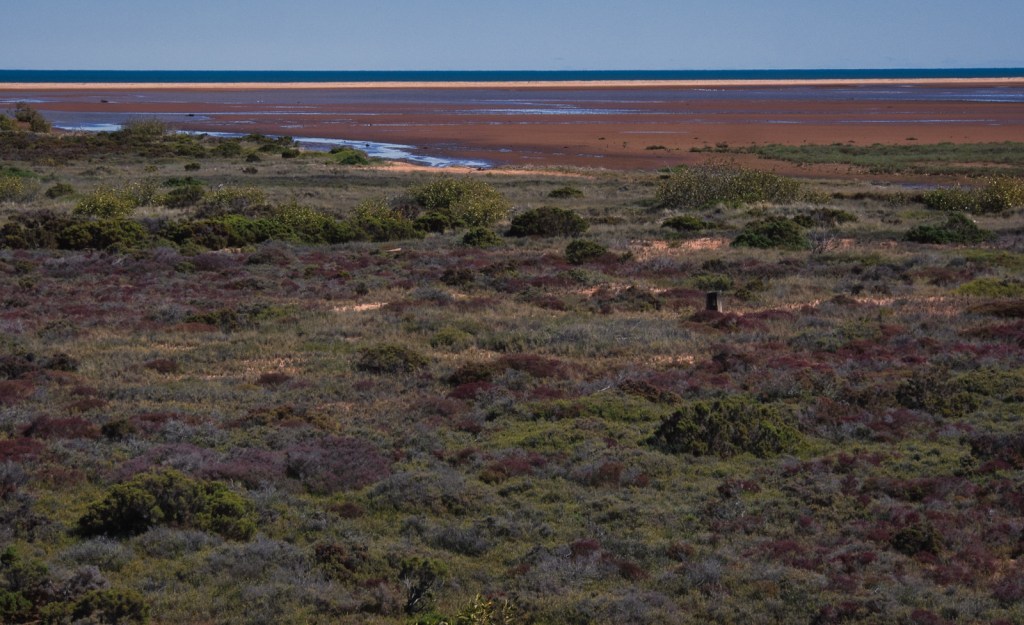
  • Low Tide

    Low Tide

    May 13, 2021
    Low Tide
    Low Tide at Carnarvon, Western Australia. Click on the image for a larger view

    Share this:

    • Tweet
    • Click to email a link to a friend (Opens in new window) Email
    • More
    • Click to share on Reddit (Opens in new window) Reddit
    • Click to print (Opens in new window) Print
    • Share on Tumblr
    • Pocket
    • Click to share on WhatsApp (Opens in new window) WhatsApp
    Like Loading…
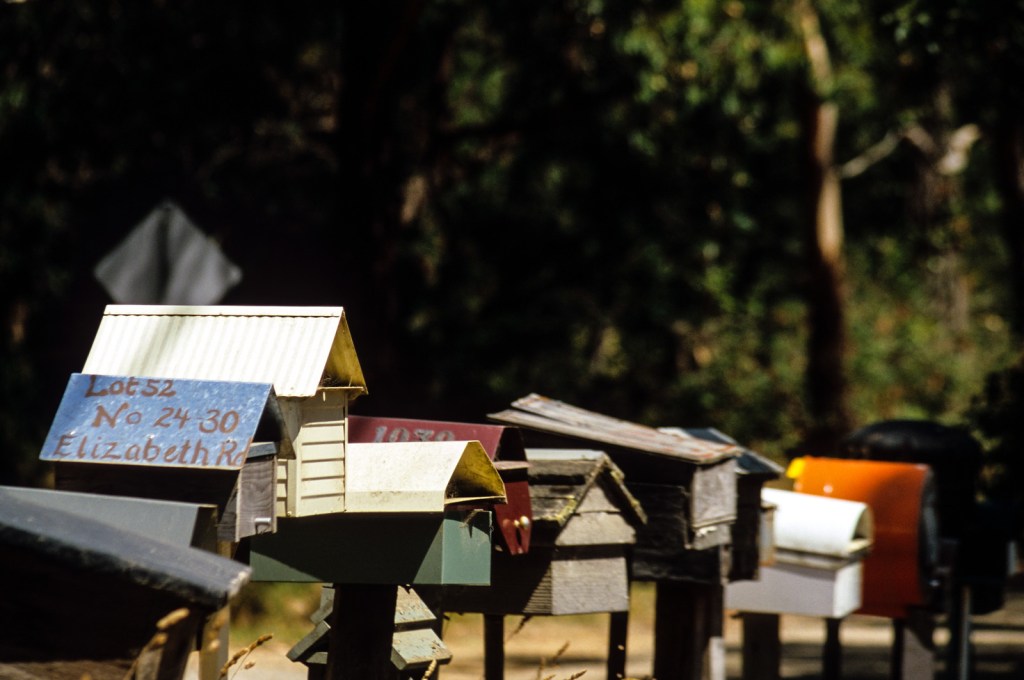
  • Letterboxes

    Letterboxes

    May 11, 2021
    Letterboxes on the a country road in the Mornington Peninsula in Victoria, Australia
    Letterboxes on the a country road in the Mornington Peninsula in Victoria, Australia. Click on the image for a larger view.

    Share this:

    • Tweet
    • Click to email a link to a friend (Opens in new window) Email
    • More
    • Click to share on Reddit (Opens in new window) Reddit
    • Click to print (Opens in new window) Print
    • Share on Tumblr
    • Pocket
    • Click to share on WhatsApp (Opens in new window) WhatsApp
    Like Loading…
  • Dining Room

    Dining Room

    May 6, 2021
    https://katinimages.smugmug.com/Travel/Travel-different-Italy/i-SRZs38V/A

    Dining Room in a restaurant, Fes, Morocco. Click on the image for a larger view

    Share this:

    • Tweet
    • Click to email a link to a friend (Opens in new window) Email
    • More
    • Click to share on Reddit (Opens in new window) Reddit
    • Click to print (Opens in new window) Print
    • Share on Tumblr
    • Pocket
    • Click to share on WhatsApp (Opens in new window) WhatsApp
    Like Loading…
  • Entrance

    Entrance

    May 4, 2021
    https://katinimages.smugmug.com/Travel/Travel-different-Italy/i-MDdPKcj/A
    Entrance to a small Restaurant, Fes Morocco. Click on the image for a larger view.

    Share this:

    • Tweet
    • Click to email a link to a friend (Opens in new window) Email
    • More
    • Click to share on Reddit (Opens in new window) Reddit
    • Click to print (Opens in new window) Print
    • Share on Tumblr
    • Pocket
    • Click to share on WhatsApp (Opens in new window) WhatsApp
    Like Loading…
  • Sitting Room

    Sitting Room

    April 29, 2021
    Sitting room
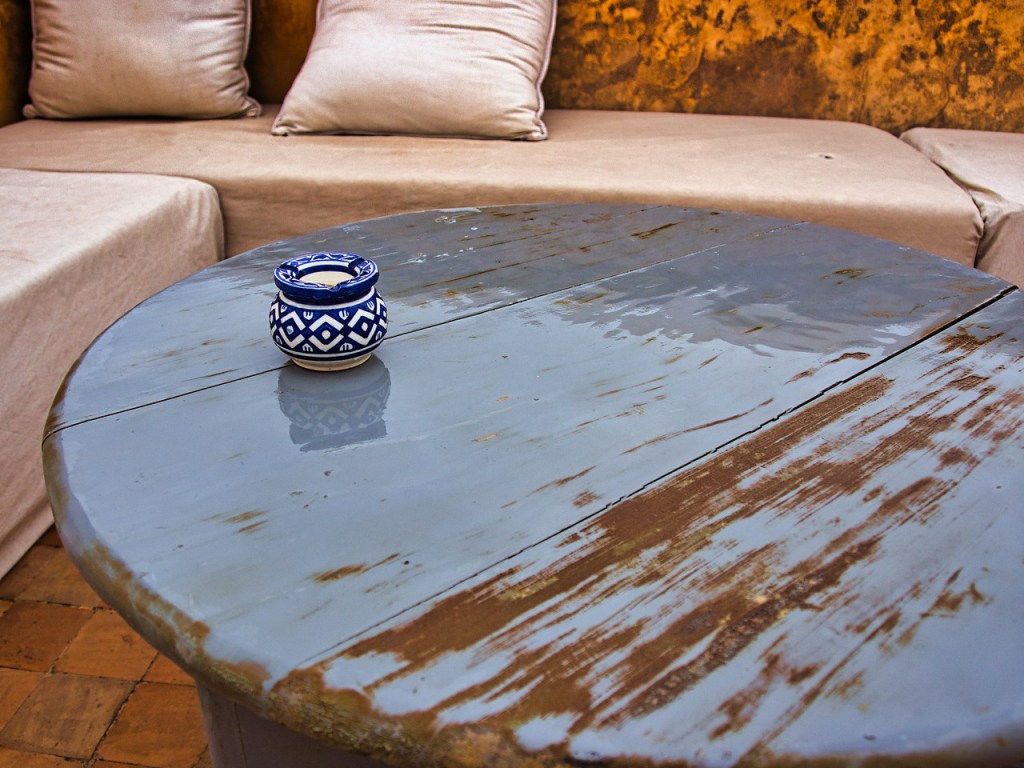
    Sitting room in a Riad. Fes Morocco. Click on the image for a larger view.

    Share this:

    • Tweet
    • Click to email a link to a friend (Opens in new window) Email
    • More
    • Click to share on Reddit (Opens in new window) Reddit
    • Click to print (Opens in new window) Print
    • Share on Tumblr
    • Pocket
    • Click to share on WhatsApp (Opens in new window) WhatsApp
    Like Loading…
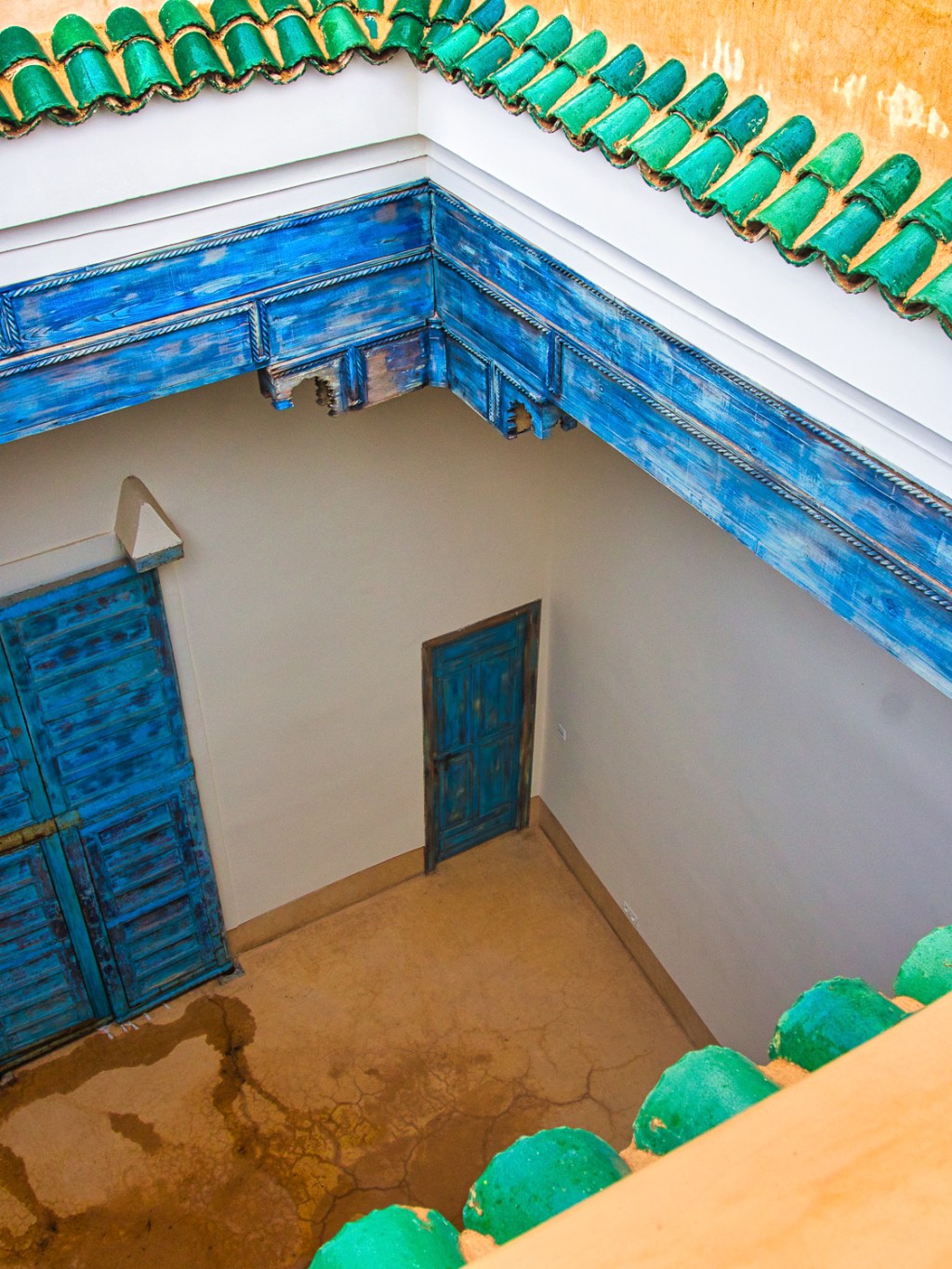
  • Courtyard II

    Courtyard II

    April 27, 2021
    Courtyard
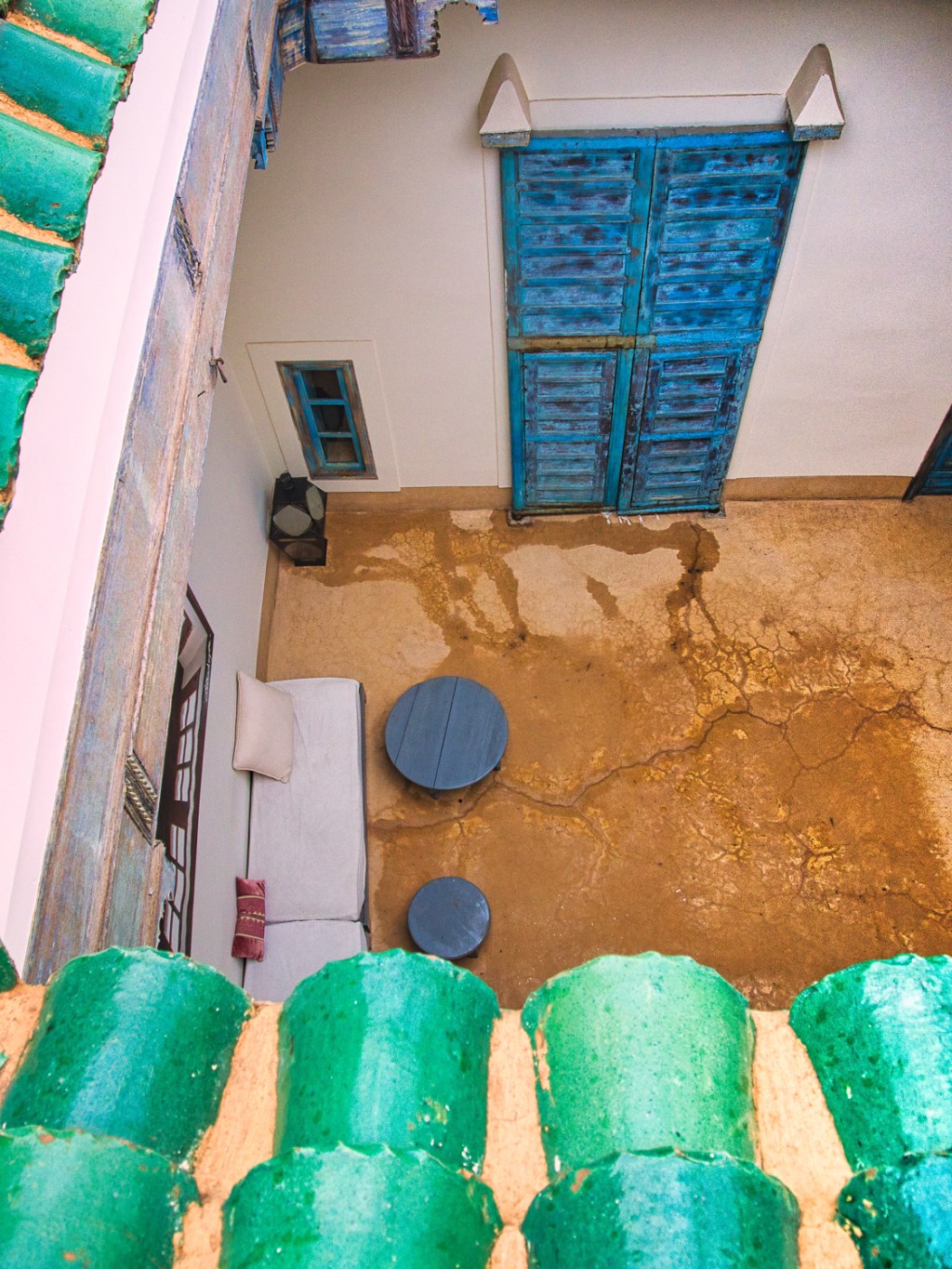
    Courtyard in a Riad. Fes Morocco. Click on the image for a larger view.

    Share this:

    • Tweet
    • Click to email a link to a friend (Opens in new window) Email
    • More
    • Click to share on Reddit (Opens in new window) Reddit
    • Click to print (Opens in new window) Print
    • Share on Tumblr
    • Pocket
    • Click to share on WhatsApp (Opens in new window) WhatsApp
    Like Loading…
  • Courtyard I

    Courtyard I

    April 22, 2021
    Courtyard
    Courtyard in a Riad. Fes Morocco. Click on the image for a larger view.

    Share this:

    • Tweet
    • Click to email a link to a friend (Opens in new window) Email
    • More
    • Click to share on Reddit (Opens in new window) Reddit
    • Click to print (Opens in new window) Print
    • Share on Tumblr
    • Pocket
    • Click to share on WhatsApp (Opens in new window) WhatsApp
    Like Loading…
  • Skyline

    Skyline

    April 20, 2021
    View from the rooftop area at the Riad Dar Bensouda, deep in the heart of the Fes Medina in Morocco
    View from the rooftop area at the Riad Dar Bensouda, deep in the heart of the Fes Medina in Morocco. Click on the image for a larger view

    Share this:

    • Tweet
    • Click to email a link to a friend (Opens in new window) Email
    • More
    • Click to share on Reddit (Opens in new window) Reddit
    • Click to print (Opens in new window) Print
    • Share on Tumblr
    • Pocket
    • Click to share on WhatsApp (Opens in new window) WhatsApp
    Like Loading…
  • Rooftop View

    Rooftop View

    April 15, 2021
    Rooftop view in Fes in Morocco
    Rooftop view in Fes in Morocco. Click on the image for a larger view

    Share this:

    • Tweet
    • Click to email a link to a friend (Opens in new window) Email
    • More
    • Click to share on Reddit (Opens in new window) Reddit
    • Click to print (Opens in new window) Print
    • Share on Tumblr
    • Pocket
    • Click to share on WhatsApp (Opens in new window) WhatsApp
    Like Loading…
  • Rooftop Table

    Rooftop Table

    April 13, 2021
    Rooftop area at the Riad Dar Bensouda, deep in the heart of the Fes Medina in Morocco
    Rooftop area at the Riad Dar Bensouda, deep in the heart of the Fes Medina in Morocco. Click on the image for a larger view

    Share this:

    • Tweet
    • Click to email a link to a friend (Opens in new window) Email
    • More
    • Click to share on Reddit (Opens in new window) Reddit
    • Click to print (Opens in new window) Print
    • Share on Tumblr
    • Pocket
    • Click to share on WhatsApp (Opens in new window) WhatsApp
    Like Loading…
  • Rooftop Tables

    Rooftop Tables

    April 8, 2021
    Rooftop area at the Riad Dar Bensouda, deep in the heart of the Fes Medina in Morocco
    Rooftop area at the Riad Dar Bensouda, deep in the heart of the Fes Medina in Morocco. Click on the image for a larger view

    Share this:

    • Tweet
    • Click to email a link to a friend (Opens in new window) Email
    • More
    • Click to share on Reddit (Opens in new window) Reddit
    • Click to print (Opens in new window) Print
    • Share on Tumblr
    • Pocket
    • Click to share on WhatsApp (Opens in new window) WhatsApp
    Like Loading…
  • Photo editing with Luminar AI

    Photo editing with Luminar AI

    April 7, 2021

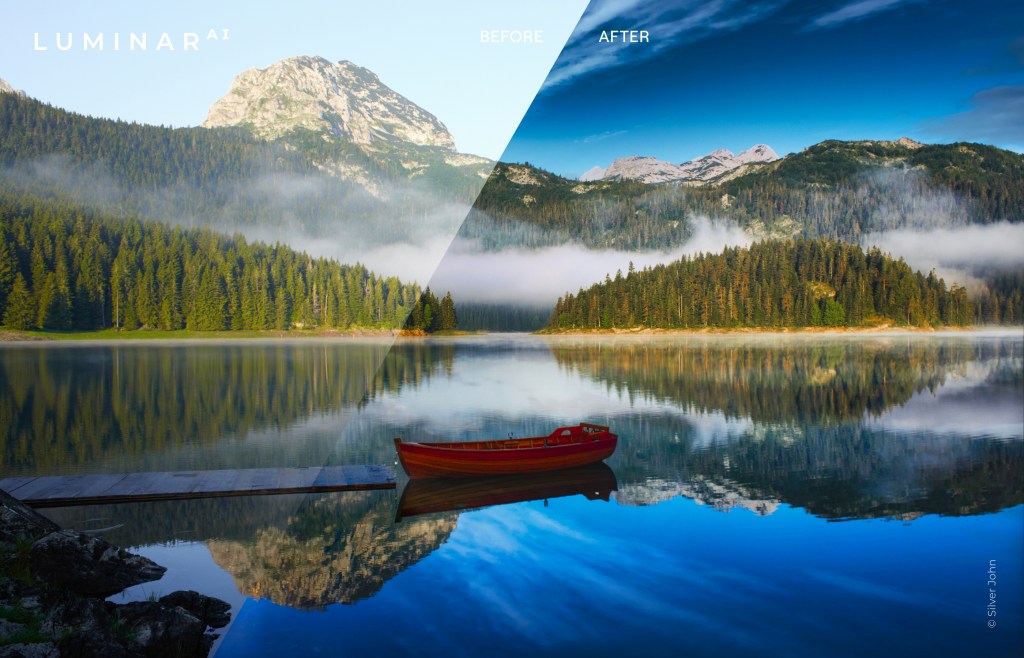
    I’ve been a Lightroom user for many years and in fact I was probably one of the early adopters.

    Over time you become a bit complacent when use the same product. I was starting to think that it was time to look at another way to edit and organise my images that would improve the end result and at the same time improve my productivity.
    So, when I first heard of Luminar a year or so ago, I bought it and have been playing around with it ever since.

    So I was about to post some info about Luminar 4 when Skylum introduced Luminar AI.
    Whilst Luminar 4 is an editing program with some AI (artificial intelligence) built into it, Luminar AI is an AI program with a large selection of editing tools. So for the last 3 months or so I’ve been playing around with it and I’m impressed.

    Let me tell you where I’m coming from. I did a lot of editing but nowhere the amount I should do. I have RAW images that are sitting on my hard drive that, apart from the odd one, go back 10 years plus waiting for me to get off my arse and process!
    You see, I have a love/hate relationship with editing and find that I’m going down a rabbit hole with it. I try and keep out of Photoshop and will try to use just Lightroom but it’s not always enough.
    So when Luminar AI came along It seemed like a way of reducing my edit time (and consequently inspiring me to start processing my back catalogue). Enough of that.

    Firstly, let me clarify that the info I will provide is for Luminar AI specifically the latest update 2. Secondly, I’m an affiliate so if you decide to buy through this link and use the code katinimages
    I’ll get a small payment.

    Over the next few weeks (could even be months) I’ll post a more articles on my experience and opinion.

    So today is about comparing Luminar with Lightroom, as so many of us are Lightroom users.

    One thing you need to consider is the difference in terms of price. Luminar is a once off payment for the software not a subscription.
    Having said that new versions – as opposed to updates, are an additional cost.

    I originally had Luminar 3 which I can still use but when Luminar 4 was released I had to pay for it, admittedly at a discounted rate as I was an existing owner (approx. 25%).

    How much is it? In USD it’s currently $89.00 (which you can get USD$10 off using this link and the code katinimages).
    Adobe’s photography plan is USD$9.99 per month which is approx. $120 per year but you do get Photoshop as well as Lightroom plus a few other apps like LR Mobile and Cloud storage.
    Having said that it’s not necessarily one or the other. It can be both as Luminar can be use as a plugin in both Lightroom and Photoshop.

    So, the differences between LR and Luminar AI are briefly as follows:

    Luminar is a great AI software with a large selection of editing tools with some limited organising tools
    Lightroom is an organising software with some really good editing tools

    To compare their organising ability let’s look at this chart

     LR*LAI*Comment
    FoldersY8Y9L AI is easier to see
    Albums/CollectionsY9Y9 
    KeywordsY8NNAComing in a future update of L AI?
    CaptionsY10NNAComing in a future update of L AI?
    Copyright MetadataY10NNAComing in a future update of L AI?
    Individual Image EditY3Y8Editing a single image in LR is possible but difficult because of its import requirements. It’s easy to do in L AI.
    Smart PreviewsY8NNAA real differential if you edit images away from a remote drive
    Import toolY7Y9L AI Import facility is very easy and quick due to it’s simplicity
    Export toolY9Y7L AI is simple to use. LR gives you lots of preinstalled presets and the ability to create your own as well.
    Export to 3rd PartiesY9Y3L AI is Limited to SmugMug and 500PX and one image at a time
    Network CatalogueNNAY8This is handy for me it means I can access the catalogue across my network from any computer that has L AI installed

    There are other differences that are not listed above but these are the main ones that I’ve encountered.

    The keywords, captions and copyright is a big one for me. If I don’t edit an image in Lightroom then I have to enter these details into the platform I have exported to. In my case that’s SmugMug or WordPress. Alternatively once you finish editing you can export to your hard drive and then import to Lightroom for captions, keywords and other metadata like copyright.
    I thought that using Lightroom to enter the metadata and then using Luminar as a plug in would be a workaround but unfortunately when you bring back the image to Lightroom it’s all gone. Likewise, flag, star or colour ratings are not retained either.
    This means to use Luminar I’ve had to change my workflow.
    With Lightroom my workflow was

    1. Rate
    2. Import with copyright, and basic keywords
    3. Enter keywords, title and captions
    4. Edit
    5. Export

    With Luminar AI I now:

    1. Import
    2. Rate
    3. Edit
    4. Export to SmugMug*
    5. Enter keywords, title and captions

    OR

    1. Import to Lightroom
    2. Rate (if I want to)
    3. Export

    Note. I don’t enter copyright. This is because the OMD1 MKII that I have has a facility for copyright to be entered on every image.

    *The Keywords, Caption and title can be entered during export to SmugMug or 500PX if you want to avoid Lightroom. The beauty of using Lightroom is you can batch export to both SmugMug and 500PX

    In summary, on the one hand, using Luminar AI has saved me some time as I now don’t rate every image and only enter keywords, title and captions to images that have been exported. On the other hand it’s restriction of only one image at a time can be exported to SmugMug is more time consuming.
    That’s my way of handling the logistical differences between Lightroom and LuminarAI and may not work for everyone

    Below is a video brief summary of Luminar AI’s editing power:

    In the next post I’ll review what Luminar AI is really all about and that’s it’s editing tools.
    If you want to try for yourself then click on the this link and use the code katinimages to get a US$10 discount.

    Share this:

    • Tweet
    • Click to email a link to a friend (Opens in new window) Email
    • More
    • Click to share on Reddit (Opens in new window) Reddit
    • Click to print (Opens in new window) Print
    • Share on Tumblr
    • Pocket
    • Click to share on WhatsApp (Opens in new window) WhatsApp
    Like Loading…
  • Doorway and Wall

    Doorway and Wall

    April 6, 2021
    Doorway and wall, deep in the heart of the Fes Medina in Morocco
    Doorway and wall, deep in the heart of the Fes Medina in Morocco. Click on the image for a larger view

    Share this:

    • Tweet
    • Click to email a link to a friend (Opens in new window) Email
    • More
    • Click to share on Reddit (Opens in new window) Reddit
    • Click to print (Opens in new window) Print
    • Share on Tumblr
    • Pocket
    • Click to share on WhatsApp (Opens in new window) WhatsApp
    Like Loading…
Previous Page Next Page

A WordPress.com Website.

Privacy & Cookies: This site uses cookies. By continuing to use this website, you agree to their use.
To find out more, including how to control cookies, see here: Cookie Policy
 

Loading Comments...
 

    • Subscribe Subscribed
      • Katin Images Travel Photography
      • Join 457 other subscribers
      • Already have a WordPress.com account? Log in now.
      • Katin Images Travel Photography
      • Subscribe Subscribed
      • Sign up
      • Log in
      • Report this content
      • View site in Reader
      • Manage subscriptions
      • Collapse this bar
    %d